
1. Kupu Whakataki
The VTech Disney Princess Magical Learn and Go is an electronic learning toy designed to engage children in educational play. This device emulates a smartphone and features four Disney Princesses who guide the child through various learning activities. It is designed to help develop skills such as letter recognition, alphabet order, spelling, logic, and music. The toy incorporates an LCD screen, gem-style arrow buttons, and a QWERTY keyboard layout for an interactive learning experience.
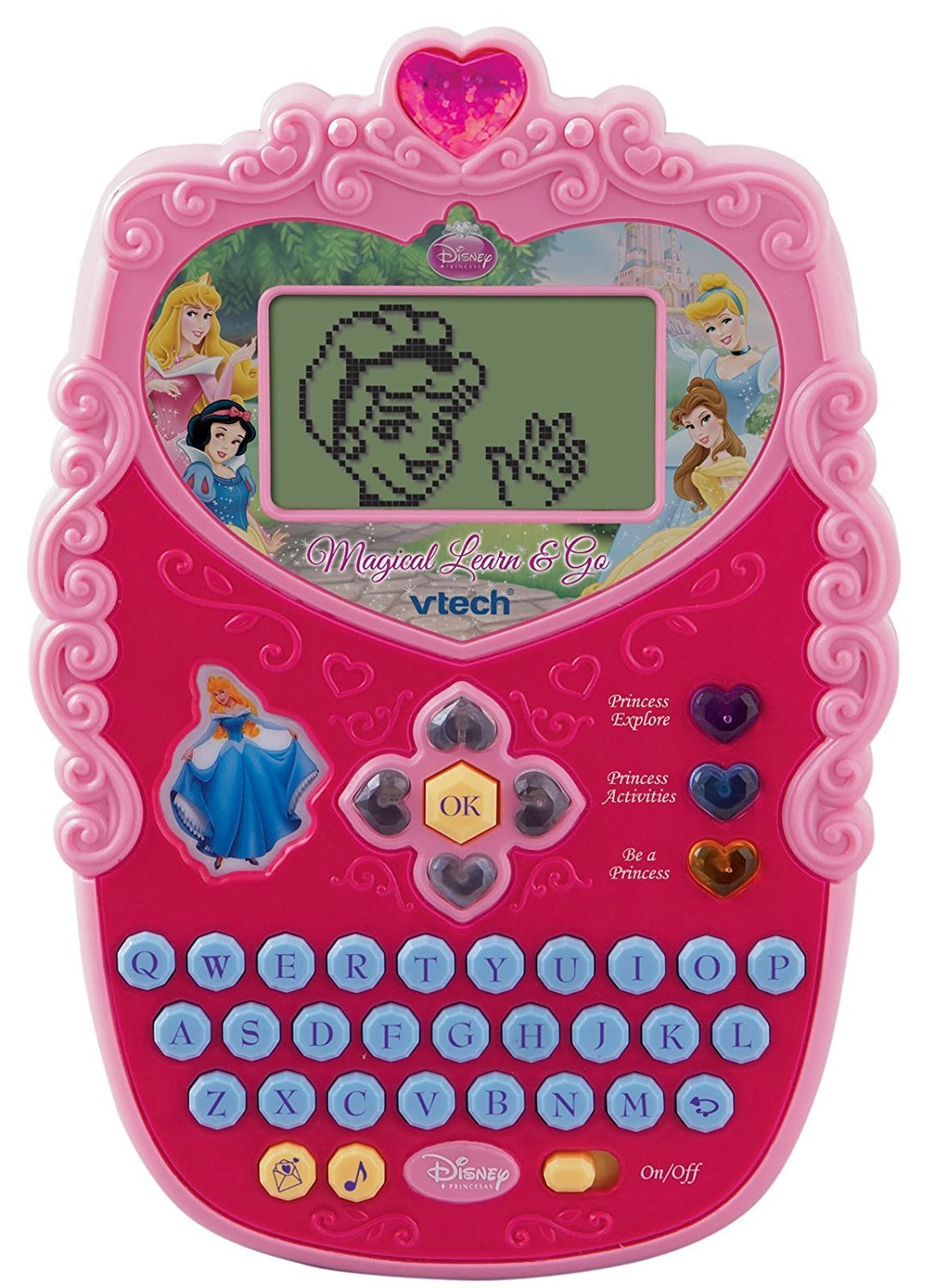
Image 1.1: The VTech Disney Princess Magical Learn and Go device. This image displays the overall design of the electronic learning toy, highlighting its compact, princess-themed appearance.
2. Ihirangi mokete
Upon opening the package, ensure all components are present. The box should contain:
- One VTech Disney Princess Magical Learn and Go electronic learning toy.
- Three AA batteries (pre-installed or included separately).
- Tenei pukapuka tohutohu.

Image 2.1: The VTech Disney Princess Magical Learn and Go toy shown in its retail packaging. The packaging highlights key features and the Disney Princess branding.
3. Nga Hua o te Hua
The VTech Disney Princess Magical Learn and Go offers several features designed for educational engagement:
- Interactive Princesses: Features Cinderella, Belle, Snow White, and Aurora to guide learning.
- E-Card Reception: Girls can receive virtual e-cards from their favorite princesses.
- Papapātuhi QWERTY: A full QWERTY keyboard layout for familiar computer-like play and typing practice.
- Mata LCD: A clear LCD screen displays activities and animations.
- Gem-Style Arrow Buttons: Intuitive navigation buttons for selecting options and interacting with games.
- Aratau Purei Maha: Three distinct modes of play to vary the learning experience.
- Eight Learning Activities: Includes activities focusing on letter recognition, alphabet order, spelling, logic, and music.
- Hoahoa Huatau: A princess-themed design to appeal to young users.
4. Tatūnga
4.1 Tāuta Pūhiko
The VTech Disney Princess Magical Learn and Go requires three (3) AA batteries for operation. Batteries may be pre-installed for demonstration purposes. If replacing batteries:
- Kimihia te wahanga pākahiko kei muri o te waeine.
- Using a screwdriver, loosen the screw on the battery compartment cover and remove the cover.
- Insert three new AA batteries, ensuring correct polarity (+/-) as indicated inside the compartment.
- Whakakapia te uhi o te wahanga o te pākahiko me te whakakaha kia mau te huri.
Mōhiohio Pūhiko Hiranga:
- Use only fresh batteries of the required type.
- Kaua e hanumi nga pākahiko tawhito me nga pākahiko hou.
- Kaua e whakaranua nga pākahiko kawakore, paerewa (waro-konutea), rechargeable (nickel-cadmium) pākahiko.
- Tangohia nga pākahiko kua ruha mai i te taakaro.
- Tangohia nga pākahiko ki te kore e whakamahia te taakaro mo te wa roa.
- Makahia nga pākahiko ma te haumaru. Kaua e tukuna nga pākahiko ki te ahi.
4.2 Hiko / Whakaweto
To turn the unit on, locate the On/Off switch, typically found on the side or bottom of the device, and slide it to the "On" position. To turn the unit off, slide the switch to the "Off" position.
5. Nga Tohutohu Whakahaere
The Magical Learn and Go toy is designed for intuitive play. Familiarize yourself with the main controls:
- Mata LCD: Displays all visual content, including activities, letters, and princess animations.
- Papapātuhi QWERTY: Used for typing letters, words, and interacting with spelling activities.
- Gem-Style Arrow Buttons: Navigate through menus, select options, and move characters within games.
- Pene OK: Ka whakaū i nga whiringa, i nga mahi ranei.
- Princess Buttons: Dedicated buttons to interact with specific princesses or access princess-themed content.
5.1 Ngā Aratau Tākaro
The toy features three distinct modes of play. Use the mode selection buttons (if present) or navigate through the main menu to choose a mode:
- Aratau Ako: Focuses on educational activities like letter recognition, spelling, and logic puzzles.
- Aratau Waiata: Engages children with melodies, sounds, and musical activities.
- Creative/Role-Play Mode: Allows for imaginative play, such as receiving e-cards from princesses or engaging in princess-themed scenarios.
5.2 Learning Activities
There are eight built-in learning activities. Select an activity from the main menu using the arrow buttons and the OK button. Examples of activities include:
- Letter identification and pronunciation.
- Alphabetical order challenges.
- Basic spelling games.
- Logic puzzles.
- Musical note recognition.

Image 5.1: A child interacting with the VTech Disney Princess Magical Learn and Go toy. This demonstrates the product in use, highlighting its handheld design and user interface.
6. Tiaki
6.1 Te horoi
Hei horoi i te taonga takaro, murua ki te wai pakupakuamp kakahu. Kaua e whakamahia ngā matū kino, ngā mea horoi rānei. Me whakarite kia maroke rawa te taonga takaro i mua i te penapena, i te whakamahinga anō rānei.
6.2 Rokiroki
Store the toy in a cool, dry place away from direct sunlight and moisture. If the toy will not be used for an extended period, remove the batteries to prevent leakage.
7. Te Raru
If the VTech Disney Princess Magical Learn and Go is not functioning as expected, please refer to the following common issues and solutions:
| Raruraru | Rongoā |
|---|---|
| Karekau te waeine e ka ana. |
|
| He pātea te mata, he kemo rānei. |
|
| Sound is distorted or absent. |
|
| Kare e aro mai nga paatene. |
|
8. Whakatakotoranga
| Āhuahira | Taipitopito |
|---|---|
| Hunga Hua | 4.78 x 7.06 x 1.44 inihi |
| Taumaha Tūemi | 13.6 hekere |
| Tau tauira | 80-116900 |
| Te Tau Manakohia | 4 - 7 tau |
| Nga Pikohiko e hiahiatia ana | 3 pākahiko AA (kei roto) |
| Kaihanga | VTech |
| Te Ra Whakaputa | Pipiri 12, 2010 |
9. Nga korero haumaru
Please read and follow these safety precautions to ensure safe operation of the toy:
- This toy is intended for children aged 4-7 years. Adult supervision is recommended.
- Kaua e rumakina te taonga takaro ki te wai, kaua hoki e whakaaturia ki te makuku nui.
- Avoid dropping the toy or subjecting it to strong impacts.
- Do not attempt to disassemble or modify the toy, as this may cause damage or injury.
- Puritia ngā pākahiko kia kore e taea e ngā tamariki nohinohi te toro atu. Mēnā ka horomia, rapua tonutia he awhina hauora.
- In rare cases, prolonged use of electronic toys may cause skin irritation. If irritation occurs, discontinue use.
10. Pūtāhui me te Tautoko
VTech products are manufactured with high-quality materials and undergo rigorous testing. For detailed warranty information, please refer to the warranty card included with your purchase or visit the official VTech webpae. Mō ngā patai tautoko hangarau, ratonga kiritaki rānei, whakapā atu ki te tautoko kiritaki a VTech mā ā rātou hongere mana.
VTech Official Webpae: www.kiteroha.com