
DELTA FAUCET 15901T-SS-DST
Delta Faucet Lewiston Single Handle Bathroom Faucet
Model: 15901T-SS-DST
Ka mutu te huaview
The Delta Faucet Lewiston Single Handle Bathroom Faucet with Touch2O Technology offers a modern and convenient solution for your bathroom. This faucet is designed for ease of use and maintenance, featuring innovative touch activation and easy-to-clean components.
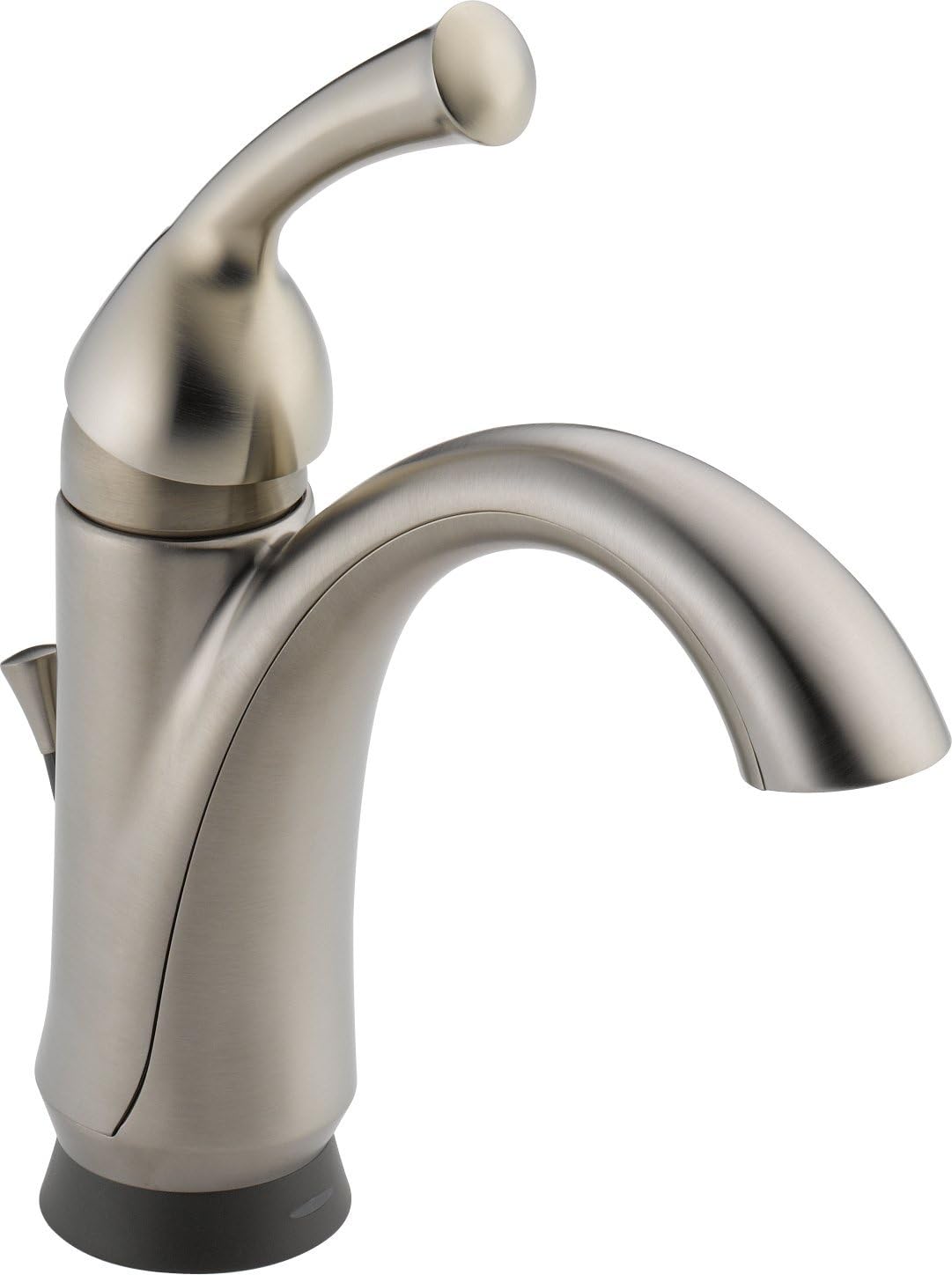
Whakaahua 1: The Delta Faucet Lewiston Single Handle Bathroom Faucet, showcasing its sleek design and stainless steel finish. This image displays the main body of the faucet, the curved spout, and the single lever handle on the right side, along with the subtle base.
Ko nga ahuatanga matua ko:
- Touch2O Technology: Allows for turning the faucet on and off with a simple touch anywhere on the faucet body or handle.
- Touch-Clean® Nozzles: Soft, rubber spray holes that allow for easy wiping away of calcium and lime build-up.
- WaterSense® Certified: Meets EPA criteria for water efficiency, with a flow rate of 1.5 gallons per minute (5.7 L/min).
- E tika ana a ADA: Designed to meet accessibility standards when properly installed.
- DIAMOND Seal Valve: Ensures durable, leak-free operation.
Tatūnga me te Tāuta
Proper installation is crucial for the optimal performance of your Delta Faucet. This faucet is designed for single-hole deck mount installation.
I mua i to tiimata:
- Ensure all necessary tools and parts are available as listed in the official installation manual.
- Whakawetohia te puna wai matua ki te wharepaku.
- Clear the work area under the sink.
Hipanga Tāuta:
For detailed, step-by-step installation instructions, diagrams, and safety warnings, please refer to the official Installation Manual (PDF) provided by Delta Faucet. This document contains critical information for a successful setup.
Ka taea e koe te uru atu ki te pukapuka tāutanga mana i konei: Delta Faucet 15901T-SS-DST Installation Manual (PDF).
- Whakapaia te Mata Maunga: Ensure the sink deck is clean and free of debris.
- Install the Faucet Body: Place the faucet body through the mounting hole.
- Whakamaua te Taputapu: From underneath the sink, secure the faucet using the provided mounting hardware.
- Honoa ngā raina wai: Attach the hot and cold water supply lines to the corresponding connections on the faucet and your home's water supply.
- Tāutahia te Runanga Whakawai: Follow the instructions for installing the pop-up drain assembly.
- Whakamātautau mō ngā turuturu: Slowly turn on the water supply and check all connections for leaks.
Nga Tohutohu Whakahaere
The Delta Faucet Lewiston features intuitive operation for daily use.
Using Touch2O Technology:
- Hei Whakakā/Weto: Simply touch the faucet body or handle with your hand or forearm. The water will start or stop flowing.
- Katia Aunoa: The faucet is designed to automatically shut off after a few minutes of continuous flow to conserve water.
- Whakakore a-ringa: You can always operate the faucet manually using the handle, even if the Touch2O feature is active or if power is lost.
Mahi Kakau:
- Rere Wai: Lift the single lever handle to increase water flow. Push down to decrease flow.
- Mana Pawera: Nekehia te kakau ki maui mō te wai wera, ki matau hoki mō te wai matao.
Te tiaki
Regular maintenance will ensure the longevity and optimal performance of your Delta Faucet.
Te horoi i te Taputapu:
- Whakapai Whānui: Horoia te kōrere ki te ngohengohe, damp cloth and mild soap. Avoid abrasive cleaners, harsh chemicals, or polishes as they can damage the finish.
- Touch-Clean® Nozzles: The soft rubber nubbins on the spray face allow you to easily wipe away calcium and lime build-up with a simple rub of your finger. This helps maintain consistent water flow.
Battery Replacement (if applicable for Touch2O):
While the product specifications state "Batteries Required? No", some Touch2O models may use batteries for the touch functionality. If your model requires batteries, refer to the installation manual for specific instructions on battery type and replacement. Typically, a low battery indicator light will signal when replacement is needed.
Raparongoā
If you encounter issues with your Delta Faucet, try these common troubleshooting steps before contacting support.
| Raruraru | Take pea | Rongoā |
|---|---|---|
| Kaore he wai, he iti te rere |
|
|
| Touch2O Technology not responding |
|
|
| Leaking from base or handle |
|
|
For more complex issues or if the problem persists, please refer to the detailed troubleshooting section in the official installation manual or contact Delta Faucet customer support.
Whakatakotoranga
Detailed specifications for the Delta Faucet Lewiston Single Handle Bathroom Faucet (Model: 15901T-SS-DST).
| Huanga | Taipitopito |
|---|---|
| Waitohu | DELTA FAUCET |
| Tau tauira | 15901T-SS-DST |
| Nga Whakamahinga Manakohia | Whare kaukau |
| Momo Whakaeke | Maunga Deck |
| Momo Whakaoti | Kua paraitia |
| Rauemi | Rubber (likely referring to internal components/seals) |
| Tae | Kowiri tira |
| Tuhinga o mua | 1 |
| Momo Kakau | Taumata |
| Momo Tāuta | Kotahi Tangata |
| Rere Rere Morahi | 1.5 Karini mo ia Meneti |
| Momo takirere | Electronic with DIAMOND Seal Valve |
| Te Whanui | 5.25 Inihi |
| Taumaha Tūemi | 5.2 pauna |
| Hunga Hua | 21.78 x 13.45 x 4 inihi |
| Kei roto nga pākahiko? | Kao |
| Pikohiko e hiahiatia ana? | Kao |
| Te Ra Tuatahi Wātea | Hui-tanguru 10, 2012 |
Pūtāhui me te Tautoko
Delta Faucet stands behind the quality of its products.
Mōhiohio Pūtāhui:
This Delta Faucet model 15901T-SS-DST comes with an Electronic Faucet 5-year Limited Warranty. Please refer to the official warranty documentation included with your product or visit the Delta Faucet webpae mo nga whakaritenga katoa.
Tautoko Kiritaki:
If you require further assistance, have questions about installation, operation, or need to claim warranty service, please contact Delta Faucet customer support. Contact information can typically be found on the Delta Faucet official webte waahi kei roto ranei i te kohinga hua.
For more information, you may visit the official Delta Store on Amazon: Visit the Delta Store
Ask a question about this manual
Ask about setup, troubleshooting, compatibility, parts, safety, or missing instructions. Manuals+ will review the question and use this page’s manual context to help answer it.