
Kupu Whakataki
This manual provides detailed instructions for the installation, operation, and maintenance of your VTech VTCS6619 DECT 6.0 Expandable Speakerphone with Caller ID. Please read this manual thoroughly before using your new telephone system to ensure proper functionality and to take full advantage o ona ahuatanga.
Ihirangi mokete
Manatokohia kei roto i to kete nga mea e whai ake nei:
- Cordless Phone with Caller ID/Call Waiting
- Wāhanga Pūtake Waea
- Pouaka AC
- Waea Waea Waea
- Pūhiko Whakahoki Anō mō te Waea Pūkoro
- Uhi Pukoro
Tatūnga
Follow these steps to set up your VTech VTCS6619 telephone system.
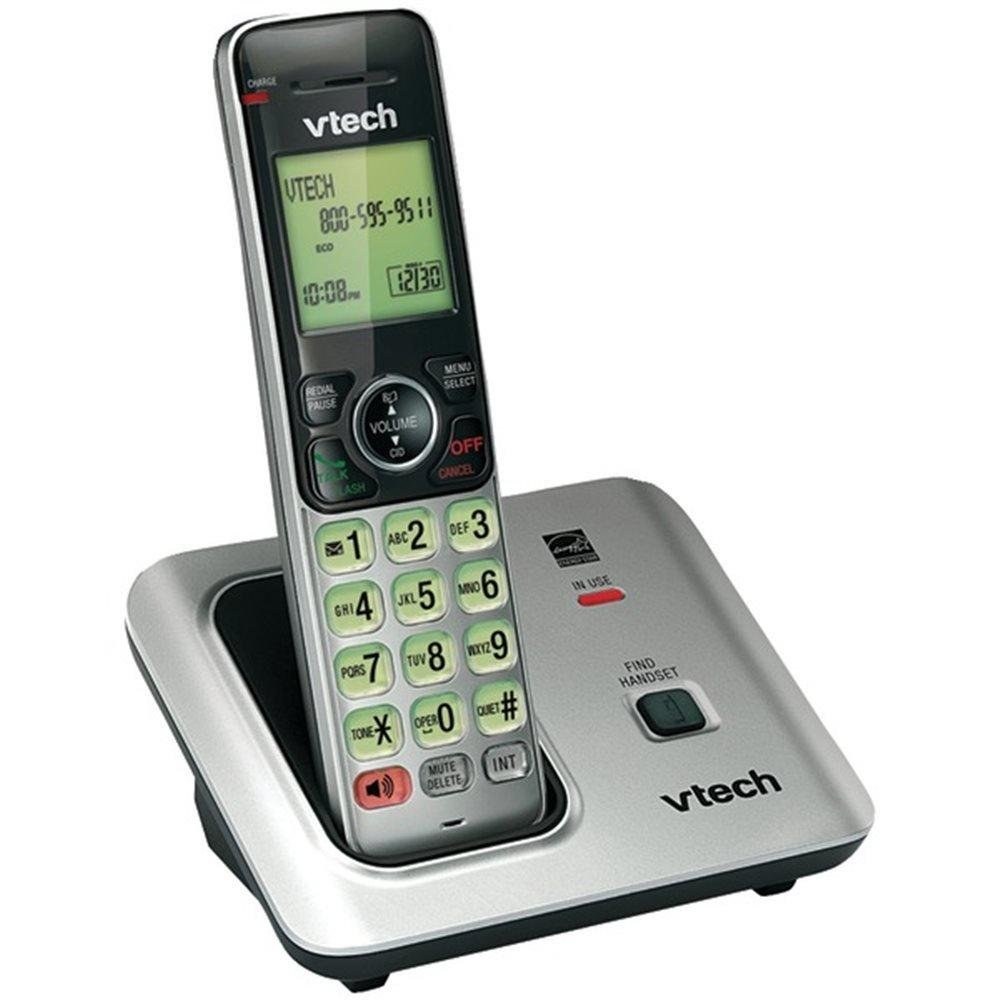
Image: The VTech VTCS6619 DECT 6.0 Cordless Speakerphone with Caller ID, showing the black handset and base unit.
1. Tāuta Pūhiko
- Whakatuwheratia te uhi o te wahanga pākahiko kei muri o te ringaringa.
- Honoa mau te mono o te pākahiko ki te hononga i roto i te wāhanga.
- Place the battery pack with the label UP and tuck the wires neatly inside the compartment.
- Katia te uhi o te wahanga pākahiko.
2. Hononga Waeine turanga
- Plug the small end of the AC power adapter into the power jack on the back of the telephone base.
- Plug the large end of the AC power adapter into a wall outlet not controlled by a wall switch.
- Plug one end of the telephone line cord into the TEL LINE jack on the back of the telephone base.
- Monohia tetahi pito o te taura waea ki roto i te hononga waea i te pakitara.
3. Handset Charging
Once the battery is installed and the base unit is connected, place the handset on the telephone base. The CHARGE light on the handset will illuminate, indicating that the battery is charging. Allow the handset to charge for at least 10 hours before initial use.
Nga Tohutohu Whakahaere
This section details the basic functions and features of your VTech VTCS6619 phone.
Te Waea me te Whiwhi Waea
- Hei Waea: Perehi KORERO / MAHI or KORERO, ka waeahia te nama waea.
- Hei Whakautu Waea: Ka tangi ana te waea, pehi KORERO / MAHI or KORERO.
- Hei Whakamutu Waea: Perehi MATE/MAMA or place the handset back on the telephone base.
Mahi Waeaorooro
Hei whakahohe i te waea kōrero i te wā e waea ana, pēhi i te KORERO button. Press it again to switch back to the handset earpiece.
Waea Kaiwaea me te Waea Tatari
The phone displays the caller's name and number (if available) before you answer. If you subscribe to Call Waiting service, the phone will alert you to an incoming call while you are on another call. Press Kohiko ki te huri i waenga waea.
Karanga Huihuinga
The VTech VTCS6619 supports 3-way conference calls. While on a call, you can add a third party by pressing the Kohiko button, dialing the new number, and then pressing Kohiko anō hei hono i ngā rōpū katoa.
Pūnaha Whakautu Mamati
The integrated digital answering system records incoming messages when you are unavailable. Access messages by pressing the TAKARO/TATA button on the base or through the handset menu. Refer to the full user guide for detailed instructions on setting up your outgoing message and managing messages.
Te tiaki
Proper care ensures the longevity of your telephone system.
Te horoi
Clean the telephone and base unit with a soft, damp kakahu. Kaua e whakamahia he rehu horoi, he wai horoi rānei, nā te mea ka kino pea te whakaotinga, ngā wāhanga hiko rānei.
Tiaki Pūhiko
To maintain optimal battery performance, avoid exposing the handset to extreme temperatures. If the phone will not be used for an extended period, remove the battery to prevent leakage.
Raparongoā
If you experience any issues with your phone, refer to the following common problems and solutions:
| Raruraru | Rongoā |
|---|---|
| Karekau he oro waea | Ensure the telephone line cord is securely plugged into both the base unit and the wall jack. Check if the AC power adapter is properly connected. |
| He kino te kounga oro | Move the handset closer to the base unit. Check for interference from other electronic devices. Ensure the battery is fully charged. |
| Karekau te ringaringa e utu ana | Verify the handset is correctly placed on the base unit. Clean the charging contacts on both the handset and base with a dry cloth. Check the power connection to the base unit. |
| Kāore te ID Kaikaranga e whakaatu ana | Ensure you have subscribed to Caller ID service from your telephone service provider. The feature may not work if the caller has blocked their number. |
Whakatakotoranga
- Waitohu: VTech
- Tauira: VTCS6619
- Momo Waea: Ahokore
- Tae: Pango
- Te maha o nga pākahiko: 1 nga pākahiko AAA e hiahiatia ana (kei roto)
- Rauemi: Kirihou
- Puna Hiko: Pūhiko Powered
- Momo Waea: Tone
- Rahi Tūemi (L x W x H): 6.9 x 5.2 x 6.7 inihi
- Momo Pūnaha Whakautu: Mamati
- Taumaha Tūemi: 1 Pauna
- Ngā Pūrere Hototahi: VTech CS6619 handsets, basic answering machines
- Te Waea Waea Huihuinga: 3-ara
- Mahi Raina-maha: Mahi Raina-kotahi
- Waea Tutaki Waea: meneti 7200
- ID Kaiwaea: Ae
Pūtāhui me te Tautoko
Your VTech VTCS6619 telephone system is covered by a 1-Tau Rarangi Rarangi from the date of purchase. This warranty covers defects in material and workmanship under normal use. For warranty service or technical support, please refer to the contact information provided in your product packaging or visit the official VTech webpaetukutuku mō ngā taipitopito ratonga kiritaki.
Tena koa pupuri i to riirii hoko hei tohu mo te hoko mo nga kereme whakamana.