
VTech CS6729-2
VTECH Communications CS6729-2
2 Handset Answering System with Caller ID/Call Waiting User Manual
Kupu Whakataki
This user manual provides comprehensive instructions for the VTECH Communications CS6729-2 2 Handset Answering System. It covers setup, operation, maintenance, and troubleshooting to ensure optimal performance of your new telephone system. Please read this manual thoroughly before using your phone.
Tatūnga me te Tāuta
Ihirangi mokete
Me mohio kei roto katoa nga mea kei roto i to kete:
- Pukoro Ahokore (2)
- Base Unit with Digital Answering System
- Pūurutau Hiko AC mo te Waeine turanga
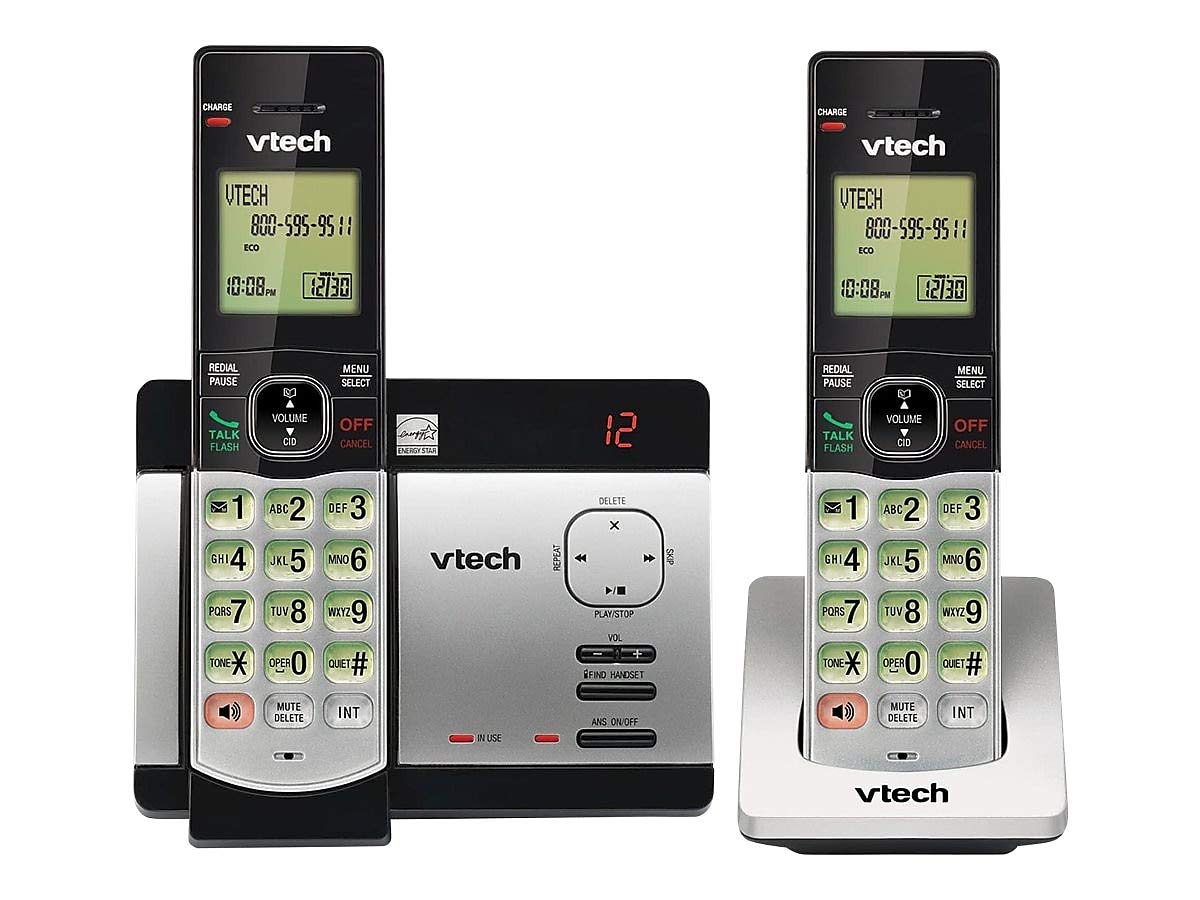
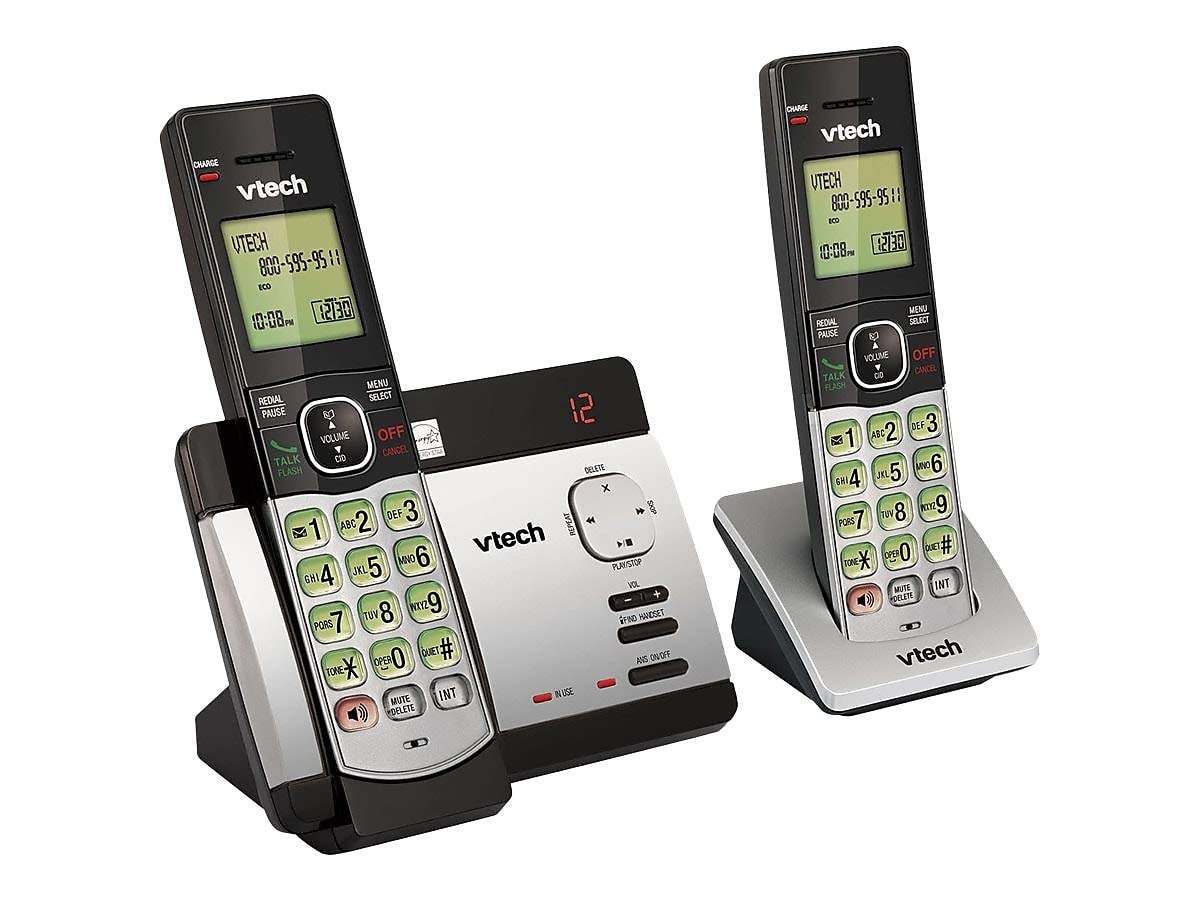
- Waea Waea Waea
- Nga Pikohiko Ka taea te whakahoki (4 nga pākahiko AAA e hiahiatia ana, kei roto)
- Taiapa Maunga Taiepa
Tāuta Pūhiko
Before initial use, install the included AAA batteries into each cordless handset. Open the battery compartment cover on the back of the handset, insert the batteries according to the polarity markings, and close the cover. Place the handset on the base unit or charger to charge for at least 16 hours before first use.
Te hono i te Waeine turanga
Connect the small end of the AC power adapter to the power jack on the back of the telephone base. Plug the large end of the AC power adapter into a wall outlet not controlled by a wall switch. Connect one end of the telephone line cord to the telephone jack on the back of the telephone base. Plug the other end of the telephone line cord into a telephone wall jack.
Nga Tohutohu Whakahaere
Te Waea me te Whiwhi Waea
Ki te waea, pehia KORERO / MAHI or any dial pad key, then dial the number. To receive a call, press KORERO / MAHI when the phone rings. To end a call, press WHAKATOA/Whakakore whakamuri ranei i te ringaringa ki runga i te waeine turanga/riihi.
Answering System Features
The integrated digital answering system can record up to 14 minutes of messages. You can retrieve messages from any handset or remotely. The voicemail waiting indicator will notify you of new messages. Messages are time and date stamped mo te tohutoro ngawari.
Tau Waea/Tatari Waea
The phone displays the caller's name and number (if available) before you answer. If you have Call Waiting service, the phone will alert you to an incoming call while you are on another call.
Rarangi Pukapuka Waea
Store up to 50 names and numbers in the phonebook directory for quick dialing. Refer to the handset menu for instructions on adding, editing, and deleting entries.
Intercom
Use the intercom feature to communicate between handsets. This system supports up to 5 handsets (additional handsets sold separately).
Titia
The phone stores the last 10 dialed numbers. Press WHAKATAHI/TAHI to access and redial these numbers.
Mana Rōrahi
Adjust the earpiece and speakerphone volume during a call using the ROTO buttons on the side of the handset.
Wahangu
Pehia te WAUNGA/MUKU button during a call to mute your microphone. The other party will not hear you, but you can still hear them. Press again to unmute.
Karanga Huihuinga
You can set up a 3-way conference call between an outside line and up to two cordless handsets.
Trilingual Prompts
The system offers trilingual prompts, allowing you to choose between English, Spanish, or French for voice announcements and menu options.
Te tiaki
Te horoi
Horoia te waea me te waeine turanga ki te wai ngohengohe,amp cloth. Do not use cleaning sprays or harsh chemicals. Avoid getting moisture in any openings.
Tiaki Pūhiko
To maintain optimal battery life, fully charge the handsets regularly. If the phone will not be used for an extended period, remove the batteries to prevent leakage.
Raparongoā
Mena ka pāngia koe e ngā raruraru me tō pūnaha waea, ngana ki ēnei otinga:
| Raruraru | Rongoā |
|---|---|
| Karekau he oro waea | Ensure the power adapter and telephone line cord are securely plugged into the base unit and wall outlets. Check if the phone line is active. |
| Kāore e taea te waea/whiwhi waea | Check battery charge level. Ensure the handset is within range of the base unit. Verify the telephone line connection. |
| Kāore te pūnaha whakautu e tuhi karere | Ensure the answering system is turned ON. Check if the memory is full; delete old messages if necessary. |
| He kino te kounga oro | Whakatata atu ki te waeine turanga. Tirohia mo te pokanoa mai i etahi atu taputapu hiko. |
| Karekau te ringaringa e utu ana | Ensure the handset is properly seated in the charging cradle. Clean the charging contacts on both the handset and cradle. |
Whakatakotoranga
- Tauira: CS6729-2
- Hangarau: DECT 6.0 Mamati
- Pukoro: 2 (whakaroha ki te 5)
- Pūnaha Whakautu: Mamati, 14 meneti te roa o te tuhi
- Te Raukaha Puka Waea: 50 ingoa me nga nama
- Mahara Waea Anō: Last 10 numbers
- Pūhiko: 4 AAA pākahiko rechargeable (kei roto)
- Rahi Hua: 1 x 3.2 x 6.9 inches (handset)
- Taumaha Tūemi: 1.3 pauna
- Tae: Kerei
- Puna Hiko: Hiko Hiko
Pūtāhui me te Tautoko
Mō ngā mōhiohio pūtāhui me te tautoko hangarau, tirohia te kāri pūtāhui kei roto i tō hua, tirohia rānei te paetukutuku mana o VTech webpae. Puritia to riirii hoko hei tohu mo te hoko mo nga kereme whakamana.
Ask a question about this manual
Ask about setup, troubleshooting, compatibility, parts, safety, or missing instructions. Manuals+ will review the question and use this page’s manual context to help answer it.