
Kupu Whakataki
This manual provides detailed instructions for the EMOS E0042 Wireless Digital Thermometer. This device is designed to accurately measure and display both indoor and outdoor temperatures using a main unit and a remote wireless sensor. Please read this manual thoroughly before use to ensure proper operation and longevity of your device.

Image showing the EMOS E0042 Wireless Digital Thermometer in its retail packaging.
Ihirangi mokete
The EMOS E0042 package includes the following components:
- 1x EMOS E0042 Main Display Unit
- 1x EMOS Wireless Outdoor Sensor

Image showing the EMOS E0042 main display unit and the wireless outdoor sensor.
Nga waahanga hua
The EMOS E0042 Wireless Digital Thermometer offers a range of features for convenient temperature monitoring:
- Clear and easy-to-read LCD display with large digits.
- Simultaneous display of indoor and outdoor temperatures.
- Wireless outdoor sensor with a transmission range of up to 100 meters (open area).
- Temperature measurement range: Indoor 0 °C to 60 °C, Outdoor -40 °C to +60 °C.
- Temperature resolution: 0.1 °C.
- Main unit suitable for tabletop placement or wall mounting.
- Sensor designed for outdoor use.
- Powered by AAA batteries (not included).
Icon indicating indoor and outdoor temperature measurement capabilities.
Tatūnga
1. Tāuta Pūhiko
The main unit and the wireless sensor each require 2x AAA 1.5V batteries (not included).
Wāhanga Whakaaturanga Matua:
- Kimihia te wāhanga pākahiko kei muri o te waeine whakaaturanga matua.
- Whakatuwheratia te uhi o te wahanga pākahiko.
- Whakauruhia kia 2 ngā pākahiko AAA, kia tika ai te polarity (+/-).
- Katia kia mau te uhi o te wahanga pākahiko.
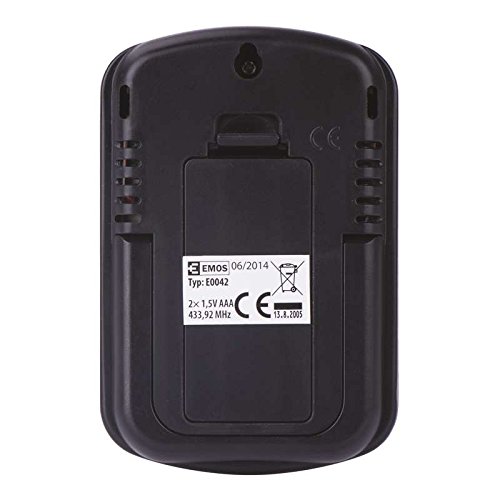
Whakamuri view of the EMOS E0042 main display unit, showing the battery compartment and wall-mount hole.
Panui Ahokore Ahokore:
- Locate the battery compartment on the back of the wireless outdoor sensor.
- Whakatuwheratia te uhi o te wahanga pākahiko.
- Whakauruhia kia 2 ngā pākahiko AAA, kia tika ai te polarity (+/-).
- Katia kia mau te uhi o te wahanga pākahiko.
- The sensor will automatically begin transmitting data.
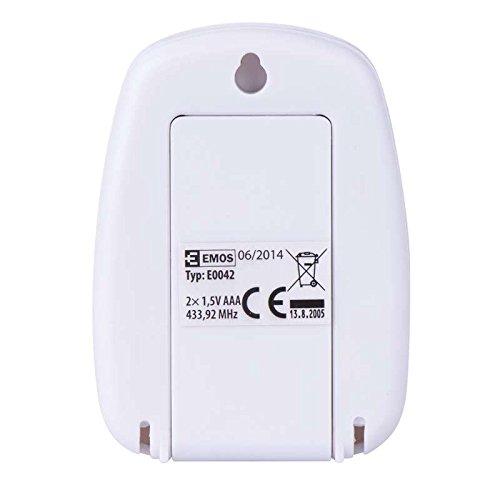
Whakamuri view of the EMOS wireless outdoor sensor, showing the battery compartment.
2. Takirua pūoko
The main unit and sensor should automatically pair once batteries are installed. If the outdoor temperature is not displayed, ensure both units are within range and try re-inserting the batteries in both units.
3. Whakanoho
Wāhanga Whakaaturanga Matua:
Place the main unit indoors on a flat surface using its integrated stand, or mount it on a wall using the hanging hole on the back. Ensure it is in a location where the display is easily visible and not exposed to direct sunlight or extreme temperature fluctuations.
Te taha view of the EMOS E0042 main display unit, showing its integrated stand for tabletop placement.
Panui Ahokore Ahokore:
Position the wireless sensor outdoors in a shaded area, protected from direct rain and sunlight, to ensure accurate temperature readings. The maximum effective range between the sensor and the main unit is 100 meters in an open area. Walls, obstacles, and electronic interference can reduce this range.
Nga Tohutohu Whakahaere
Ngā Pāmahana Pānui
Once powered on and paired, the main display unit will show two temperature readings:
- KI WAHO: This indicates the outdoor temperature measured by the wireless sensor.
- IN: This indicates the indoor temperature measured by the main display unit itself.
The temperature is displayed in degrees Celsius (°C).
Whakaatu
The large LCD screen provides clear, simultaneous readings of both indoor and outdoor temperatures.
Te tiaki
Te horoi
Hei horoi i te taputapu, horoia ki te ngohengohe, damp kakahu. Kaua e whakamahia he horoi whakakoi, he whakarewa rānei, nā te mea ka kino pea te whakaaturanga, teasing.
Whakakapinga Pūhiko
When the display becomes dim or readings are inconsistent, it is time to replace the batteries in both the main unit and the wireless sensor. Follow the battery installation steps outlined in the "Setup" section.
Raparongoā
| Raruraru | Take pea | Rongoā |
|---|---|---|
| Kāore he whakaaturanga i te waeine matua. | Kua mate nga pākahiko, kua he ranei te whakaurunga. | Tirohia te āhua o te pākahiko, ka whakakapi ki ngā pākahiko AAA hou. |
| Outdoor temperature not displayed or shows "--". | Sensor out of range, batteries dead, or interference. | Move sensor closer to the main unit. Replace sensor batteries. Ensure no strong electronic interference sources are nearby. Re-pair by removing and re-inserting batteries in both units. |
| Ko nga panui pāmahana hē. | He pūoko e pāngia ana e te rā tika, te ua, ngā pūtake wera rānei. | Relocate the sensor to a shaded, protected area. Ensure proper ventilation around both units. |
Whakatakotoranga
| Āhuahira | Taipitopito |
|---|---|
| Tau tauira | E0042 |
| Waitohu | EMOS |
| Awhe Temperature Roto | 0 °C ki te 60 °C |
| Awhe Temperature Waho | -40 °C ki +60 °C |
| Te Whakataunga Pamahana | 0.1 °C |
| Mokowoko Korekore | Tae atu ki te 100 mita (waahi tuwhera) |
| Auautanga | 433 MHz |
| Whakawhiwhi Hiko Wae Matua | 2x AAA 1.5V papahiko (kaore i whakauruhia) |
| Pūoko Hiko Mana | 2x AAA 1.5V papahiko (kaore i whakauruhia) |
| Ahu Wae Matua (L x W x H) | 8.5 x 5.6 x 1.8 cm |
| Ahu pūoko (L x W x H) | 6.8 x 4.9 x 2.0 cm |
| Momo Whakaatu | Pepa Matapihi |
| Hangarau Hononga | RF (Irirangi Auaumoka) |
| Rauemi | Kirihou |
| Tiwhikete | CE |
Nga korero haumaru
For detailed safety guidelines and important warnings, please refer to the official Safety Information PDF document provided by the manufacturer. Tikiake Mōhiohio Haumaru (PDF)
Pūtāhui me te Tautoko
EMOS products are manufactured to high-quality standards. For warranty information or technical support, please contact your retailer or the official EMOS customer service. Keep your purchase receipt as proof of purchase.