
Kupu Whakataki
The beyerdynamic DT 1770 Pro is a professional studio reference headphone designed for mixing, mastering, monitoring, and recording applications. Featuring Tesla 2.0 technology, these closed-back headphones deliver precise and powerful sound reproduction. This manual provides essential information for the proper setup, operation, and maintenance of your DT 1770 Pro headphones.
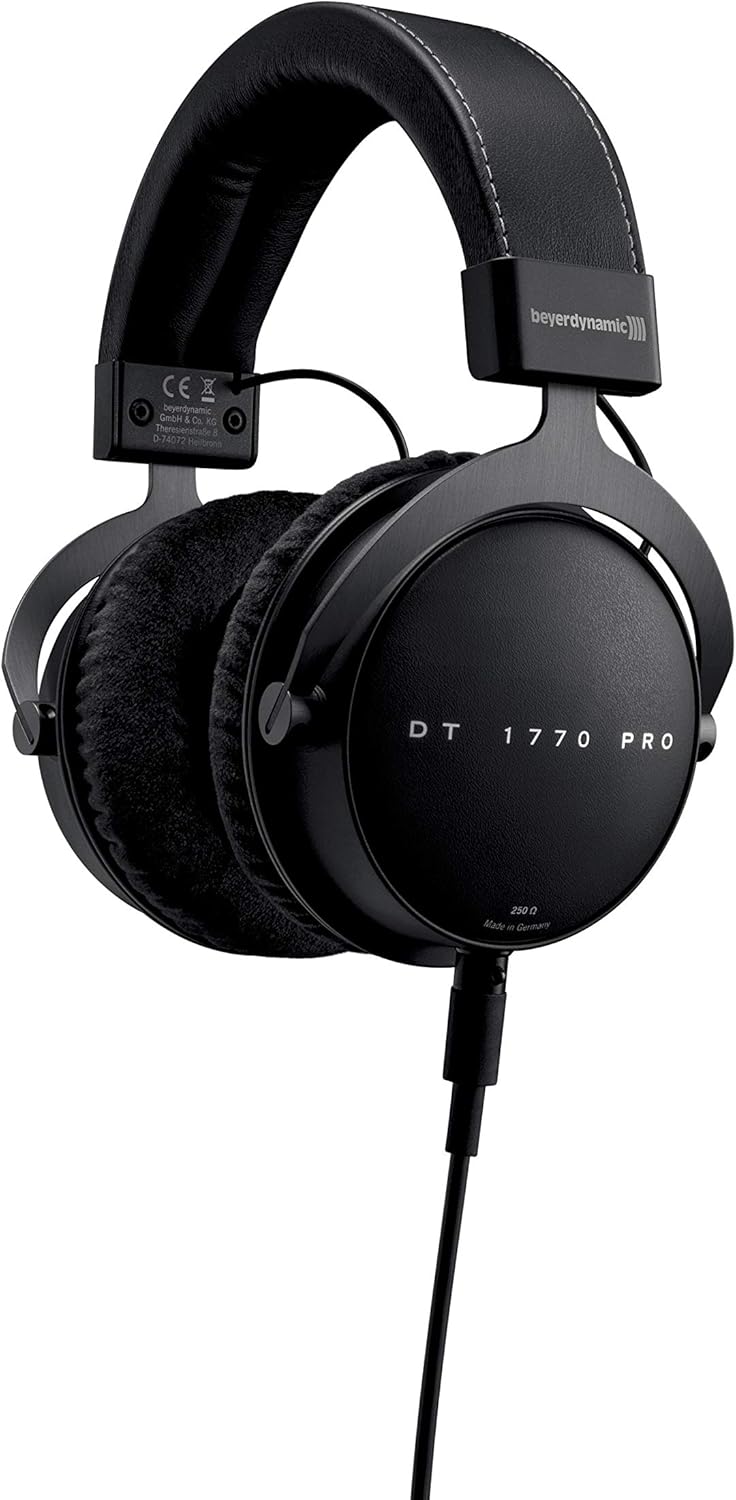
Image: beyerdynamic DT 1770 Pro Studio Headphones, front view.
Tatūnga
Follow these steps to set up your beyerdynamic DT 1770 Pro headphones:
- Wewete ana: Carefully remove all components from the premium carrying case. The package includes the headphones, two sets of ear pads (velour and leatherette), two detachable cables (one coiled, one straight 3m), and a 1/4" adapter.
- Attaching Ear Pads: Select your preferred ear pads. The velour pads offer a breathable feel, while the leatherette pads provide enhanced sound isolation. Align the ear pad with the earcup and gently stretch it around the rim until it is securely seated.
- Te hono i te taura: The DT 1770 Pro features a single-sided, detachable cable with a mini-XLR connector. Insert the mini-XLR end of your chosen cable (coiled or straight) into the port on the left earcup until it clicks securely into place.
- E hono ana ki te Puna Ororongo: Connect the other end of the cable (3.5 mm jack) to your audio device. If your device requires a 1/4" connection, use the included adapter. Ensure the connection is firm.
- Te Whakatikatika: Adjust the headband to ensure a comfortable and secure fit. The earcups should fully enclose your ears without excessive pressure.

Whakaahua: Kati-ake view of the DT 1770 Pro earcup, highlighting the detachable cable connection point.
Te whakahaere
The DT 1770 Pro headphones are designed for optimal performance with professional audio equipment. Due to their 250 Ohm impedance, a dedicated headphone amplifier or an audio interface with sufficient output power is recommended for optimal sound quality and volume levels.
- Mana Rōrahi: Adjust the volume directly from your audio source or ampkaiwhakaora. Tīmata ki te reo iti, kātahi ka whakanuia haeretia kia pai ai te whakarongo.
- Wehewehenga Oro: These closed-back headphones provide passive sound isolation, reducing external noise and preventing sound leakage.
- Whakamahinga Roa: The ergonomic design and soft, replaceable ear pads are engineered for comfort during long studio sessions. Take regular breaks to prevent listening fatigue.

Image: A person wearing beyerdynamic DT 1770 Pro headphones, demonstrating typical usage in a studio environment.
Te tiaki
Mā te tiaki tika ka roa te ora me te mahi a ō paneoro:
- Te horoi: Use a soft, dry cloth to clean the exterior of the headphones. For ear pads, follow specific cleaning instructions provided by beyerdynamic or use a mild, damp kakahu, ā, tukua kia maroke rawa i te hau i mua i te tāpiritanga anō.
- Whakakapinga Papa Taringa: Ear pads are replaceable. If they become worn or damaged, new ones can be purchased from authorized retailers. Refer to the setup section for removal and attachment.
- Tiaki taura: The detachable cables are designed for durability. Avoid sharp bends or excessive pulling. If a cable becomes damaged, it can be replaced.
- Rokiroki: When not in use, store the headphones in the provided premium carrying case to protect them from dust, moisture, and physical damage.
Raparongoā
If you encounter issues with your headphones, consider the following:
- Kore Oro:
- Ensure the cable is securely connected to both the headphone and the audio source.
- Check the volume level on your audio source and any connected ampkaikawe
- Test the headphones with a different audio source or cable to isolate the problem.
- Oro korikori:
- Reduce the volume level on your audio source.
- Me whakarite kei te tukuna mai e te pūtake oro he tohu ma.
- Verify that the ear pads are correctly attached and not obstructing the drivers.
- Whakararuraru Te Pai:
- Whakatikatikahia te potae o te upoko kia whānui ake, kia piri ake rānei te mau.
- Try switching between the velour and leatherette ear pads to find the most comfortable option for extended wear.
Whakatakotoranga
| Āhuahira | Whakatakotoranga |
|---|---|
| Ingoa Tauira | DT 1770 PRO |
| Waitohu | whakamutai |
| Te Whakanoho Taringa | Ki runga Taringa |
| Tauwehe Puka | Katia |
| Hangarau Hononga | Waea |
| Te aukati | 250 Aue |
| Whakautu auau | 5 - 40,000 Hz |
| Momo Atekōkiri Ororongo | Dynamic Tesla Neodymium Drivers |
| Rahi Atekōkiri Ororongo | 45 Mirimita |
| Mana Haruru | Wehenga oro |
| Āhuahira taura | Detachable, Single-sided |
| Taumaha Tūemi | 1.5 pauna (tata ki te 680g) |
| Hunga Hua | 7 x 8.5 x 4 inihi |
| Nga Waahanga kei roto | Headphones, Premium Carrying Case, Coiled Cable, Straight Cable (3m), Leatherette Earpads, 1/4" Adapter |
Ataata Hua Whaimana
Video: An official beyerdynamic video showcasing the features and design of the DT 1770 Pro Studio Headphones.
Pūtāhui me te Tautoko
For warranty information, technical support, or to purchase replacement parts and accessories, please visit the official beyerdynamic webpaetukutuku, whakapā atu ranei ki ta raatau ratonga kaihoko. Ka kitea hoki etahi atu korero mo te beyerdynamic Store on Amazon.