
Ikea 40250855
Ikea LILLHULT USB Type C to USB Cable User Manual
Tauira: 40250855
Kupu Whakataki
This user manual provides essential information for the safe and efficient use of your Ikea LILLHULT USB Type C to USB cable. Please read this manual carefully before using the product and retain it for future reference.
Tohutohu Tatūnga
The Ikea LILLHULT cable is designed for connecting devices with a USB Type C port to a power source or another device with a standard USB-A port for charging and data transfer.
- Tautuhia nga Hono: Locate the USB Type C connector (smaller, reversible) and the standard USB-A connector (larger, rectangular).
- Tūhono ki te Pūrere: Insert the USB Type C connector into the compatible port on your smartphone, tablet, or other USB-C enabled device. Ensure it is fully seated.
- Tūhono ki te Pūtake Hiko/Raraunga: Insert the USB-A connector into a compatible USB wall adapter, power bank, computer USB port, or other USB-A enabled charging/data port.
- Manatokohia te Hononga: Confirm that your device indicates it is charging or connected for data transfer.
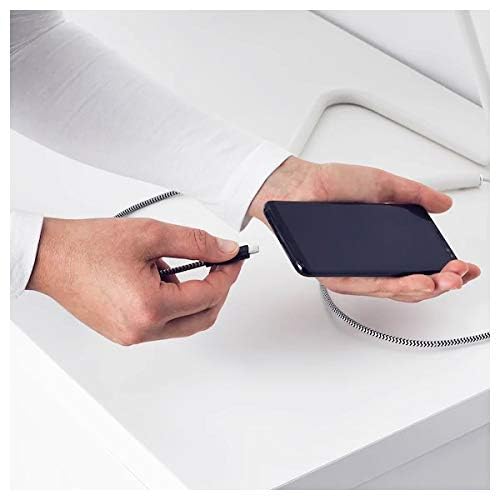
Image: A person connecting the USB Type C end of the cable to a smartphone. This illustrates the initial connection step.
Nga Tohutohu Whakahaere
Nga taputapu utu
Once properly connected to a power source, the cable will facilitate charging of your USB Type C device. Charging speed may vary depending on the power adapter and the device's charging capabilities.
Whakawhiti Raraunga
This cable supports data transfer at speeds up to 0.48 Gigabits Per Second. To transfer data, connect the USB-A end to a computer's USB port and the USB Type C end to your device. Your device may prompt you to select a connection mode (e.g., "File Transfer" or "MTP").
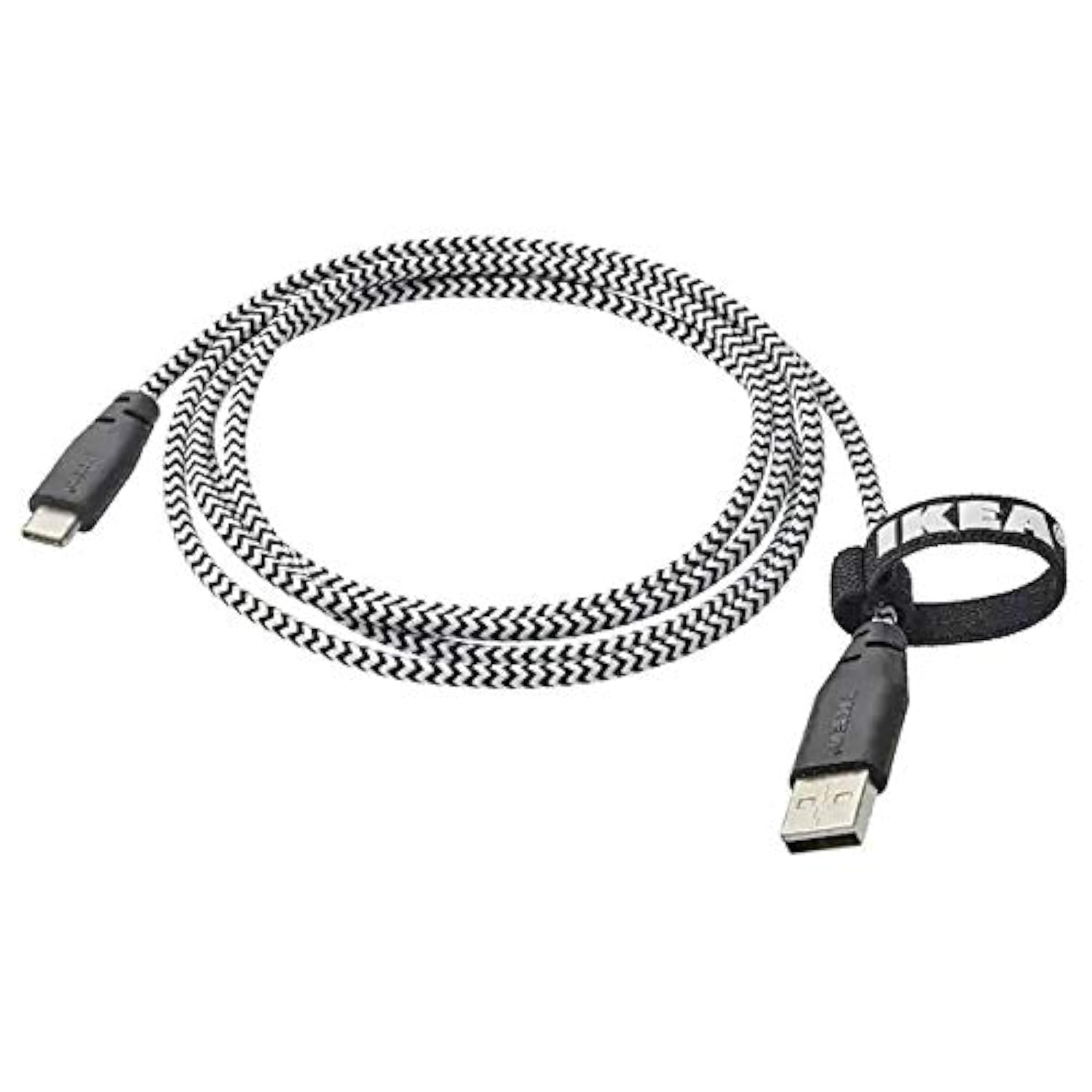
Image: The Ikea LILLHULT cable in use, connecting a smartphone to a charging base, with a laptop in the background. This demonstrates the cable's function in a typical setup.
Te Tiaki me te Tiaki
- Te horoi: Wipe the cable with a dry, soft cloth. Avoid using harsh chemicals or abrasive cleaners.
- Rokiroki: When not in use, coil the cable loosely. Avoid sharp bends or kinks, especially near the connectors, to prevent internal wire damage. The integrated cable tie can be used for neat storage.
- Te whakahaere: Kia mau tonu te pupuri i te whare hononga ina mono ana, ina momotu ana rānei i te taura, kaua e kukume i te taura tonu.
- Taiao: Puritia te taura kia matara atu i ngā pāmahana tino kino, i te rā tika, me te makuku.
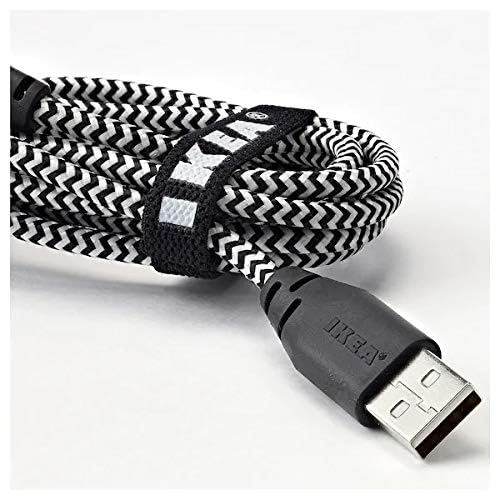
Whakaahua: He tata view of the coiled Ikea LILLHULT cable, secured with its integrated cable tie, showing the durable braided design and the USB-A connector with the Ikea logo. This highlights the cable's design for easy storage and durability.
Raparongoā
| Raruraru | Take pea | Rongoā |
|---|---|---|
| Kaore te taputapu e utu ana. | Loose connection, faulty power adapter, incompatible device. | Ensure both ends of the cable are securely connected. Try a different power adapter or USB port. Verify device compatibility. |
| Puturi te utu. | Low-power USB port, power adapter not sufficient, background apps on device. | Whakamahia he wat teiteitage power adapter. Close unnecessary applications on your device. Ensure the USB port provides adequate power. |
| Ko te whakawhiti raraunga kaore e mahi. | Incorrect device settings, driver issues on computer, loose connection. | Check your device's USB connection settings (e.g., select "File Transfer"). Ensure computer drivers are up to date. Reconnect the cable firmly. |
Whakatakotoranga
- Waitohu: Ikea
- Tauira: 40250855
- Momo Tuhono: USB Type C to USB-A
- Momo taura: USB
- Roa: 1.5 mita (4 putu 11 inihi)
- Ngā Pūrere Hototahi: Charging Adapter, USB Type C enabled devices
- Āhuahira Motuhake: Hoahoa whiri roa
- Reiti Whakawhiti Raraunga: Tae atu ki te 0.48 Gigabits ia Hekona
- Tae: Pango
- Hanga Tuemi: Porowhita
- Kaihanga: Ikea
Pūtāhui me te Tautoko
For information regarding warranty, returns, or customer support, please refer to the purchase documentation or visit the official Ikea webpae. Puritia to tohu hoko mo etahi kereme whakamana.
Rauemi ipurangi:
- Official Ikea Webpae: www.ikea.com
- Product Support Page (if available): Refer to the Ikea website for specific product support pages.
Ask a question about this manual
Ask about setup, troubleshooting, compatibility, parts, safety, or missing instructions. Manuals+ will review the question and use this page’s manual context to help answer it.