
1. Hua Neke Atuview
The PAPAGO GoSafe 388 is a compact Full HD dash camera designed to record vehicle activity. It features 1080p video recording, a 142-degree wide-angle lens, and a 2-inch LCD display. The device supports various recording modes and includes driver assistance features to enhance road safety. An optional GPS antenna can be integrated for location and speed data.
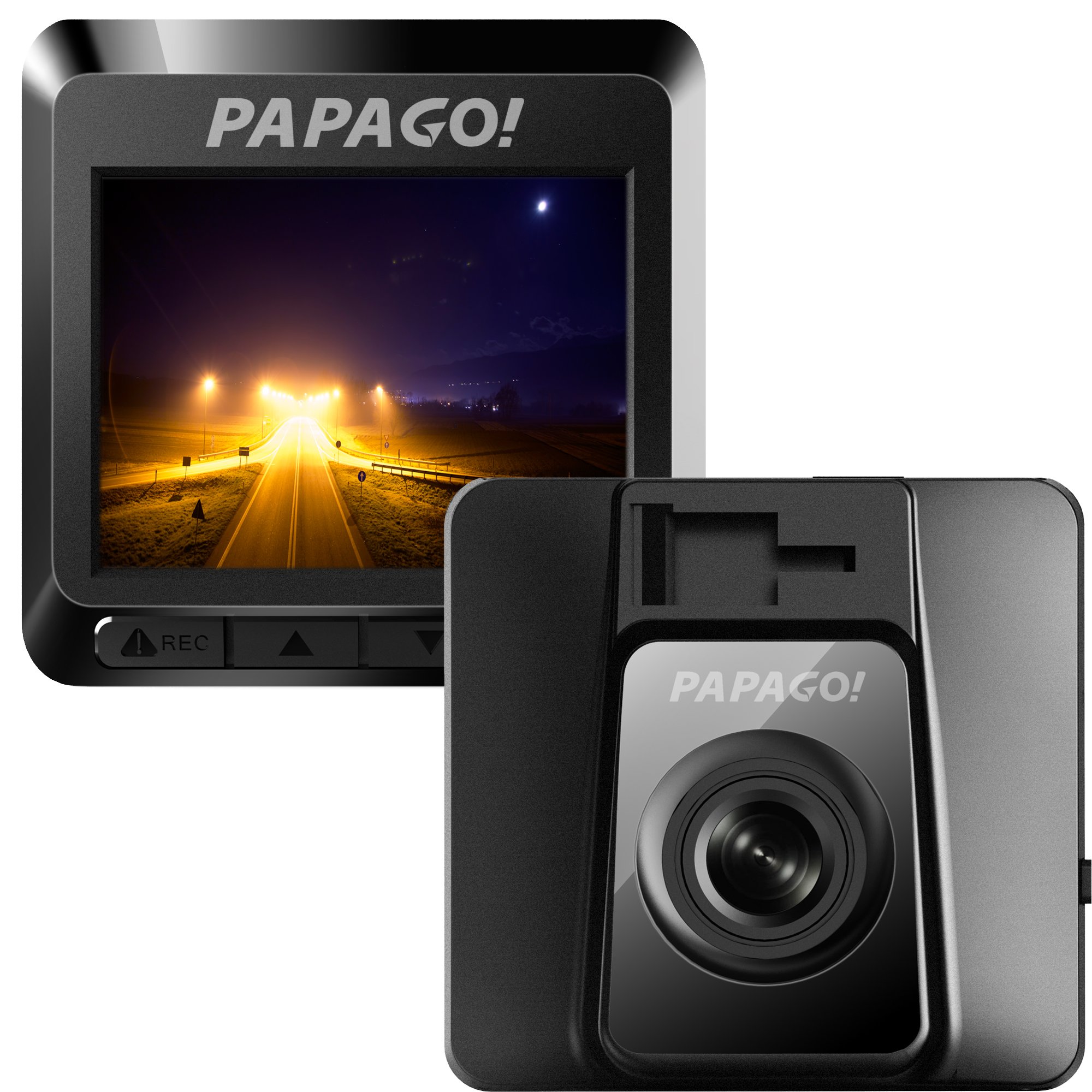
Whakaahua 1.1: Mua view of the GoSafe 388 Dash Camera, showing the lens and PAPAGO logo.
2. Ihirangi mokete
Verify that all items are present in your GoSafe 388 package:
- GoSafe 388 Dash Camera
- 3M Maunga piri
- Detachable USB Power Cable
- Class 10 8GB MicroSD Card with Adapter
- Aratohu Kaiwhakamahi Tere
- Kaari Raati

Whakaahua 2.1: Contents of the GoSafe 388 package, including the camera, mount, cables, and documentation.
3. Tatūnga me te Tāuta
3.1 Te whakauru i te Kaari MicroSD
- Locate the MicroSD card slot on the side of the GoSafe 388.
- Insert the provided Class 10 MicroSD card (or another compatible card up to 64GB) into the slot until it clicks into place. Ensure the card is oriented correctly.
- Hei tango, pēhia mārire te kāri ki roto kia pūwhera rā anō ki waho.
3.2 Te Whakamau i te Kāmera Papaaho
The GoSafe 388 uses an adhesive windshield mount for secure placement.
- Clean the desired area on your windshield thoroughly. Ensure it is free of dust and grease.
- Attach the 3M adhesive mount to the camera.
- Remove the protective film from the adhesive pad on the mount.
- Press the mount firmly onto the chosen windshield location, ideally behind the rearview whakaata hei ārai i tō view. Hold for at least 30 seconds to ensure strong adhesion.
- Whakatikatikahia te koki o te kāmera kia mārama ai view o te huarahi kei mua.

Whakaahua 3.1: Te taha view of the GoSafe 388 showing the adhesive mount attachment point.

Whakaahua 3.2: The GoSafe 388 discreetly mounted behind a rearview mirror, as seen from inside the vehicle.
3.3 Te Mana Hononga
- Connect the detachable USB power cable to the GoSafe 388.
- Plug the other end of the cable into your vehicle's 12V power outlet (cigarette lighter socket).
- The camera will typically power on and begin recording automatically when the vehicle's ignition is turned on.
3.4 Optional GPS Antenna Installation
If you have purchased the optional PAPAGO GPS Antenna (GPSA-US), connect it to the designated port on the GoSafe 388. This will enable the recording of speed and location data with your video footage.
4. Operating the Dash Camera
4.1 Mahi Taketake
Once powered on, the GoSafe 388 will automatically begin continuous loop recording. The 2-inch LCD display will show the live view and recording status.
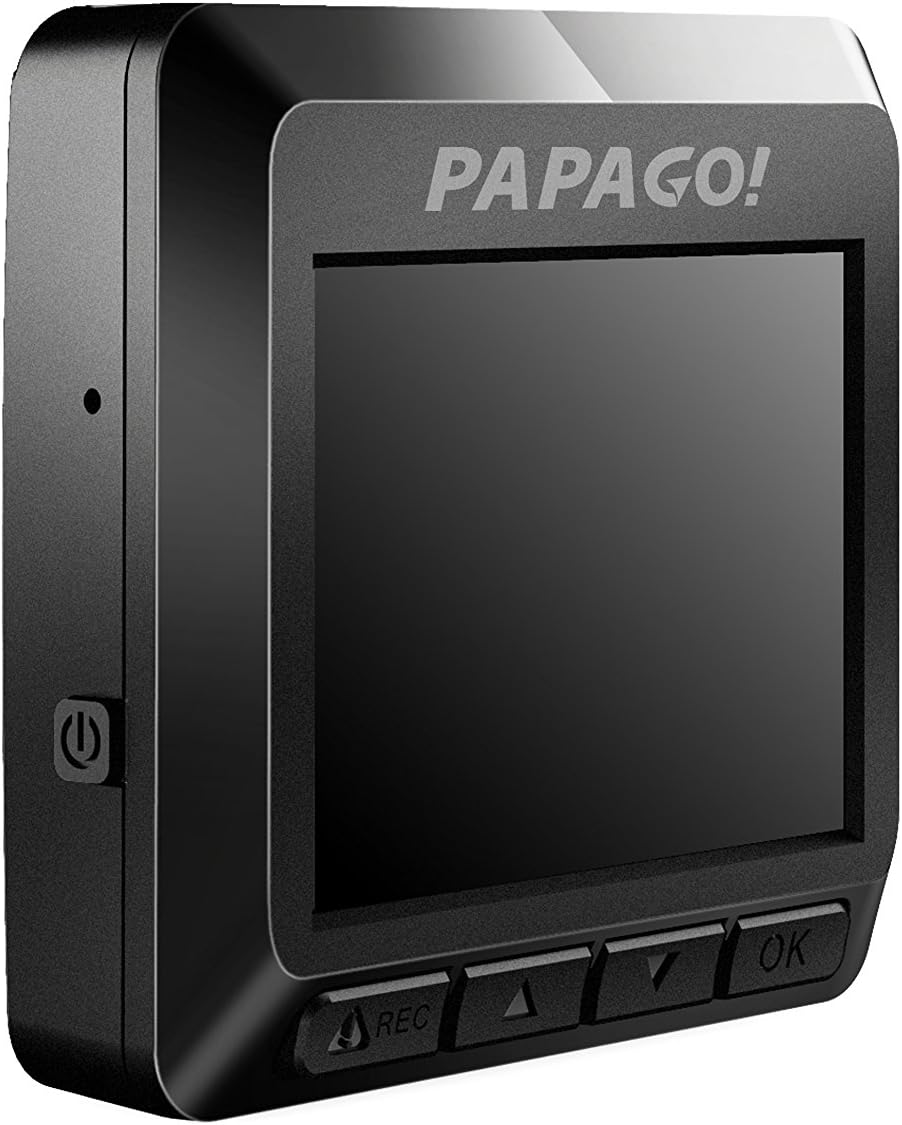
Whakaahua 4.1: Te taha view of the GoSafe 388, highlighting the screen and control buttons.
4.2 Aratau Tuhituhi
The GoSafe 388 supports three primary recording modes:
- Hopu Aunoa: Standard continuous loop recording when the vehicle is powered on.
- Aratau Aroturuki: Activates when the vehicle is parked, using motion detection to record events.
- Kitenga Nekehanga: Records only when movement is detected in the camera's field of view, conserving storage space.
Refer to the Quick User Guide for detailed instructions on how to switch between these modes using the camera's control buttons.
4.3 Driver Assistance Features
The GoSafe 388 includes pre-installed driver assistance systems designed to promote safer driving habits:
- Stop Sign Recognition: Alerts the driver to stop signs.
- Kati & Haere: Notifies the driver when traffic ahead has started moving.
- Driver Fatigue Alarm: Provides reminders for breaks during long drives.
- Light Reminder: Prompts the driver to turn on headlights in low-light conditions.
These features can be configured through the camera's menu settings.
4.4 Accessing Recorded Footage
Ki view ngā ataata i tuhia:
- Remove the MicroSD card from the dash camera.
- Insert the MicroSD card into a computer's card reader.
- Tirotiro te files on the card to access and play the video recordings.
5. Tiaki
5.1 Whakahaere Kāri MicroSD
The GoSafe 388 utilizes loop recording, meaning it will automatically overwrite the oldest files when the MicroSD card is full. To ensure optimal performance and prevent data corruption, it is recommended to:
- Format the MicroSD card regularly (e.g., once a month) using the camera's menu option.
- Use a high-quality Class 10 or higher MicroSD card from a reputable brand.
5.2 Te horoi i te taputapu
The GoSafe 388 is made with ionized molecular material to help prevent bacteria build-up. To clean the camera and lens:
- Use a soft, dry, lint-free cloth to wipe the camera body.
- Mo te arotahi, whakamahia he kakahu horoi mo te arotahi motuhake me te otinga kia kore e pakaru.
- Kaua e whakamahia he matū pakeke he horoi horoi ranei.
6. Te Raru
If you encounter issues with your GoSafe 388, refer to the following common solutions:
- Kaore te kamera i te hiko: Ensure the power cable is securely connected to both the camera and the vehicle's 12V outlet. Check the vehicle's fuse for the 12V outlet.
- Kāore te kāmera e hopu ana: Verify that a MicroSD card is inserted correctly and is not full. Format the MicroSD card if necessary. Check recording settings in the menu.
- Te kounga ataata kino: Clean the camera lens. Ensure the windshield area in front of the camera is clean. Check video resolution settings.
- GPS not working (if optional antenna installed): Me whakarite kia hono pai te pūihi GPS, ā, kia mārama hoki te rama view o te rangi.
- Patene kore whakautu: Try resetting the device by disconnecting and reconnecting power.
Mō ngā take uaua ake, tirohia te pukapuka kaiwhakamahi katoa, whakapā atu rānei ki te ratonga kiritaki.
7. Whakatakotoranga
| Ingoa Tauira | GoSafe 388 |
| Tau tauira | GS3888G |
| Whakataunga Hopu Ataata | 1080p Katoa HD |
| Koki Tuturu o View | 142 Waeine |
| Momo Whakaatu | 2-inihi LCD |
| Rokiroki | Supports MicroSD card up to 64GB (Class 10 recommended) |
| Hangarau Hononga | USB |
| Momo Whakaeke | Adhesive Windshield Mount |
| Nga waahanga motuhake | Night Vision, Parking Monitor, Driver Assistance Systems (Stop Sign Recognition, Stop & Go, Driver Fatigue Alarm, Light Reminder), Optional GPS |
| Kaihanga | PAPAGO Inc. |
| Taumaha Tūemi | 0.1 Pauna |
8. Nga Korero Whakaputanga
The PAPAGO GoSafe 388 Dash Camera comes with a limited warranty. Please refer to the warranty card included in your product package for specific terms, conditions, and duration of coverage. Retain your proof of purchase for warranty claims.
9. Tautoko Kiritaki
For technical assistance, product inquiries, or warranty support, please contact PAPAGO customer service. Contact details can typically be found on the official PAPAGO webpaetukutuku, i runga rānei i te kāri pūtāhui i whakaratohia me tō hua.