
1. Kupu Whakataki
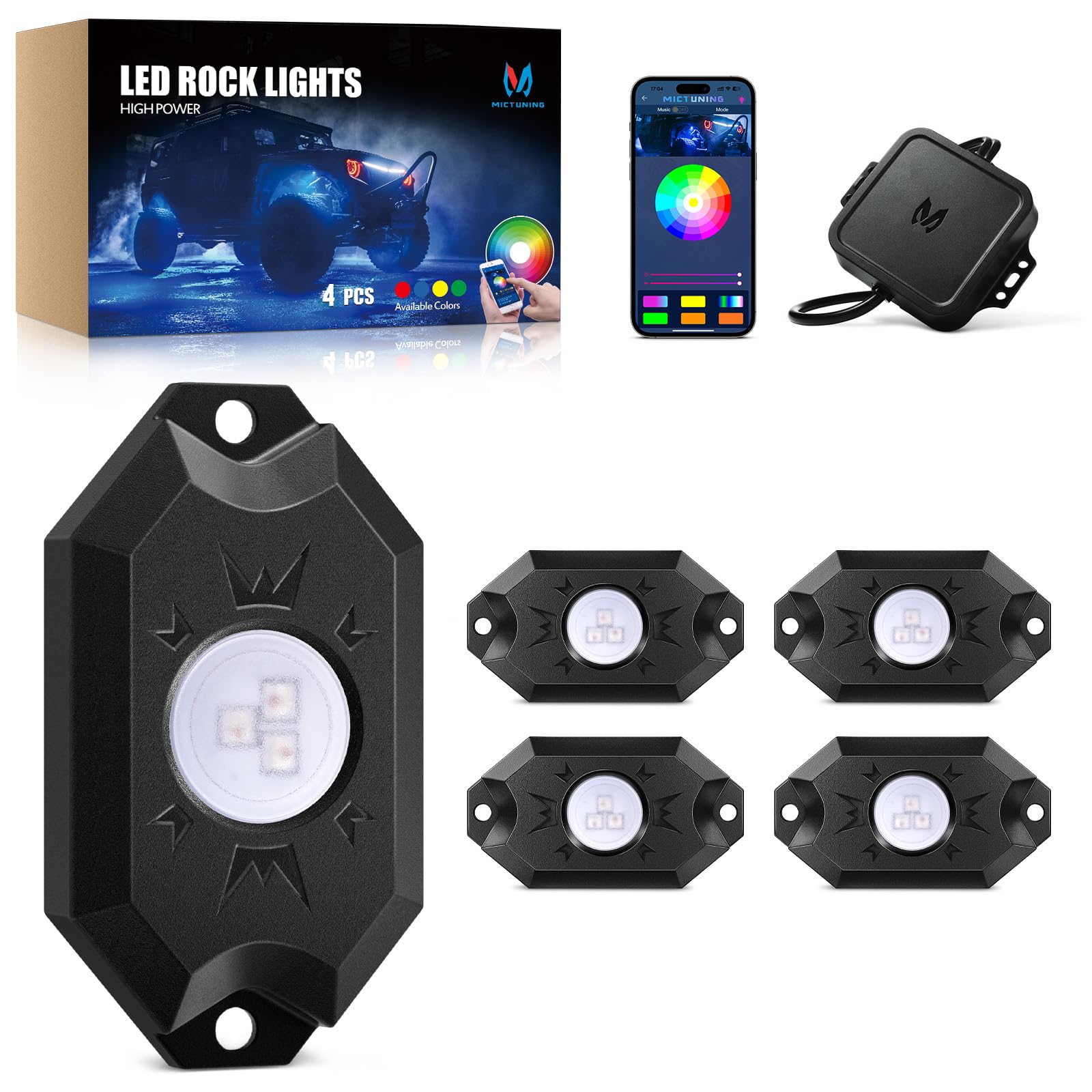
Welcome to your MICTUNING 2nd-Gen CM RGB Rock Lights. This manual provides essential information for the safe and effective installation, operation, and maintenance of your 4-pod waterproof multicolor LED underglow kit. Designed for trucks, pickups, UTVs, SUVs, and ATVs, these lights feature Bluetooth app control and a music mode for customizable lighting effects.
2. He aha kei roto i te Pouaka
Me manatoko kei te wātea ngā wāhanga katoa i mua i te tīmatanga o te tāutanga:
- 4x LED Rock Lights
- 1x Pouaka Mana
- 1x Wire Connector (4-Pin)
- 4x Rubber Pads
- Fasteners (Screws and Nuts)
- Pukapuka Kaiwhakamahi (tenei tuhinga)

3. Nga waahanga matua
- True Bright RGB: High-brightness 3-in-1 LED diodes for smooth, uniform color. Frosted lens for 80% light transmittance, ensuring vibrant, natural glow.
- Stable Bluetooth Connectivity: Automotive-grade controller chip ensures instant and stable Bluetooth pairing for reliable control.
- IP68 Whakatauranga parewai: Die-cast aluminum housings are dustproof, shockproof, and IP68 waterproof, built for durability in harsh conditions and over 50,000 hours of use.
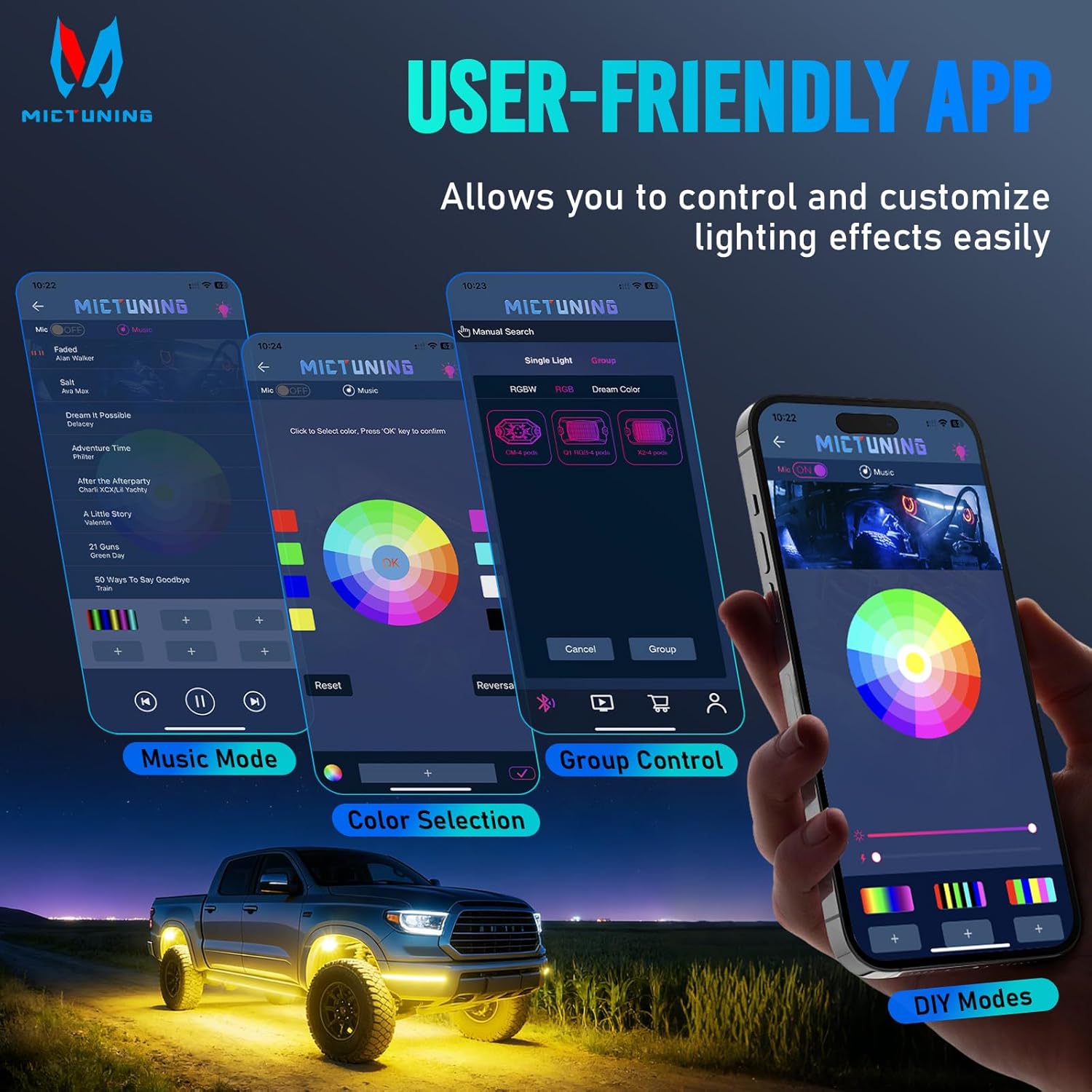
- MagicLink App Control: Control up to 4 sets of MICTUNING lights (X2/CM/Q1 models) simultaneously from one sleek app interface. Customize colors, strobes, and sync to music.
- Tāutatanga ngawari: Compact 3.1''x1.8'' rock lights with straightforward wiring for a hassle-free setup process.

4. Tatūnga me te Tāuta
Proper installation is crucial for optimal performance and longevity. Always ensure the vehicle's power is disconnected before starting installation.
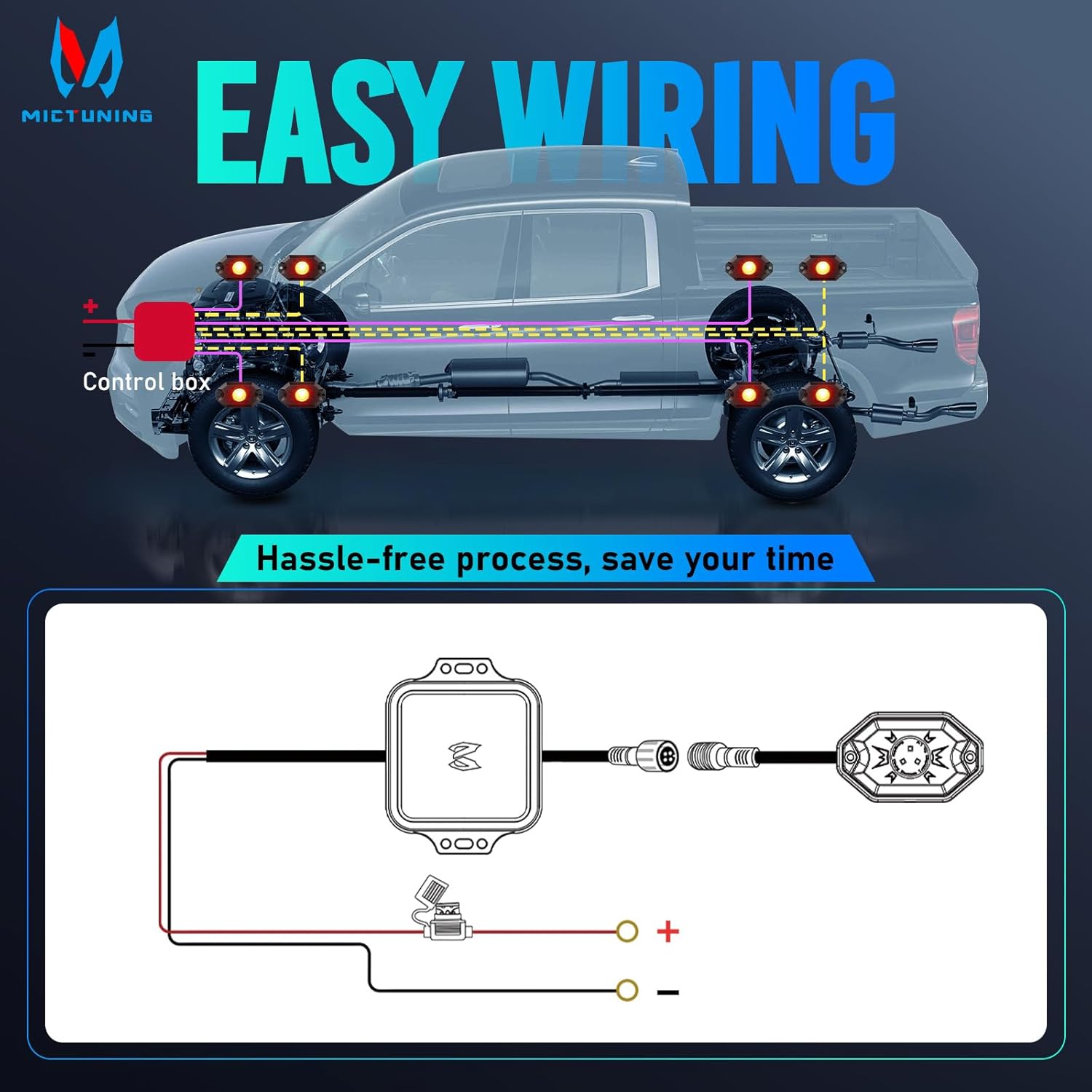
4.1 Wiring Hoahoa
Tirohia te hoahoa i raro mo nga hononga waea tika:
4.2 Nga Waahi Whakataunga
- Tauwāhi Whakapuru: Choose suitable locations for each rock light pod, typically under the vehicle, ensuring they are securely fastened and do not interfere with moving parts. The lights are 3.1''x1.8'' in size.
- Secure Pods: Use the provided fasteners and rubber pads to mount each rock light pod. Ensure a tight fit to prevent vibration and water ingress.
- Tūhono Waea: Connect the rock light pods to the control box using the 4-pin wire connector. Ensure all connections are secure.
- Hononga Hiko: Connect the control box to your vehicle's 12V power source. It is recommended to use a fuse for protection, as indicated in the wiring diagram.
- Nga taura ara: Securely route all cables away from hot engine parts, sharp edges, and moving components to prevent damage. Use cable ties if necessary.
- Tikiake Taupānga: Scan the QR code on the user manual or control box to download the "Mictuning" app.
- Tauira Nihokikorangi: Open the app and connect to the Bluetooth device. Follow the in-app instructions to pair your rock lights.
5. Mahi
Your MICTUNING rock lights are controlled via the MagicLink mobile application.
5.1 Nga Mahi Taupānga
- Tīpakonga Tae: Choose from 16 million colors using the color wheel in the app.
- Whakaritenga Tirohanga: Whakarerekētia te kaha o te mārama kia rite ki tāu e hiahia ana.
- Tere Strobe: Control the speed of strobe effects.
- Aratau Waiata: Sync your lights to music for dynamic lighting effects.
- Aratau DIY: Create and save custom lighting patterns.
- Mana Rōpū: Control multiple sets of MICTUNING rock lights (X2/CM/Q1 models) simultaneously from a single app.
6. Tiaki
Regular maintenance ensures the longevity and optimal performance of your rock lights.
- Whakapai auau: Periodically clean the light pods with a soft cloth and mild soap to remove dirt and debris. Avoid abrasive cleaners.
- Tirotiro Waea: Regularly check all wiring connections for signs of wear, corrosion, or damage. Ensure connections remain tight.
- Hiri Tika: Although IP68 rated, inspect the housing and seals for any cracks or damage that could compromise water resistance, especially after off-road use.
- Whakahōu Pūmanawa: Check the app store for any available updates to the MICTUNING MagicLink app to ensure optimal performance and access to new features.
7. Te Raru
Mena ka pa ki a koe etahi take, tirohia te ripanga i raro mo nga raru me nga otinga noa.
| Raruraru | Take pea | Rongoā |
|---|---|---|
| Kaore nga rama e ka ana | Kaore he hononga hiko | Check power supply, fuse, and wiring connections. |
| Kaore nga rama e ka ana | Hononga wewete | Ensure all connectors are securely plugged in. |
| Korekore te hononga Nihokikorangi | Te pokanoa, te tawhiti ranei | Ensure your phone is within range of the control box. Avoid strong electromagnetic interference. |
| Kaore nga rama e aro ki te taupānga | He take tono, taputapu ranei | Restart the app, restart your phone's Bluetooth, or restart the control box by cycling power. |
| Whakaaturanga tae koretake | Hea te LED, waea waea ranei | Inspect individual light pods for damage. Check wiring for shorts or breaks. |
| Ka whiti nga rama | Te mana korekore, hononga korekore ranei | Verify stable 12V power supply. Check all wiring connections for tightness. |
If issues persist, contact MICTUNING customer support for further assistance.
8. Whakatakotoranga
| Āhuahira | Taipitopito |
|---|---|
| Waitohu | MICTUNING |
| Tau tauira | 8542101658 |
| Rahi Tūemi (L x W x H) | 7.87 x 5.12 x 5.71 inihi |
| Taumaha Tūemi | 2.64 Pauna |
| Tae | RGB |
| Tauwehe Puka | Pod |
| Nga Whakamahinga Manakohia | Vehicle Exterior, Vehicle Interior, Party Lighting, Decorative Lighting |
| Turanga Wāhanga Aunoa | Roto |
| Rauemi | Konumohe |
| Taumata Atete Wai | IP68 parewai |
| Te maha o nga wahi | 4 |
| Momo Whakanoho Motika | Tikanga Ao |
| Voltage | 12 Volts |
| Momo Puna Maama | LED |
| Nga waahanga motuhake | Control 1-4 sets rock light together with one phone, easy app to use, easy to install, many color options, super bright and fantastic light |

9. Pūtāhui me te Tautoko
Pūtāhui: This MICTUNING product comes with a two-year warranty from the date of purchase.
Tautoko Kiritaki: If you encounter any issues while using your product, please do not hesitate to contact MICTUNING customer support. Our responsive team is committed to assisting you within 24 hours to resolve your problems.
For further assistance, visit the official MICTUNING webpaetukutuku tirohia ranei ki nga korero whakapiri kua whakaratohia me to hoko.