
1. Kupu Whakataki
The Behringer DeepMind 12 is a 12-voice analog polyphonic synthesizer designed for musicians and producers. It features a 49-key semi-weighted keyboard with velocity sensitivity and aftertouch, offering extensive sound design capabilities through its powerful synthesis engine and integrated effects. This manual provides essential information for setting up, operating, and maintaining your DeepMind 12.
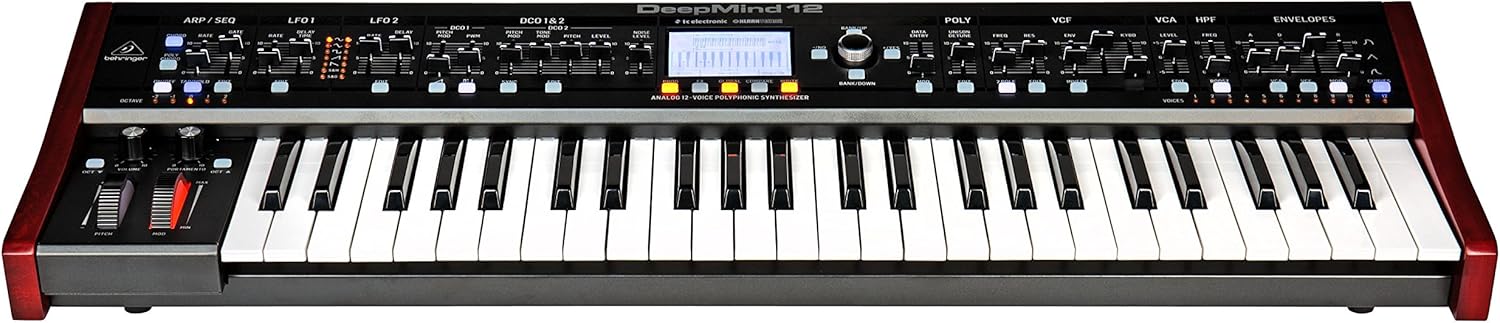
Whakaahua 1.1: Mua view of the Behringer DeepMind 12 synthesizer. This image displays the full keyboard, control panel with faders and knobs, and the central LCD screen.
2. Nga Tohutohu Haumaru Nui
Please read and follow these safety instructions to ensure safe operation and to prevent damage to your device:
- Do not open the device. There are no user-serviceable parts inside. Refer all servicing to qualified service personnel.
- Kaua e tukuna tenei taputapu ki te ua, ki te makuku ranei.
- Kaua e whakamahia tenei taputapu tata ki te wai.
- Horoia ki te kakahu maroke anake.
- Me whakarite kia tika te hau. Kaua e araia nga whakatuwheratanga hau.
- Me whakamahi noa i nga taapiri / taputapu kua tohua e te kaiwhakanao.
- Wewetehia tenei taputapu i te wa e uira ana te tupuhi, i te kore ranei e whakamahia mo te wa roa.
3. Ihirangi mokete
Verify that all items are present in your DeepMind 12 package:
- Behringer DeepMind 12 Synthesizer
- Waea Hiko
- Tauira USB
- Aratohu Timata Tere (kaore i roto i tenei pukapuka)
- Information regarding the companion app for iPad/PC/Mac/Android
4. Tatūnga
4.1 Hononga Hiko
Connect the supplied power cable to the AC input on the rear panel of the DeepMind 12 and then to a suitable power outlet. Ensure the power switch is in the OFF position before connecting.
4.2 Hononga Ororongo
Use standard 1/4-inch TS cables to connect the main audio outputs (LEFT/MONO, RIGHT) to your mixer, audio interface, or amplifier. For private monitoring, connect headphones to the dedicated headphone jack.
4.3 MIDI me nga Hononga USB
The DeepMind 12 supports MIDI communication via traditional 5-pin DIN MIDI ports (IN, OUT, THRU) and USB. Connect the USB cable to your computer for MIDI over USB functionality and for remote control via the dedicated app.
4.4 Tatūnga WiFi
The DeepMind 12 features integrated WiFi for wireless remote control. Refer to the on-screen menu for WiFi client setup, allowing connection to your local network for control via the iPad/PC/Mac/Android app.

Whakaahua 4.1: Rear panel of the DeepMind 12, showing power input, audio outputs, MIDI ports, USB port, and pedal inputs.
5. Operating the DeepMind 12
5.1 Mana Taketake
The DeepMind 12 features a 49-key semi-weighted keyboard with velocity and aftertouch for expressive playing. On the left side of the keyboard, you will find the pitch bend and modulation wheels, along with dedicated controls for volume and portamento.

Whakaahua 5.1: Kati-ake view of the pitch bend and modulation wheels, along with volume and portamento controls, located on the left side of the DeepMind 12.
5.2 Voice Architecture
The DeepMind 12 is a 12-voice polyphonic synthesizer. Each voice includes two digitally controlled oscillators (DCOs), two LFOs, and three ADSR envelope generators. These components allow for complex sound shaping.
5.3 Tātari
The synthesizer features a switchable low-pass filter and a high-pass filter per voice, providing versatile tonal sculpting options. Adjust the VCF (Voltage Controlled Filter) and HPF (High Pass Filter) sections using the dedicated faders and knobs on the control panel.

Whakaahua 5.2: Taipitopito view of the VCF, VCA, and HPF sections on the DeepMind 12 control panel, showing faders and controls for filter and amptawhā whakakao.
5.4 Effects Engines
The DeepMind 12 incorporates four effects engines with technology from TC Electronic and Klark Teknik. These engines offer a wide range of high-quality effects that can be routed and configured to enhance your sounds.
5.5 Modulation Matrix and Sequencer
An 8-channel modulation matrix allows for intricate routing of modulation sources to various destinations. The integrated 32-step control sequencer provides rhythmic and melodic sequencing capabilities.
5.6 Remote Control and Display
The DeepMind 12 can be controlled remotely via a dedicated app available for iPad, PC, Mac, and Android devices, connecting through USB, MIDI, or the built-in WiFi. The central LCD display provides visual feedback and access to parameters and settings.
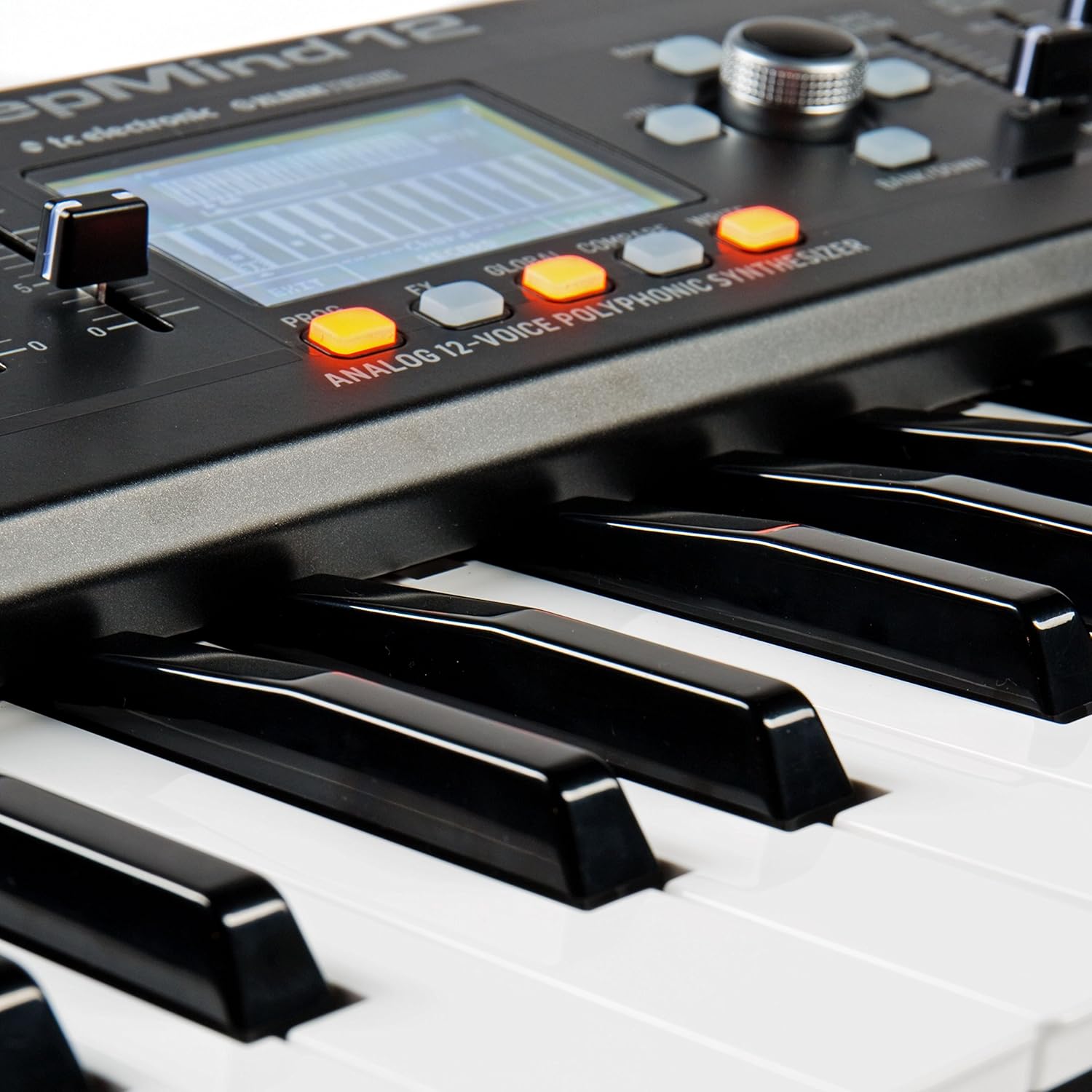
Whakaahua 5.3: Close-up of the DeepMind 12's LCD display and surrounding control buttons, used for navigation and parameter editing.
6. Tiaki
6.1 Te horoi
To clean your DeepMind 12, use a soft, dry cloth. Do not use abrasive cleaners, solvents, or waxes, as these can damage the finish and controls. Keep the ventilation openings clear of dust.
6.2 Rokiroki
When not in use, store the synthesizer in a dry, dust-free environment. Avoid extreme temperatures and humidity. If transporting the unit, use appropriate protective casing.
7. Te Raru
- Kore Putanga Oro:
- Check that the power cable is securely connected and the unit is powered on.
- Ensure audio cables are correctly connected to the outputs and to your sound system.
- Verify that the master volume knob on the DeepMind 12 is turned up.
- Check the volume levels on your mixer or audio interface.
- Ensure that a patch is selected and not muted.
- MIDI Kaore i te Whakautu:
- Check MIDI cable connections (IN/OUT).
- Verify MIDI settings on both the DeepMind 12 and your external device/software.
- For USB MIDI, ensure the USB cable is connected and drivers (if required) are installed.
- Nga take hononga WiFi:
- Ensure your WiFi network is active and within range.
- Double-check the WiFi password and network settings on the DeepMind 12.
- Restart both the DeepMind 12 and your router.
8. Whakatakotoranga
| Ingoa Tauira | Whakaaturanga hohonu 12 |
| Momo | Analog Polyphonic Synthesizer |
| Papapātuhi | 49 semi-weighted keys with velocity and aftertouch |
| Nga reo | 12 |
| Nga Oscillators | 2 DCOs per voice (24 total) |
| Nga LFO | 2 LFOs per voice |
| Kōpaki | 3 ADSR generators per voice |
| Tātari | Switchable Low-Pass and High-Pass filters |
| Ngā Pānga | 4 integrated effects engines (TC Electronic & Klark Teknik) |
| Pouaka Whakawaenga | 8-hongere |
| Kaitito | 32-step control sequencer |
| Hononga | MIDI In/Out/Thru, USB MIDI, WiFi |
| Mana Mamao | iPad/PC/Mac/Android App |
| Ahu (LxWxH) | 91.8 x 36.1 x 20.5 cm (36.1 x 14.2 x 8.1 inihi) |
| Taumaha | 8.4 kg (18.5 lbs) |
| Rauemi | Kirihou |
9. Pūtāhui me te Tautoko
Mō ngā taipitopito mō te pūtāhui me te tautoko hangarau, tirohia te paetukutuku mana o Behringer webpaetukutuku, whakapā atu rānei ki tō kaituku Behringer o te rohe. Puritia tō rīhiti hoko hei tohu hoko mō ngā kereme pūtāhui katoa.