
1. Nga Korero Haumaru Nui
Please read all instructions carefully before using the miliboo MTT602II-AL tripod. Retain this manual for future reference.
- Always ensure all locks and levers are securely fastened before mounting equipment or adjusting the tripod.
- Do not exceed the maximum load capacity of 22 pounds (10 kg). Overloading can cause instability and damage to equipment.
- Avoid exposing the tripod to extreme temperatures, direct sunlight for prolonged periods, or corrosive substances.
- Keep hands and fingers clear of moving parts, especially when extending or folding the legs, to prevent pinching.
- When transporting the tripod with a camera mounted, ensure the camera is securely attached and all head movements are locked. For long-distance transport, it is recommended to remove the camera.
- Use the included carrying case for safe storage and transport to protect the tripod from damage.
2. Ihirangi mokete
Manatokohia ko nga mea katoa kei raro nei kei roto i to kete:
- Tino Takiri
- MYT802 II Fluid Head
- Papa Tuku Tere
- Kakau
- Te Kawe i te Keehi
- 1/4-inch Screw
- 3/8-inch Screw
- Mini Wrench (3 pieces)
- Pukapuka Kaiwhakamahi
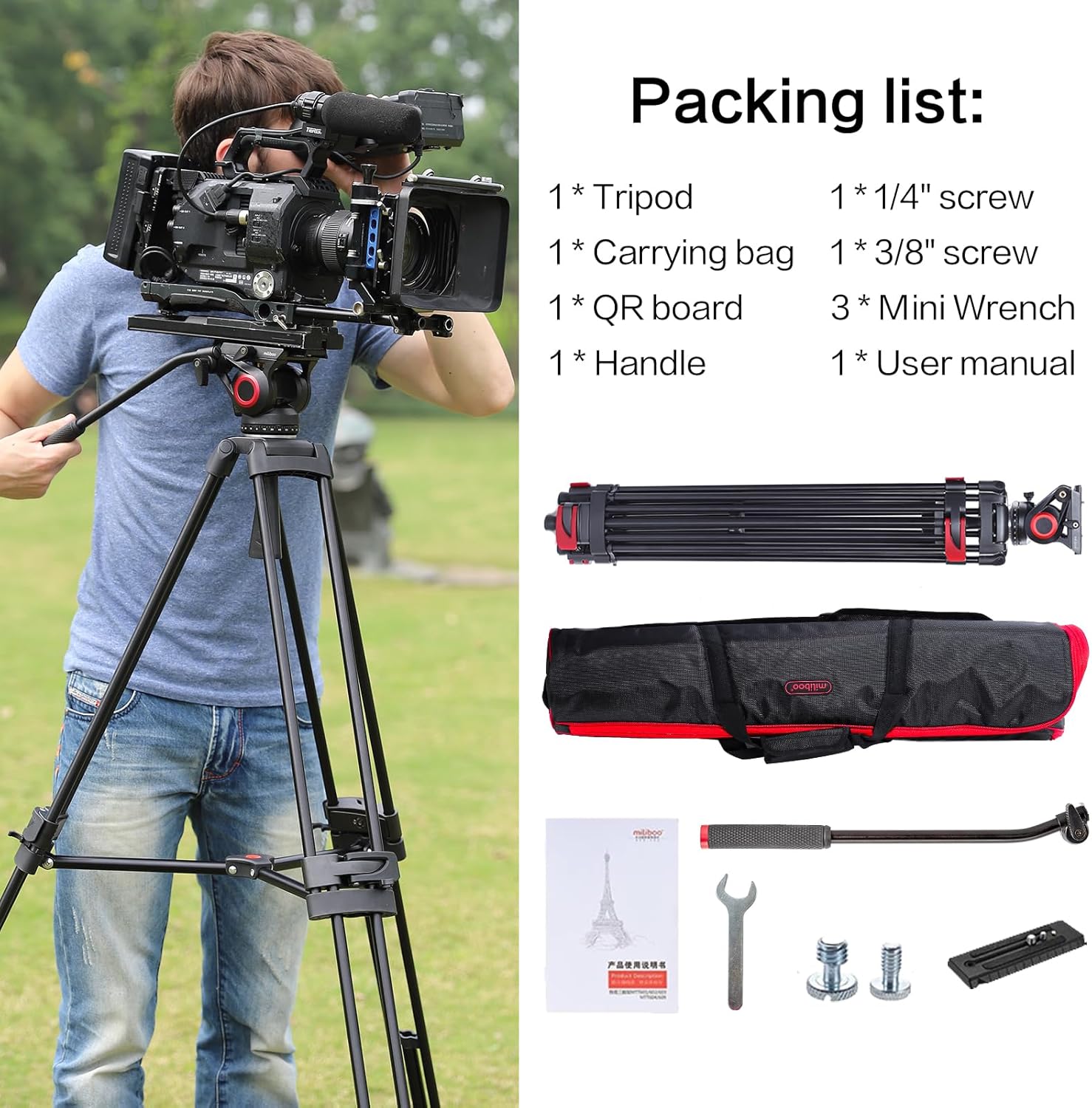
Figure 2.1: Included components of the miliboo MTT602II-AL package.
3. Hua Neke Atuview
The miliboo MTT602II-AL is a professional heavy-duty aluminum tripod designed for stable video and photography support. It features a robust construction and a smooth hydraulic head for precise camera movements.

Whakaatu 3.1: Neke Atuview of the miliboo MTT602II-AL tripod.
Āhuatanga matua:
- Professional Stability: Heavy-duty aluminum construction with 14-20mm diameter tubing and 1.2mm wall thickness. Extends from 33.1 inches to 76.4 inches for versatile shooting angles, supporting up to 22 pounds (10 kg).
- Smooth Hydraulic Head (MYT802 II): Features precision steel bearings and anti-freeze shock-absorbing fluid. Offers 360° horizontal rotation and a +90° to -75° tilt range for dynamic balancing.
- Hototahitanga Maha-mahi: Universal 1/4-inch and 3/8-inch threaded mounts accommodate DSLRs, camcorders, projectors, telescopes, and binoculars. Includes a quick-release plate with a safety lock.
- Hoahoa ratarata-kaiwhakamahi: Built-in spirit level for accurate leveling, switchable left/right handles, and a red trigger lock with anti-pinch safety. A center spreader enhances stability.

Figure 3.2: Close-up of the MYT802 II Hydraulic Head.
4. Tatūnga
4.1 Te Wetewete me te Huihuinga Tuatahi
- Tangohia marietia ngā wāhanga katoa mai i te pouaka kawe.
- Place the tripod body on a flat, stable surface.
- Release the leg locks (red buckles) on each leg to allow them to extend.
- Extend the legs to the desired height. The tripod features a three-section height adjustment.
- Engage the center spreader by pressing down on the central mechanism until it locks into place, ensuring the legs are evenly spread for maximum stability.

Figure 4.1: Tripod height adjustment from 33 inches to 75 inches.
4.2 Attaching the Fluid Head
The MYT802 II fluid head comes pre-attached to the tripod body. If it needs to be re-attached or removed:
- Ensure the tripod base is stable.
- Align the base of the fluid head with the tripod's mounting platform.
- Secure the head by tightening the locking knob located beneath the head until it is firmly in place.
4.3 Te Whakamau i tō Kāmera
The quick-release plate supports both 1/4-inch and 3/8-inch screws for wide compatibility.
- Locate the quick-release plate on the fluid head.
- Press the red safety lock button and slide the quick-release plate out of the head.
- Attach the quick-release plate to the bottom of your camera or compatible device using the appropriate 1/4-inch or 3/8-inch screw. Ensure it is tightened securely.
- Slide the camera with the attached quick-release plate back into the fluid head until it clicks into place. Verify the safety lock is engaged.

Figure 4.2: Quick Release Plate and Compatibility.
5. Nga Tohutohu Whakahaere
5.1 Adjusting Tripod Height and Stability
- To adjust the height, release the red buckle leg locks on each leg section.
- Extend or retract the leg sections to the desired height.
- Securely fasten all leg locks to ensure stability before use.
- For uneven terrain, adjust each leg independently to level the tripod. Use the built-in spirit level on the fluid head for precise leveling.
5.2 Using the Fluid Head (Pan and Tilt)
The MYT802 II hydraulic head allows for smooth and controlled camera movements.
- Whakaritea Tita: Loosen the tilt lock knob on the side of the fluid head. Adjust the camera to the desired vertical angle (from +90° to -75°). Tighten the tilt lock knob to secure the position.
- Te Whakarerekētanga o te Parai: Loosen the pan lock knob at the base of the fluid head. Rotate the camera horizontally to the desired angle (360°). Tighten the pan lock knob to secure the position.
- The handle can be attached to either side of the fluid head for comfortable operation.

Figure 5.1: Fluid head panning and tilting range.
5.3 Ataata Hua Whaimana
Video 5.1: This video demonstrates the key features and operational aspects of the miliboo MTT602II-AL Professional Video Tripod, including its setup, fluid head movements, and quick-release plate functionality. It highlights the tripod's stability and ease of use for professional photography and videography.
6. Tiaki
Proper maintenance ensures the longevity and optimal performance of your miliboo MTT602II-AL tripod.
- Te horoi: Wipe down the tripod with a soft, dry cloth after each use to remove dust and dirt. For stubborn grime, use a slightly damp kakahu me te hopi ngawari, kātahi ka whakamaroke kia tino maroke. Āta karohia ngā matū kaha, ngā kaihoroi whakakoi rānei.
- Whakahinuhinu: The hydraulic head is factory-lubricated. Do not attempt to disassemble or lubricate the internal components of the fluid head yourself, as this may void the warranty.
- Rokiroki: Store the tripod in its carrying case in a cool, dry place away from direct sunlight and extreme temperatures. Ensure all locks are disengaged or loosely engaged during storage to prevent stress on the mechanisms.
- Tirotiro: Periodically check all screws, bolts, and moving parts for tightness. Tighten any loose fasteners with the provided mini wrench.
7. Te Raru
If you encounter issues with your tripod, refer to the following common problems and solutions:
| Raruraru | Take pea | Rongoā |
|---|---|---|
| Kāore i te pumau, kāore rānei i te wiri te tūāpapa. | Leg locks not fully engaged; center spreader not locked; uneven ground; overloaded. | Ensure all leg locks are securely fastened. Verify the center spreader is fully engaged. Adjust leg lengths to level the tripod on uneven surfaces. Check that the mounted equipment does not exceed the 22-pound (10 kg) weight limit. |
| Fluid head movements are not smooth. | Pan/tilt lock knobs are too tight; debris in the head mechanism. | Loosen the pan and tilt lock knobs slightly. Clean the exterior of the head. If the issue persists, contact customer support. Do not attempt to disassemble the head. |
| Camera cannot be mounted or removed from the quick-release plate. | Quick-release plate not properly aligned; safety lock engaged; plate screw loose. | Ensure the quick-release plate is correctly aligned with the slot on the fluid head. Press the red safety lock button while inserting or removing the plate. Verify the camera is securely attached to the quick-release plate. |
| Leg sections slide down after adjustment. | Leg locks are not tightened sufficiently. | Ensure all red buckle leg locks are firmly closed after adjusting the leg height. |
8. Whakatakotoranga
Detailed technical specifications for the miliboo MTT602II-AL Professional Camera Tripod:
- Waitohu: miliboo
- Ingoa Tauira: MTT602II-AL
- Rauemi: Konumohe
- Tae: Pango
- Taumaha Tūemi: 4.2 Kirokaramu (9.26 lbs)
- Tepe Taumaha: 22 Pauna (10 kg)
- Teitei Morahi: 195 Henemita (76.4 inihi)
- Teitei iti: 84 Henemita (33.1 inihi)
- Rahi Kōpaki: 7.3"D x 7.3"W x 35.9"H
- Momo Upoko Takiri: Fluid Head (MYT802 II)
- Diane Waewae: 14-20 Millimeters
- Number of Leg Sections: 3
- Ngā Pūrere Hototahi: Camcorder, Camera (DSLRs, MILC, Telephoto SLR, Home DV)
- Rawa Pan: 360°
- Rangi Taputapu: +90° ki te -75°
- Nga Whakakuku: 1/4-inch and 3/8-inch
- Taumata Atete Wai: Ehara i te wai ātete
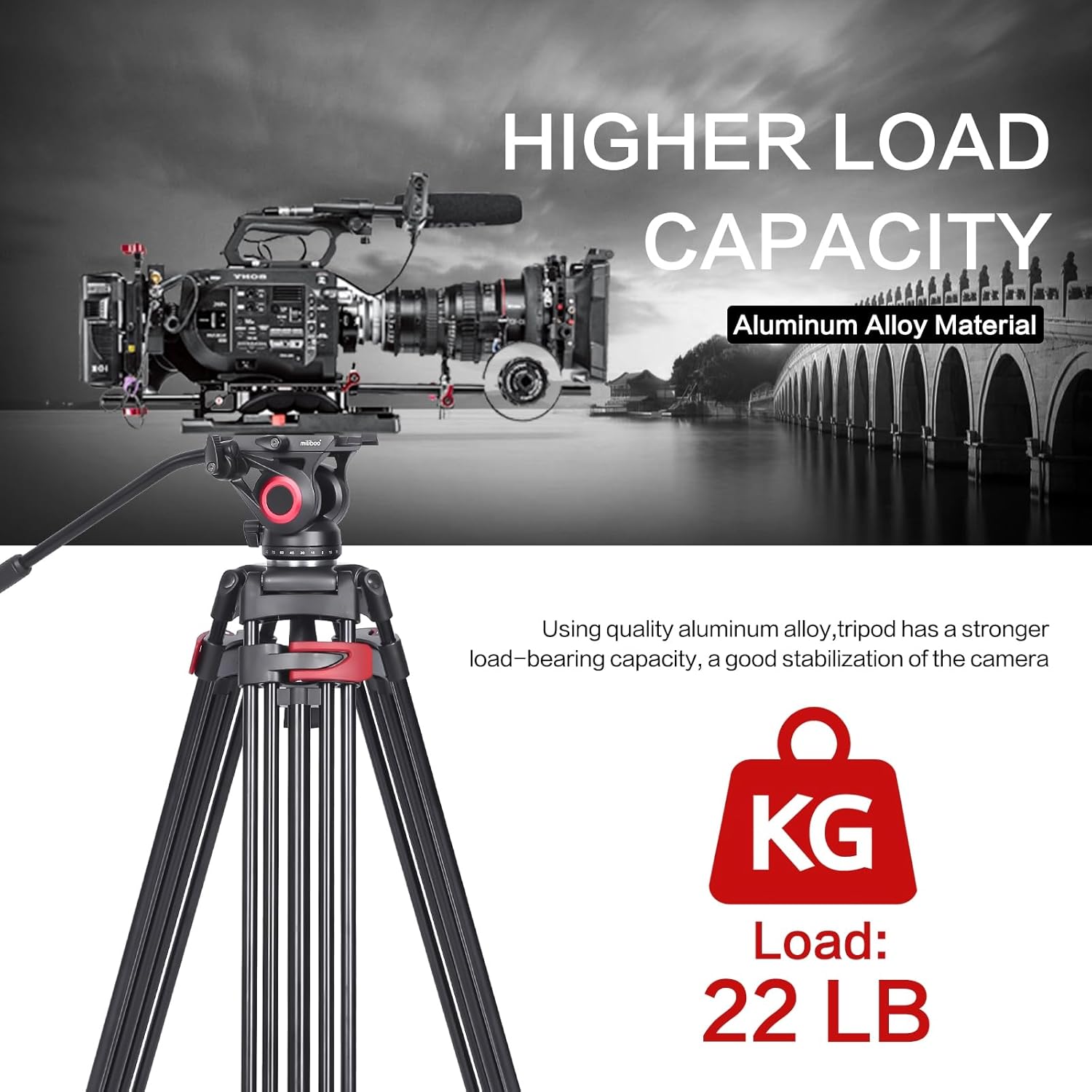
Figure 8.1: Tripod demonstrating its 22-pound load capacity.
9. Pūtāhui me te Tautoko
9.1 Pūtāhui a te Kaihanga
The miliboo MTT602II-AL Professional Camera Tripod comes with a 2 tau te whakamana a te kaiwhakanao from shanghai Tekcare industrial Ltd. This warranty covers defects in materials and workmanship under normal use.
Tena koa pupurihia to tohu mo te hoko mo nga kereme whakamana.
9.2 Tautoko Kiritaki
For any questions, technical assistance, or warranty claims, please contact miliboo customer support. Our team is available to provide support and resolve any issues you may encounter.
- Tautoko Aipurangi: Visit the official miliboo webpae mo nga FAQ me nga rauemi tautoko.
- Tautoko Īmēra: Tirohia ki to putunga hua, ki te mana ranei webpae mo te wahitau imeera tautoko i whakatapua.
- Wā Whakautu: Taria he whakautu i roto i ngā haora 24 mō ngā pātai.