
1. Hua Neke Atuview
The Lowrance LiveSight Transducer with Mounts provides real-time sonar views, allowing anglers to observe fish and lure movements directly. This system enhances fishing efficiency by offering a wide view of the water column and precise targeting capabilities.
Āhuatanga matua:
- Real-Time Fish Tracking: Observe fish reactions and lure movements in real-time with the widest sonar beam and extended range.
- Dual Sonar Views: Integrate traditional sonar with LiveSight's real-time views for comprehensive underwater awareness. Locate fish with traditional sonar, then use LiveSight for precise targeting.
- Taupānga Whānui: Ideal for various fishing techniques including drop shotting, vertical jigging, and tracking bait in front of the boat.
- Kōwhiringa Whakapuru Hangawari: The transducer can be mounted in a front-facing position for casting or a down-facing position for vertical jigging.
- Hototahi: Compatible with HDS LIVE and HDS Carbon (Carbon requires a PSI-1 module) and Semrad NSS evo3 fish finder/chart plotters.
2. He aha kei roto i te Pouaka
I te wetewete, me whakarite kei te noho nga waahanga katoa:
- Lowrance LiveSight Transducer
- Transducer Mounting Hardware
- Aratohu Tāuta (tenei pukapuka)

Whakaahua: Taha view of the Lowrance LiveSight Transducer with its mounting bracket.
3. Tatūnga me te Tāuta
Proper installation of the LiveSight Transducer is crucial for optimal performance. The transducer can be mounted in two primary positions:
- Front-Facing Position: Mount the transducer to face forward from your boat. This position is ideal for casting towards fish and observing their movements ahead of your vessel.
- Down-Facing Position: Mount the transducer to look directly downwards. This position is suitable for vertical jigging directly below your boat, allowing you to track your lure and fish in the water column beneath you.
Refer to the detailed diagrams included with your mounting hardware for specific instructions on attaching the transducer to your trolling motor or other suitable location. Ensure all connections are secure and waterproof.
Whakaaturanga Whakaaetanga:
- For HDS Carbon units, a PSI-1 module is required for LiveSight functionality.
- Ensure your fish finder/chart plotter software is up to date for full compatibility and best performance.
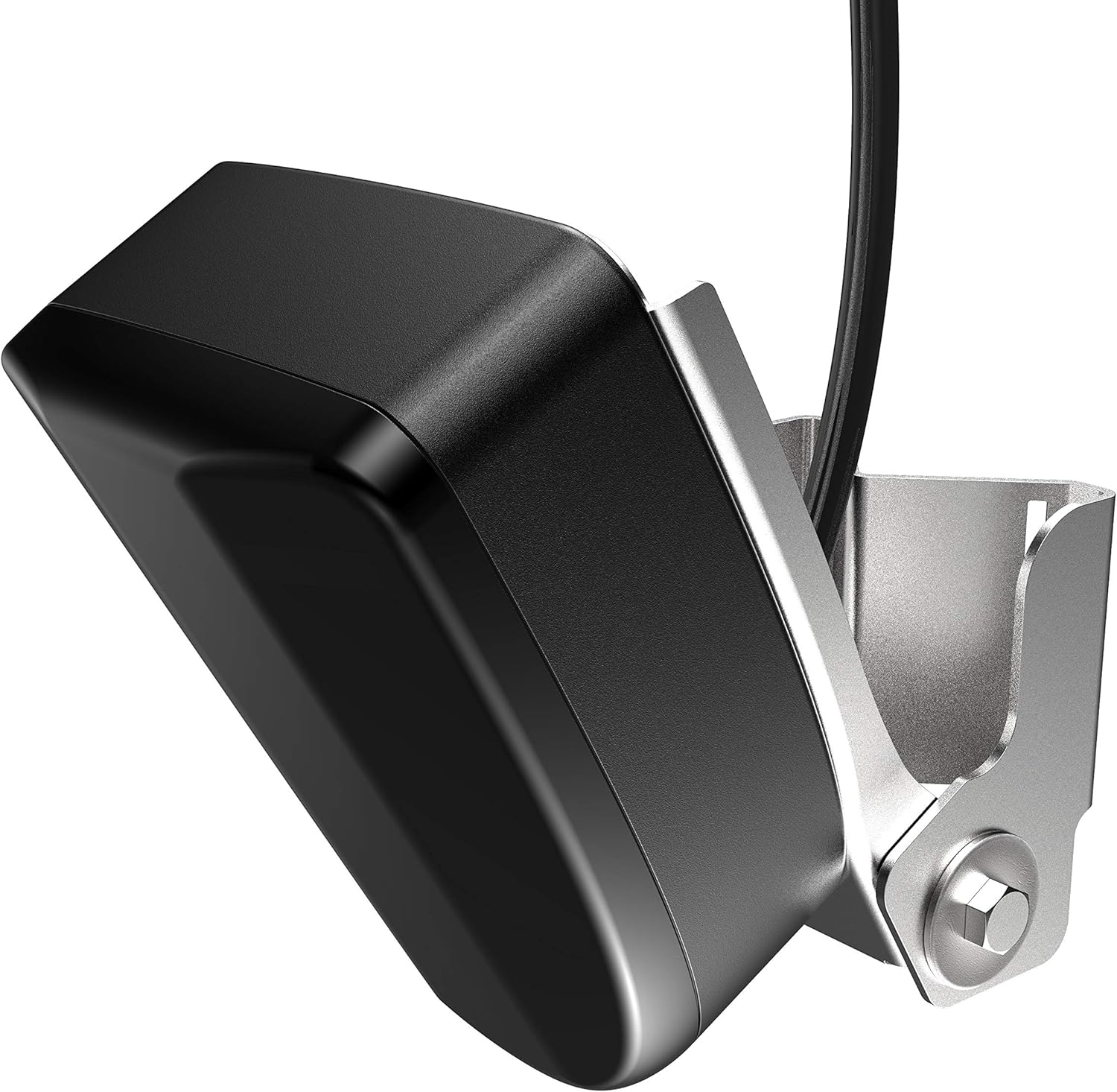
Whakaahua: Koki view of the LiveSight Transducer, showing its compact design and mounting point.
4. Mahi
Once installed and connected to a compatible display unit, the LiveSight Transducer provides dynamic real-time sonar data.
Using LiveSight:
- Whakahiko: Turn on your compatible Lowrance display unit. The LiveSight sonar view should automatically activate or be selectable from the sonar menu.
- Whakatika Tautuhinga: Depending on water conditions and target species, you may need to adjust sensitivity, range, and color palette settings on your display unit for optimal clarity.
- Interpret the Display:
- Fish will appear as arches or distinct shapes, moving across the screen in real-time.
- Your lure will also be visible, allowing you to see its depth and how fish react to it.
- Bottom structure and vegetation will be rendered, providing a clear picture of the underwater environment.
- Targeting Fish: Use the real-time feedback to position your boat and present your lure directly to fish. Observe if fish are actively feeding or ignoring your presentation.

Whakaahua: Raro view of the LiveSight Transducer, showing the sonar element.
Video: Official Lowrance video showcasing the brand's commitment to fishing technology, including products like the LiveSight Transducer. This video highlights the benefits of advanced sonar in fishing scenarios.
5. Tiaki
Regular maintenance ensures the longevity and optimal performance of your LiveSight Transducer.
- Te horoi: After each use, especially in saltwater, rinse the transducer and cables with fresh water to remove salt, dirt, and debris. Use a soft cloth to gently wipe the transducer face. Avoid abrasive cleaners or solvents.
- Tirotiro: Periodically inspect the transducer cable for any signs of wear, cuts, or kinks. Check the mounting hardware for tightness and corrosion.
- Rokiroki: When not in use for extended periods, store the transducer in a clean, dry place, protected from extreme temperatures and direct sunlight.
6. Te Raru
If you encounter issues with your LiveSight Transducer, consider the following common troubleshooting steps:
- Kāore he Whakaahua Sonar:
- Ensure the transducer is properly connected to the display unit and power source.
- Check for any damage to the transducer cable or connectors.
- Verify that the correct transducer type is selected in your display unit's sonar settings.
- Kounga Atahanga Kino:
- Clean the transducer face to remove any marine growth or debris.
- Adjust sonar sensitivity and noise rejection settings on your display unit.
- Ensure the transducer is mounted correctly and is not obstructed by boat components or air bubbles.
- Waitohu Mokowhiti:
- Tirohia ngā hononga taura katoa mō te wetekina, te waikura rānei.
- Ensure the power supply to the display unit is stable and sufficient.
If these steps do not resolve the issue, please contact Lowrance customer support for further assistance.
7. Whakatakotoranga Hangarau
| Waitohu | Lowrance |
| Ingoa Tauira | LIVESIGHT TRANSDUCER WITH MOUNTS |
| Tau tauira | 000-14458-001 |
| Puna Mana | 12 Volts DC |
| Display Type (Compatible) | LED |
| Taumaha Tūemi | 4.1 Pauna |
| Momo Whakaeke | Flush Mount (with included mounts) |
| Kaihanga | Navico |
| GTIN | 09420024172285 |
8. Pūtāhui me te Tautoko
The Lowrance LiveSight Transducer with Mounts is covered by a manufacturer's warranty. Please refer to the official Lowrance webpae, to tuhinga hoko ranei mo nga tikanga me nga tikanga whakamana.
For technical support, service, or warranty claims, please contact Lowrance Customer Service:
- Webpae: Visit the official Lowrance support page for FAQs, software updates, and contact information.
- Waea: Refer to your product packaging or the Lowrance website for regional support telephone numbers.
When contacting support, please have your product model number (000-14458-001) and proof of purchase readily available.