
Kupu Whakataki
Thank you for choosing the Conceptronic REGAS01B Optical Desktop Mouse. This manual provides essential information for setting up, operating, and maintaining your new mouse. Please read these instructions carefully before use to ensure proper functionality and longevity of your device.
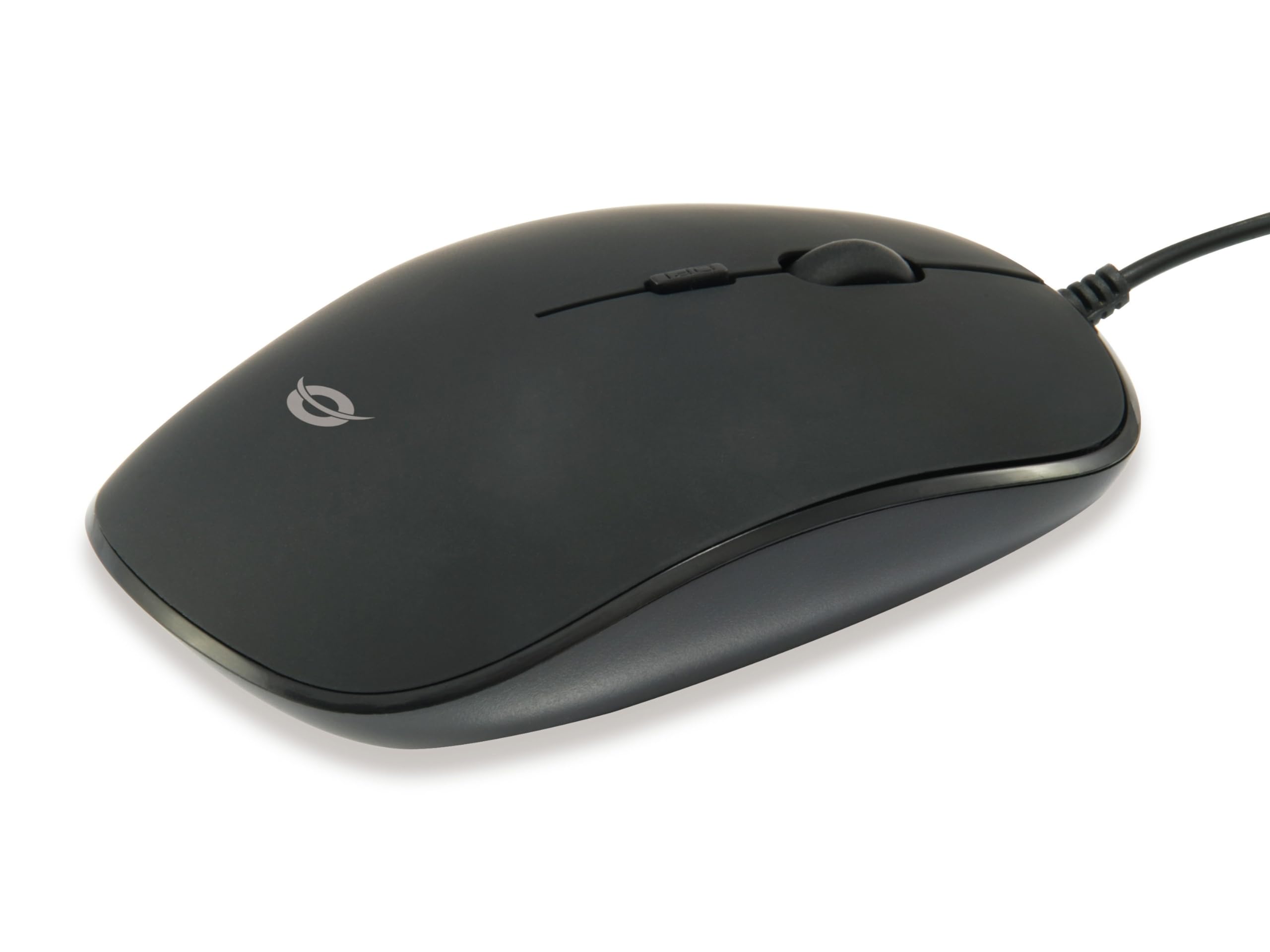
Whakaahua: Runga view of the Conceptronic REGAS01B Optical Desktop Mouse, showcasing its ergonomic black design.
Ihirangi mokete
Me mohio kei roto katoa nga mea kei roto i te kete:
- Conceptronic REGAS01B Optical Desktop Mouse
- Pukapuka Kaiwhakamahi (tenei tuhinga)
- Note: This is a wired USB mouse and does not require external batteries for operation, despite some generic product data indicating otherwise.
Ngā āhuatanga
- Whakawhiti DPI: Adjustable sensitivity (800/1000/1200 DPI) for precise control.
- Mono me te Purei: Easy installation without the need for additional drivers.
- Hoahoa Ambidextrous: He pai mō ngā kaiwhakamahi ringa maui me te ringa matau.
- Rubberized Surface: Provides enhanced grip and comfort during extended use.
- Aroturuki Optical: Reliable and accurate cursor movement.
- Hononga USB: Standard wired connection for stable performance.
Tatūnga
- Honoa te Kiore: Locate an available USB port on your computer. Insert the USB connector of the Conceptronic REGAS01B mouse into the USB port.
- Tāuta Aunoa: Your operating system (Windows, Linux, etc.) will automatically detect and install the necessary drivers. This process typically takes a few seconds.
- Kua Reri mo te Whakamahi: Once the installation is complete, the mouse is ready for immediate use. No additional software is required.

Whakaahua: Kati-ake view of the mouse's scroll wheel and the DPI switch button, located behind the scroll wheel.
Nga Tohutohu Whakahaere
Nga Mahi Taketake
- Pāwhiri Mauī: Patohia te paatene maui hei kowhiri i nga mea, tuwhera files, whakahohe mahi ranei.
- Pāwhiri Matau: Patohia te paatene matau hei whakatuwhera i nga tahua horopaki, te uru atu ranei ki etahi atu whiringa.
- Panuku Wira: Hurihia te wira panuku ki runga, ki raro ranei hei whakatere i nga tuhinga me te web pages. The scroll wheel can also be pressed for a middle-click function, depending on software configuration.
Te Whakatikatika i te Tairongo DPI
The Conceptronic REGAS01B mouse features a DPI switch to adjust cursor sensitivity on the fly. This allows you to quickly change between different tracking speeds for various tasks, such as precise editing or fast-paced gaming.
- Patene Whakawhiti DPI: Located behind the scroll wheel.
- Nga Taumata Tairongo: Press the DPI switch button to cycle through 800, 1000, and 1200 DPI settings.
- Kōwhiringa: Each press will change the sensitivity, allowing you to find the optimal speed for your current activity.
Te tiaki
- Te horoi: Whakamahia he kakahu ngohengohe, maroke hei horoi i te mata o te kiore. Mō te paru uaua, me horoi paku.ampHoroia te kakahu ki te wai, ki tētahi wai horoi ngawari rānei. Āta karohia ngā matū kaha, ngā rauemi whakakoi rānei.
- Pūoko Optical: Kia ma te pūoko whatu kei raro i te kiore, kia kore hoki he puehu, he paru rānei, kia tika ai te aroturuki.
- Rokiroki: When not in use, store the mouse in a clean, dry environment.
- A ape i te Wai: Do not expose the mouse to excessive moisture or immerse it in liquids.
Raparongoā
Kaore Te Kiore e Whakautu
- Tirohia te Hononga USB: Me whakarite kia mau te mono o te taura USB ki tētahi tauranga USB e mahi ana i tō rorohiko. Whakamātauria tētahi atu tauranga USB.
- Tīmata anō Rorohiko: Sometimes a simple computer restart can resolve connectivity issues.
- Whakamātautau ki tētahi atu Rorohiko: If possible, test the mouse on another computer to determine if the issue is with the mouse or your computer's setup.
Inaccurate Cursor Movement
- Pūoko Optical Clean: Me whakarite kia ma te pūoko whatu kei raro i te kiore, ā, kia kore he puehu, he paru rānei.
- Mouse Pad/Surface: Whakamahia te kiore ki runga i te mata ma, kore-whakaata, me te riterite. A ape i nga mata tino whakaata, maamaa ranei.
- Whakatikatika DPI: Experiment with the DPI switch to find a sensitivity setting that provides accurate tracking for your needs.
Whakatakotoranga
| Āhuahira | Taipitopito |
|---|---|
| Waitohu | Kaupapa |
| Ingoa Tauira | REGAS01B |
| Tae | Pango |
| Hangarau Hononga | USB (Waea) |
| Hangarau Hangarau Nekehanga | Optical |
| Tautuhinga DPI | 800 / 1000 / 1200 DPI (Ka taea te whakarite) |
| Rahi Pātene | 3 (Left, Right, Scroll Wheel/Middle Click) + DPI Switch |
| Takotoranga-ringa | Ambidextrous |
| Pūrere Hototahi | Rorohiko Whaiaro |
| Hototahitanga Pūnaha Whakahaere | Linux, Windows 7, Windows XP (and newer versions) |
| Taumaha Tūemi | 61 Karamu |
| Nga waahanga motuhake | Ergonomic Design, Rubberized Surface, Plug & Play |
| Tau Waahanga Kaihanga | REGAS01B |
| GTIN (UPC) | 04015867208526 |
Pūtāhui me te Tautoko
For warranty information and technical support, please refer to the official Conceptronic webpaetukutuku, whakapā atu ranei ki to kaihokohoko o to rohe. Puritia to tohu hoko mo nga kereme whakamana.
- Tautoko Aipurangi: Haerenga www.conceptronic.net (Tuhipoka: He waahi tenei URL, please replace with the actual support URL mehemea e wātea ana.)
- Whakapā: Refer to the contact information provided on the product packaging or the Conceptronic webpae mo te ratonga kiritaki.