
1. Kupu Whakataki
Mauruuru koe mo te hokoasing the boAt Stone 190 Bluetooth Speaker. This manual provides essential information for setting up, operating, and maintaining your speaker. Please read it carefully before use to ensure optimal performance and longevity of your device.

Image: The boAt Stone 190 speaker showcasing its portable and lightweight design, ideal for on-the-go use.
2. Ihirangi mokete
Tena koa tirohia te pouaka mo nga mea e whai ake nei:
- boAt Stone 190 Kaikorero Nihokikorangi
- Tauira Whakatau USB
- Pukapuka Kaiwhakamahi
3. Hua Neke Atuview me nga Mana Whakahaere
Familiarize yourself with the speaker's layout and control buttons.

Whakaahua: Runga-raro view of the boAt Stone 190 speaker, highlighting its integrated control buttons for easy operation.
- Pātene Hiko: Pēhi me te pupuri kia whakakā/whakaweto.
- Pātene Purei/Tatari: Pēhia ki te purei, ki te whakatairi waiata.
- Rōrahi Whakarunga (+): Pēhia hei whakanui i te oro. Pēhia, ka pupuri mō te waiata e whai ake nei.
- Rōrahi Raro (-): Pēhia hei whakaiti i te oro. Pēhia, ka pupuri mō te ara o mua.
- Pātene Aratau (M): Press to switch between modes (if applicable).
- Tauranga Whakatau: Mo te hono i te taura utu USB.
4. Whakakii i te Tukuoro
Before first use, fully charge the speaker. Use the provided USB charging cable.
- Connect the small end of the USB cable to the charging port on the speaker.
- Honoa te pito nui o te taura USB ki te urutau hiko USB (kaore i whakauruhia), ki te tauranga USB rorohiko ranei.
- Ka whakaatuhia te tūnga utu e te tohu LED. Ka whakaweto, ka huri rānei te tae ina utua katoatia.
A full charge provides up to 4 hours of playback time with its 800mAh battery capacity.

Image: The boAt Stone 190 speaker, illustrating its 800mAh battery capacity and up to 4 hours of playback time.
5. Takirua Nihokikorangi
Follow these steps to connect your boAt Stone 190 speaker to a Bluetooth-enabled device.

Image: The boAt Stone 190 speaker, highlighting its instant wireless connectivity via Bluetooth V5.0.
- Whakahiko: Press and hold the Power button on the speaker until you hear an audible prompt and the LED indicator flashes, indicating it's in pairing mode.
- Whakahohe Nihokikorangi: On your smartphone, tablet, or other Bluetooth device, go to the Bluetooth settings and enable Bluetooth.
- Tīpako Pūrere: In the list of available devices, search for and select "boAt Stone 190".
- Whakaū Hononga: Once paired, you will hear a confirmation tone, and the LED indicator will stop flashing and remain solid.
- Whakahono ano: Ka ngana aunoa te kaikorero ki te hono ano ki te taputapu takirua whakamutunga ina ka ana.
6. Te whakahaere i te Kai-korero
Purei Waiata
- Purei/Tatari: Patohia te paatene Play/Pause.
- Runga Runga: Patohia poto te paatene '+'.
- Raro Raro: Patohia poto te paatene '-'.
- Riu Panuku: Pēhia roa te pātene '+'.
- Riu o mua: Pēhia roa te pātene '-'.
Nga Mahi Waea
- Whakautu/Whakamutu Waea: Patohia te paatene Play/Pause.
- Whakakore Waea: Patohia me te pupuri i te paatene Play/Pause.
7. Ātete Wai (IPX7)
The boAt Stone 190 speaker features an IPX7 water resistance rating.
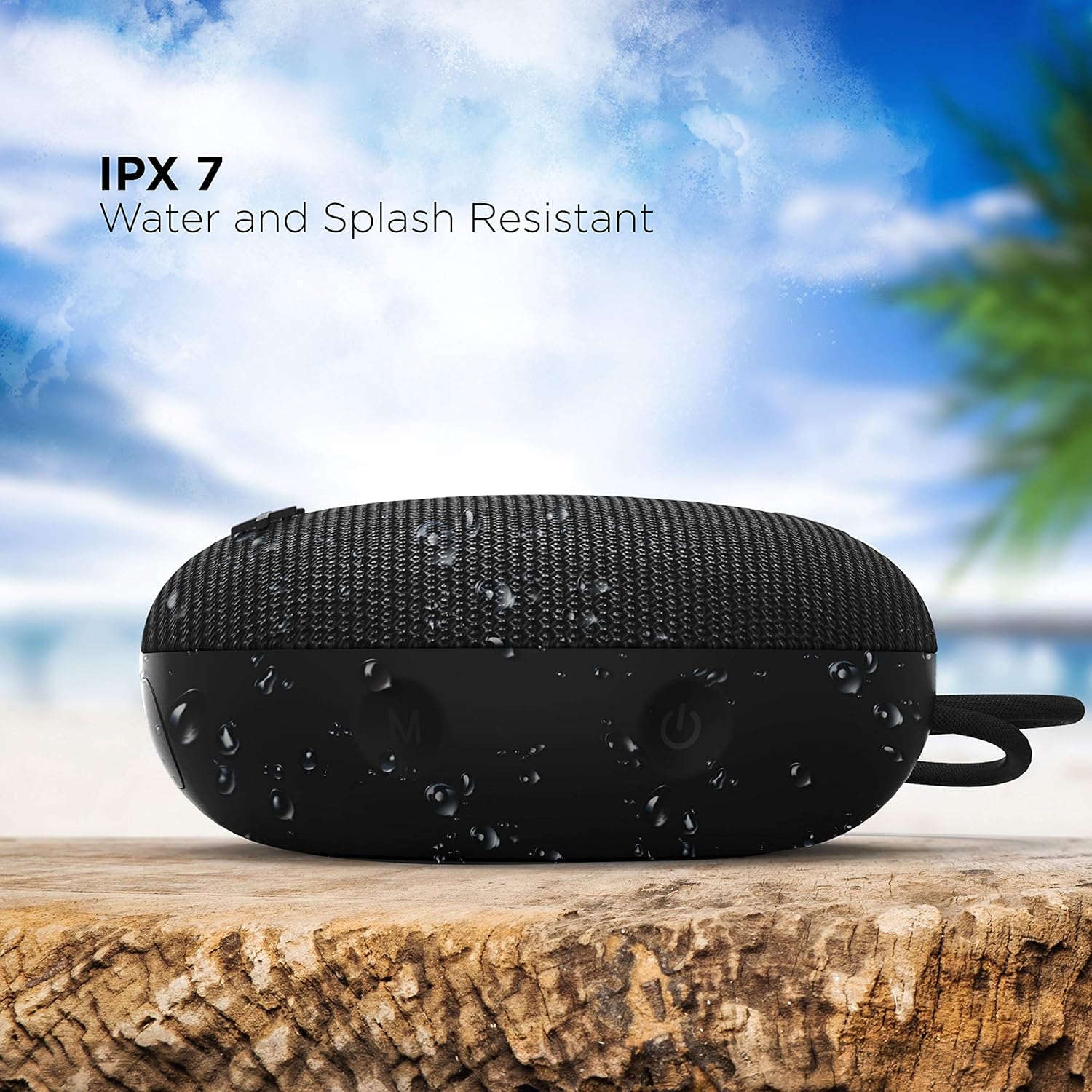
Image: The boAt Stone 190 speaker, demonstrating its IPX7 water and splash resistant capabilities, suitable for outdoor use.
- IPX7 means the speaker can be immersed in water up to 1 meter for 30 minutes.
- It is resistant to splashes, rain, and accidental submersion.
- Me whakarite kia kati te uhi o te tauranga utu i mua i te tukunga o te kaioro ki te wai.
- Do not intentionally submerge the speaker for extended periods or in water deeper than 1 meter.
8. Tiaki me te Tiaki
- Te horoi: Ūkuia te kaikōrero ki te ngohengohe, damp kakahu. Kaua e whakamahi i nga matū kino me nga horoi horoi.
- Rokiroki: Whakaorangia te kaikorero ki te waahi hauhautanga, maroke atu i nga wera nui me te ra tika.
- Tauranga Whakatau: Keep the charging port free from dust and debris.
- Pūhiko: To preserve battery life, charge the speaker at least once every three months if not in regular use.
9. Te Raru
| Raruraru | Rongoā |
|---|---|
| Karekau te kaikorero e kaha ana. | Me whakarite kei te utu te kaikōrero. Honoa ki te puna hiko ka ngana ano. |
| Kaore e taea te hono ki te taputapu Nihokikorangi. | Make sure the speaker is in pairing mode (flashing LED). Turn off and on Bluetooth on your device. Ensure the speaker is within range (10 meters). Forget previous pairings on your device and try again. |
| Karekau he oro, he iti te reo. | Increase volume on both the speaker and your connected device. Ensure the speaker is properly paired. Check if the audio source is playing. |
| Whanoke oro. | Move the speaker closer to your device. Reduce volume on either the speaker or the connected device. Ensure there are no obstructions causing interference. |
10. Whakatakotoranga
Technical details of the boAt Stone 190 Bluetooth Speaker.

Image: The boAt Stone 190 speaker, highlighting its 5 Watt audio output and 52mm full-range driver for clear sound.
| Āhuahira | Taipitopito |
|---|---|
| Waitohu | poti |
| Ingoa Tauira | Kohatu 190 |
| Kaikorero Te Mana Putanga Morahi | 5 Watts |
| Hangarau Hononga | Nihokikorangi |
| Putanga Nihokikorangi | V5.0 (Inferred from image) |
| Aratau Putanga Ororongo | Mono |
| Momo Kaikorero | Waho |
| Taumata Atete Wai | IPX7 (Waiwai) |
| Rahi Kaioro | 52 Milimetera |
| Pūhiko Raukaha | 800mAh (Inferred from image) |
| Pūhiko Wawaenga Te Ora | 4 haora |
| Puna Mana | Pūhiko Powered |
| Rahi Tūemi (D x W x H) | 4.9D x 12.5W x 12.5H Henemita |
| Taumaha Tūemi | 150 Karamu |
| Pūrere Hototahi | Papamahi, Pona, Pūoro MP3, Waea Atamai, Papaaho |
11. Nga korero haumaru
- Do not disassemble, repair, or modify the speaker. This may cause fire, electric shock, or complete damage to the product.
- Kaua e tukuna te kaikorero ki te wera nui (i runga ake i te 45°C, i raro ranei -10°C).
- Tiakina te kaikorero i nga tamariki me nga kararehe.
- A ape i te whakarongo ki nga reanga teitei mo te wa roa kia kore ai e pakaru te rongo.
- Whakamahia anake te taura utu kua whakaratohia, he taurite whaimana ranei.
12. Tautoko Kaihoko me te Pūtāhui
For product-related queries, support, or warranty information, please contact boAt customer service.
- Whakapā Tautoko: +91(022)69181920
- Īmēra: info@imaginemarketingindia.com
- Kaihanga: Whakaarohia te Hokohoko Ltd.
- Wāhi noho: Unit no. 204 & 205, 2nd floor, D-wing & E-wing, Corporate Avenue, Andheri Ghatkopar Link Road, Mumbai, Maharashtra-400093, India.