
Kupu Whakataki
Thank you for choosing the SIMPLIHOME Amherst 72-inch Wide Solid Wood TV Stand. This manual provides detailed instructions for the safe assembly, proper use, and effective maintenance of your new media console. Please read all instructions carefully before beginning assembly and retain this manual for future reference.
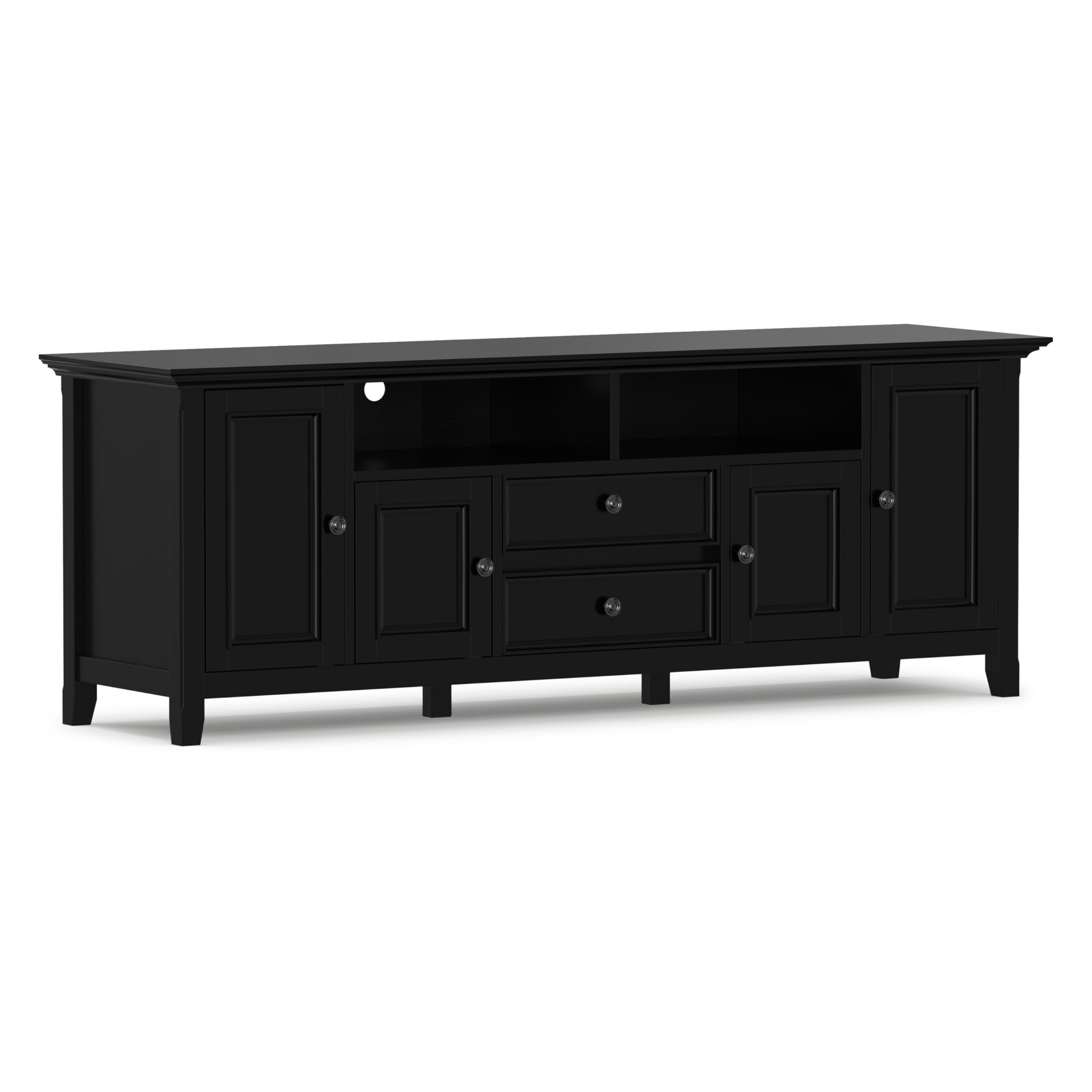
Whakaahua: Mua view of the SIMPLIHOME Amherst 72-inch TV Stand in black, showcasintōna hoahoa me ngā wāhanga rokiroki.
Nga korero haumaru
WHAKATŪPATO:
This product can expose you to chemicals including formaldehyde, phthalates, and lead which are known to the State of California to cause cancer or birth defects or other reproductive harm. For more information go to www.P65Warnings.ca.gov/furniture.
- Me whai i nga tohutohu a te huihuinga i nga wa katoa.
- Do not overload shelves or drawers.
- Use the provided anti-tip kit to secure the TV stand to a wall, preventing accidental tipping.
- Tiakina nga waahanga iti mai i nga tamariki i te wa e huihui ana.
Ihirangi mokete
I mua i te tīmatanga o te huihuinga, kia tino mōhio kei te wātea ngā wāhanga katoa, ā, kāore he pakaru. Mēnā kei te ngaro, kei te pakaru rānei ētahi wāhanga, kaua e haere tonu ki te huihuinga. Whakapā atu ki te ratonga kiritaki mō te āwhina.
- Paepae Runga
- Paepae Raro
- Paewhiri Taha (Mauī & Matau)
- Panui Hoki
- Shelves (Adjustable)
- Nga Waahanga Kaituku
- Kuaha rūnanga
- Hardware Pack (screws, dowels, cam locks, handles, hinges, drawer slides)
- Kete Aki-Aki
- Nga Tohutohu Huihuinga
Tatūnga me te Runanga
Assembly is required for this TV stand. It is recommended that two adults assemble this unit. Please follow the detailed instructions provided in your package. An anti-tip kit is included for safety and must be installed.
- Wewete Waenga: Me ata tango i nga waahanga katoa mai i te kete ka whakatakoto ki runga i te mata ngawari, ma kia kore e pakaru.
- Tautuhi Pūmārō: Separate and identify all hardware components using the provided hardware list.
- Huihuia te Tāpare: Attach side panels to the bottom panel, then secure the top panel.
- Tāuta Whata: Insert adjustable shelves into desired positions.
- Huihuia nga Kaituhi: Follow instructions to build and install the two smooth-glide drawers.
- Whakapiria nga Kuaha: Mount cabinet doors using the provided hinges.
- Tāutahia ngā Paewhiri Whakamuri: Secure the back panels, ensuring cable management cutouts are accessible.
- Āpiti Kakau: Fasten handles to drawers and cabinet doors.
- Haumaru me te Kete Aki-Aki: Attach the anti-tip kit to the back of the TV stand and to a wall stud, following the kit's specific instructions. This step is crucial for stability and safety.

Image: Detailed dimensional drawing of the Amherst 72-inch Wide TV Media Stand, showing overall dimensions and internal compartment measurements.
Nga Tohutohu Whakahaere
The Amherst TV Stand is designed to accommodate TVs up to 80 inches. Place your television centrally on the top surface. Utilize the various storage options for your media devices and accessories.
- Whakatakoto pouaka whakaata: Position your television on the top surface, ensuring it is centered and stable. Do not exceed the recommended TV size or weight capacity.
- Whakaha Uepu: Use the rear cable management cutouts to route and organize power cords and audio/video cables, maintaining a tidy appearance and preventing tangles.
- Rokiroki:
- Papa Tuwhera: Ideal for media players, gaming consoles, or soundbars.
- Kaiutuutu: Store remote controls, small accessories, or manuals.
- rūnanga taha: Use for larger items, DVDs, or other media.
Ataata: Ka mutuview of the Simpli Home Amherst TV Stand, demonstrating its features and storage capabilities. This video is provided by Simpli Home Ltd.

Image: The Amherst TV Stand integrated into a living room, displaying a television, soundbar, and decorative items on its surface and within its compartments.
Te tiaki
Hei whakarite i te roa o te wā me te āhua o tō tūru pouaka whakaata, whai i ēnei aratohu tiaki:
- Te horoi: Horoia kia ma ki te ngohengohe, damp kakahu. A ape i nga matū kino me nga kai horoi, ka taea e enei te kino te whakaoti.
- Puehu: Puehu ki te kakahu maroke, ngawari.
- Maringi: Horoia ka maringi ki te kakahu ma, maroke.
- Te Maranga o te Ra: A ape i te noho roa ki te ra tika kia kore ai e memenge, te paheketanga ranei.
- Haumākū: Kia rite tonu te makuku i roto i te ruma kia kore ai e pakaru te rakau, ka pakaru ranei.
Raparongoā
| Raruraru | Take pea | Rongoā |
|---|---|---|
| He wiri, he koretake ranei te turanga. | Loose hardware; uneven floor; anti-tip kit not installed. | Check and tighten all screws. Move to an even surface. Install the anti-tip kit as directed. |
| Karekau nga utuutu e paheke pai. | Ngā kiriata pouaka kua tāuta hētia; he ārai. | Ensure drawer slides are correctly aligned and installed. Check for any objects blocking the slides. |
| Kāore i te tika te tūnga o ngā tatau o te kāpata. | He wetewete, he kore tika ranei te whakatikatika. | Adjust the screws on the hinges to align the doors. Tighten any loose hinge screws. |
| Kua ngaro nga waahanga kua pakaru ranei. | He kino te hanga, he kino ranei te kaipuke. | Do not proceed with assembly. Contact SIMPLIHOME customer support immediately for replacement parts. |
Whakatakotoranga
| Āhuahira | Taipitopito |
|---|---|
| Tau tauira | AXCAMH72-BL |
| Tae | Pango |
| Rauemi | Rakau Pine Toka |
| Ahu (L x W x H) | 72 x 19 x 26 inihi (182.9 x 48.3 x 66 cm) |
| Taumaha Tūemi | 105.8 Pauna (48 kg) |
| Te Rahi TV | Tae atu ki te 80 inihi |
| Tuhinga o nga Kaitoi | 2 |
| Te maha o nga whata | 2 (ka taea te whakarite) |
| Huihuinga e hiahiatia ana | Yes (Full Assembly) |
| Nga waahanga motuhake | Cable Management Cutouts, Anti-Tip Kit Included |
Nga korero Whakaputanga
The SIMPLIHOME Amherst TV Stand is warranted to be free from defects in material and workmanship for a period of kotahi (1) tau from the date of purchase to the original owner. This warranty covers manufacturing defects under normal use. It does not cover damage resulting from improper assembly, misuse, abuse, accident, or normal wear and tear. Please retain your proof of purchase for warranty claims.
Tautoko Kiritaki
If you have any questions regarding the assembly, operation, or maintenance of your SIMPLIHOME Amherst TV Stand, or if you require replacement parts, please contact our customer support team:
- Webpae: www.simplihome.com
- Īmēra: support@simplihome.com (example)
- Waea: 1-800-XXX-XXXX (tīmataample)
Please have your model number (AXCAMH72-BL) and proof of purchase ready when contacting support.