
Kupu Whakataki
This manual provides comprehensive instructions for the setup, operation, and maintenance of your Hansong Vanity Mirror with Lights and Bluetooth. This extra-large Hollywood-style makeup mirror features 18 LED bulbs, three color lighting modes, USB charging capabilities, and integrated Bluetooth speakers for an enhanced user experience. Please read this manual thoroughly before use to ensure proper functionality and safety.
Nga korero haumaru
- Ensure the mirror is placed on a stable, flat surface or securely mounted to a wall to prevent tipping.
- Do not expose the mirror to excessive moisture or direct water spray. This product is designed for indoor use only.
- Handle the mirror with care. Although made with tempered glass for enhanced durability, improper handling can still cause damage.
- Unplug the mirror from the power outlet before cleaning or performing any maintenance.
- Keep the power cord away from heat sources and sharp edges. Do not place heavy objects on the cord.
- Do not attempt to disassemble or repair the mirror yourself. Refer all servicing to qualified personnel.
- If the mirror arrives damaged or experiences any issues, contact customer support immediately.
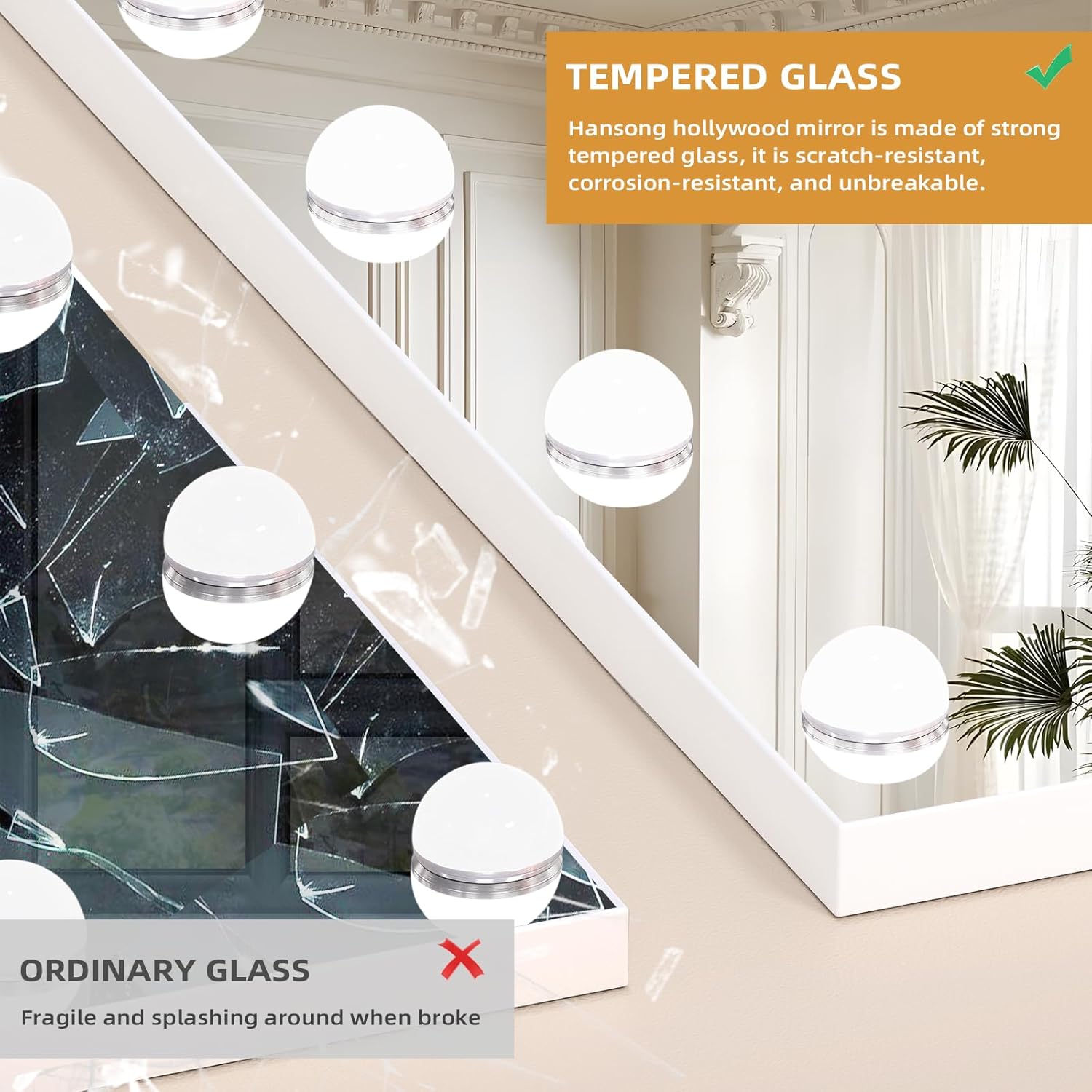
Figure 1: Tempered Glass for Enhanced Safety
Ihirangi mokete
Manatokohia kei te noho nga waahanga katoa, kei te pai te ahua i te whakatuwheratanga o te kete:
- Hansong Vanity Mirror with Lights and Bluetooth
- Puka Tango
- Pūurutau Hiko
- 10X Magnifying Mirror (with suction cups)
- Ngā taputapu whakairi (mō te tāutanga pakitara)
- Pukapuka Kaiwhakamahi (tenei tuhinga)
Tatūnga
Tāutanga Ripanga
- Carefully remove the mirror from its packaging.
- Locate the screws at the bottom of the mirror frame. Unscrew them if they are pre-installed.
- Align the holes in the detachable base with the corresponding holes at the bottom of the mirror.
- Insert and tighten the screws to secure the base firmly to the mirror.
- Place the assembled mirror on a stable, flat surface.
- Connect the power adapter to the mirror's power input port and then plug it into a standard electrical outlet.

Figure 2: Tabletop Installation Steps
Tāutatanga Maunga Taiepa
The mirror is designed with two back holes for wall mounting. Ensure the wall can support the mirror's weight (approximately 18.08 pounds). Professional installation is recommended for wall mounting.
- Identify the desired location on the wall. Ensure it is a sturdy surface.
- Measure the distance between the two mounting holes on the back of the mirror.
- Mark the corresponding points on the wall using a pencil and a level to ensure horizontal alignment.
- Drill pilot holes at the marked locations. Insert wall anchors if necessary (e.g., for drywall).
- Screw the provided mounting hardware (screws) into the wall, leaving a small portion protruding to hang the mirror.
- Carefully lift the mirror and align the back holes with the screws on the wall. Gently lower the mirror until it is securely seated.
- Connect the power adapter to the mirror's power input port and then plug it into a standard electrical outlet.
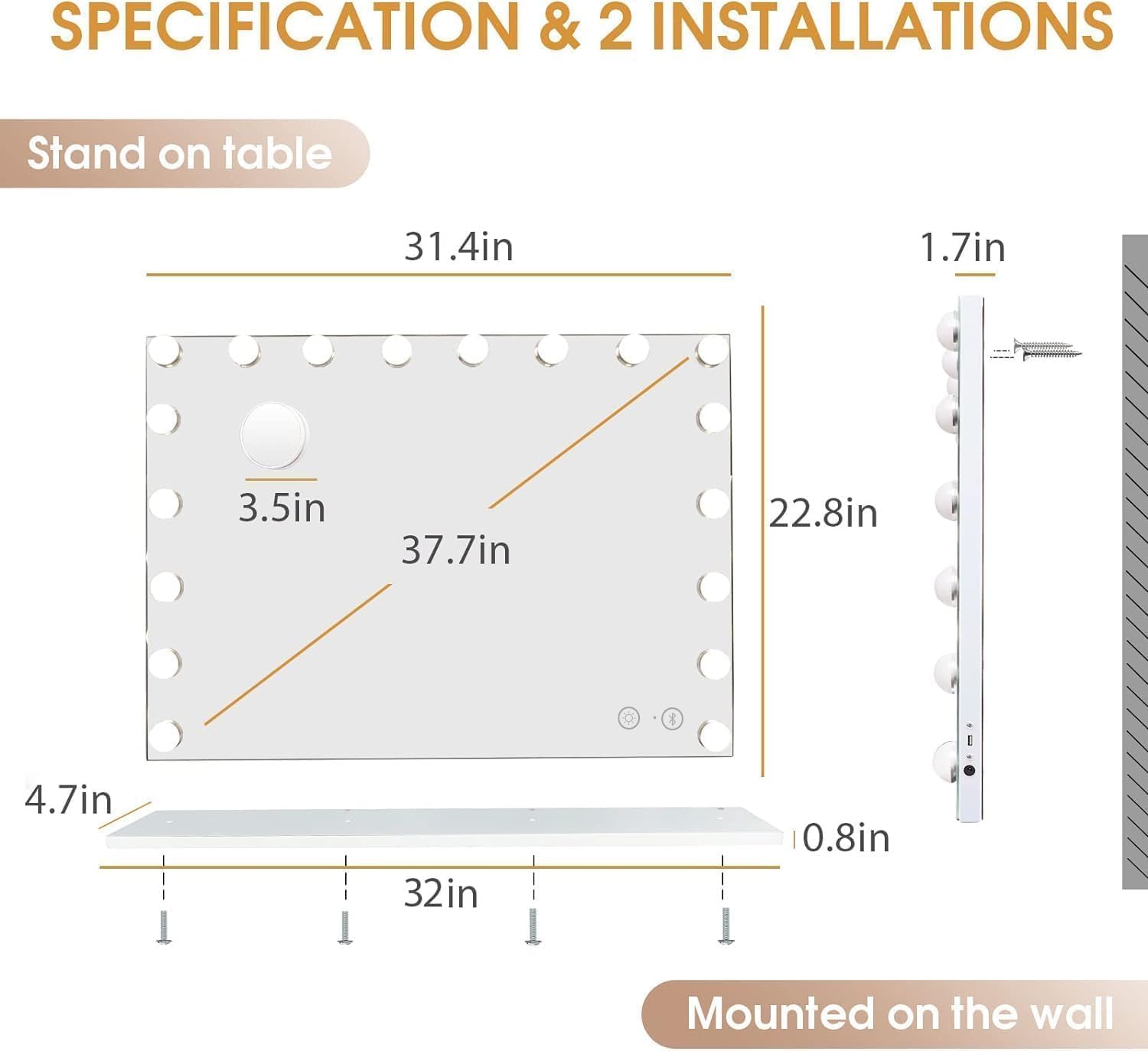
Figure 3: Mirror Dimensions and Installation Options
Nga Tohutohu Whakahaere
1. Power On/Off and Lighting Modes
The mirror features touch-sensitive controls located on the mirror surface.
- Hiko Whakaka/Weto: Touch the power icon (⏻) to turn the lights on or off.
- Huri Aratau Rama: Touch the light bulb icon (💡) to cycle through the three color lighting modes:
- Maama Matao: Suitable for office makeup.
- Maama Taiao: Ideal for outdoor makeup.
- Maama Mahana: Best for party and date makeup.
- Whakaritea te Tirohanga: Press and hold the light bulb icon (💡) to dim or brighten the lights to your desired level.

Figure 4: Three Color Lighting Modes
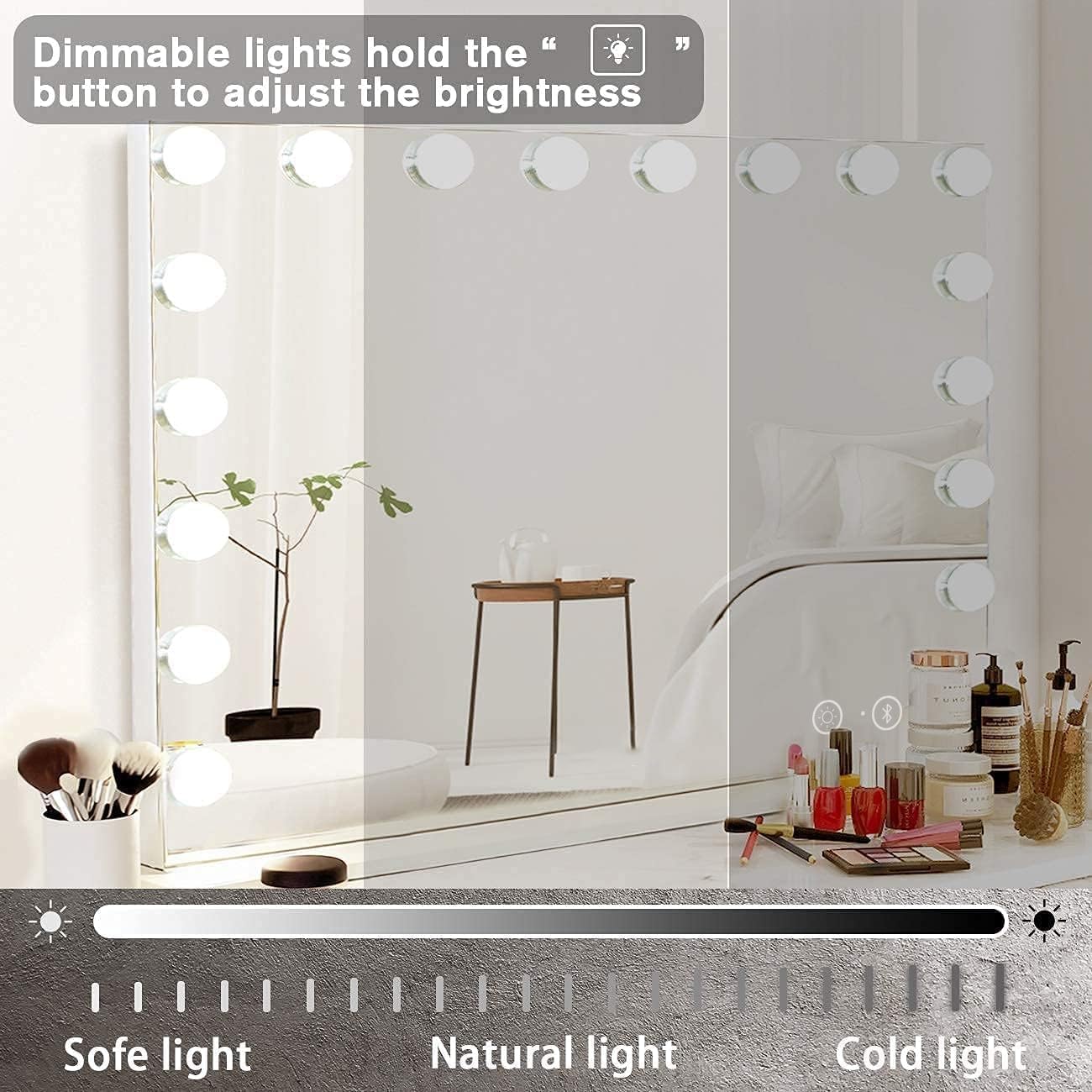
Figure 5: Brightness Adjustment
2. Hononga Nihokikorangi
The mirror is equipped with two Bluetooth speakers and a microphone, allowing you to play music and answer calls.
- Ensure the mirror is powered on.
- Activate Bluetooth on your smartphone or other Bluetooth-enabled device.
- Rapua available Bluetooth devices. The mirror will appear as "Hansong Mirror" or similar.
- Select the mirror from the list to pair. A confirmation sound will indicate successful pairing.
- Once paired, you can play audio through the mirror's speakers and use the integrated microphone for calls.
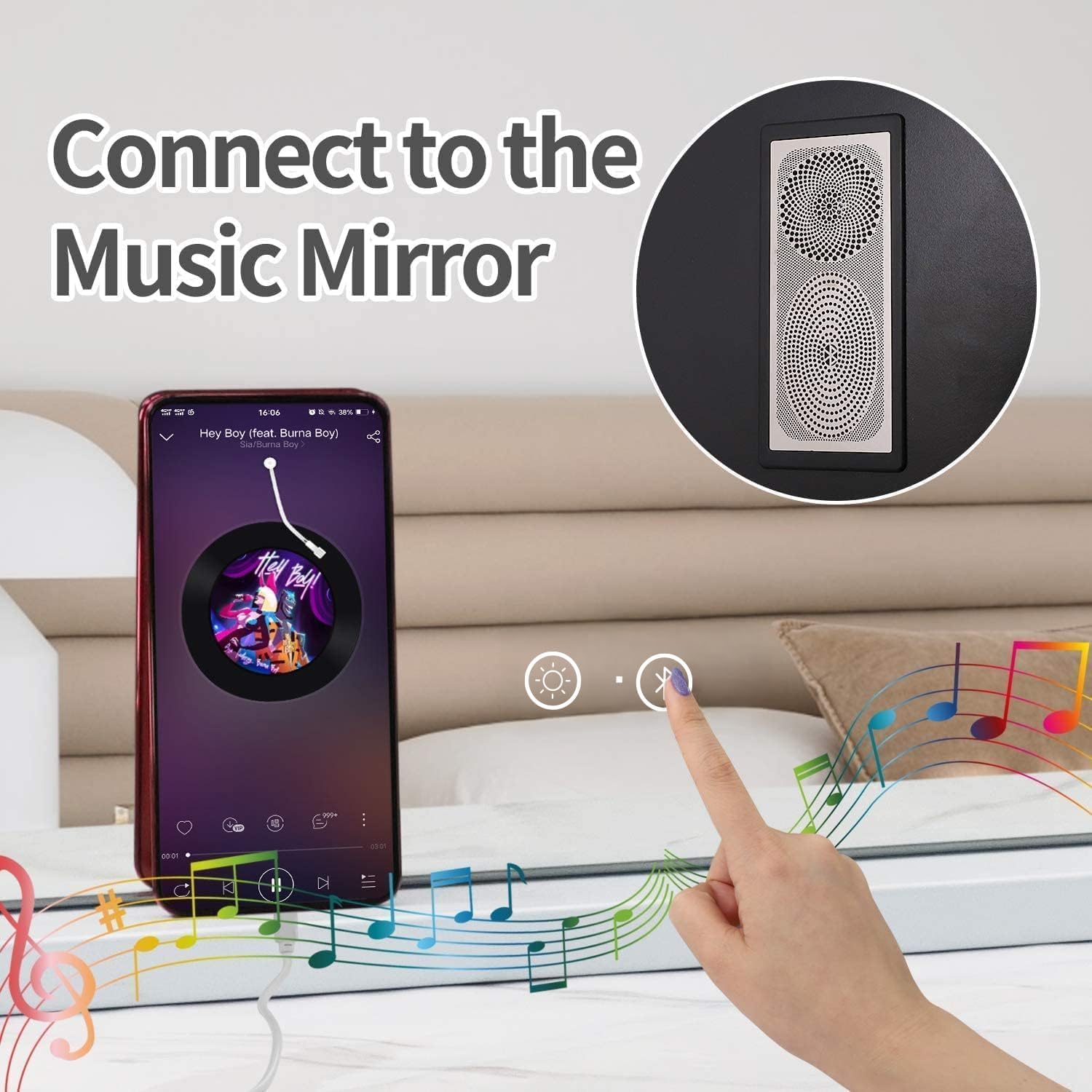
Figure 6: Connecting to Bluetooth Speakers
3. Tauranga Whakapaa USB
A USB output charging port is located on the side of the mirror, allowing you to charge your phone or other USB-powered devices.
- Connect your device's USB charging cable to the USB port on the mirror.
- Ensure the mirror is plugged into a power outlet for the USB charging function to work.

Figure 7: USB Output Charging Port
4. 10X Magnifying Mirror
The included 10X magnifying mirror is detachable and features suction cups for easy attachment to the main mirror or any smooth surface. It is useful for detailed tasks such as eyebrow plucking or precise eye and lip makeup application.
- To attach, press the suction cups firmly against the main mirror surface.
- To remove, gently lift the edge of the suction cups to release the vacuum.

Figure 8: 10X Magnifying Mirror
Te tiaki
- Te horoi i te Mata Whakaata: Whakamahia he kakahu ngohengohe, he kakakore me te kai horoi karaihe kore. Rerehia te kai horoi ki runga i te kakahu, kaua ki runga i te whakaata, kia kore ai e uru te wai ki roto i nga waahanga hiko.
- Te horoi i te Tapare: Horoia te anga whakarewa ki te ngohengohe, damp kakahu. A ape i nga matū kino me nga kai horoi.
- Whakakapi Purama: The LED bulbs are integrated and designed for long-term use. They are not user-replaceable.
- Rokiroki: If storing the mirror for an extended period, unplug it and store it in a dry, cool place, preferably in its original packaging to protect it from dust and damage.
Raparongoā
| Raruraru | Take pea | Rongoā |
|---|---|---|
| Kaore nga rama whakaata e ka ana. |
|
|
| Bluetooth will not connect. |
|
|
| Kāore e mahi ana te utunga USB. |
|
|
Whakatakotoranga
| Waitohu | Hansong |
| Tauira | A-white With Bluetooth-32x23in |
| Hunga Hua | 23"L x 32"W |
| Rauemi Tāpare | Te whakarewa |
| Momo Whakaeke | Tabletop/Wall Mount |
| Nga waahanga motuhake | Lighted, Touch Sensor, USB Charging, Bluetooth Speakers |
| Aratau Rama | 3 Color (Warm, Cool, Natural) |
| Whakanui | 10X (detachable mirror) |
| Taumaha Tūemi | 18.08 pauna |
| UPC | 194230337378 |
Pūtāhui me te Tautoko
Hansong is committed to providing high-quality products. While the mirror is designed for durability with tempered glass, unforeseen issues may occur.
For any product-related inquiries, technical support, or warranty claims, please contact Hansong customer service directly. Please have your purchase details and model information ready when contacting support.
Contact information can typically be found on the Hansong official webpae, na roto ranei i to waahi hoko.