
1. Kupu Whakataki
The PULUZ Mini Photo Studio Light Box is a portable and folding photo shooting tent designed for small product photography. It features two integrated LED panels and comes with six different colored backdrops to help you achieve professional-quality images by providing even and bright lighting, minimizing shadows and reflections.
This manual provides detailed instructions for setting up, operating, and maintaining your photo studio light box to ensure optimal performance and longevity.
2. He aha kei roto i te Pouaka
I te wetewete, tirohia koa kei roto katoa nga mea e whai ake nei:
- Mini Photo Studio Light Box (1 unit)
- Carrying Bag (1 unit)
- Black Backdrop (1 unit)
- White Backdrop (1 unit)
- Yellow Backdrop (1 unit)
- Red Backdrop (1 unit)
- Blue Backdrop (1 unit)
- Green Backdrop (1 unit)

3. Tohutohu Tatūnga
Follow these steps to assemble your PULUZ Mini Photo Studio Light Box:
- Expand the Studio Tent: Carefully unfold the main body of the light box until it lays flat, revealing the pre-creased sections.
- Fold Creases: Firmly fold along the designated creases on the left and right edges of the tent. This will begin to form the side walls.
- Fold Bottom Crease: Fold the bottom crease to create the base of the studio.
- Fold Top Crease: Fold the top crease to form the roof of the studio.
- Connect Snap Buckles: Connect the product's snap buckles to their corresponding positions to secure the structure. Ensure all connections are firm for stability.
- Kua oti te whakaurunga: The basic structure of your photo studio is now assembled.
- Tāpirihia te Papamuri: Choose one of the six colored backdrops provided. Align the backdrop with the hooks inside the studio and secure it in place.
- Hono Hono: Connect the USB cable from the LED panels to a 5V, 1A USB power source (e.g., a USB wall adapter, power bank, or laptop USB port). Tuhipoka: Do not use USB power output voltage more than 5V, such as Quick Charge, as this may cause the LED light to fail.


4. Nga Tohutohu Whakahaere
Once assembled and powered, your PULUZ Mini Photo Studio Light Box is ready for use. Here’s how to operate it:
- Turanga: Place the item you wish to photograph inside the light box. Ensure it is centered and positioned appropriately on the chosen backdrop.
- Rama: The integrated LED panels will provide bright, even illumination. If your model includes a dimmer switch on the USB cable, use it to adjust the brightness to your desired level.
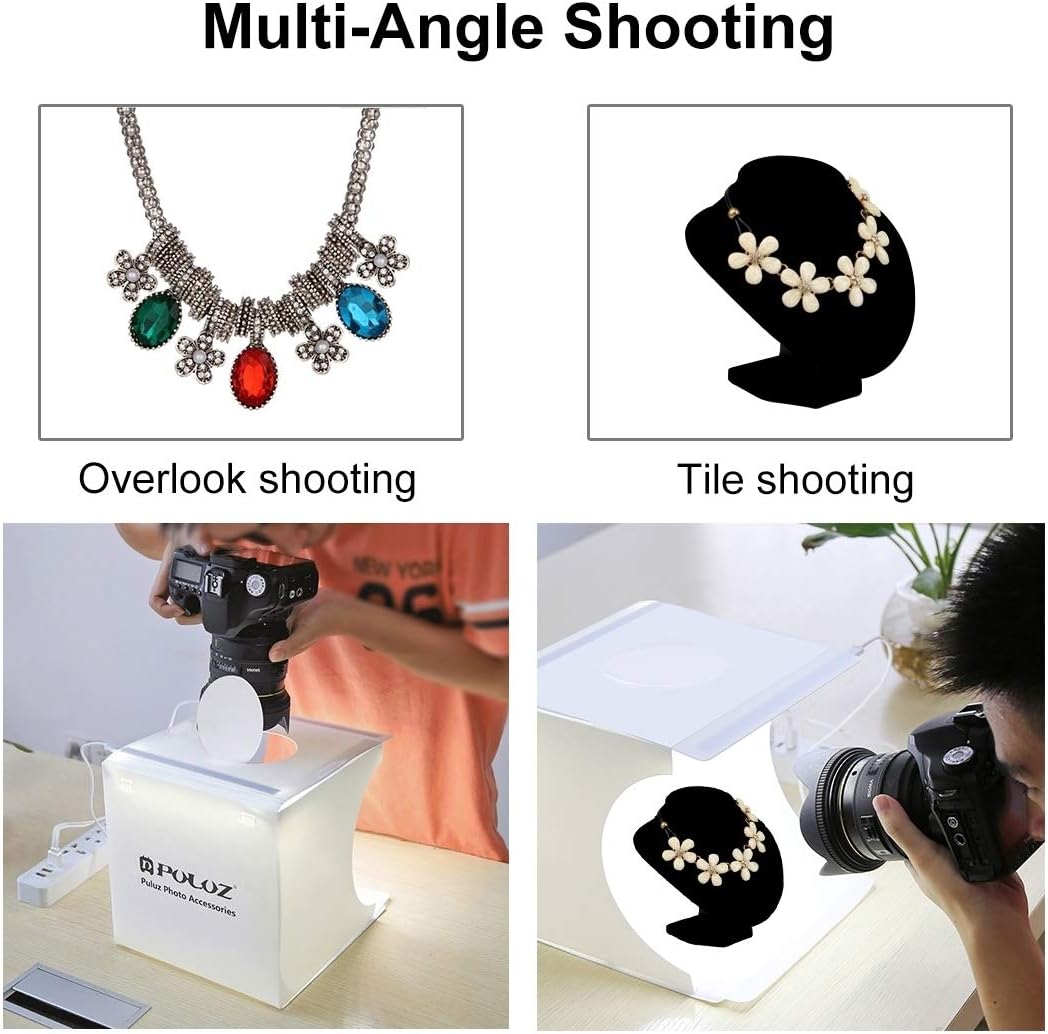
- Shooting Angles: The light box is designed for multi-angle shooting:
- Te whakatuwheratanga o mua: Use the main front opening for standard eye-level or slightly elevated shots.
- Top Hole: For overhead shots, open the circular flap on the top of the studio tent and position your camera directly above the item. This is ideal for flat lays or capturing top-down details.
- Backdrop Selection: Experiment with the six different colored backdrops (black, white, yellow, red, blue, green) to find the best contrast and aesthetic for your product.

5. Nga waahanga matua
- High Brightness LED Panels: Equipped with 2*20 PCS bright white LED light strips, providing even and average lighting to prevent shadows and reflections, ensuring sufficient brightness for high-quality photos.
- No Strobe Effect: Designed to eliminate strobe effects, allowing for professional-quality pictures even with non-professional shooting equipment.
- Easy to Carry & Portable: The folding design allows for quick assembly and disassembly, making it highly portable. It can be set up on any surface, ideal for on-the-go photography.
- 6 Colors Backdrops: Includes black, white, yellow, red, blue, and green backdrops to suit various product types and photography needs.
- USB Powered: Conveniently powered via USB, compatible with chargers, mobile power banks, laptops, and desktop computers (requires a 5V, 1A USB charger, not included).
- Waterproof, Damp-proof, Anti-wrinkle Material: Constructed from durable PP material with a specially tailored 300# matte surface, designed to diffuse light uniformly and soften object shadows for a three-dimensional sense.


6. Whakatakotoranga
| Āhuahira | Taipitopito |
|---|---|
| Ahu Hua (Kua Tuwhera) | 9.45" D x 9.06" W x 9.06" H (24 x 23 x 23 cm) |
| Taumaha Tūemi | 10.9 hekere |
| Tau tauira | LEAFELF-6 |
| Waitohu | PULUZ |
| Rauemi | Polypropylene (PP) |
| Paewhiri arahina | 2 x 20 PCS bright white LED strips |
| Backdrops Included | 6 colors (Black, White, Yellow, Red, Blue, Green) |
| Tuku Hiko | USB 5V, 1A (USB charger not included) |
| Kāhua | Portable, Folding |

7. Tiaki
To ensure the longevity and optimal performance of your PULUZ Mini Photo Studio Light Box, follow these maintenance guidelines:
- Te horoi:
- Wipe the exterior and interior surfaces of the light box with a soft, damp kakahu. A ape i te kai horoi, te whakarewa ranei.
- For the LED panels, use a dry, soft cloth to gently wipe away any dust. Do not spray cleaning solutions directly onto the LEDs.
- The backdrops can be wiped clean with a damp cloth if they become dirty. Ensure they are completely dry before storing.
- Rokiroki: When not in use, fold the light box neatly and store it in the provided carrying bag to protect it from dust and damage. Store in a cool, dry place away from direct sunlight.
- Te whakahaere: Avoid excessive force when folding or unfolding the light box to prevent damage to the creases or snap buckles. Do not pull the connected data cable vigorously.
8. Te Raru
If you encounter any issues with your PULUZ Mini Photo Studio Light Box, please refer to the following common problems and solutions:
| Raruraru | Take pea | Rongoā |
|---|---|---|
| Ko nga rama LED e kore e ka |
|
|
| Ko nga rama he muramura, he korikori ranei |
|
|
| Studio tent does not hold its shape |
|
|
9. Pūtāhui me te Tautoko
PULUZ is committed to providing high-quality photographic equipment and accessories. For any inquiries, support, or warranty claims, please contact us directly.
- Īmēra Whakapā: service@puluz.com
- Toa Tuihono: Haere ki te rangatira PULUZ Store on Amazon mo etahi atu hua me nga korero.
If you receive a damaged product, you do not need to return it. Please contact our after-sales service directly to apply for a replacement or refund.