Kupu Whakataki
The MOVSSOU E7 Active Noise Cancelling Headphones are designed to provide a superior audio experience with advanced noise cancellation, deep bass, and comfortable wear. This manual provides detailed instructions for setup, operation, and maintenance of your headphones, ensuring you get the most out of your device.
He aha kei roto i te Pouaka
Manatokona kei roto katoa nga taonga kei roto i te kete:
- 1 * MOVSSOU E7 Active Noise Cancelling Bluetooth Wireless Headphones
- 1 * Charge Cable
- 1 * Audio Cable (3.5mm)
- Pukapuka Kaiwhakamahi

Image: The MOVSSOU E7 headphones in black, along with their charging cable and audio cable, as typically found in the product packaging.
Ka mutu te huaview
Familiarize yourself with the main components and controls of your MOVSSOU E7 headphones.

Image: A close-up of the headphone ear cup highlighting key features: Active Noise Cancelling, 30 Hours Playtime, and Built-in Microphone.

Whakaahua: Taipitopito view of the headphone's control panel, showing buttons for power, volume, and ANC, along with ports.
Nga Mana me nga Tohu
- Pātene Hiko: Pēhi me te pupuri kia whakakā/whakaweto.
- Rōrahi Whakarunga (+): Perehi poto hei whakanui ake i te rōrahi. Paa roa mo te riu panuku.
- Rōrahi Raro (-): Pēhi poto hei whakaiti i te rōrahi. Pehi roa mo te riu o mua.
- Pātene Mahi-maha: Play/Pause music, Answer/End/Reject calls.
- Pātene ANC: Activates/deactivates Active Noise Cancelling.
- Tohu LED: E whakaatu ana i te mana, te hononga, me te tūnga utu.
- 3.5mm Jack Ororongo: Mo te hononga ororongo waea.
- Tauranga Whakatau USB-C: Mo te utu i nga taringa.
Tatūnga
Te Whakataki i nga Paneoro
Before first use, fully charge the headphones to ensure optimal battery performance.
- Honoa te taura utu USB kua whakaratohia ki te tauranga utu i runga i ngā paneoro.
- Honoa te tahi pito o te taura ki te urutau hiko USB (kaore i whakauruhia), ki te tauranga USB rorohiko ranei.
- Ka whakaatu te tohu LED i te mana o te utu (hei tauira, he whero i te wa e utu ana, ka mutu ka whakakiia katoa).
- E rua hāora te roa o te utunga katoa, ā, e 30 hāora te roa o te wā purei.
Tauira Nihokikorangi
To connect your MOVSSOU E7 headphones to a Bluetooth-enabled device:
- Me mohio kua weto nga taringa.
- Pēhia me te pupuri i te pātene Mana kia mura te tohu LED i te kikorangi me te whero, e tohu ana i te aratau takirua.
- I runga i to taputapu, whakahohea te Nihokikorangi me te rapu mo nga taputapu e waatea ana.
- Select "MOVSSOU E7" from the list.
- Ina hono ana, ka huri te tohu LED ki te kikorangi kikorangi, ki te mura tere ranei.

Image: The MOVSSOU E7 headphones demonstrating Bluetooth 5.0 connectivity with a phone, tablet, laptop, desktop, and TV, highlighting versatile compatibility.
Nga Tohutohu Whakahaere
Te Hiko / Whakaweto
- To power on, press and hold the Power button for approximately 2 seconds.
- To power off, press and hold the Power button for approximately 3 seconds.
Whakakore Haruru Hohe (ANC)
The ANC function reduces ambient noise for an immersive listening experience.
- Press the ANC button once to activate noise cancellation. The ANC indicator light will illuminate.
- Patohia ano te paatene ANC hei whakakore i te whakakore haruru.
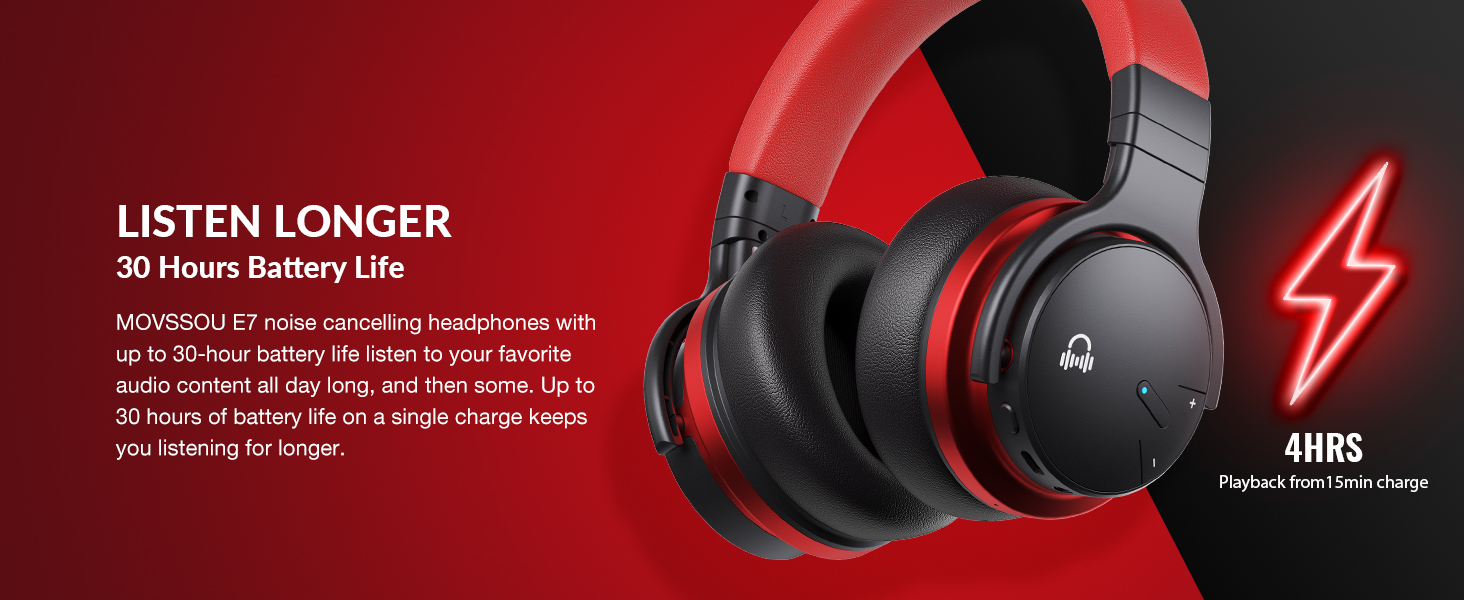
Image: A person wearing MOVSSOU E7 headphones, illustrating the activation of ANC mode with a single touch for a quieter personal audio experience.
Purei Waiata
- Press the Multi-function button once to Play/Pause music.
- Short press Volume Up (+) to increase volume.
- Short press Volume Down (-) to decrease volume.
- Long press Volume Up (+) for the next track.
- Long press Volume Down (-) for the previous track.
Whakahaa Piiraa
- To answer an incoming call, press the Multi-function button once.
- To end a call, press the Multi-function button once.
- To reject an incoming call, press and hold the Multi-function button for 2 seconds.
- To redial the last number, double-press the Multi-function button.

Image: A woman wearing MOVSSOU E7 headphones, demonstrating clear hands-free calling capabilities with the built-in microphone.
Te Tiaki me te Tiaki
Proper care will extend the lifespan of your MOVSSOU E7 headphones.
- Horoia ngā paneoro i ia wā ki te kakahu ngohengohe, maroke. Kaua e whakamahi i ngā kaihoroi whakakoi, i ngā whakarewa rānei.
- A ape i te tuku i nga taringa ki te wera nui, te makuku, te ra tika ranei.
- Store the headphones in a cool, dry place when not in use, preferably in a protective case.
- Kaua e ngana ki te wetewete, ki te whakarereke ranei i nga taringa, na te mea ka kore te whakamana.
- Keep the charging port free of dust and debris to ensure proper charging.
Raparongoā
If you encounter any issues with your headphones, refer to the table below for common problems and solutions.
| Raruraru | Rongoā |
|---|---|
| Karekau e kaha ana nga waea. | Me mohio kei te utu nga taringa. Tūhono ki tētahi puna hiko ka ngana anō. |
| Kaore e taea te hono ki te taputapu. | Ensure headphones are in pairing mode (flashing blue/red). Turn off and on Bluetooth on your device. Move headphones closer to the device. |
| Karekau he oro, he iti te reo. | Tirohia ngā taumata oro o ngā paneoro me te taputapu hono. Me whakarite kei te hono tika ngā paneoro. Whakamātauria te tīmata anō i ngā taputapu e rua. |
| Ko te ANC kaore e mahi pai. | Ensure ANC is activated. ANC is most effective for low-frequency, constant noises. Ensure earcups form a good seal around your ears. |
Whakatakotoranga
Detailed technical specifications for the MOVSSOU E7 headphones.
| Āhuahira | Taipitopito |
|---|---|
| Ingoa Tauira | E7 Ahokore Haruru Whakakore Paneoro |
| Hangarau Hononga | Ahokore (Nihokikorangi 5.0) |
| Rahi Atekōkiri Ororongo | 45 Mirimita |
| Ora Pūhiko | Tae atu ki te 30 haora |
| Waa Whakatau | 4 haora |
| Whakautu auau | 20Hz - 20kHz |
| Awhe Nihokikorangi | 33 Puawai (10 mita) |
| Mana Haruru | Whakakore Haruru Hohe |
| Pooro Jack | 3.5 mm Jack |
| Taumaha Tūemi | 13.8 hekere (0.86 Pauna) |
| Hunga Hua | 7.68 x 7.2 x 2.17 inihi |
| Rauemi | Kirihou |
| Momo Mana | Noise Control, Voice Control, Call Control, Volume Control |
Pūtāhui me te Tautoko
MOVSSOU products are designed and manufactured to the highest quality standards. For detailed warranty information and technical support, please refer to the warranty card included with your product or visit the official MOVSSOU webpae.
For further assistance, you may contact MOVSSOU customer support through their official channels. Please have your product model (E7 Basic C) and purchase information ready when contacting support.