
Kupu Whakataki
Thank you for choosing the Soul S-GEAR Wireless Bluetooth Earbuds. These earbuds are designed to provide a high-quality audio experience with the convenience of wireless connectivity, active noise cancellation, and a comfortable in-ear fit. Featuring Bluetooth 5.0, IPX4 water resistance, and a long-lasting battery with fast charging, the S-GEAR earbuds are perfect for daily use.
Please read this manual carefully before using your earbuds to ensure proper operation and to maximize their lifespan.
Ihirangi mokete
- Soul S-GEAR Wireless Earbuds (Left and Right)
- Puhi utu
- USB-C Uira Whakatau
- Nga Rahi Maha o Nga Tohu Taringa
- Pukapuka Kaiwhakamahi
Ka mutu te huaview
Familiarize yourself with the components of your Soul S-GEAR earbuds and charging case.
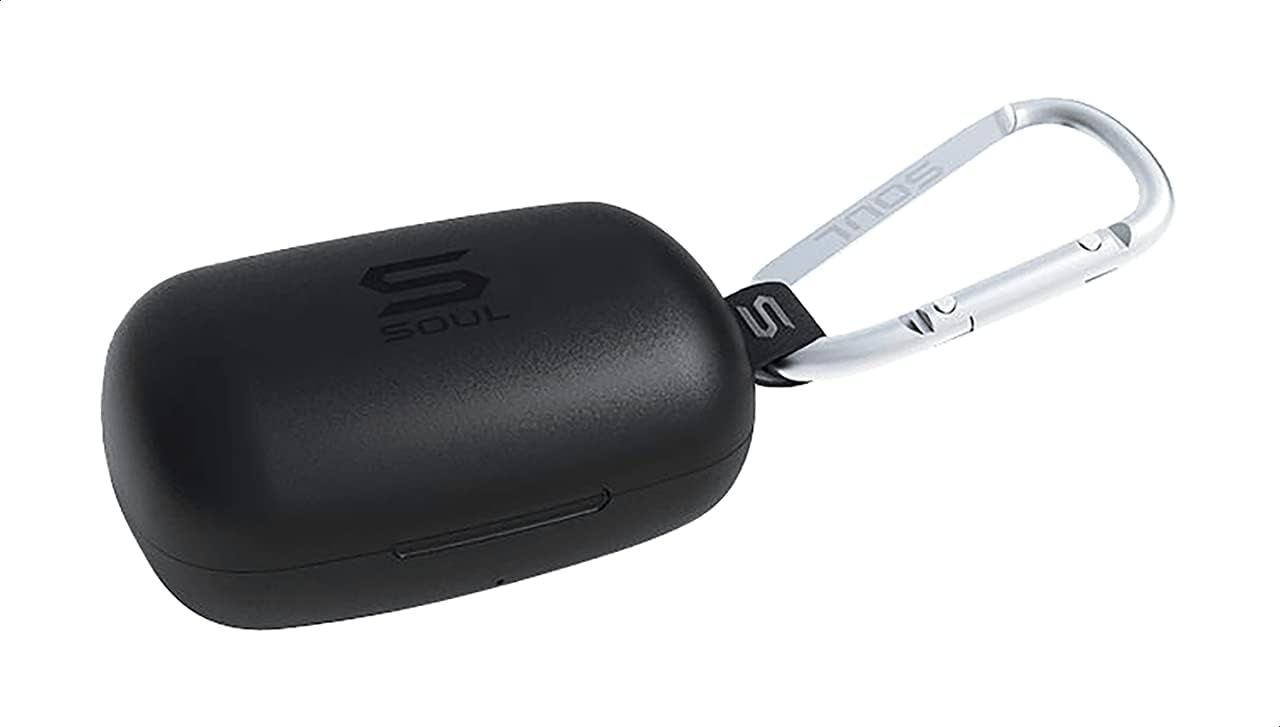
Whakaahua 1: The Soul S-GEAR charging case in black, with the Soul logo visible. A carabiner clip is attached for portability.
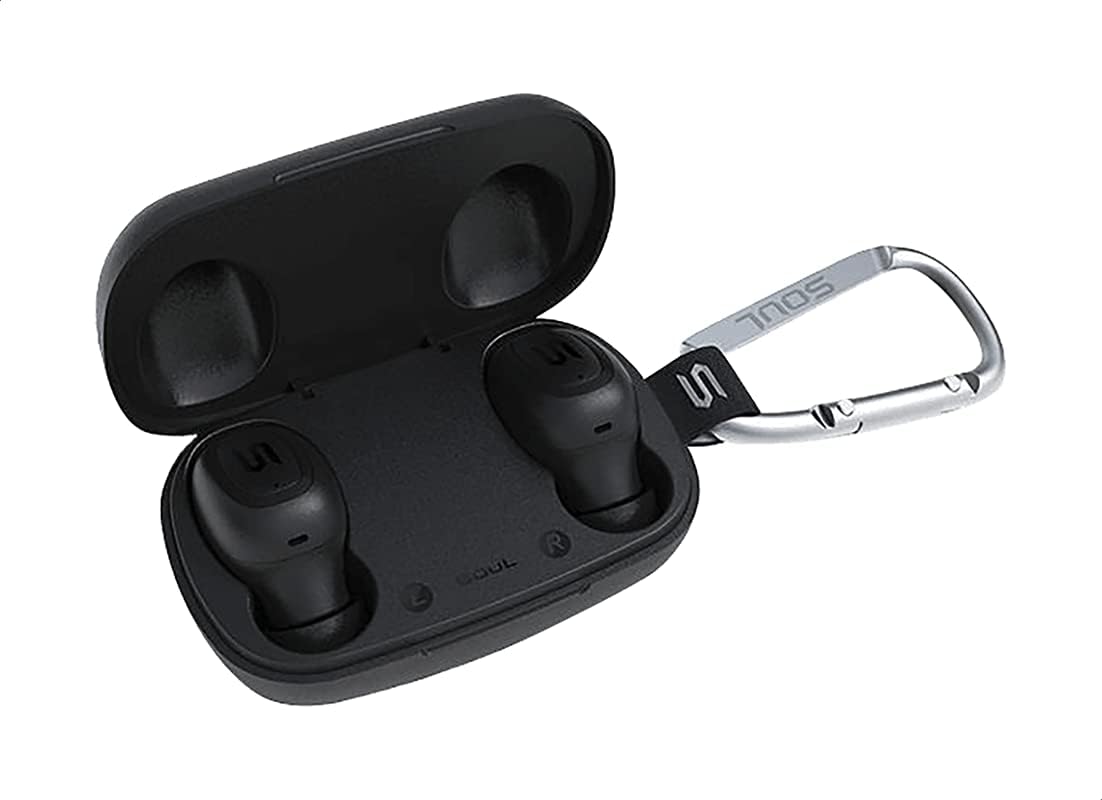
Whakaahua 2: The Soul S-GEAR charging case opened, revealing the two black earbuds securely placed inside their charging slots. The carabiner clip is also visible.
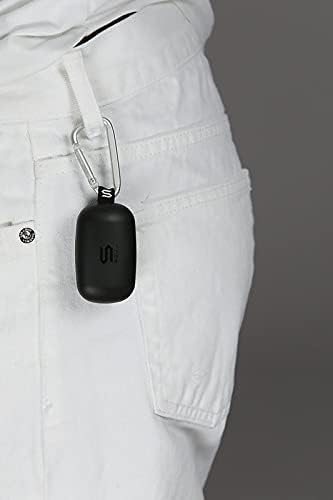
Whakaahua 3: The Soul S-GEAR charging case, with its carabiner clip, attached to the belt loop of white pants, demonstrating its portability.
Tatūnga
1. Te Whakataki i nga Paorooro me te Puhi
- Place the earbuds into the charging case. Ensure they are correctly seated in their respective L/R slots.
- Honoa te taura utu USB-C ki te tauranga utu i runga i te pouaka, ka mono i tetahi atu pito ki tētahi pūtake hiko USB (hei tauira, te urutau pakitara, te tauranga USB rorohiko).
- The indicator lights on the case will show the charging status. Allow approximately 1-2 hours for a full charge.
- Kia oti te whakakii, momotuhia te taura utu.
2. Te Hononga Tuatahi ki tētahi Pūrere
- Open the charging case. The earbuds will automatically power on and enter pairing mode. The indicator lights on the earbuds will flash, indicating they are ready to pair.
- I runga i to taputapu (smartphone, tablet, etc.), whakahohea te Nihokikorangi me te rapu mo nga taputapu e waatea ana.
- Select "Soul S-GEAR" from the list of found devices.
- Once connected, you will hear an audible confirmation, and the earbud indicator lights will stop flashing.
- The earbuds feature automatic pairing. After the initial setup, they will automatically connect to the last paired device when removed from the case.
Nga Tohutohu Whakahaere
The Soul S-GEAR earbuds feature touch controls for easy management of audio and calls.
Te Hiko / Whakaweto
- Whakahiko: Open the charging case, or press and hold the touch sensor on both earbuds for 3 seconds.
- Weto Whakakore: Place the earbuds back into the charging case and close the lid, or press and hold the touch sensor on both earbuds for 5 seconds.
Purei Waiata
- Purei/Tatari: Patohia te pūoko pā o tētahi o ngā pane taringa kotahi.
- Riu Panuku: Patohia rua te pūoko pā i te taringa taringa matau.
- Riu o mua: Patohia rua te pūoko pā i te taringa maui.
Whakahaa Piiraa
- Whakautu/Whakamutu Waea: Patohia te pūoko pā o tētahi o ngā pane taringa kotahi.
- Whakakore Waea: Pēhia, ka pupuri i te pūoko pā o tētahi o ngā taringa mō te 2 hēkona.
Whakakahoretanga Noise Kaha (ANC)
- Whakahohe/Whakahohe ANC: Triple-tap the touch sensor on the left earbud to cycle through ANC On, Ambient Mode, and ANC Off.
Kaiāwhina reo
- Whakahohe i te Kaiawhina Reo: Triple-tap the touch sensor on the right earbud.
Te utu
The Soul S-GEAR earbuds and charging case provide up to 24 hours of total playtime. The case supports USB-C fast charging.
- Te Whakawaenga Whakaata: Place earbuds into the charging case. They will charge automatically.
- Take Whakatutuki: Connect the USB-C cable to the case and a power source. The LED indicator on the case will show charging status.
- A full charge for the case typically takes 1.5-2 hours.
Te tiaki
- Te horoi: Me horoi i nga wa katoa nga pukoro me te pukoro utu ki te kakahu ngohengohe, maroke, kore-puru. Kaua e whakamahi i nga matū kino, i nga mea awhiowhio ranei.
- Nga Tohu Taringa: Tangohia nga tohutohu taringa ka horoi ki te wai me te hopi ngawari ki te tika. Me whakarite kua maroke katoa i mua i te whakapiri ano.
- Ātete wai: The earbuds are IPX4 rated, meaning they are resistant to splashing water from any direction. They are not designed for submersion in water. Do not expose them to heavy rain or immerse them. Ensure earbuds are dry before placing them back in the charging case.
- Rokiroki: Whakaorangia nga purongo i roto i te pukoro utu ina kore e whakamahia hei tiaki me te pupuri i te utu. A ape i te wera nui.
Raparongoā
| Putanga | Rongoā |
|---|---|
| Karekau nga taringa e hono ana |
|
| Karekau he oro mai i tetahi pukoro |
|
| Karekau e utuhia ana |
|
| Kāore te Whakakorenga Haruru Kaha e mahi ana |
|
Whakatakotoranga
| Āhuahira | Taipitopito |
|---|---|
| Waitohu | Wairua |
| Ingoa Tauira | S-GEAR (Soul S Gemar) |
| Tau tauira | SS56BK |
| Hangarau Hononga | Ahokore (Nihokikorangi 5.0) |
| Waea Puka Puka | I te Taringa |
| Mana Haruru | Whakakore Haruru Hohe |
| hopuoro | Whakauru |
| Tikanga Mana | Paa |
| Wai & Puehu Atete | IPX4 |
| Te wa takaro | Ki runga ki te 24 haora (me te nama tohutohutia) |
| Tauranga Whakatau | USB-C (Te Whakataki Tere) |
| Pūrere Hototahi | Multiple Bluetooth-enabled devices |
| Rauemi | Kirihou |
| Tae | Pango |
| Ahu mōkihi | 11.8 x 9.8 x 4.2 cm |
| Taumaha Tūemi | 152 karamu |
Nga korero haumaru
- Kaua e wetewete, whakatika, whakarereke ranei i te hua.
- Kaua e tukuna te hua ki te ahi, ki te wera nui ranei.
- Kaua e whakamahi i ngā pane taringa i te nui rawa o ngā oro mō te wā roa hei ārai i te kino o te whakarongo.
- Tiakina te hua mai i nga tamariki me nga kararehe.
- Whakamahia anake nga taura utu me nga urutau kua whakaratohia, kua whakamanahia ranei.
- Whakakorehia te hua kia rite ki nga ture o te rohe.
Pūtāhui me te Tautoko
The Soul S-GEAR Wireless Bluetooth Earbuds come with a standard manufacturer's warranty. For detailed warranty terms and conditions, please refer to the warranty card included in your package or visit the official Soul webpae.
For technical support, troubleshooting assistance, or any inquiries regarding your product, please contact Soul customer service through their official webte pae, te korero whakapā ranei kei roto i to kete hua.