
Kupu Whakataki
Thank you for choosing the VRG Remote Control Wall Climbing Spider. This innovative toy is designed to provide engaging entertainment by crawling across floors and climbing smooth vertical surfaces. Please read this manual thoroughly before use to ensure safe and optimal operation.
Nga korero haumaru
- He pai tēnei hua mō ngā tamariki e 3 tau te pakeke, neke atu rānei. Me mātua tirotirohia koe e ngā pakeke.
- Keep the toy away from water and moisture to prevent electrical damage.
- Do not attempt to modify or disassemble the toy or remote control.
- Ensure the play area is clear of obstacles and fragile items before operating the toy.
- Do not aim the toy's LED eyes directly at human or animal eyes.
Ihirangi mokete
Tena koa tirohia te kete kia mohio kei te noho katoa nga taonga:
- 1 x VRG Remote Control Wall Climbing Spider
- 1 x Mana Mamao
- 1 x USB Utaura Whakatau
- Pukapuka Tohutohu
Tatūnga
- Wewetehia te Takaro: Carefully remove the VRG Remote Control Wall Climbing Spider and its accessories from the packaging.
- Tāuta Pūhiko Mana Mamao: The remote control requires 3 AAA batteries (not included). Open the battery compartment on the back of the remote control using a Phillips head screwdriver, insert the batteries with correct polarity, and secure the cover.
- Charge the Spider: Connect the provided USB charging cable to the charging port on the spider and to a USB power source. The spider's LED eyes will flash during charging and turn off or change color when fully charged.
- Maintain Suction Mesh: Ensure the white plastic mesh on the underside of the spider is clean and intact. This mesh is essential for the toy's wall-climbing suction function. Do not remove it.

Image: Family opening a gift box containing the VRG Remote Control Wall Climbing Spider.
Te utu
The VRG Remote Control Wall Climbing Spider features a built-in rechargeable lithium battery. To charge:
- Locate the charging port on the spider's body.
- Connect the small end of the USB charging cable to the spider's charging port.
- Connect the larger end of the USB cable to a standard USB power adapter (e.g., phone charger, computer USB port).
- The spider's LED eyes will illuminate or flash to indicate charging. Once fully charged, the lights will typically turn off or change to a solid color.
- A full charge usually takes approximately 30-60 minutes and provides 10-15 minutes of play time.
Nga Tohutohu Whakahaere
Follow these steps to operate your VRG Remote Control Wall Climbing Spider:
- Whakahiko: Turn on the spider by sliding the power switch located on its underside. The LED eyes will light up. Turn on the remote control.
- Takirua: The spider and remote control should automatically pair. If not, turn both off and then on again.
- Mana Nekehanga:
- Whakamua/Whakamuri: Use the left joystick to move the spider forward or backward.
- Tahuri Mauī/Matau: Use the right joystick to steer the spider left or right.
- Whakatikatika: If the spider veers off course, use the fine-tuning buttons on the remote to adjust its direction.
- Piki taiepa: For best results, place the spider on a smooth, clean, and dry vertical surface. The suction mechanism will engage, allowing it to climb. Avoid textured or dusty surfaces.
- Weto Whakakore: When finished playing, turn off both the spider and the remote control to conserve battery life.
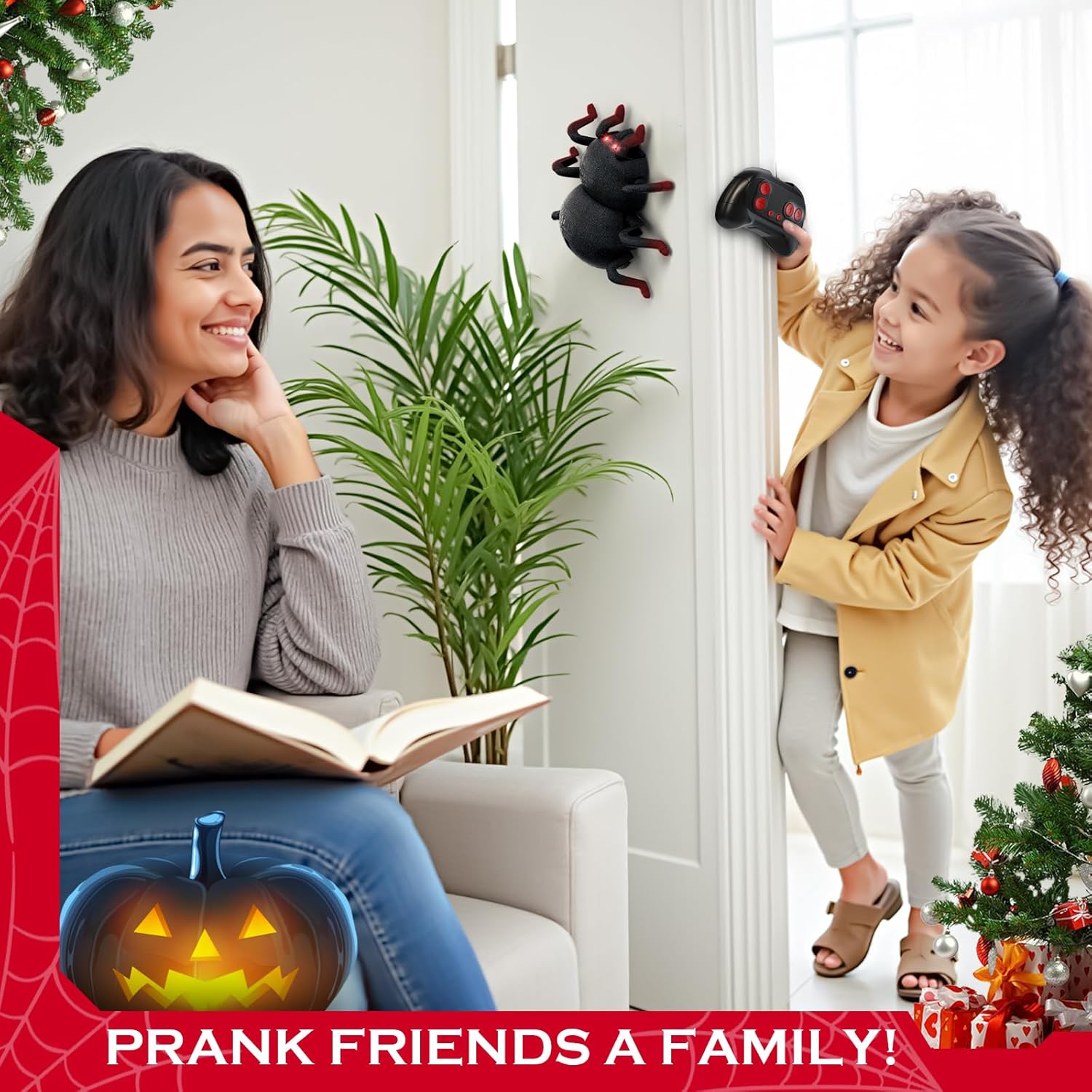
Image: A child holding the remote control, directing the VRG Remote Control Wall Climbing Spider on a wall.

Image: Close-up of the VRG Remote Control Wall Climbing Spider climbing a wall.
Video: Demonstration of the VRG Remote Control Wall Climbing Spider's movement and wall climbing capabilities.
Video: Detailed review and demonstration of the Remote Control Spider's features and operation.
Te tiaki
- Te horoi: Gently wipe the spider's body with a dry, soft cloth. Do not use water or cleaning solutions, especially on the flocking material or the suction mesh.
- Suction Mesh: Keep the white plastic mesh on the underside of the spider clean and free of dust or debris. A clean mesh ensures optimal wall climbing performance.
- Tiaki Pūhiko: Remove batteries from the remote control if the toy will not be used for an extended period. Fully charge the spider's internal battery before long-term storage.
Raparongoā
| Raruraru | Take pea | Rongoā |
|---|---|---|
| Spider does not move or respond to remote. | Low battery in spider or remote; not powered on; not paired. | Ensure both spider and remote are powered on. Charge the spider's battery. Replace batteries in the remote control. Turn both off and on again to re-pair. |
| Spider does not climb walls effectively. | Low battery; dirty or damaged suction mesh; unsuitable surface. | Ensure the spider is fully charged. Clean the suction mesh on the underside. Use on smooth, clean, and dry surfaces (e.g., glass, smooth tiles, painted walls). Avoid textured or dusty surfaces. |
| He wā tākaro poto. | Battery not fully charged; continuous high-power use. | Ensure the spider is fully charged before each use. Play time may vary based on usage intensity. |
| Remote control is unresponsive or erratic. | Low batteries in remote; interference. | Replace the AAA batteries in the remote control. Ensure no other remote control devices are operating nearby. |
Whakatakotoranga
- Waitohu: VRG
- Ingoa Tauira: RC Spider
- Tau tauira: Q13
- Momo Rauemi: Acrylonitrile Butadiene Styrene (ABS) with eco-friendly flocking
- Tae: Red (accents)
- Rahi Tūemi (L x W x H): 4.85" x 6.1" x 1.8"
- Puna Hiko: Pūhiko Powered
- Momo Pūhiko Tautoko: Rechargeable Lithium Ion (included for spider), AAA (for remote, not included)
- Ētahi atu āhuatanga: LED Eyes, Remote Control, Wall Climbing Function
- Te Kaihanga Tau Moiti: 72 marama (6 tau)
Pūtāhui me te Tautoko
VRG provides a 60-ra whakamana against manufacturer defects for this product. We are committed to 100% after-sales service satisfaction.
If you encounter any issues or have questions regarding your VRG Remote Control Wall Climbing Spider, please do not hesitate to contact our customer service team. We are available 24/7 to provide assistance and ensure your satisfaction.
For support, please refer to the contact information provided on the product packaging or the retailer's webpae.