1. Hua Neke Atuview
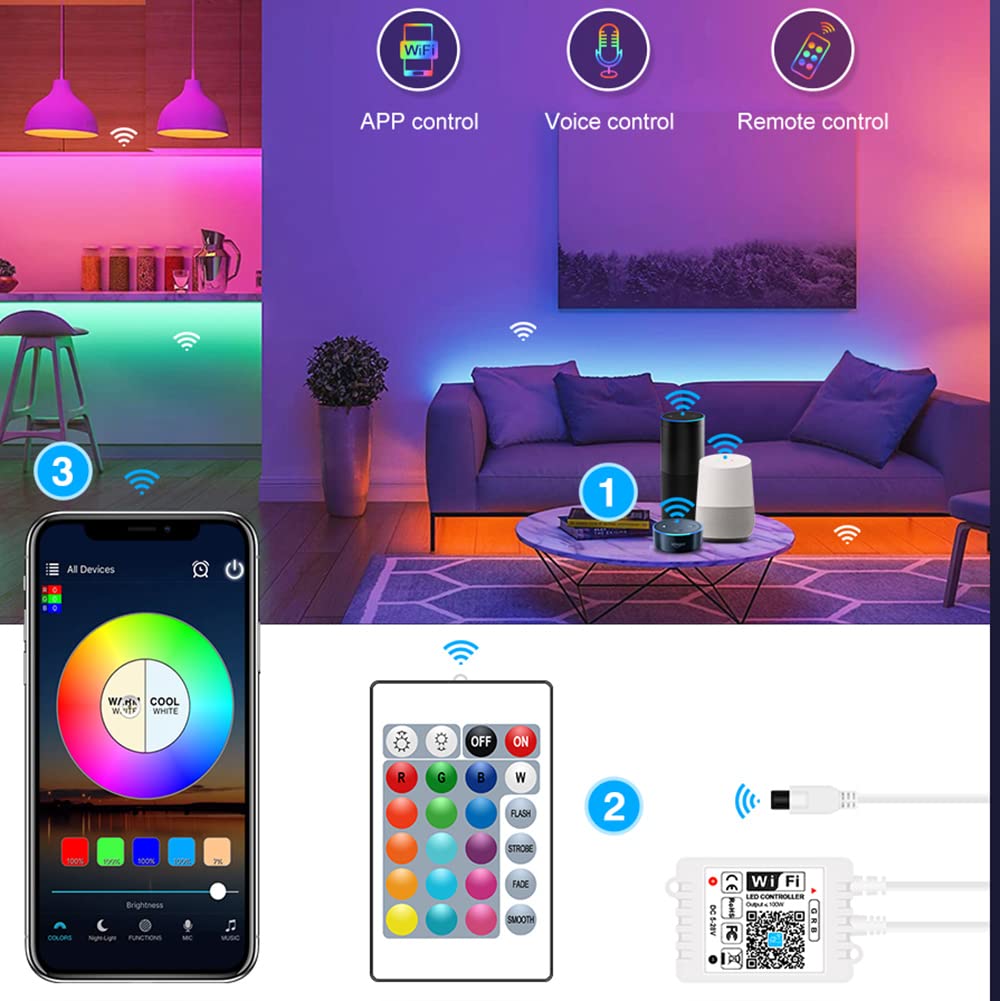
The Magic Home WiFi LED Smart Controller is designed to provide intelligent control over your RGB LED strip lights. It offers versatile control options including a 24-key IR remote, a dedicated mobile application, and voice control compatibility with popular smart home assistants like Amazon Alexa and Google Assistant. This controller allows for dynamic lighting effects, color changes, dimming, and synchronization with music or camera input.
Ihirangi mokete
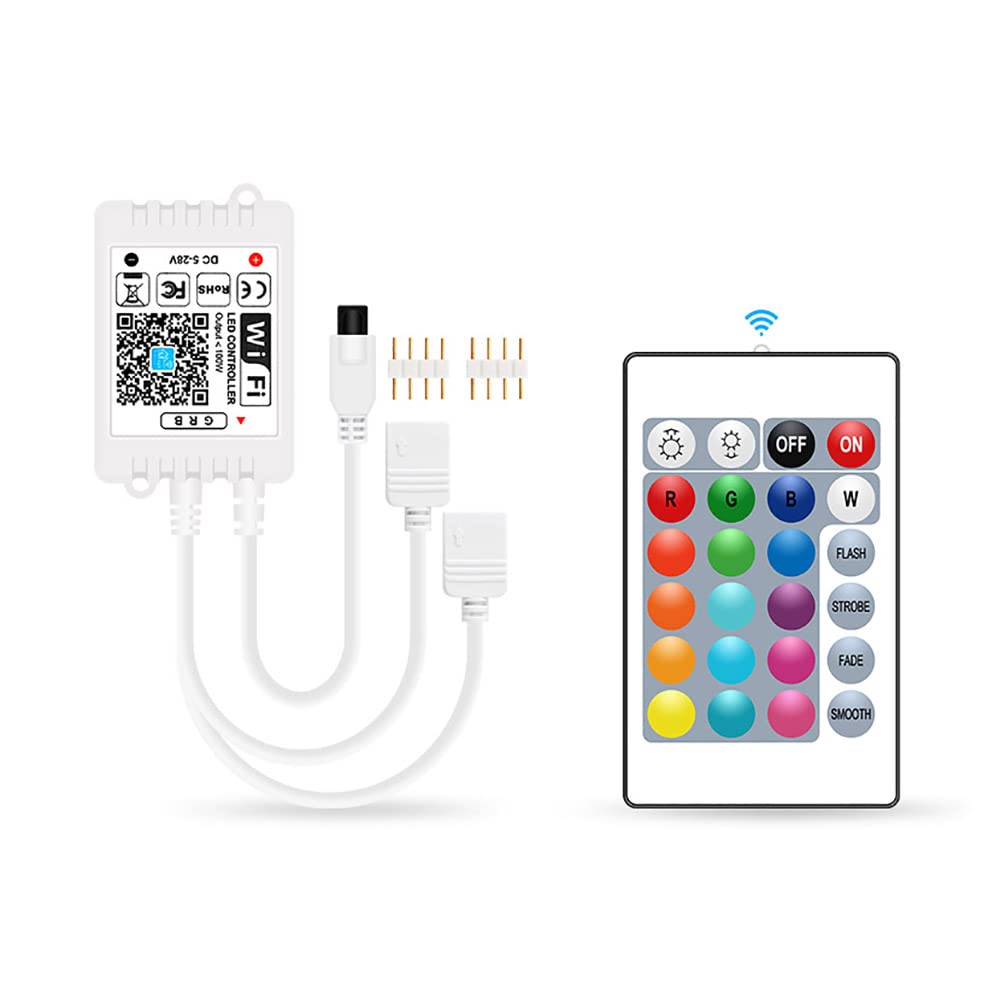
- 1 x LED Controller with Receiver
- 1 x 24-Key IR Remote Control
2. Aratohu Tatūnga
2.1 Te hono i te Kaiwhakahaere
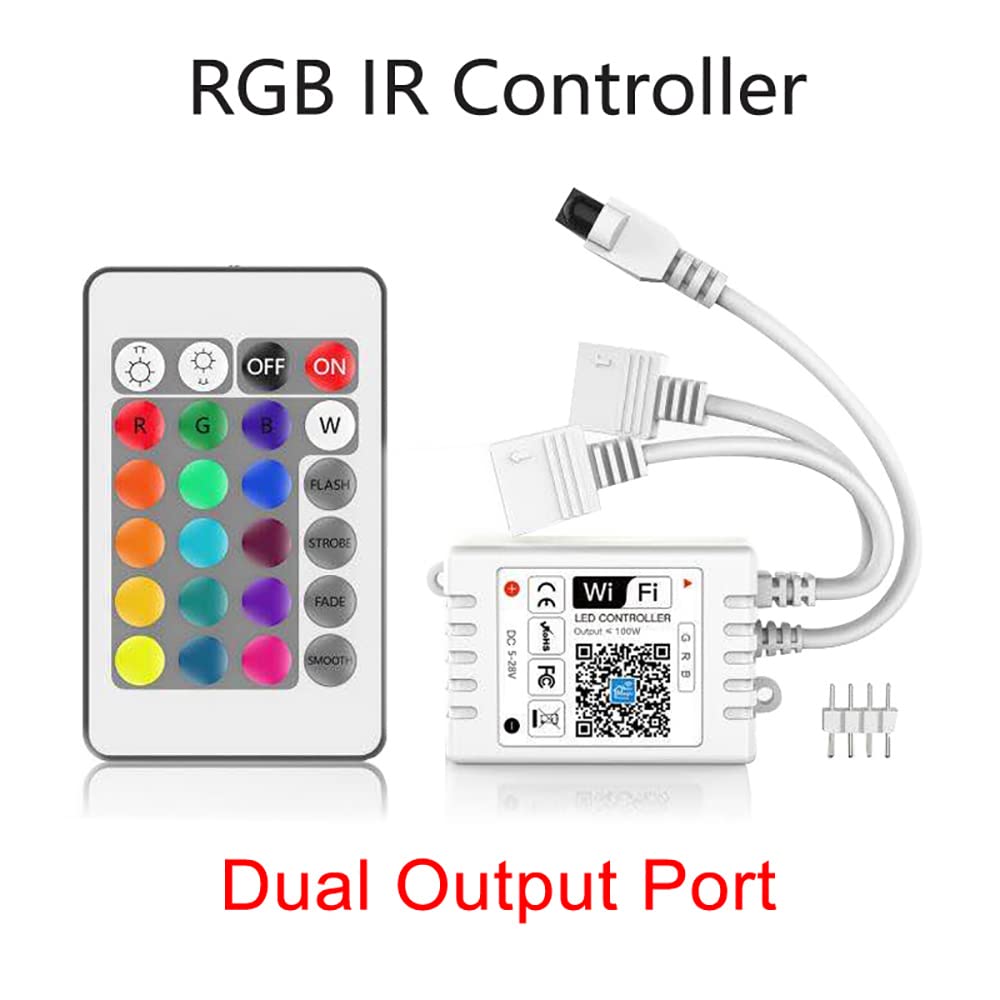
Ensure your LED strip lights are compatible with DC 5-28V input. Connect the LED strip to the controller's output port(s) and then connect the controller to a suitable DC 5-28V power supply. The controller supports a maximum output of 6A (2A per channel for 3 channels) and power up to 72W at 12V or 100W at 24V.
2.2 Mana Mamao Tāuta Pūhiko
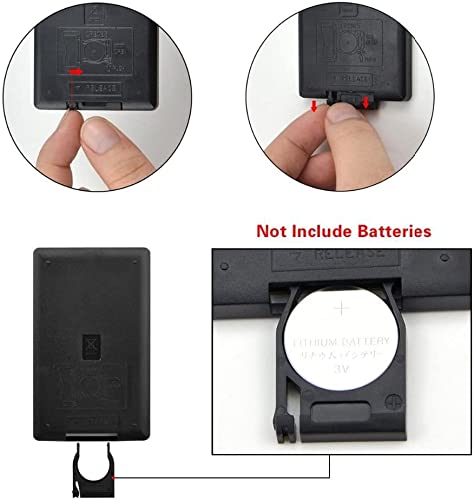
The 24-key IR remote control does not include batteries. To install, locate the battery compartment on the back of the remote. Insert a CR2025 or CR2032 3V lithium button cell battery, ensuring correct polarity. Close the battery compartment securely.
2.3 Taupānga Tāuta me te Tauhoa
Download the "Magic Home" application from your mobile device's app store. The app is compatible with iOS version 9.0 or above and Android version 4.0 or above. Ensure your smartphone is connected to a 2.4GHz Wi-Fi network (5.0GHz networks are not supported). Follow the in-app instructions to pair the controller with your Wi-Fi network and mobile device. The control distance is up to 60 meters (visible distance).
3. Nga Tohutohu Whakahaere
3.1 Te whakamahi i te Mana Mamao
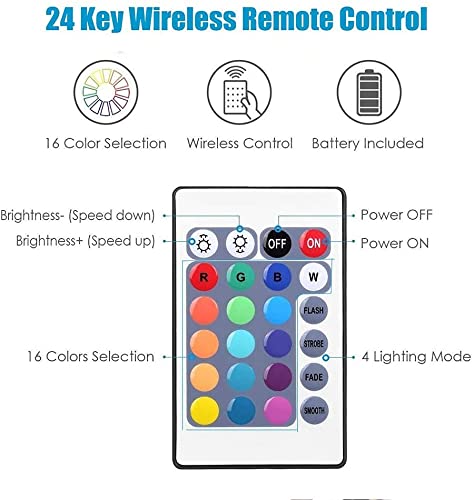
The included 24-key IR remote control allows for basic functions:
- KIA/WATA: Whakawerahia, whakawetohia ranei nga rama.
- R, G, B, W: Directly select Red, Green, Blue, or White colors.
- Ngā Pātene Kōwhiringa Tae: Choose from 16 preset colors.
- Tīahoaho +/-: Whakaritea te taumata kanapa.
- FLASH, STROBE, FADE, SMOOTH: Select different lighting modes.
3.2 Te Whakamahi i te Taupānga Pūkoro
The Magic Home app provides advanced control features:
- Wira Tae: Select any color from a full spectrum.
- Brightness/Saturation: Fine-tune light intensity and color vibrancy.
- Tukutahi Waiata: (Note: Smart Life version may not have this function) Synchronize light effects with your favorite music.
- Mahi a te Kamera: The RGB tape can change colors based on colors captured by your smartphone's camera.
- Taumahi Matawā: Whakaritea ngā rama kia kā/weto i ngā wā kua whakaritea.
- Ngā Aratau Ritenga: Create and save personalized lighting scenes.
3.3 Mana Reo (Alexa & Kaiāwhina Google)
Once paired with your smart home assistant, you can control your LED strip lights using voice commands. Exampkei roto ko:
- "Alexa, turn on the LED strip."
- "Hey Google, set the LED strip to blue."
- "Alexa, dim the LED strip to 50 percent."
- "Hey Google, turn off the LED strip."
The controller is also compatible with IFTTT, allowing for custom automation based on various events.
4. Tiaki
To ensure optimal performance and longevity of your Magic Home WiFi LED Smart Controller, follow these maintenance guidelines:
- Te horoi: Gently wipe the controller and remote with a dry, soft cloth. Do not use liquid cleaners or abrasive materials.
- Taiao: Keep the controller in a dry environment. It is not water resistant and should not be exposed to moisture or extreme temperatures.
- Mana: Disconnect power before performing any maintenance or making connections.
- Rokiroki: If storing for an extended period, remove batteries from the remote control.
5. Te Raru
Nga take me nga otinga noa
- Nga rama e kore e ka ana:
- Check all power connections to the controller and LED strip.
- Ensure the power supply voltage matches the controller's input requirements (DC 5-28V).
- Verify the remote control battery is installed correctly and has sufficient charge. - Kāore te mana mamao e aro mai:
- Ensure there are no obstructions between the remote and the controller's IR receiver.
- Replace the remote control battery (CR2025/CR2032 3V). - App cannot connect to the controller:
- Confirm your Wi-Fi network is 2.4GHz. The controller does not support 5.0GHz Wi-Fi.
- Ensure your mobile device is connected to the same 2.4GHz Wi-Fi network.
- Restart the controller by unplugging and re-plugging its power.
- Try resetting the controller (refer to app instructions for specific reset procedures).
- Ensure the "Magic Home" app is updated to the latest version. - Colors are incorrect or inconsistent:
- Check the connection between the LED strip and the controller to ensure all pins are properly aligned.
- If using a new LED strip, ensure it is an RGB type compatible with the controller.
6. Whakatakotoranga
| Ingoa Hua | Magic Home WiFi LED Smart Controller |
| Tauira | DC 12V 24V WiFi Wireless LED Smart Controller |
| Te Mana Whakauru | DC 5-28V |
| Putanga | 6A (2A x 3 Channels) |
| Te Mana Nui | 72W (12V) / 100W (24V) |
| Momo Mamao | 24-Key IR Remote |
| Ingoa APP | Kaa Maatua |
| APP Compatibility | iOS 9.0+ / Android 4.0+ |
| Hononga | Wi-Fi (2.4GHz anake) |
| Tikanga Mana | Remote, Mobile App, Voice (Alexa, Google Assistant) |
| Tawhiti Mana | 60M (tawhiti kitea) |
| Ātete wai | Ehara i te wai ātete |
| Taumaha Tūemi | 1.13 hekere |
| Ahu mōkihi | 4.41 x 3.5 x 1.14 inihi |
7. Pūtāhui me te Tautoko
For warranty information or technical support, please refer to the seller's policy or contact the point of purchase. Keep your purchase receipt as proof of purchase.


