
1. Kupu Whakataki
Thank you for choosing the MAXDONE A3 Laminator (Model FN335). This device is designed to protect and preserve your important documents, photos, and other materials using both hot and cold lamination methods. Please read this manual carefully before operating the laminator to ensure safe and efficient use.
2. Nga Tohutohu Haumaru Nui
- Panuihia nga tohutohu katoa i mua i te whakamahi.
- Puritia te laminator kia matara atu i te wai, i ētahi atu wai rānei.
- Do not operate the laminator if the power cord or plug is damaged.
- Ensure the laminator is placed on a stable, flat surface with adequate ventilation.
- Do not touch the laminator's hot surfaces during or immediately after hot lamination.
- Wewetehia te laminator ka kore e whakamahia, i mua ranei i te horoi.
- Kaua e taea e nga tamariki.
- Only use laminating pouches recommended for your laminator.
- This appliance is equipped with Overheating Protection, Overvoltage Protection, Overcurrent Protection, and Short-Circuit Protection for enhanced safety.
3. Ihirangi mokete
Your MAXDONE A3 Laminator package typically includes:
- MAXDONE A3 Laminator (FN335)
- Waea hiko
- Laminating Pouches (starter pack)
- Taputapu Pepa
- Porowhita Kokonga
4. Hua Neke Atuview
Familiarize yourself with the main components of your laminator:

Whakaahua: Mua view of the MAXDONE A3 Laminator, showing the feed slot, control panel, and output tray.
- Paatene Hiko / Weto: Kei te taha matau o te paewhiri mana.
- Kaitono Aratau: Switch between COLD and HOT lamination modes.
- Rarama Tohu Tūnga: Indicate power and readiness.
- Wāhi Whāngai: Te wāhi e whakauruhia ai ngā pēke whakakikorua.
- Paepae Huaputa: Te wāhi e puta ai ngā tuhinga kua whakapirihia.
- Pātene Tuku ABS: Used to clear jammed documents.
5. Tatūnga
- Wewete: Tangohia marietia te laminator me ngā taputapu katoa i roto i te takai.
- Turanga: Place the laminator on a stable, flat, and heat-resistant surface. Ensure there is enough space around the machine for proper ventilation and for documents to pass through freely.
- Hono Hono: Plug the power cord into the laminator and then into a standard electrical outlet.
6. Nga Tohutohu Whakahaere
6.1. Selecting Lamination Mode

Image: Diagram illustrating the two laminating modes: Hot Mode for menus, cards, letters, photos, certificates; and Cold Mode for specimens, receipts, tickets.
- Lamination wera: Ideal for most standard documents, photos, and certificates. Provides a permanent seal.
- Lamination Matao: Suitable for heat-sensitive materials or documents printed with thermal ink. Uses pressure-sensitive pouches.
6.2. Step-by-Step Lamination Process

Image: Visual guide showing four steps for easy operation: 1. Wait for red light to turn green, 2. Place document in pouch, 3. Insert pouch into laminator, 4. Finish.
- Power On and Select Mode: Press the Power On/Off button. Select either HOT or COLD mode using the switch. For hot lamination, wait for the red indicator light to turn green, indicating the machine has reached the optimal temperature (approximately 90 seconds warm-up time).
- Prepare Document: Place your document neatly inside a laminating pouch, ensuring it is centered and there is an even border around the edges.
- Insert Pouch: Insert the sealed edge of the laminating pouch into the laminator's feed slot. The machine will automatically feed the pouch through.
- Tikina: Once the laminated document exits the output tray, allow it to cool on a flat surface before handling.
6.3. Using the ABS Release Button

Image: Illustration of the ABS Release Button and common causes of paper jams, such as rolled paper, warped pouches, incorrect insertion, or mismatched pouch size.
In case of a paper jam or misfeed, immediately press and hold the Patene Tuku ABS. This will disengage the rollers, allowing you to gently pull the jammed pouch out of the feed slot. Release the button once the pouch is clear.
6.4. Te whakamahi i nga taputapu whakauru
- Paper Trimmer: Use the included paper trimmer to cut documents or laminated items to your desired size. Always use on a flat, stable surface.
- Porotaka Kokonga: After lamination, use the corner rounder to create smooth, rounded corners on your documents for a professional finish and to prevent sharp edges.
7. Tiaki
- Te horoi: Me whakarite kia momotu te mono o te laminator, ā, kia tino mātao i mua i te horoinga. Horoia te taha o waho ki te kakahu ngohengohe, maroke. Kaua e whakamahi i ngā kaihoroi whakakoi, i ngā whakarewa rānei.
- Roera horoi: Periodically run a cleaning sheet (available separately) through the laminator to remove any adhesive residue from the rollers.
- Rokiroki: Store the laminator in a clean, dry place when not in use.
8. Te Raru
If you encounter issues with your laminator, refer to the following common problems and solutions:
| Raruraru | Take pea | Rongoā |
|---|---|---|
| Document jams or misfeeds |
| Press the ABS Release Button to clear the jam. Ensure documents are centered in the pouch, sealed edge first, and inserted straight. Use correct pouch size. |
| Laminated document has wrinkles or bubbles |
| Ensure the laminator is fully warmed up for hot lamination. Use appropriate pouch thickness (80-125mic). Ensure document is flat and smooth inside the pouch. |
| Laminator not heating up |
| Check power connection. Ensure power switch is on. Try a different outlet. If problem persists, contact customer support. |
| Laminator is noisy | Normal operating noise is approximately 30dB (quiet library level). Excessive noise may indicate an issue. | If noise is unusually loud or grinding, unplug the device and contact customer support. |
9. Whakatakotoranga

Image: The MAXDONE A3 Laminator shown with dimensions (42.8cm length, 12.2cm width, 6.5cm height) and features like moisture-proof, waterproof, anti-scratch, and fade-resistant lamination.
- Tauira: FN335
- Whānuitanga Whakapiripiri: Up to 33 cm (A3 Wide)
- Pouri matotoru: Suitable for 80-125 mic pouches
- Tere Whakapiripiri: 355 mm/min
- Wā whakamahana: Tata ki te 90 hēkona
- Ahu: 44.6 x 15 x 13.7 cm (Product); 42.8 x 12.2 x 6.5 cm (Approximate operational dimensions)
- Taumaha: 1.65 kg
- Taumata Haruru: Tata ki te 30dB
- Lamination Modes: Te wera me te makariri
- Āhuatanga Haumaru: NTC Intelligent Temperature Control, Overheating Protection, Overvoltage Protection, Overcurrent Protection, Short-Circuit Protection.
10. Pūtāhui me te Tautoko
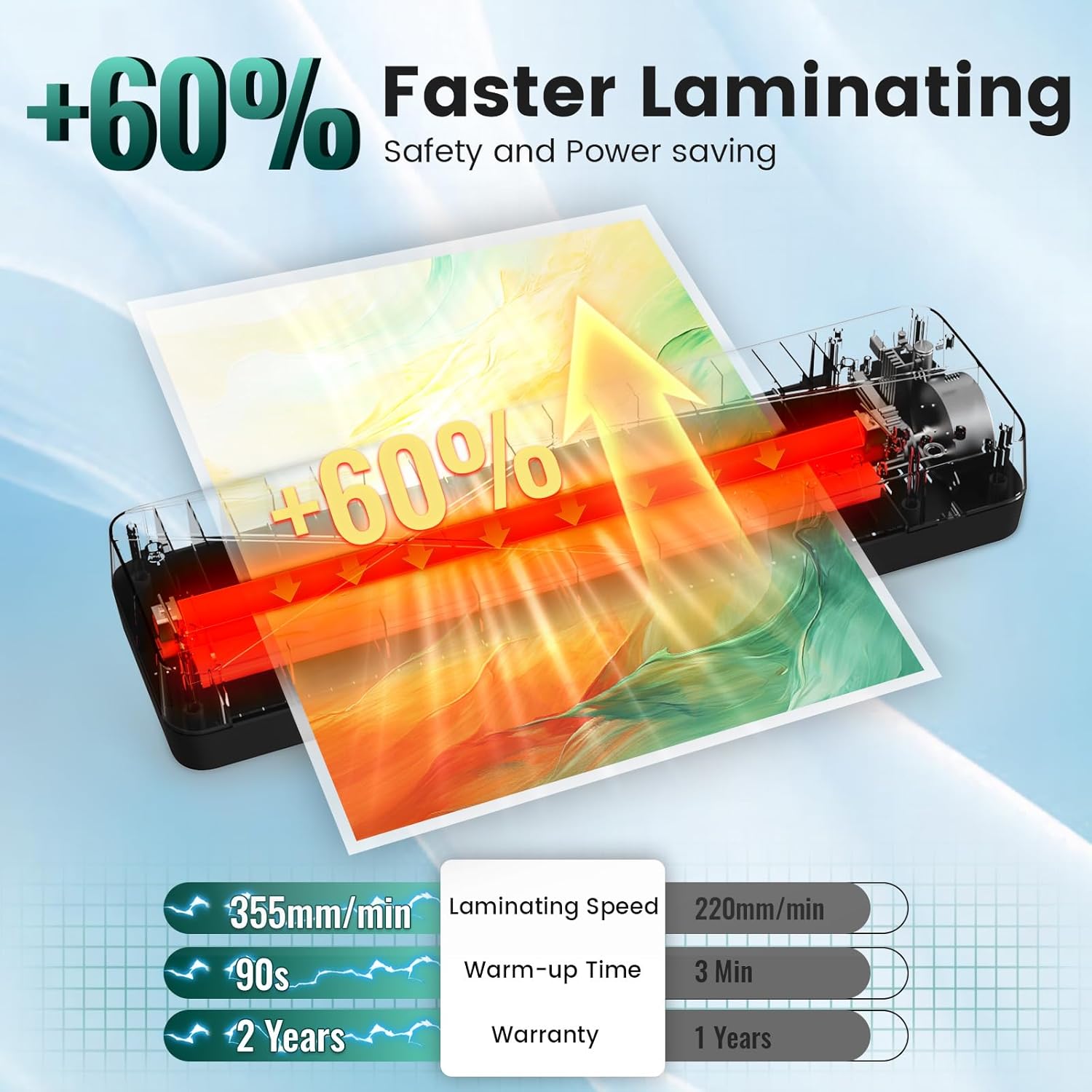
Image: Comparison showing 355mm/min laminating speed, 90s warm-up time, and a 2-year warranty.
The MAXDONE A3 Laminator (FN335) comes with a 2-tau pūtāhui mai i te ra o te hokonga, e kapi ana i nga hapa hangahanga. Tena koa pupurihia to tohu mo te hoko mo nga kereme whakamana.
For technical support, warranty service, or general inquiries, please contact MAXDONE customer service through the retailer where you purchased the product or visit the official MAXDONE webpae.