
1. Kupu Whakataki
The MAXDONE PH800 Trail Camera is designed for wildlife monitoring, hunting, farm surveillance, and home security. It captures high-resolution photos and videos with advanced features like night vision and rapid trigger speed.

Figure 1: MAXDONE PH800 Trail Camera. This camera features a camouflage casing, a lens, and infrared LEDs for night vision.

Figure 2: The MAXDONE Trail Camera is ideal for capturing wildlife, bringing the natural world closer to observation.
2. Tatūnga me te Tāuta
2.1 Ihirangi mokete

Figure 3: Included accessories with your trail camera, such as the USB cable, mounting bracket, tree strap, and user manual.
2.2 Tāutanga Pūhiko me te Kāri SD
The camera requires 4 or 8 AA alkaline batteries. A 32GB Micro SD card is included for storage. Ensure the memory card is formatted via the camera's menu before first use.

Figure 4: The trail camera shown with its included 32GB SD card, ready for installation.
A pee i enei taahiraa mo te tatūnga tuatahi:
- Whakatuwheratia te kāmera casing.
- Insert 4 or 8 AA alkaline batteries into the designated slots, ensuring correct polarity.
- Insert the 32GB Micro SD card into the memory card slot.
- Turn the camera to "TEST" mode.
- Access the MENU settings. Navigate to "Format memory card" and confirm "YES" to format.
- Navigate to "Reset settings" and confirm "YES" to reset to default settings.
- Set the correct time and date via MENU -> Time & Date -> Set time & date.
- Close the camera casing haumaru.
Video 1: Easy Set up Trail Camera. This video demonstrates the process of inserting batteries, installing the SD card, and performing initial setup steps like formatting the card and setting the time.
Video 2: PH800 Hunting Trail Camera Deer Camera. This video provides an unboxing and initial setup guide for the PH800 model, including battery and SD card insertion.
3. Te Whakahaere i te Kaamera
3.1 Ngā Aratau me ngā Tautuhinga
The camera offers various modes and customizable settings to suit different monitoring needs.
- Aratau Whakaahua: Ka hopu whakaahua.
- Aratau Ataata: Ka tuhi i ngā ataata poto.
- Photo & Video Mode: Captures a photo followed by a video clip.
- Aratau Waahi: Captures images at set intervals for time-lapse sequences.
Key settings to configure:
- Taumira Whakaahua: Up to 32MP for clear images.
- Taumira Ataata: Up to 4K (3840x2160P) for vivid video.
- Roa Ataata: Adjustable from 3 to 59 seconds, or 1 to 5 minutes.
- Hopu Ororongo: Can be turned ON/OFF.
- Tamuri Whakaputa: Sets the delay between detections. Recommended 20 seconds for general use.
- Pūoko Nekehanga Tairongo: Adjustable (Low, Middle, High) to control trigger sensitivity.

Figure 5: The camera supports 32MP photo resolution and 4K video resolution for detailed captures.

Figure 6: The camera is equipped with audio recording, capturing sounds along with video footage.

Figure 7: Utilize the time-lapse feature to observe gradual changes over extended periods, such as plant growth.
3.2 Photo and Video Quality
The camera delivers ultra-clear pictures up to 32MP and videos up to 4K. The 0.2s trigger speed ensures quick capture of moving objects within its 120° wide-angle detection range.

Figure 8: Observe every detail better with 4K HD video resolution, providing superior clarity compared to 1080P.

Figure 9: Present a clearer world with 32MP HD photo resolution, capturing finer details than 20MP cameras.
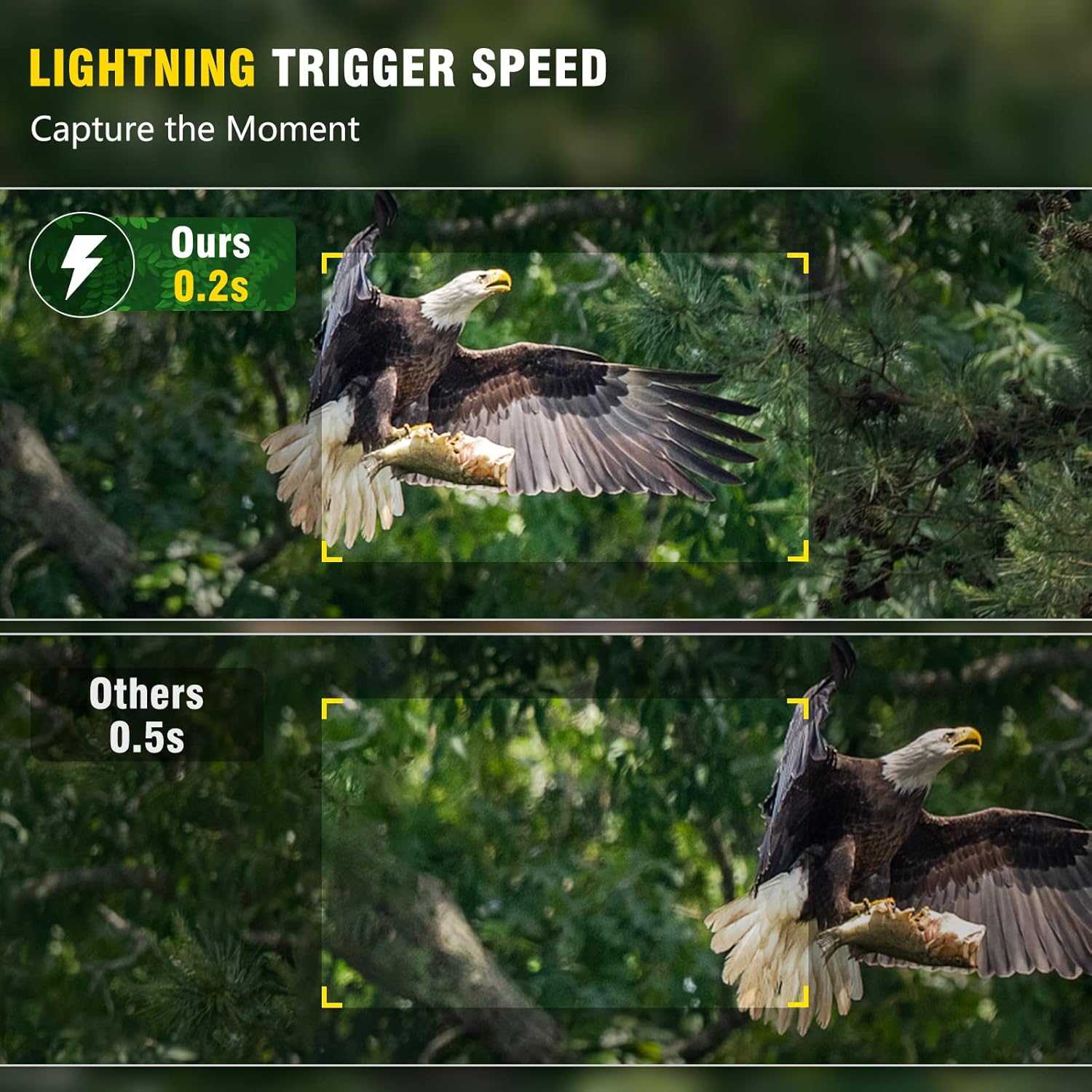
Figure 10: Capture the moment with lightning-fast 0.2s trigger speed, ensuring no movement is missed.
Video 3: 32MP 1920P Trail Camera with Night Vision. This video showcases the camera's ability to capture high-resolution photos and videos, including night vision footage.
Video 4: 4K Trail Camera. This video highlights the camera's 4K video capabilities, demonstrating clear footage in various settings.
3.3 Matakite Po
Equipped with 40pcs no-glow 940nm Infrared LEDs, the camera captures clear black and white videos/images in the dark without disturbing animals. Adaptive illumination technology prevents overexposure or underexposure.

Figure 11: Experience clear 65ft night vision, delivering sharp images and videos even in complete darkness.
Video 5: 940nm No Glow Deer Camera Avoid Disturbing Animals. This video demonstrates the camera's no-glow infrared LEDs, capturing clear night footage of deer without startling them.
Video 6: Clear Night Vision Wildlife Trail Camera Garden Camera. This video showcases the camera's clear night vision capabilities for monitoring wildlife in various environments.
3.4 Data Transfer and Playback
View captured photos and videos directly on the built-in 2.4" LCD color screen. Connect the camera to a computer via USB to transfer files.

Figure 12: Easily transfer photos and videos to your computer using the provided USB cable for convenient viewte whakauru me te rokiroki.
4. Tiaki
The MAXDONE PH800 is built with high-grade IP66 waterproof material and a quality rubber ring to prevent water infiltration, ensuring reliable operation in harsh environments. Its sturdy materials protect against external force, extending its service life.

Figure 13: The camera is IP66 waterproof, designed to withstand various weather conditions from rain to extreme cold.

Figure 14: The IP66 rating ensures the camera remains functional even when exposed to rain and other wet conditions.
Tohutohu mo te roa:
- Regularly check battery levels and replace them as needed.
- Clean the lens and PIR sensors periodically to ensure optimal performance.
- Me whakarite casing is securely latched to maintain waterproof integrity.
- Avoid placing the camera in direct sunlight for prolonged periods to prevent overheating.
5. Te Raru
If you encounter issues with your MAXDONE PH800 Trail Camera, refer to the following common troubleshooting tips:
| Raruraru | Te Take Taea / Rongoa |
|---|---|
| Kāre e kā ana te kāmera | Check battery installation and ensure batteries are fresh. Verify power switch is in "TEST" or "ON" mode. |
| Kounga ahua/ataata ngoikore | Ensure lens is clean. Check resolution settings (set to 32MP/4K). Verify sufficient lighting for night vision (within 65ft range). |
| No recordings / Missed triggers | Check SD card: ensure it's inserted correctly, formatted, and has free space. Adjust motion sensor sensitivity (Middle/High). Ensure camera is positioned correctly to capture motion. |
| He poto te ora o te pākahiko | Use 8 high-quality AA alkaline batteries. Reduce video length or increase shot lag. Extreme cold can affect battery performance. |
| Te kuhu wai | Ensure all latches are securely closed and the rubber seal is intact before deployment in wet conditions. |
6. Whakatakotoranga
| Āhuahira | Taipitopito |
|---|---|
| Whakataunga Whakaahua | Tae atu ki te 32 MP |
| Whakatau Ataata | 4K (3840x2160P) |
| Tere Trigger | 0.2 hēkona |
| Koki Rapu | 120° Koki-Whanui |
| LED Matapihi Po | 40pcs 940nm No Glow Infrared LEDs |
| Awhe Tirohanga Po | 65 waewae |
| Ātete wai | IP66 parewai |
| Whakaatu Mata | 2.4'' LCD Color Screen |
| Puna Mana | 8x Pahiko AA (kaore i whakauruhia) |
| Rokiroki | Kāri Micro SD (tae atu ki te 512GB, tae atu ki te 32GB) |
| Rauemi | rapa |
| Taumaha Tūemi | 1.28 pauna |
| Ahu | 7.13 x 4.76 x 4.45 inihi |

Figure 15: The camera features a 120° wide detection angle and a 110° lens view, ensuring comprehensive coverage.

Figure 16: The 2.4-inch LCD screen allows for easy viewing of captured media and menu navigation.
7. Pūtāhui me te Tautoko
MAXDONE offers a 1-Year Warranty for this product. To activate your warranty or for any support inquiries, please contact:
- Waea: (323)-250-0585 (24/7)
- Īmēra: service@ucanfix.net
Mō ētahi atu pārongo me ngā whakahōutanga hua, tirohia te MAXDONE Store on Amazon.
8. Nga tono
The MAXDONE PH800 Trail Camera is versatile and can be applied for various scenarios:
- Whakangau: Monitor game trails and animal activity.
- Matakitaki mohoao: Capture candid moments of animals in their natural habitat.
- Farm Surveillance: Keep an eye on livestock or property.
- Te Aroturukitanga Kāinga: Enhance security around your home or garden.

Figure 17: One device to meet your various needs, from monitoring deer and bears to observing birds and other wildlife.