
1. Kupu Whakataki
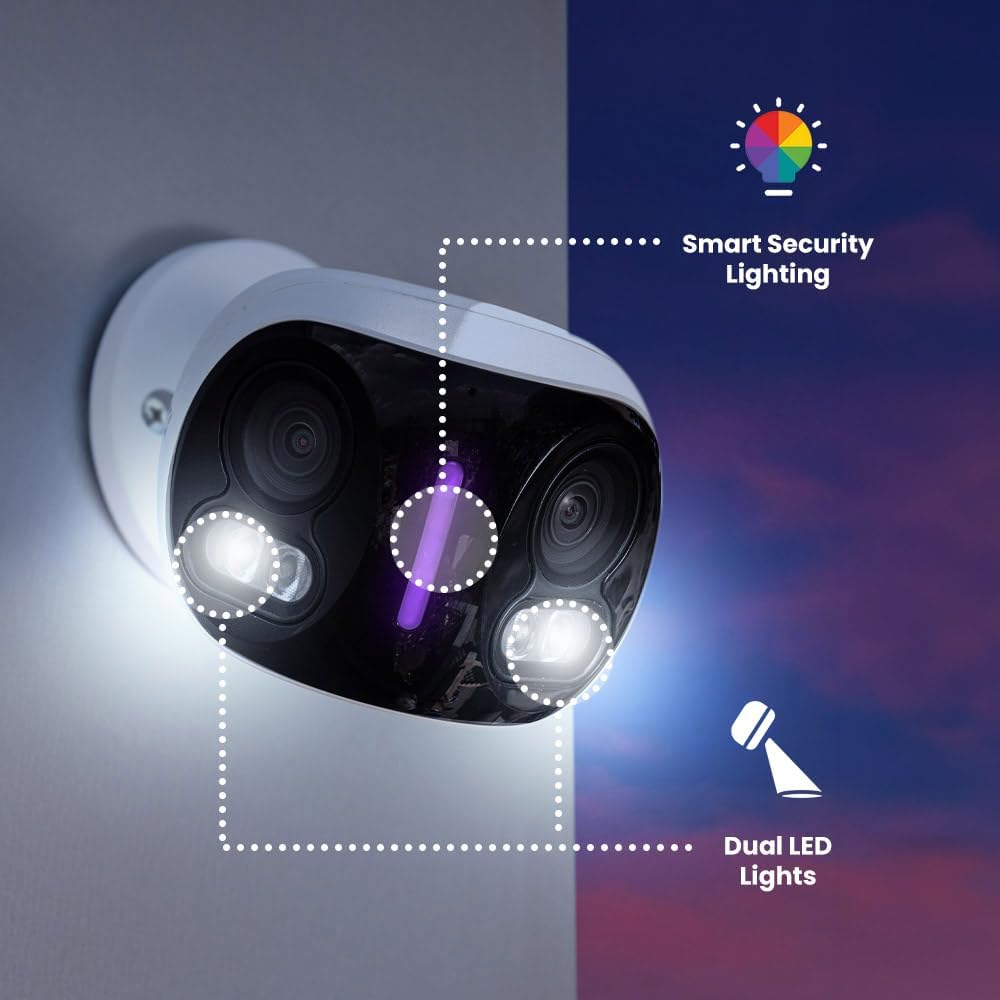
This manual provides detailed instructions for the installation, operation, and maintenance of your Lorex 4K 8MP IP Wired Dual-Lens Add-On Outdoor Security Camera. Designed for comprehensive outdoor surveillance, this camera features dual lenses for a 180-degree panoramic view, advanced color night vision, and smart security lighting to enhance your property's security.

2. Nga waahanga matua
- 4K Panoramic View: The dual-lens system combines two adjacent scenes to create a continuous 180-degree panoramic view, allowing you to monitor larger areas with fewer cameras.
- Tirohanga Po Tae: Experience enhanced clarity and detail in low-light conditions with Color Night Vision (requires ambient lighting). In complete darkness, the camera automatically switches to Infrared Night Vision for clear black and white video.
- Proactive Prevention: Deter unwanted visitors with motion-activated warning lights and an integrated siren, designed to stop incidents before they escalate.
- Smart Security Lighting: Personalize your security lighting with over 16 million color options. Assign specific colors for motion events or camera modes, providing a visual deterrent.
- Matohi Ataata: Receive detailed notifications for specific types of motion, including Person, Vehicle, Animal, and Package Detection. Customize alerts to focus on what matters most.
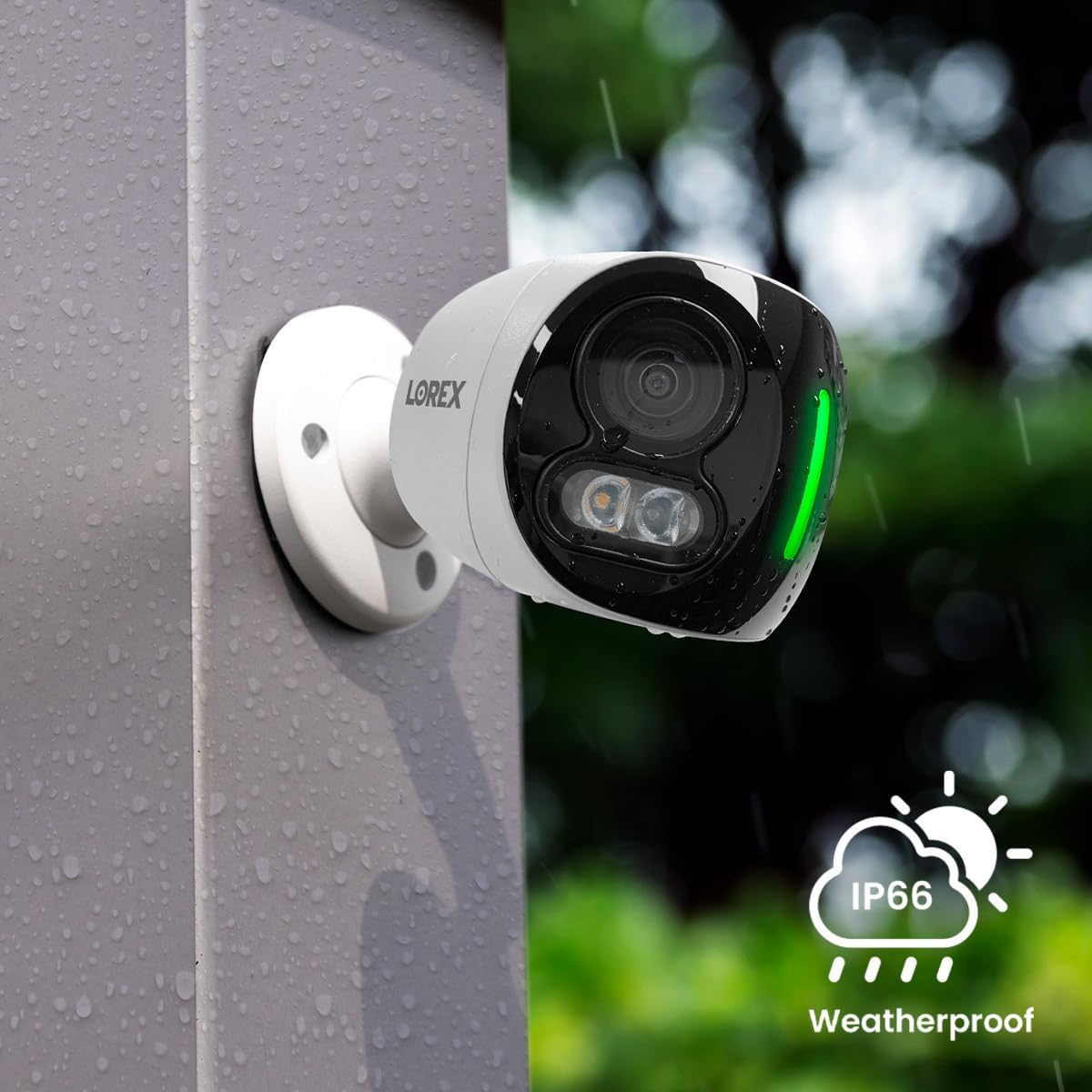
- Year-Round Durability: Built with durable, all-metal housing and an IP67 weatherproof rating, this camera is designed to withstand harsh weather conditions, from -22°F (-30°C) to 131°F (55°C).
- 2-Way Talk: Communicate directly through the camera using the built-in microphone and speaker. Utilize Quick Response messages for convenient, pre-recorded replies.
- Requires Recorder: This is an add-on camera compatible with Lorex N845/N846/N847/N864/N910-series recorders. It must be connected to one of these recorders to operate.



3. Aratohu Tatūnga
3.1. He aha kei roto i te Pouaka
- Lorex 4K 8MP IP Wired Dual-Lens Add-On Outdoor Security Camera (Model E871AB)
3.2. I mua i to tiimata
Ensure you have a compatible Lorex N845/N846/N847/N864/N910-series recorder. This camera is designed as an add-on and requires a recorder for full functionality, including power, video recording, and network connectivity.
3.3. Nga Taahiranga Whakamutunga
- Kōwhiria he Tauwāhi: Select an outdoor location that provides the desired panoramic view and is within reach of your Lorex recorder's cabling. Ensure the mounting surface is sturdy.
- Maunga te Kamera: Use the provided mounting hardware to securely attach the camera to the chosen surface. Drill pilot holes if necessary.
- Hono atu ki te Pūreretā: Connect the camera's Ethernet cable to an available PoE (Power over Ethernet) port on your compatible Lorex recorder. This provides both power and video transmission.
- Whirihora mā te Taupānga: Once connected, follow the instructions in your Lorex recorder's manual or the Lorex Home app to add and configure the new camera.

4. Nga Tohutohu Whakahaere
4.1. Accessing Live View
Access the live video feed from your camera through the Lorex Home mobile application or directly from your Lorex recorder's interface. The 180-degree panoramic view will be displayed, providing a wide field of vision.
4.2. Using 2-Way Talk
Mai i te koiora view in the Lorex Home app, tap the microphone icon to speak through the camera's speaker. Tap again to end. You can also select pre-recorded Quick Response messages for common interactions.
4.3. Customizing Smart Security Lighting
Navigate to the camera settings in the Lorex Home app to customize the smart security lighting. You can choose from millions of colors, set brightness levels, and configure the lights to activate based on motion detection or specific schedules.
4.4. Managing Smart Alerts
In the app, configure your smart alert preferences. You can enable or disable detection for persons, vehicles, animals, and packages. Adjust sensitivity and define specific motion detection zones to minimize false alarms.
4.5. Reviewi nga Rekoata
Kua tuhia te footage is stored on your Lorex recorder. Use the Lorex Home app or the recorder's interface to review playback, search for specific events, and export video clips.
5. Tiaki
5.1. Te horoi i te kamera
Periodically clean the camera lenses and housing with a soft, damp cloth. Avoid using harsh chemicals or abrasive cleaners, as these can damage the camera's finish or optical components.
5.2. Whakahoutanga Firmware
Regularly check for firmware updates through the Lorex Home app or the Lorex support website. Keeping your camera's firmware updated ensures optimal performance, security, and access to new features.
5.3. Tiaki Taiao
While the camera is IP67 weatherproof, ensure its mounting location does not allow water to pool around connections. Clear any debris, such as leaves or snow, that might obstruct the camera's view te hau ranei.
6. Te Raru
6.1. No Power / No Video
- Ensure the Ethernet cable is securely connected to both the camera and a powered PoE port on your Lorex recorder.
- Verify that your Lorex recorder is powered on and functioning correctly.
- Tirohia te taura whatunga mō tetahi pakaru.
6.2. Kounga Ataahua Kino
- Clean the camera lenses to remove any dirt, dust, or smudges.
- Ensure there is sufficient ambient light for Color Night Vision to activate.
- Tirohia mo nga arai i te mara o te kamera view.
6.3. Motion Detection Issues
- Adjust the motion detection sensitivity settings in the Lorex Home app.
- Review and reconfigure your motion detection zones to cover desired areas.
- Kia tino mohio te kāmera view is not obstructed by moving objects like tree branches.
6.4. 2-Way Talk Problems
- Verify that the microphone and speaker settings are enabled in the Lorex Home app.
- Check your mobile device's volume and microphone permissions for the app.
6.5. Recorder Compatibility
This camera is only compatible with Lorex N845/N846/N847/N864/N910-series recorders. Ensure your recorder model is listed as compatible.
7. Whakatakotoranga Hangarau
| Āhuahira | Whakatakotoranga |
|---|---|
| Ingoa Tauira | E871AB |
| Mahinga o roto/waho | Waho |
| Whakataunga Hopu Ataata | 4K (8MP Whai Whakataunga Tonu) |
| Tae | Kei roto i nga momo tae |
| Te maha o nga mea | 1 |
| Nga Waahanga kei roto | Camera unit with built-in dual lenses |
| Te maha o nga hongere | 2 |
| Hangarau Whakawhitiwhiti Ahokore | Ethernet (Wired) |
| Tauwehe Puka | Tauira |
| Te Whakatauranga Te Pawera o runga | 55 Degrees Celsius (131°F) |
| Auau anga | 15 papa_ia_hekona |
| Rauemi | Aluminum Alloy + Kirihou |
| Wattage | 8 watts |
| Te rahi o te mea L x W x H | 16.2 x 8.3 x 6.6 inihi |
| Taumata Atete Wai | Parewai (IP67) |
| Taumaha Tūemi | 1.75 pauna |
| Tuhinga o mua View | 180 Waeine |
| Momo Matohi | Motion Only (Person, Vehicle, Animal, Package Detection) |
| Momo Rūma | Ki waho |
| Nga Whakamahinga Motuhake mo te Hua | Outdoor Surveillance, Wide Area Monitoring |
| Whakatauranga Tiaki o te Ao | IP67 |
| UPC | 695529051413 |
| Kaihanga | lorex |
| Waitohu | lorex |
8. Pūtāhui me te Tautoko
8.1. Hua Rarangi
For detailed information regarding the product warranty, please refer to the official Lorex webpaetukutuku, te kāri pūtāhui rānei i roto i tō hoko. Tērā pea ka rerekē ngā tikanga me ngā herenga pūtāhui.
8.2. Tautoko Kiritaki
If you encounter any issues or have questions about your Lorex camera, please visit the official Lorex support website for FAQs, troubleshooting guides, and contact information for customer service.
Ka kitea e koe etahi atu korero me nga rauemi tautoko i te Lorex Store on Amazon.