
Kupu Whakataki
This manual provides detailed instructions for the safe and efficient use of your Jectse N509 2G Flip Phone. Please read this manual thoroughly before operating the device and keep it for future reference.

Image: The Jectse N509 flip phone in its closed state, featuring a pink and white gradient finish adorned with elegant butterfly patterns.
Tatūnga
1. Tāuta Pūhiko
- Ata tango i te uhi o muri o te waea.
- Insert the provided 6800 mAh lithium-ion battery into the battery compartment, ensuring the contacts align correctly.
- Whakakapihia te uhi o muri kia pao pai ki te waahi.
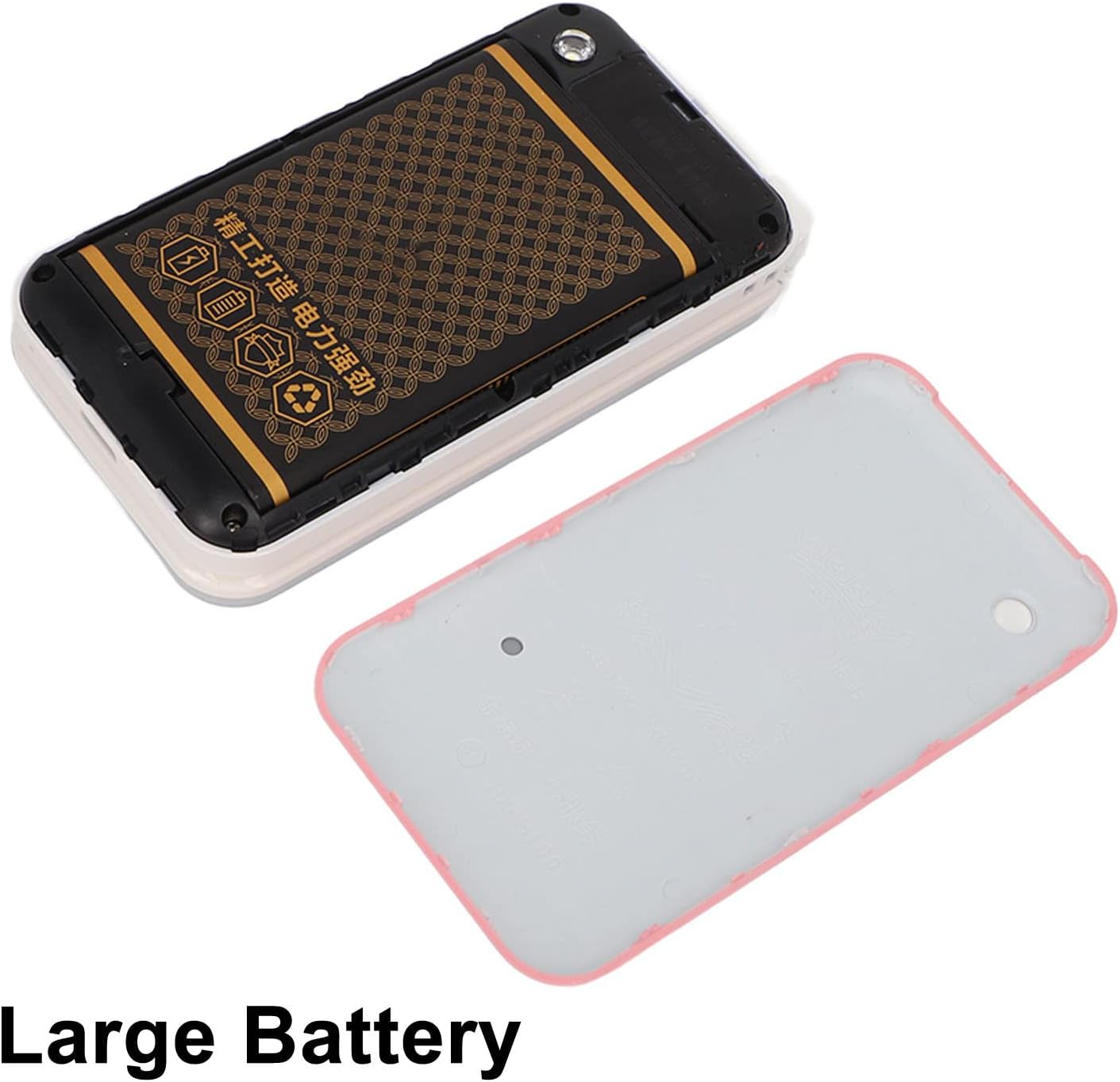
Image: The phone's back cover is removed, revealing the battery compartment and the large capacity battery ready for installation.
2. Tāutanga Kāri SIM me te Kāri Mahara
The N509 supports dual SIM cards and one memory card (up to 16GB, not included).
- Kia tangohia te pākahiko, kimihia ngā mokowā kāri SIM me te mokowā kāri mahara.
- Insert your SIM cards into the designated slots.
- If desired, insert a memory card into its slot.
- Tāuta anō te pākahiko me te uhi o muri.
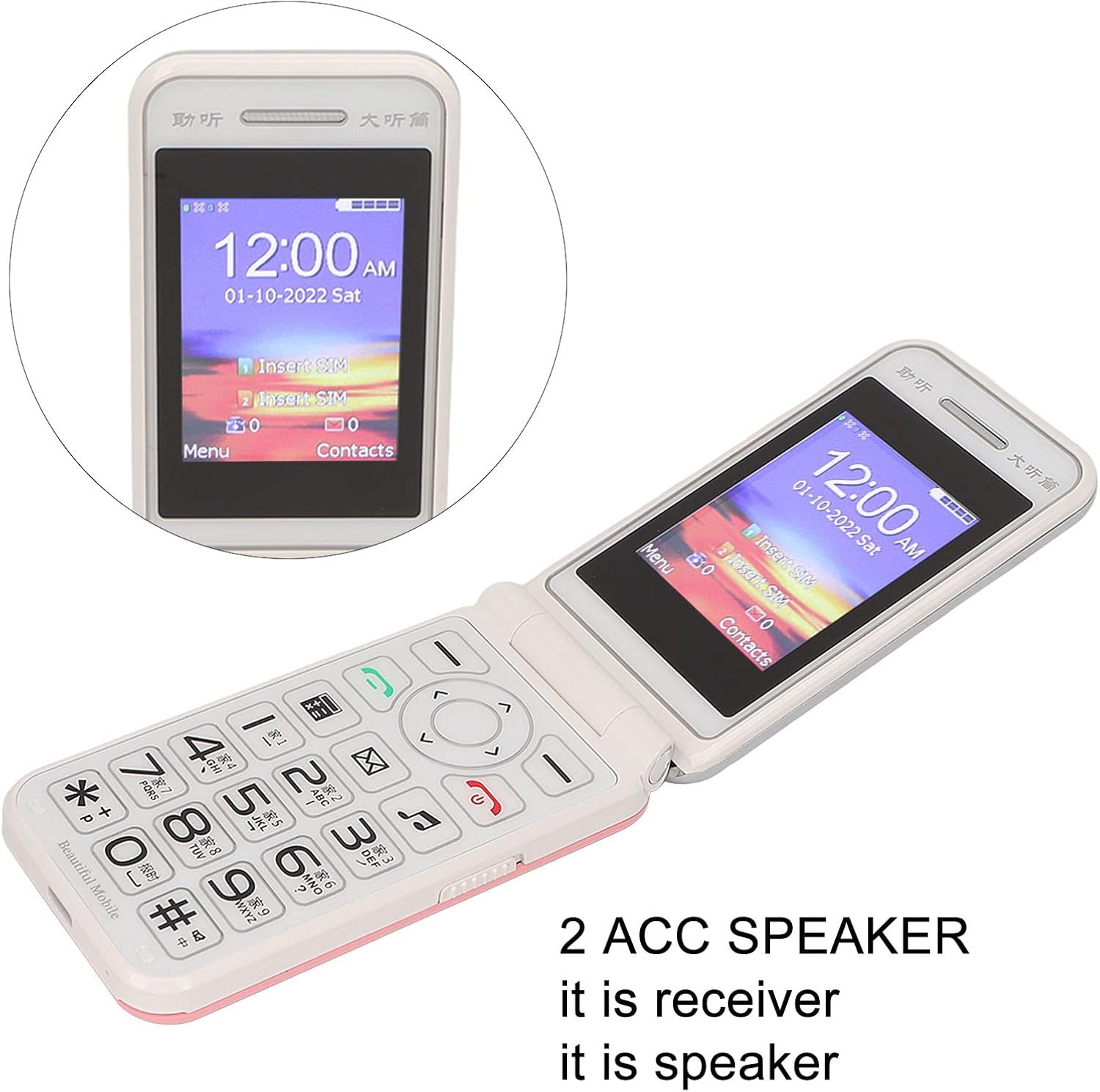
Image: The phone's screen prompts to "Insert SIM", indicating the need for SIM card installation before use.
3. Te Whakataki i te Pūhiko
I mua i te whakamahinga tuatahi, whakakiia katoatia te pākahiko o te waea.
- Connect the Type-C charger cable to the charging port on the phone.
- Monohia te rihi ki te putanga hiko.
- The charging indicator will show the charging status. Disconnect the charger once the battery is full.

Whakaahua: He tata view of the Type-C charging port on the Jectse N509 flip phone, highlighting its modern connectivity.
4. Te Whakakaha/Weto
- Hei Whakahiko: Pēhia me te pupuri i te pātene Mana kia mārama ra ano te mata.
- Hei Whakaweto: Press and hold the Power button until the power-off options appear, then select 'Power Off'.
Nga Tohutohu Whakahaere
1. Nga Mahi Awhina
- Waeatanga: Whakauruhia te nama waea ma te whakamahi i te papapātuhi ka pehi i te paatene karanga matomato.
- Whakautu Waea: Pēhia te pātene karanga kākāriki ina tangi te waea.
- Waea Whakamutunga: Pēhia te pātene whero whakamutu waea.
- Tuku Karere: Navigate to the 'Messages' menu, select 'New Message', enter the recipient's number and your text, then send.

Image: The Jectse N509 flip phone is open, showcasing its vibrant 2.4-inch HD color display and the clearly visible, large keypad with LED backlighting.
2. Keypad and Navigation
The phone features large, backlit buttons for easy operation, especially in low-light conditions.
- Kī Whakaterenga: Use the directional pad to navigate through menus and options. The center button typically acts as 'OK' or 'Select'.
- Kī ngawari: The keys directly below the screen perform functions indicated by the text on the display above them.
- Kī Tau: Used for dialing numbers and text input.
- Maama Whakamuri: The keypad features a backlight for visibility in dark environments.

Image: This composite image highlights key features: the large battery for extended use, oversized buttons for ease of dialing, a convenient on/off switch, and the modern Type-C charging port.
3. Mahi SOS
The N509 includes an SOS function for emergencies. Refer to the phone's settings to configure emergency contacts and messages.
- Whakahohe SOS: Typically, a dedicated SOS button or a long press of a specific key will activate this function, sending pre-set messages and dialing emergency contacts.
4. Extended Functions
The phone supports various additional features:
- Music and Video Player: Access multimedia files rongoa i runga i te kaari mahara.
- Pūtirotiro Atahanga: View whakaahua.
- Kaituhi: Tuhia te ororongo.
- Maramataka: Keep track of dates and events.
- Karaka Whakaoho: Whakatakotoria he maha ngā whakaoho.
- Kalikete: Mahia nga tatauranga taketake.
- rama rama: Activate the built-in flashlight.
- Maatamato: Use for timing events.
- Call Blacklist: Block unwanted numbers.
- Rarangi Waea: View karanga hītori.
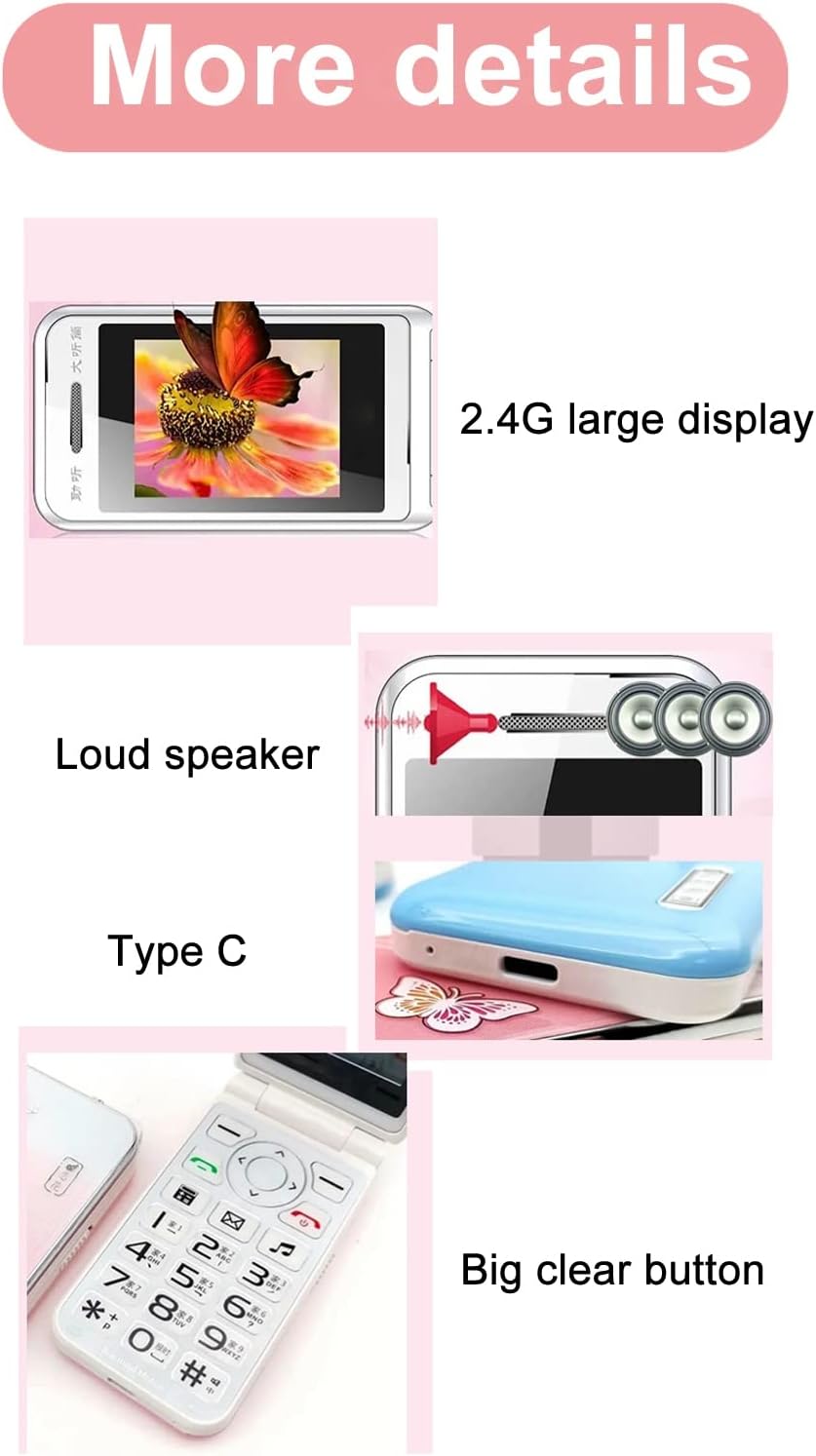
Image: This image details the phone's features, including its 2.4G large display, powerful loudspeaker, and convenient Type-C charging interface.
Te tiaki
1. Te horoi
Whakamahia he kakahu ngohengohe, maroke hei horoi i te taha waho o te waea. Kaua e whakamahi i ngā wai horoi, i ngā rauemi whakakoi rānei.
2. Tiaki Pūhiko
- A ape i te tuku i te pākahiko ki te wera nui.
- Kaua e werohia, kaua e pakaru te pākahiko.
- Ki te kore te waea e whakamahia mo te wa roa, utuhia i ia wa kia mau tonu te hauora o te pākahiko.
Raparongoā
| Putanga | Rongoa pea |
|---|---|
| Karekau te waea i te hiko | Me whakarite kia tika te tāutanga me te whakakī i te pākahiko. Honoa te rihi ka ngana anō. |
| Kaore he tohu whatunga | Check if the SIM card is properly inserted. Verify with your service provider that your SIM card supports 2G GSM 900/1800 networks. The N509 only supports 2G networks. |
| Kaore e taea te waea, te whiwhi waea ranei | Ensure you have network coverage. Check SIM card balance or plan. Verify that the number is not on the call blacklist. |
| Karekau te pākahiko e utu ana | Check the charger cable and adapter for damage. Ensure the Type-C port is clean and free of debris. Try a different power outlet. |
Important Note on Network Compatibility: The Jectse N509 phone exclusively supports 2G GSM 900/1800 networks. Before purchasing or using, please confirm with your local SIM card operator that they provide 2G network services in your area. Some operators, particularly in regions like the USA (e.g., AT&T, T-Mobile), may no longer support 2G networks.
Whakatakotoranga
| Āhuahira | Taipitopito |
|---|---|
| Tauira | N509 (Jectseft5hwserna-12) |
| Rauemi | ABS |
| Rahi Mata Matua | 2.4 inches HD Color Display |
| Nga Kaari Kaari SIM | 2 (Dual SIM) |
| Mokamoka Kaari Mahara | 1 (supports up to 16GB, not included) |
| Momo Pūhiko | Lithium-ion |
| Pūhiko Raukaha | 6800 mah |
| Roopu Auautanga | 2G GSM 900/1800 |
| Momo Whatunga | 2G GSM |
| Te ahua | Pore Waea |
| Atanga | Momo-C |
| Nga Reo Tautokona | English, French, Portuguese, Malay, Indonesian, Vietnamese, Russian, Arabic, Hebrew, Thai |
| Nga waahanga motuhake | Large Buttons, LED Backlight, SOS Function, Music/Video Player, Image Browser, Recorder, Calendar, Alarm, Calculator, Flashlight, Stopwatch, Call Blacklist |
| Ahu (Pake) | 15 x 9 x 6 cm |
| Taumaha (Ahua.) | 246 g |
Pūtāhui me te Tautoko
For warranty information and technical support, please refer to the documentation included with your purchase or contact Jectse customer service through their official channels. Keep your proof of purchase for warranty claims.
Mo etahi atu awhina, ka toro atu koe ki te Jectse Brand Store.