
Kupu Whakataki
Thank you for choosing the Jectse Mini HD 1080P WiFi Camera. This compact and versatile camera is designed for indoor security and surveillance, offering features such as 1080P video recording, night vision, motion detection, and real-time monitoring via a mobile application. Please read this manual carefully to ensure proper setup and operation of your device.

Image: The Jectse Mini HD 1080P WiFi Camera, showcasing its compact design and connectivity ports.
Nga waahanga hua
- Ataata HD 1080P: Records high-definition video at 1080 pixels.
- Matakitenga po: Equipped with 6 photosensitive lenses for clear night vision.
- Kitenga Nekehanga: Automatically detects movement and sends alerts.
- Hononga WiFi: Supports WiFi network connection for remote viewmā te taupānga pūkoro.
- Roopu Hopu: Ka tuhirua i te foo tawhitotage ka ki tonu te kaari mahara.
- Hoahoa Hiko: Strong magnetic force for easy attachment to metallic surfaces. Includes a magnetic bracket for adjustable angles.
- Pūhiko Hanga-roto: Provides up to 60 minutes of operation on a full charge.
- Rahi Kiato: Ultra-small body for easy portability and discreet placement.
- Rokiroki Whakaroha: Supports Micro SD cards up to 128GB (card not included).

Image: Visual representation of the camera's key features, including night vision, HD quality, remote access, hotspot, video/audio recording, and storage capabilities.
Ihirangi mokete
Tena koa tirohia te kete mo nga mea e whai ake nei:
- 1 x Jectse Mini HD 1080P WiFi Camera
- 1 x Pukapuka Tohutohu
- 1 x Taiapa Aukume
- 1 x Micro USB Utaura Whakatau
Tatūnga
1. Te Whakataki i te Kamera
Before first use, fully charge the camera. Connect the Micro USB charging cable to the camera's charging port and the other end to a 5V/1A USB power adapter (not included). A full charge takes approximately 30 minutes (from 0% to 100%).
2. Kōkuhu Kāri SD Micro (Kōwhiringa)
To enable video recording and storage, insert a Micro SD card (up to 128GB, not included) into the designated slot on the camera. Ensure the card is inserted correctly. The camera supports continuous recording for up to 21 hours with a 128GB card.

Image: The camera's Micro SD card slot, illustrating its storage capability for continuous recording.
3. Hononga Taupānga Waea
Download the dedicated mobile application from your smartphone's app store. Follow the in-app instructions to connect the camera to your home or office WiFi network. This allows for real-time viewte whakahaere me te whakahaere.
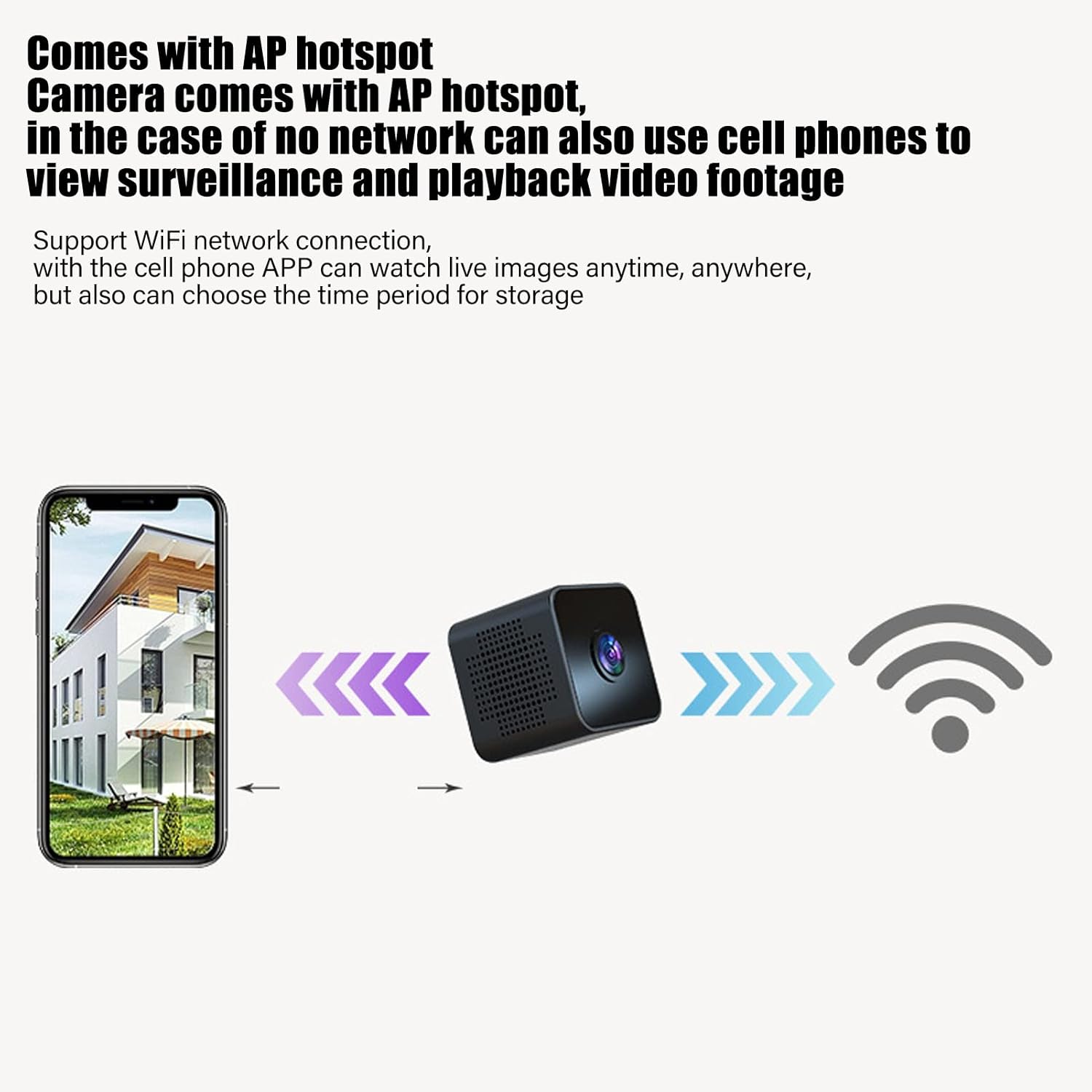
Image: Diagram showing a smartphone connecting to the camera, indicating remote viewing and control via the mobile app.
Nga Tohutohu Whakahaere
Te Hiko / Whakaweto
Refer to the instruction manual included in the package for specific power on/off procedures. Typically, a long press of the power button will turn the device on or off.
Aroturuki Wā-tūturu
Kia honoa ki te taupānga pūkoro, ka taea e koe te view ataata ora footage from the camera anytime, anywhere. The app also allows you to set specific time periods for video storage.
Te Motini
The camera features intelligent motion detection. When movement is detected in the camera's field of view, an alarm notification will be sent to your mobile app. This feature helps monitor your premises effectively.

Image: Illustration of the motion detection function, where the camera identifies movement and triggers an alert on a connected smartphone.
Matakitenga Po
The camera is equipped with high-definition night vision capabilities, ensuring clear video even in low-light conditions. The night vision mode can be manually activated or set to open at specific times via the app.

Image: A visual comparison demonstrating the clear picture quality of the camera, highlighting its HD capabilities.
Roopu Hopu
When a Micro SD card is inserted, the camera will continuously record. If the memory card becomes full, the camera will automatically overwrite the oldest video files to make space for new recordings, ensuring continuous surveillance without manual intervention.
Maunga Mate
The camera features a strong magnetic back, allowing it to be easily attached to any metallic surface. Use the included magnetic bracket to adjust the camera's angle for optimal viewing.

Image: Two perspectives of the mini camera, emphasizing its small size and magnetic design for flexible placement.
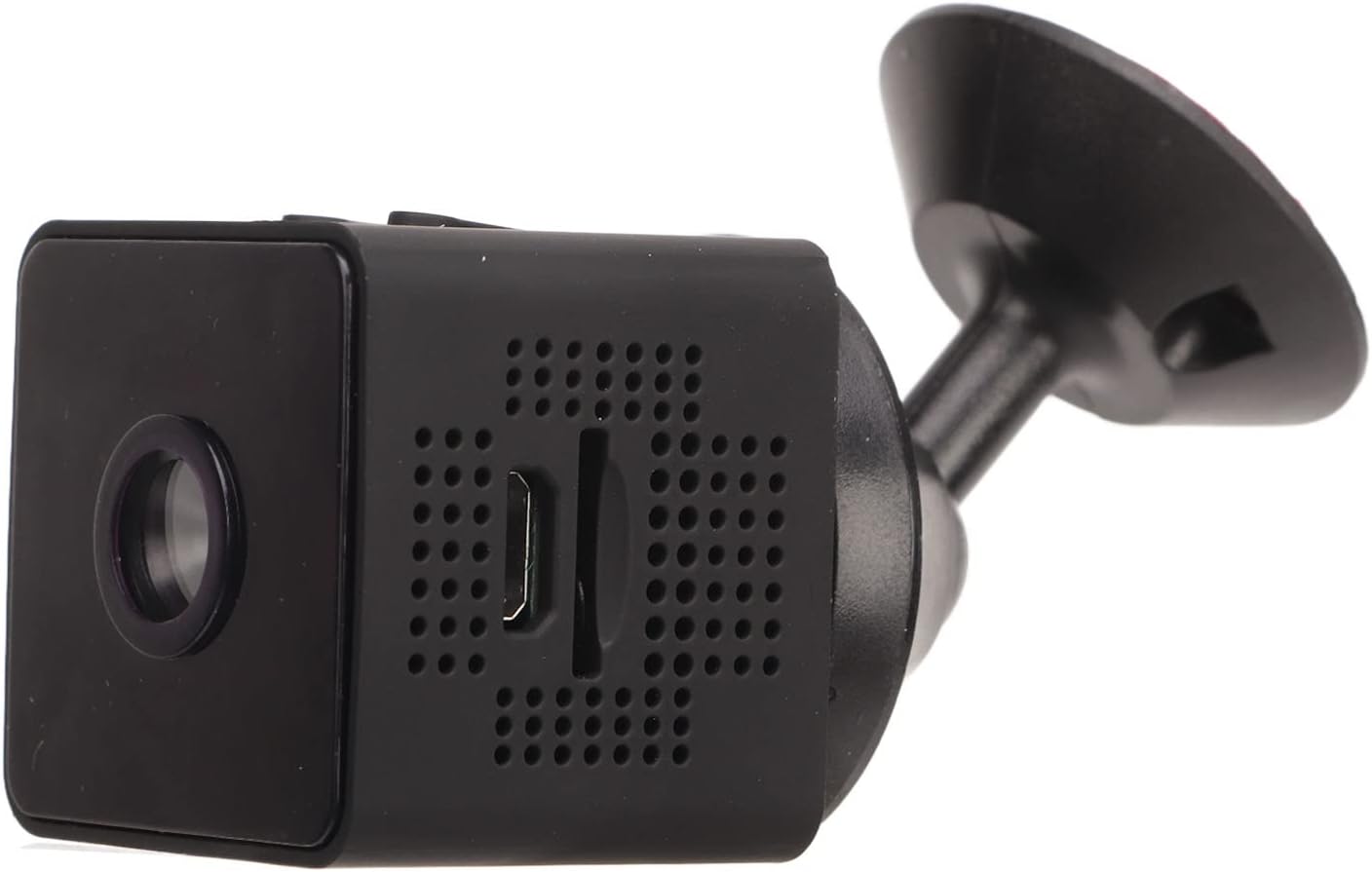
Whakaahua: Taha view of the camera, showing how it connects to the magnetic bracket for adjustable positioning.
Te tiaki
- Te horoi: Whakamahia he kakahu ngohengohe, maroke hei horoi i te arotahi kamera me te tinana. A ape i te whakamahi i nga kai horoi wai, i nga taonga abrasive ranei.
- Rokiroki: Whakaorangia te kaamera ki te waahi makariri, maroke atu i te ra tika me te wera nui.
- Tiaki Pūhiko: Hei whakaroa i te ora o te pākahiko, kaua e tukua kia pau katoa te pākahiko i ngā wā katoa. Whakakīia te kāmera i ia wā, ahakoa kāore e whakamahia ana.
- Whakahōu Firmware: Check the mobile application periodically for any available firmware updates to ensure optimal performance and security.
- Nga Tikanga Taiao: This camera is designed for indoor use. It is not waterproof and should not be exposed to rain, moisture, or submerged in water.
Raparongoā
| Raruraru | Rongoa pea |
|---|---|
| Kāre e kā ana te kāmera. | Ensure the camera is fully charged. Connect it to a power source and wait for the charging indicator. |
| Kāore e taea te hono atu ki te WiFi. | Check your WiFi network credentials. Ensure the camera is within range of your router. Restart the camera and your router. Follow the app's connection guide carefully. |
| Kaore he rekoata ataata. | Verify that a Micro SD card is properly inserted and formatted. Check if the card has sufficient free space. |
| Te kounga ataata kino. | Ensure the camera lens is clean. Check your network connection speed if streaming remotely. |
| Kaore e mahi ana te kitenga nekehanga. | Check the motion detection settings in the mobile app. Ensure the camera's view he mārama, kāore he arai. |
Whakatakotoranga
| Momo Hua | Mini WiFi Camera |
| Tau tauira | Jectseot42hdk8wq |
| Whakatau Ataata | 1080P HD |
| Hangarau Pūoko Whakaahua | CMOS |
| Hangarau Hononga | Ahokore (WiFi) |
| Puna Mana | Built-in Rechargeable Battery (350 mAh) / Corded Electric (via Micro USB) |
| Ora Pūhiko | Approx. 60 minutes (continuous recording) |
| Atanga Whakatau | USB moroiti (5V/1A) |
| Te Roa Whakatau | Approx. 30 minutes (0%-100%) |
| Rokiroki | Kāri Micro SD (tae atu ki te 128GB, kāore i roto) |
| Paerewa Kōpeke Ataata | H.264 Main, H.264 Baseline, MJPEG, JPEG Baseline |
| Hōputu Hopu Ataata | MP4 |
| Matakitenga Po | Infrared (IR) with 6 photosensitive lenses, Color Night Vision |
| Te Motini | Yes (App-controlled alerts) |
| Tikanga Mana | Taupānga Pūkoro |
| Rauemi | ABS Kirihou |
| Ngā Ahu Hua Tata | 3 x 3 x 3 cm |
| Whakamahi Manakohia | Haumarutanga o roto |
| Taumata Atete Wai | Not waterproof; designed for indoor use. |
Note: All data is measured manually and may contain minor discrepancies.
Pūtāhui me te Tautoko
For warranty information and technical support, please refer to the contact details provided on the product packaging or the official Jectse webpae. Puritia to riirii hoko hei tohu mo te hoko mo nga kereme whakamana.
Mena ka tūtaki koe ki ētahi raruraru kāore i roto i tēnei pukapuka, whakapā atu ki te ratonga kiritaki mō te āwhina.