
Rraycom BW4N
Rraycom BW4N Wireless Security Camera User Manual
Model: BW4N-B-4pack
1. Kupu Whakataki
Thank you for choosing the Rraycom BW4N Wireless Home/Outdoor Security Camera system. This manual provides comprehensive instructions for setting up, operating, and maintaining your security cameras to ensure optimal performance and peace of mind. The Rraycom BW4N offers 5MP resolution, AI motion detection, color night vision, two-way talk, and flexible storage options, designed for both indoor and outdoor surveillance.

Image 1.1: Four Rraycom BW4N wireless security cameras included in the pack.
2. Hua Neke Atuview
2.1 Nga waahanga matua
- 5MP 2.7K Resolution: Ka whakarato i te ataata marama me te taipitopito footage.
- Te Kitenga Nekehanga AI: Utilizes infrared sensor technology and cloud image analysis for real-time motion detection and alerts, with customizable detection zones.
- Tirohanga Po Tae: Offers full-color night vision and infrared night vision modes with a visible range of up to 33ft.
- Korero Rua-Waahi: Enables real-time communication through the camera.
- Wireless & Battery Powered: Equipped with a 5200mAh rechargeable battery, offering 1 to 6 months of operation on a full charge depending on usage.
- IP66 parewai: Designed for outdoor use, resistant to harsh weather conditions.
- Rokiroki Hangawari: Supports free 3-day rolling cloud storage and local storage via Micro SD card (up to 256GB, not included).
- Mahi tahi me Alexa: Hototahi ki a Amazon Alexa mō te whakahaere reo me te ora view.

Whakaahua 2.1: Ka mutuview of Rraycom BW4N camera features.
2.2 Ihirangi mokete
The Rraycom BW4N-B-4pack includes:
- 4 x Rraycom BW4N Wireless Security Cameras
- 4 x Whakapapa Tauira
- Nga Tiu Whakapiri me nga Mono Taiepa
- Tauira Whakatau USB
- Pukapuka Kaiwhakamahi
3. Tatūnga
3.1 Te Whakataki i te Kaamera
Before initial use, fully charge the camera's 5200mAh battery. Connect the camera to a 5V/2A USB power adapter (not included) using the provided USB charging cable. The charging indicator light will show the charging status. A full charge can take several hours.
Note: Battery life varies based on device settings, actual usage, and environmental factors.
3.2 Tāutanga Taupānga me te Tatūnga Pūkete
- Tikiake te [O-KAM] APP mai i te Toa App (iOS) i te Toa Play Google ranei (Android).
- Open the O-KAM app and follow the on-screen instructions to create a new account or log in if you already have one.

Image 3.1: Download the O-KAM app from your device's app store.
3.3 Te Tāpiri i te Kāmera ki te Taupānga
- In the O-KAM app, tap the "+" icon to add a new device.
- Select your camera model (BW4N) from the list.
- Whaia nga tohutohu i roto-taupānga ki te hono i te kamera ki to Whatunga WiFi 2.4GHz. (5GHz WiFi is not supported).
- Scan the QR code displayed on your phone screen with the camera lens.
- Kia honoa, whakaingoatia tō kāmera, kātahi ka whakaoti i te tukanga tatūnga.
3.4 Camera Placement and Installation
The Rraycom BW4N camera can be installed almost anywhere, including shops, offices, homes, garages, yards, and both outdoor and indoor locations. It is designed for easy setup, typically taking about 5 minutes.
- Kōwhiria he tauwāhi e hiahia ana viewing angle and is within range of your 2.4GHz WiFi network.
- Use the included mounting bracket and screws to securely attach the camera to a wall or other suitable surface.
- Ensure the camera is positioned to capture the area of interest, considering the 120-degree viewkoki.

Whakaahua 3.2: Example of camera placement on a home exterior.
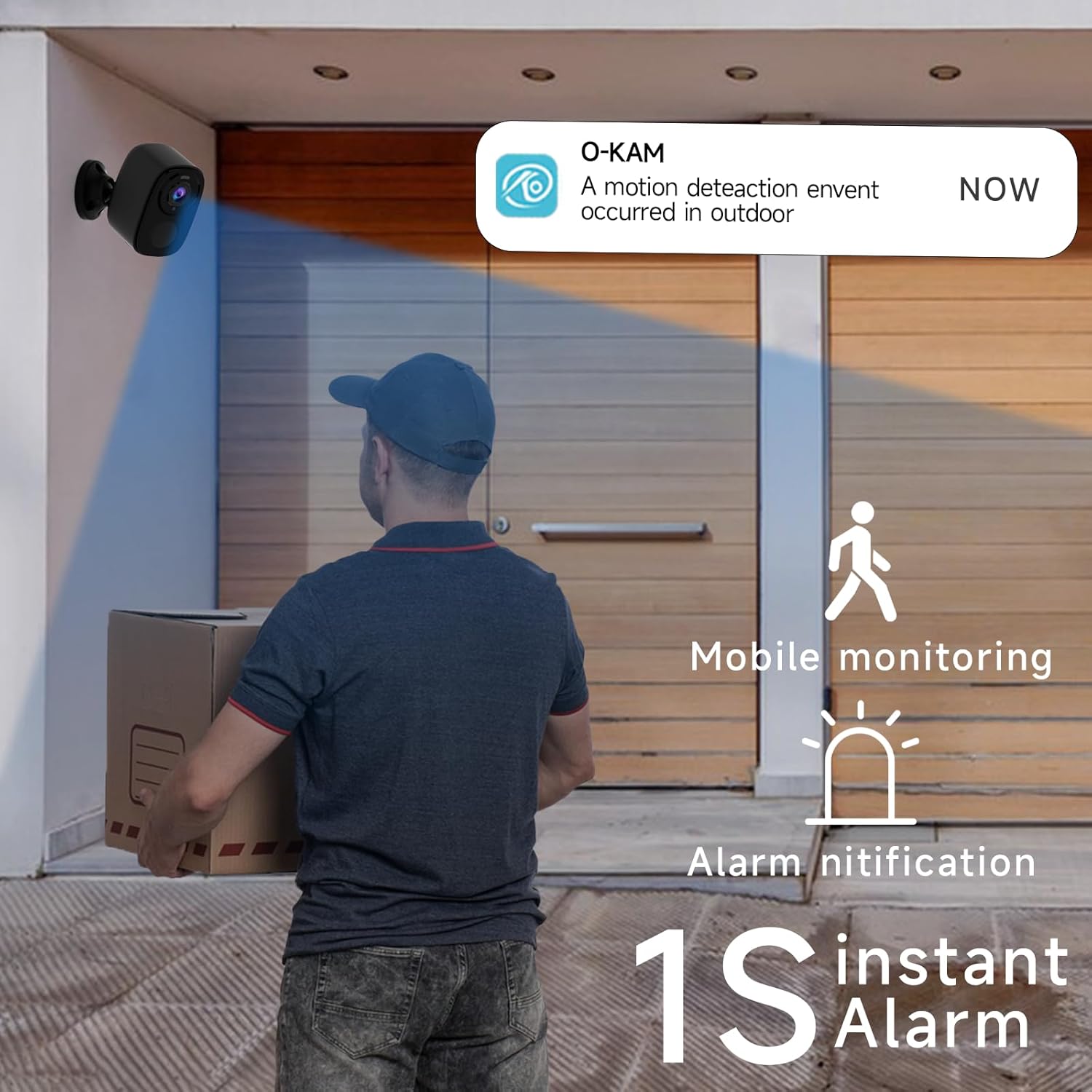
Image 3.3: The camera provides mobile monitoring and instant alarm notifications upon motion detection.
4. Te Whakahaere i te Kaamera
4.1 Ora View me te tuhi
Access live video streams from your camera anytime through the O-KAM app. You can view real-time monitoring from every corner of your property.

Image 4.1: House security overview in the O-KAM app, allowing real-time monitoring from various locations.
4.2 Te Motion Detection and AI Recognition
The camera uses advanced PIR motion detection and AI recognition to differentiate between people and objects, reducing false alarms. You will receive instant alerts to your smartphone when motion is detected.
- Rohe Rapu Whakaritea: Tautuhia nga waahi motuhake i roto i te kamera view where you want motion to be detected, ensuring you only receive notifications for relevant events.
- Human Filtering: The AI system helps filter out non-human movements, focusing on important activity.

Image 4.2: AI Motion Detection identifies human activity.

Image 4.3: Customize monitoring areas to reduce false alerts.
4.3 Ororongo Waa-rua
The built-in microphone and speaker allow for two-way communication. You can speak to visitors or deter intruders directly through the camera using the O-KAM app.
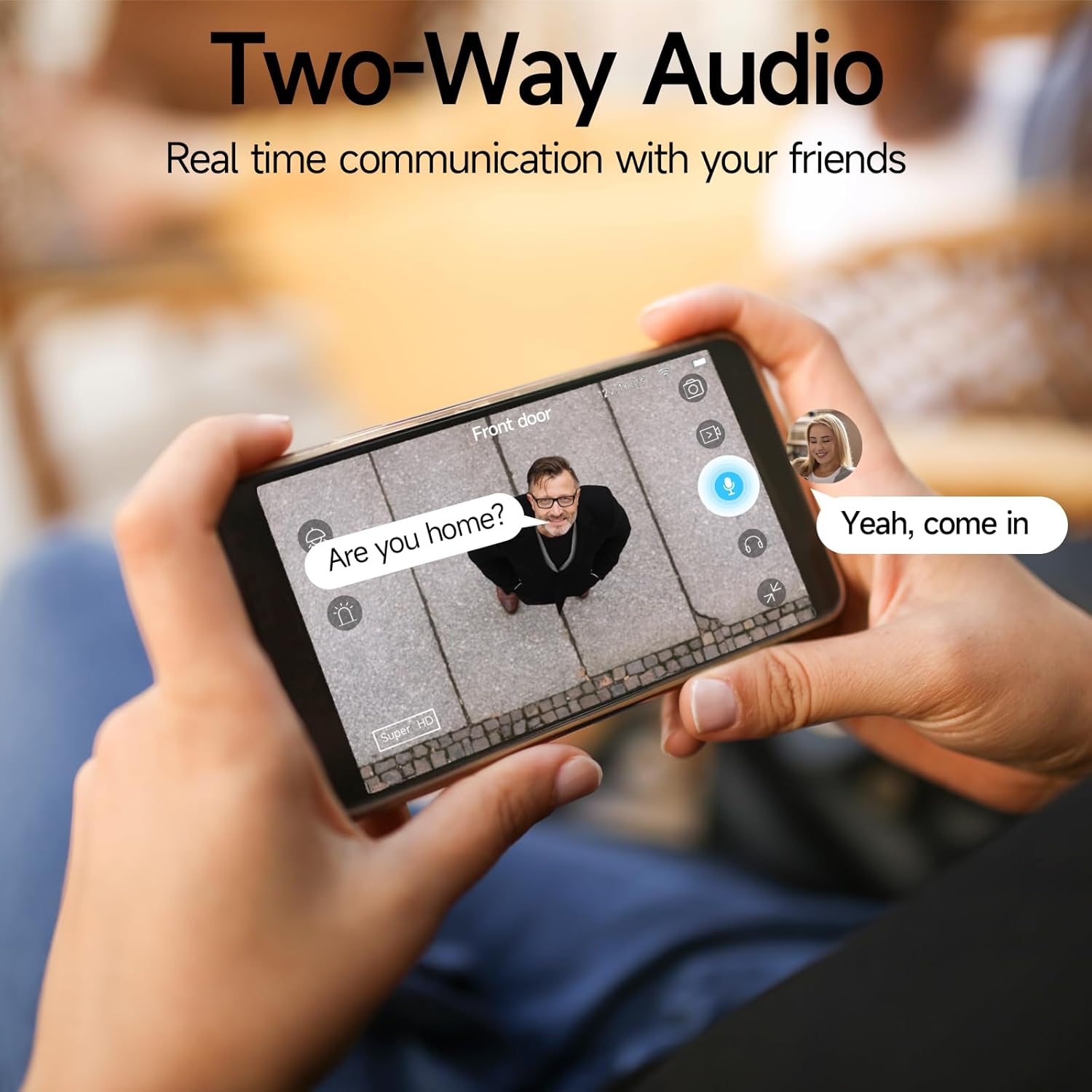
Image 4.4: Engage in real-time communication with two-way audio.

Image 4.5: Multiple users can share and watch the camera feed simultaneously, enabling interactive communication.
4.4 Aratau Matakitenga Po
The camera offers two night vision modes to ensure clear visibility in low light conditions:
- Tirohanga Po Tae Katoa: Provides vivid, color images even in the dark, utilizing the camera's spotlight.
- Tirohanga Po Infrared: Offers clear black-and-white footage i roto i te pouri tino.

Image 4.6: Compare 5MP Color Night Vision and Infrared Night Vision for optimal nighttime surveillance.

Image 4.7: The camera supports motion detection, color night vision, and infrared night vision.
4.5 Siren Alarm and Spotlight Warning
The camera features a built-in siren and spotlight that can be activated manually or automatically upon motion detection to deter unwanted visitors.

Image 4.8: Deter intruders with siren and spotlight warnings.
4.6 Kōwhiringa Rokiroki
Your Rraycom camera offers versatile storage solutions:
- Free Cloud Storage: Enjoy free 3-day rolling cloud storage for life, with no subscription needed.
- Rokiroki Kari SD Micro: Insert a Micro SD card (up to 256GB, not included) for local video storage.

Image 4.9: Save important moments to cloud or SD card.

Image 4.10: Cloud and local storage options for your recordings.
4.7 Alexa Whakauru
The Rraycom BW4N camera is compatible with Amazon Alexa, allowing you to view live feeds using voice commands on compatible Alexa-enabled devices.
- Link your O-KAM account with your Alexa account through the Alexa app.
- Use commands like "Alexa, show me the front door camera" or "Alexa, show me the backyard camera" to view whāngai ora.

Image 4.11: Seamless integration with Amazon Alexa for convenient monitoring.
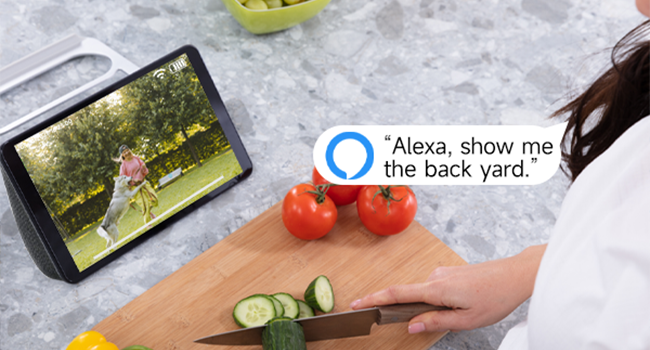
Whakaahua 4.12: View your camera feed on Alexa-enabled devices.
4.8 Whakaaturanga Ataata
Video 4.1: A demonstration of the Rraycom BW4N wire-free camera's features, including its 5MP resolution, waterproof design, ease of mounting, night vision capabilities, activity zone setup, two-way audio, multi-user sharing, human filtering, Alexa compatibility, and cloud/local storage options.
5. Tiaki
5.1 Whakahaere Pūhiko
- Monitor battery levels regularly through the O-KAM app.
- Recharge the camera promptly when the battery is low to ensure continuous operation.
- For optimal battery life, avoid extreme temperatures during charging and operation.
5.2 Te horoi i te kamera
- Gently wipe the camera lens and body with a soft, dry cloth to remove dust and smudges.
- Do not use liquid cleaners or abrasive materials, as they may damage the camera.
5.3 Whakahoutanga Firmware
Periodically check the O-KAM app for available firmware updates. Keeping your camera's firmware up-to-date ensures you have the latest features and security enhancements.
6. Te Raru
| Raruraru | Take pea | Rongoā |
|---|---|---|
| Karekau te kamera e hono ana ki te Wi-Fi | Kupuhipa Wi-Fi hē; He tawhiti rawa te kāmera i te pouara; Wi-Fi 5GHz anake e wātea ana. | Ensure correct password. Move camera closer to router. Confirm your Wi-Fi is 2.4GHz. |
| He maha nga whakaoho teka | Detection zone too wide; Environmental factors (e.g., moving branches, shadows). | Adjust detection zones in the app. Enable human filtering if available. |
| He kino te kounga tirohanga o te po | Obstructions in front of lens; Insufficient ambient light for color night vision. | Clear any obstructions. Ensure adequate lighting for color night vision or switch to infrared mode. |
| Nga take ororongo-rua | Microphone/speaker blocked; App volume too low; Network latency. | Check for obstructions. Adjust volume settings in app. Ensure stable network connection. |
| Ka tere te pau o te pākahiko | Frequent motion detection; Live view usage; Extreme temperatures. | Reduce motion detection sensitivity/frequency. Limit live view. Operate within recommended temperature range. |
7. Whakatakotoranga
| Āhuahira | Taipitopito |
|---|---|
| Ingoa Tauira | BW4N |
| Whakataunga Hopu Ataata | 5 MP (2560*1920P) |
| Hangarau Hononga | Ahokore (2.4GHz Wi-Fi anake) |
| Puna Mana | Battery Powered (5200mAh rechargeable battery) |
| Mahinga o roto/waho | Waho, Roto |
| Whakatauranga parewai | IP66 |
| Viewing Koki | 120 Waeine |
| Awhe Tirohanga Po | Tae atu ki te 33 Puawai |
| Kōwhiringa Rokiroki | Micro SD Card (up to 256GB, not included), Free 3-day Cloud Storage |
| Pūrere Hototahi | Android & iOS (O-KAM App), Amazon Alexa |
| Rauemi | Acrylonitrile Butadiene Styrene (ABS) |
| Taumaha Tūemi | 2.68 pauna (mō te mōkihi 4) |
| Ahu mōkihi | 10.47 x 9.17 x 2.95 inihi |
8. Pūtāhui me te Tautoko
8.1 Nga Korero Whakaputanga
Rraycom products come with a standard manufacturer's warranty. Please refer to the warranty card included in your package or visit the official Rraycom webpae mo nga tikanga me nga tikanga whakamana.
8.2 Ratonga Kiritaki
If you have any questions, encounter issues, or require technical assistance with your Rraycom BW4N security camera, please contact our customer service team:
- Īmēra: aftersale@rraycom.com
- You can also find contact information and FAQs on the Rraycom brand store on Amazon or the official webpae.

Image 8.1: Contact Rraycom customer service for assistance.
Ask a question about this manual
Ask about setup, troubleshooting, compatibility, parts, safety, or missing instructions. Manuals+ will review the question and use this page’s manual context to help answer it.