
1. Kupu Whakataki
Welcome to the user manual for your new realme C53 smartphone. This guide provides essential information on setting up, operating, maintaining, and troubleshooting your device. The realme C53 is designed to offer a seamless user experience with its advanced camera system, efficient performance, and long-lasting battery.
2. Ihirangi mokete
Tena koa tirohia te pouaka mo nga mea e whai ake nei:
- Waea pūkoro realme C53
- Pūurutau Hiko
- Tauira USB
- Important Info Booklet with Warranty Card
- Aratohu Tere
- SIM Card Tool
- Take Tiaki
3. Tahora Pūrere
Kia mohio koe ki nga waahanga tinana o to waea atamai C53.
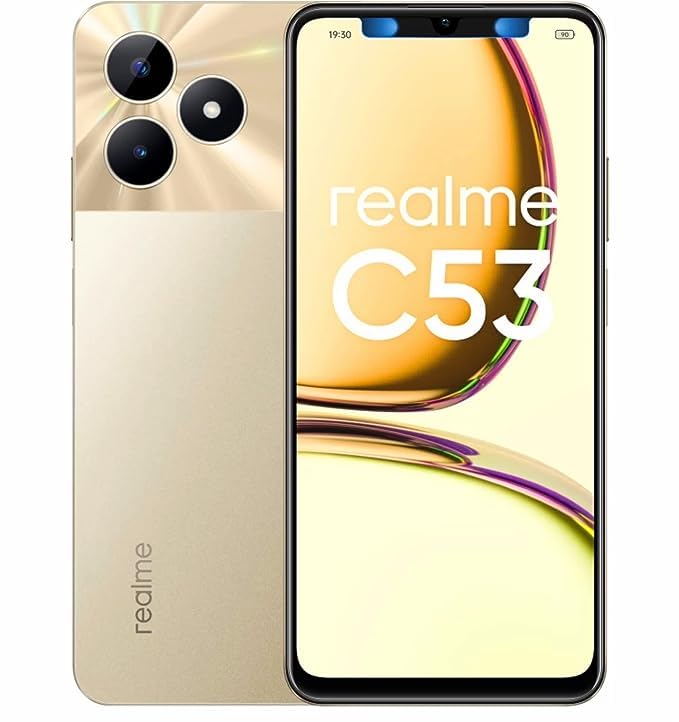
Whakaahua 3.1: Mua me muri view of the realme C53 smartphone in Champion Gold. The front features the display, while the back shows the camera module and realme branding.
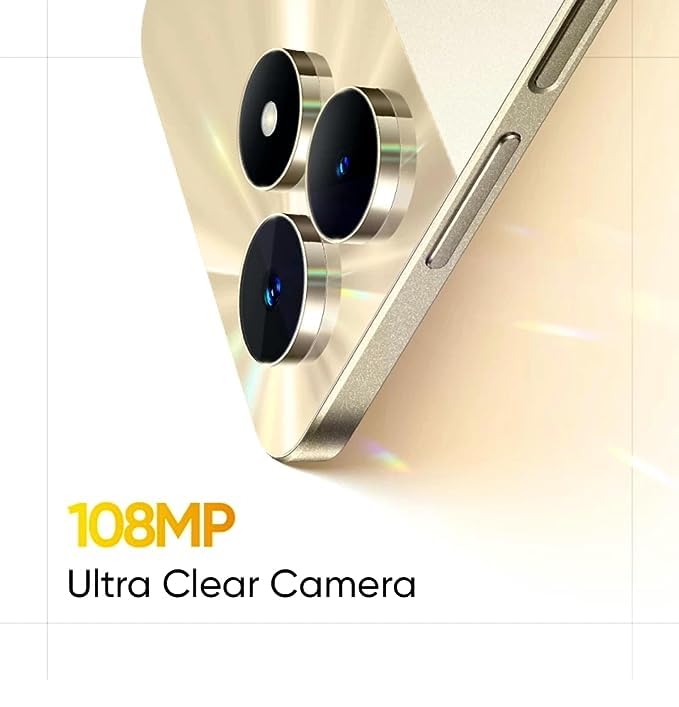
Whakaahua 3.2: Taipitopito view of the realme C53, highlighting the display and the slim profile o te taputapu.
- Mua: Large touchscreen display, front camera, earpiece.
- Taha Matau: Power button (integrated with fingerprint sensor), Volume Up/Down buttons.
- taha Mauī: paepae kaari SIM.
- Raro: USB-C port, microphone, speaker.
- muri: Dual camera module (108MP main, 2MP depth), LED flash, realme logo.
4. Tatūnga
4.1. Te whakauru i te Kaari SIM
- Kimihia te paepae kaari SIM i te taha maui o to taputapu.
- Whakauruhia te taputapu peera SIM ki roto i te kohao iti i te taha o te paepae ka pehia kia puta ra ano te paepae.
- Place your Nano-SIM cards into the designated slots. The realme C53 supports Dual SIM functionality with a dedicated slot for a microSD card.
- Me ata whakauru ano te paepae ki roto i te waea.
4.2. Te Hiko Tuatahi me te Tatūnga
- Patohia me te pupuri i te paatene Hiko kei te taha matau kia puta ra ano te moko realme.
- Whaia nga tohutohu i runga-mata hei whiriwhiri i to reo, hono atu ki te Wi-Fi, me te whakarite i to putea Google.
- Configure security features such as fingerprint recognition and a screen lock (PIN, pattern, or password).
5. Whakahaere i to Pūrere
5.1. Te whakatere i te Atanga
Your realme C53 runs on Android 13, offering an intuitive and customizable user experience.
- Mata pa: The 6.74-inch HD LCD display with a 90Hz refresh rate provides smooth scrolling and responsiveness. Use gestures like tap, swipe, pinch-to-zoom to interact with apps and content.
- Ahurangi Taputapu: Unlock your device quickly and securely using the side-mounted fingerprint sensor integrated into the power button.
- Whakamōhiotanga: Swipe down from the top of the screen to access your notifications and quick settings panel.
5.2. Hononga
The realme C53 supports various connectivity options:
- Whatunga Pukoro: Supports 2G, 3G, and 4G cellular technologies. Ensure your SIM card is active and has a data plan.
- Wi-Fi: Hono atu ki ngā whatunga ahokore mō te urunga ipurangi. Haere ki Ngā Tautuhinga > Whatunga me te Ipurangi > Wi-Fi hei whakahaere i ngā hononga.
- Nihokikorangi: Whakahoahoa ki nga taringa ahokore, kaikorero, me etahi atu taputapu Bluetooth-whakahohea.
- USB: Whakamahia te tauranga USB-C mō te utu me te whakawhiti raraunga me te rorohiko.
6. Āhuatanga Kāmera
Capture high-quality photos and videos with the realme C53's advanced camera system.
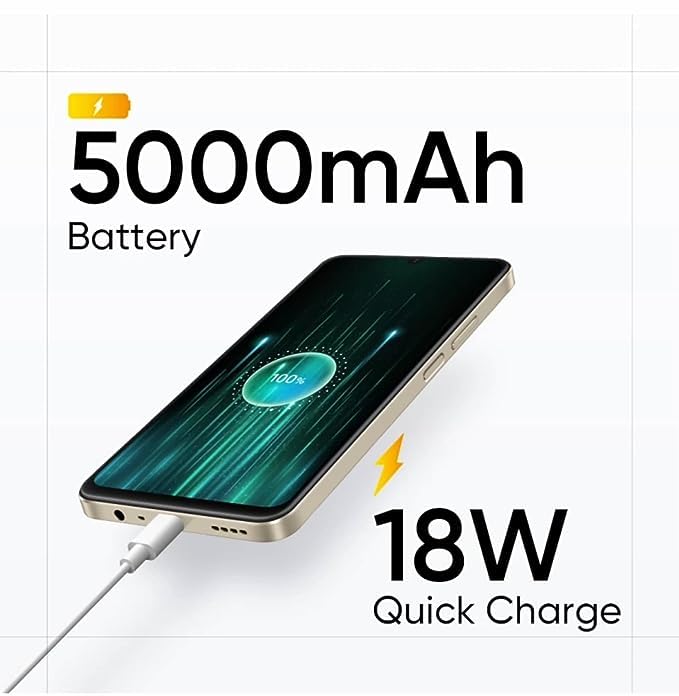
Whakaahua 6.1: The 108MP Ultra Clear Camera module on the realme C53, designed for detailed photography.
- Kāmera Whakamuri: Features a 108MP main sensor and a 2MP depth sensor for detailed photos and portrait effects.
- Kāmera Mua: An 8MP front camera for selfies and video calls.
- Ngā Aratau Kāmera: Explore various modes including Photo, Portrait, Night, Pro, and Panorama. Utilize the 108MP mode for maximum detail and 3X zoom for distant subjects.
- Hopu Ataata: Supports Full HD (1080p) video recording at 60 FPS.
7. Whakahaere Pūhiko
The realme C53 is equipped with a high-capacity battery and fast charging capabilities.
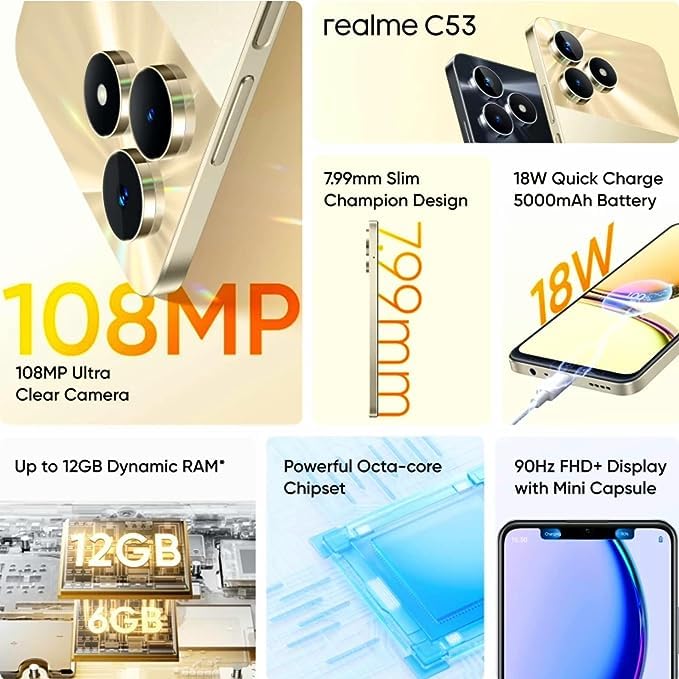
Whakaahua 7.1: The realme C53 connected to an 18W Quick Charge adapter, illustrating its 5000mAh battery capacity.
- Raukaha Pūhiko: A 5000mAh Lithium-Ion battery provides extended usage time.
- Whakataki Tere: Supports 18W Quick Charge. Use the provided adapter and USB cable for optimal charging speed.
- Arotautanga Pūhiko: To prolong battery life, manage background app usage, reduce screen brightness, and enable power-saving modes when needed.
8. Rokiroki me te Mahinga
Your device is designed for smooth performance and ampte rokiroki.
- Tukatuka: Powered by an Octa-core Unisoc T612 processor for efficient multitasking and app performance.
- RAM: Comes with 4GB of RAM, with support for up to 12GB Dynamic RAM for enhanced responsiveness.
- Rokiroki Roto: 128GB of internal storage for your apps, photos, and files.
- Rokiroki Whakaroha: A dedicated microSD card slot allows storage expansion up to 2TB.
9. Tiaki
Proper care ensures the longevity and optimal performance of your realme C53.
- Te horoi: Whakamahia he kakahu ngohengohe, kore-raro hei horoi i te mata me te tinana. A ape i nga matū kino, i nga taonga abrasive ranei.
- Ātete wai: The device has a water-resistant rating. Avoid submerging it in water or exposing it to high-pressure water jets.
- Whakahōu Pūmanawa: Regularly check for and install system updates to ensure your device has the latest features and security patches. Go to Settings > About phone > Software update.
- Te pāmahana: Avoid exposing the device to extreme temperatures (hot or cold) to prevent damage to the battery and internal components.
10. Te Raru
If you encounter issues with your device, try these common troubleshooting steps.
- Kaore te Pūrere i te whakautu: Pēhia me te pupuri i te paatene Hiko mo te 10-15 hēkona hei kaha ki te whakaara ano.
- Taupānga e pakaru ana: Ūkuia te keteroki o te taupānga raruraru (Tautuhinga > Taupānga > [Ingoa Taupānga] > Rokiroki me te keteroki > Ūkuia te keteroki). Mena ka mau tonu te raruraru, ngana ki te tāuta anō i te taupānga.
- Tere Whakaheke Pūhiko: Check battery usage in Settings > Battery to identify apps consuming excessive power. Reduce screen brightness and disable unnecessary features like GPS or Bluetooth when not in use.
- Nga Take Hononga Whatunga: Toggle Airplane Mode on and off. Restart your device. Check your SIM card insertion. Reset network settings (Settings > System > Reset options > Reset Wi-Fi, mobile & Bluetooth).
- Rokiroki Katoa: Mukua kore e tika files, photos, and videos. Uninstall unused apps. Consider moving media to the expandable microSD card.
11. Whakatakotoranga
Detailed technical specifications for the realme C53 smartphone.
| Āhuahira | Whakatakotoranga |
|---|---|
| Ingoa Tauira | C53 (RMX3762) |
| Rahi Whakaatu | 17.12 cm (6.74 inihi) |
| Momo Whakaatu | Whakaaturanga HD LCD |
| Whakatau | 1600 x 720 Pika |
| Rere tāmata | 90 Hz |
| Pūnaha Mahi | Android 13 |
| Tukatuka | Unisoc T612 Octa Core (1.82 GHz Primary, 1.8 GHz Secondary) |
| RAM | 4 GB (Up to 12GB Dynamic RAM) |
| Rokiroki Roto | 128 GB |
| Rokiroki Whakawhanui | Up to 2 TB (Dedicated Slot) |
| Kāmera Whakamuri | 108MP + 2MP |
| Kāmera Mua | 8MP |
| Pūhiko Raukaha | 5000 mah |
| Te utu | 18W Utu Tere |
| Momo SIM | Dual Nano SIM (Dedicated Slot) |
| Momo Whatunga | 2G, 3G, 4G |
| Haumarutanga Biometric | Fingerprint Recognition (Side-mounted) |
| Ahu (H x W x D) | 167.16 mm x 76.67 mm x 7.99 mm |
| Taumaha | 186 g |
| Rauemi | Kirihou |
| Taumata Atete Wai | Wai Atete |
12. Pūtāhui me te Tautoko
Your realme C53 smartphone comes with a manufacturer's warranty.
- Phone Warranty: 1 Year Manufacturer Warranty from the date of purchase.
- Pūtāhui Apatoko: 6 Months Warranty for in-box accessories (e.g., adapter, USB cable).
- Kerēme Pūtāhui: For warranty service, please retain your proof of purchase and contact realme customer support. Refer to the "Important Info Booklet with Warranty Card" included in your package for detailed terms and conditions.
- Whakapā Kaihanga: Oppo Mobiles India Private Limited, 5th Floor, Tower-B, Building No. 8, DLF Cyber City, Gurugram, Haryana-122002, India.
For further assistance, visit the official realme support webpaetukutuku, whakapā atu ranei ki ta raatau ratonga kaihoko.