Kupu Whakataki
This manual provides essential information for the safe and efficient use of your UltraPro Elite Surge Protector 2-Pack with 3 USB Charge. Please read these instructions carefully before operating the device and retain them for future reference. This product is designed to protect your electronic devices from power surges and provide convenient power and charging options.
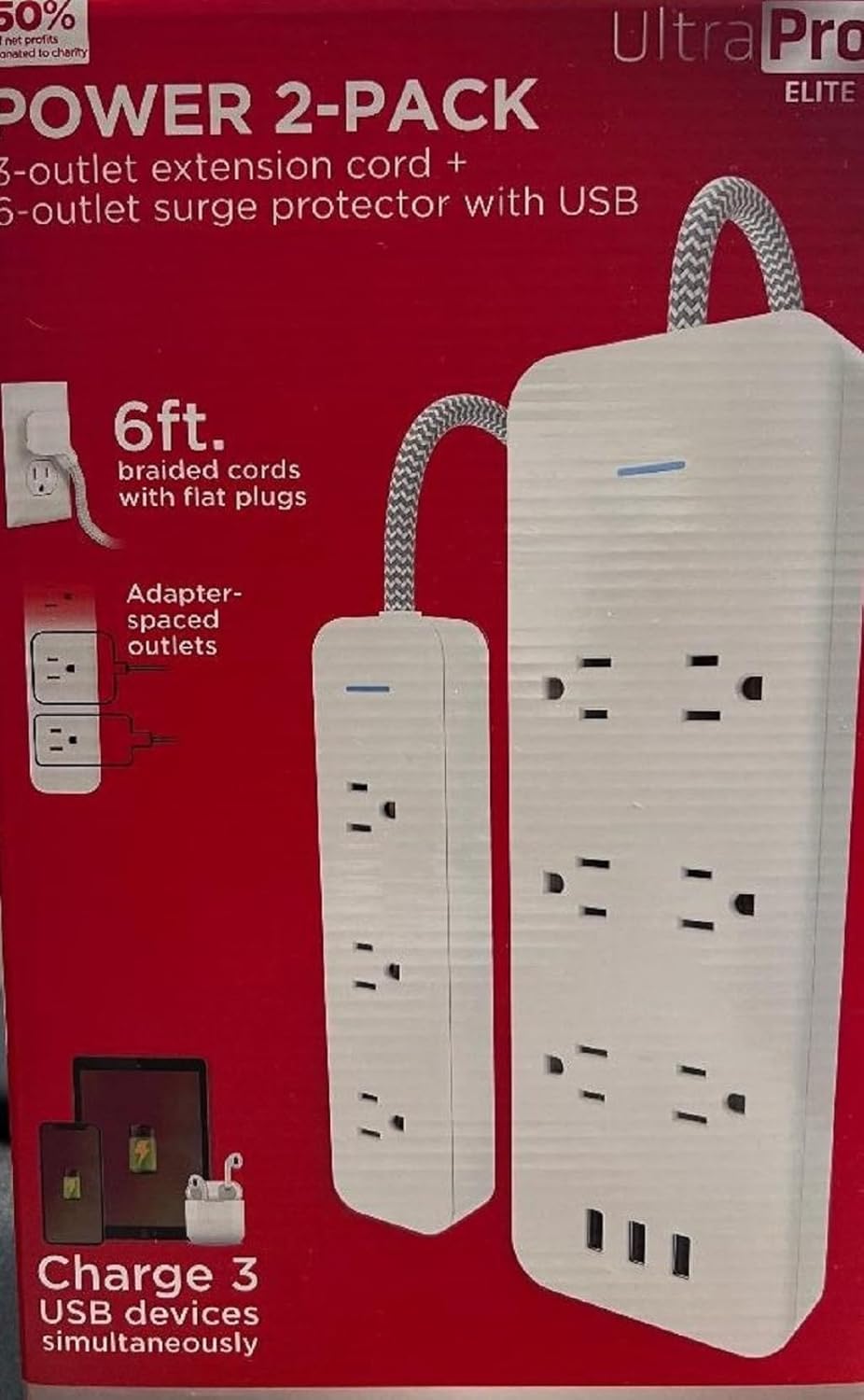
Image: The UltraPro Elite Surge Protector 2-Pack, featuring two white surge protectors. Each unit includes multiple AC outlets and three USB charging ports, designed for efficient power distribution and surge protection.
Tohutohu Tatūnga
- Wewete ana: Carefully remove the surge protector from its packaging. Inspect the unit for any signs of damage. Do not use if damaged.
- Turanga: Place the surge protector on a flat, stable surface, away from direct sunlight, heat sources, and moisture. Ensure adequate ventilation around the unit. This product is intended for indoor use only.
- Hononga Hiko: Plug the surge protector's power cord directly into a standard, grounded 3-prong wall outlet. Do not plug it into another surge protector or extension cord.
- Hononga Pūrere: Plug your electronic devices into the AC outlets and USB charging ports. The surge protector features adapter-spaced outlets to accommodate larger power adapters without blocking adjacent outlets.
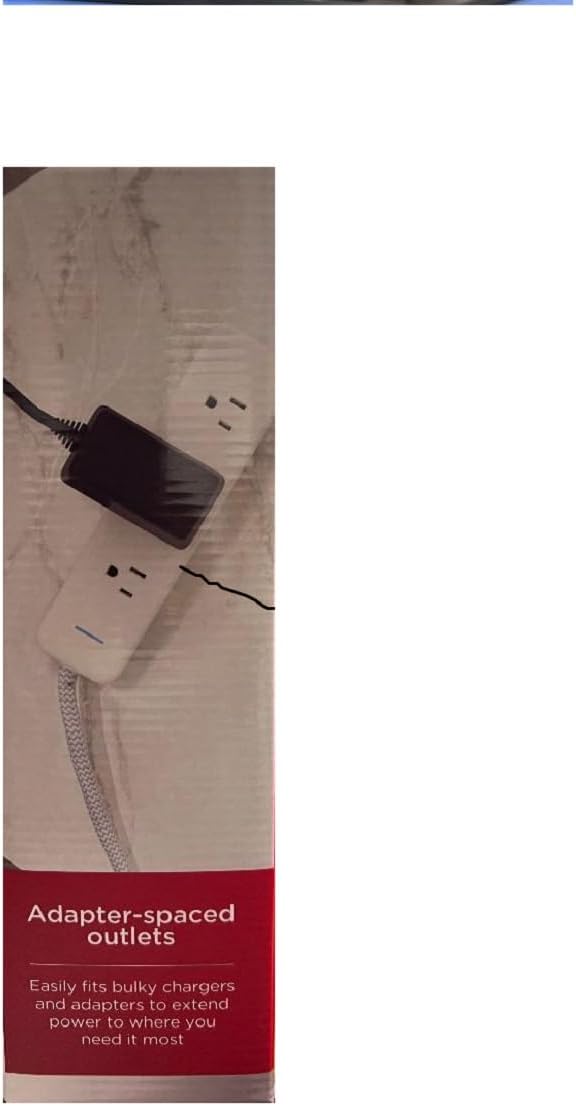
Whakaahua: He taipitopito view of the UltraPro Elite Surge Protector highlighting its adapter-spaced outlets. This design allows for the convenient connection of bulky power adapters without obstructing other available outlets.
Nga Tohutohu Whakahaere
- Tohu Hiko: Once plugged into a live outlet, the surge protector's power indicator light (usually blue or green) will illuminate, indicating that the unit is receiving power and the surge protection is active.
- Putanga AC: Each surge protector unit provides 6 AC outlets. Ensure the total power draw of all connected devices does not exceed the maximum wattage rating of the surge protector (refer to specifications).
- Tauranga Whakatoi USB: The unit includes 3 USB charging ports (Type-A) for charging compatible devices such as smartphones, tablets, and other USB-powered electronics. The total output for USB ports is shared.
- Parenga Ngaru: In the event of a power surge, the surge protector is designed to absorb excess voltage to protect connected devices. If the surge protection light goes out, it indicates that the surge protection components have been compromised and the unit should be replaced.
Te tiaki
- Te horoi: To clean the surge protector, first unplug it from the wall outlet and disconnect all devices. Use a soft, dry cloth to wipe the exterior. Do not use liquid cleaners or abrasive materials.
- Tirotiro: Periodically inspect the power cord and the unit for any signs of damage, such as frayed wires or cracked casing. Ki te kitea he pakaru, kati tonu te whakamahi.
- Rokiroki: When not in use for extended periods, store the surge protector in a cool, dry place, away from extreme temperatures and humidity.
Raparongoā
- Karekau he hiko ki nga taputapu:
- Ensure the surge protector is securely plugged into a working wall outlet.
- Check if the wall outlet itself is functioning by plugging in another device.
- Verify that the surge protector's power indicator light is illuminated.
- Surge Protection Light is Off:
- If the surge protection indicator light is off, it means the surge protection components have been sacrificed to protect your devices from a power surge. The unit will still function as a power strip, but it no longer provides surge protection. It is recommended to replace the unit for continued protection.
- Ko nga Tauranga USB Kaore i te utu:
- Ensure the total current draw of all USB devices does not exceed the maximum USB output.
- Try connecting a different USB device or cable to confirm the issue is with the port and not the device/cable.
Whakatakotoranga
| Āhuahira | Taipitopito |
|---|---|
| Waitohu | UltraPro |
| Tauira | Elite Surge Protector (2-Pack) |
| Nga Putanga Hiko Katoa | 6 AC Outlets per unit |
| Tauranga Whakatau USB | 3 USB-A Ports per unit |
| Āhuahira Motuhake | Surge Protection, Adapter-Spaced Outlets |
| Voltage | 240 Ngā Waohiko (Whakauru/Putanga) |
| Tae | Mā |
| Taumaha Tūemi | 2.29 pauna (mo te kete 2) |
| Ahu mōkihi | 11.34 x 7.32 x 3.35 inihi |
| ASIN | B0CDCL4V88 |
Nga korero Whakaputanga
Specific warranty details for the UltraPro Elite Surge Protector are typically provided with the product packaging or can be found on the official UltraPro website. Please refer to these resources for information regarding warranty duration, coverage, and claims procedures.
Tautoko Kiritaki
For further assistance, technical support, or inquiries regarding your UltraPro Elite Surge Protector, please visit the official UltraPro website or contact their customer service department. Contact information is usually available on the product packaging or the manufacturer's webpae.
Rauemi ipurangi: UltraPro Amazon Store