
Kupu Whakataki
This manual provides detailed instructions for the operation and maintenance of your Cuifati Portable Cassette Player with Auto Reverse. Please read this manual thoroughly before using the device to ensure proper functionality and to maximize your listening experience.
Ihirangi mokete
Manatokohia ko nga mea katoa kei raro nei kei roto i to kete:
- 1 x Cuifati Portable Cassette Player
- 1 x Puorooro
- 1 x Tauira Hiko USB
- 1 x Pukapuka Kaiwhakamahi
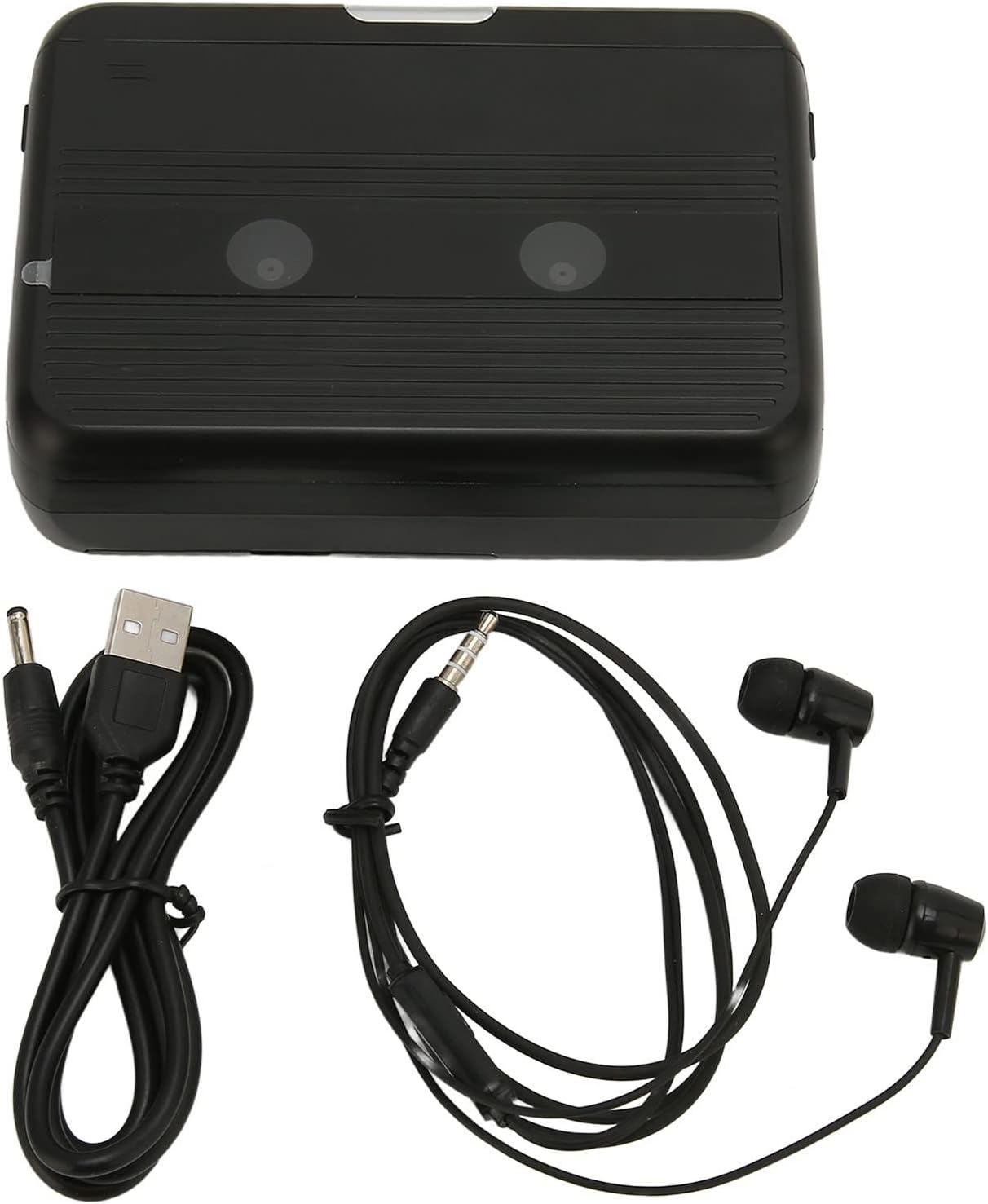
The Cuifati Portable Cassette Player shown alongside its included USB power cord and wired headphones.
Ka mutu te huaview
Kia waia koe ki nga momo waahanga me nga mana whakahaere o to kaitangi rīpene.
Mua View (Tuwhera)
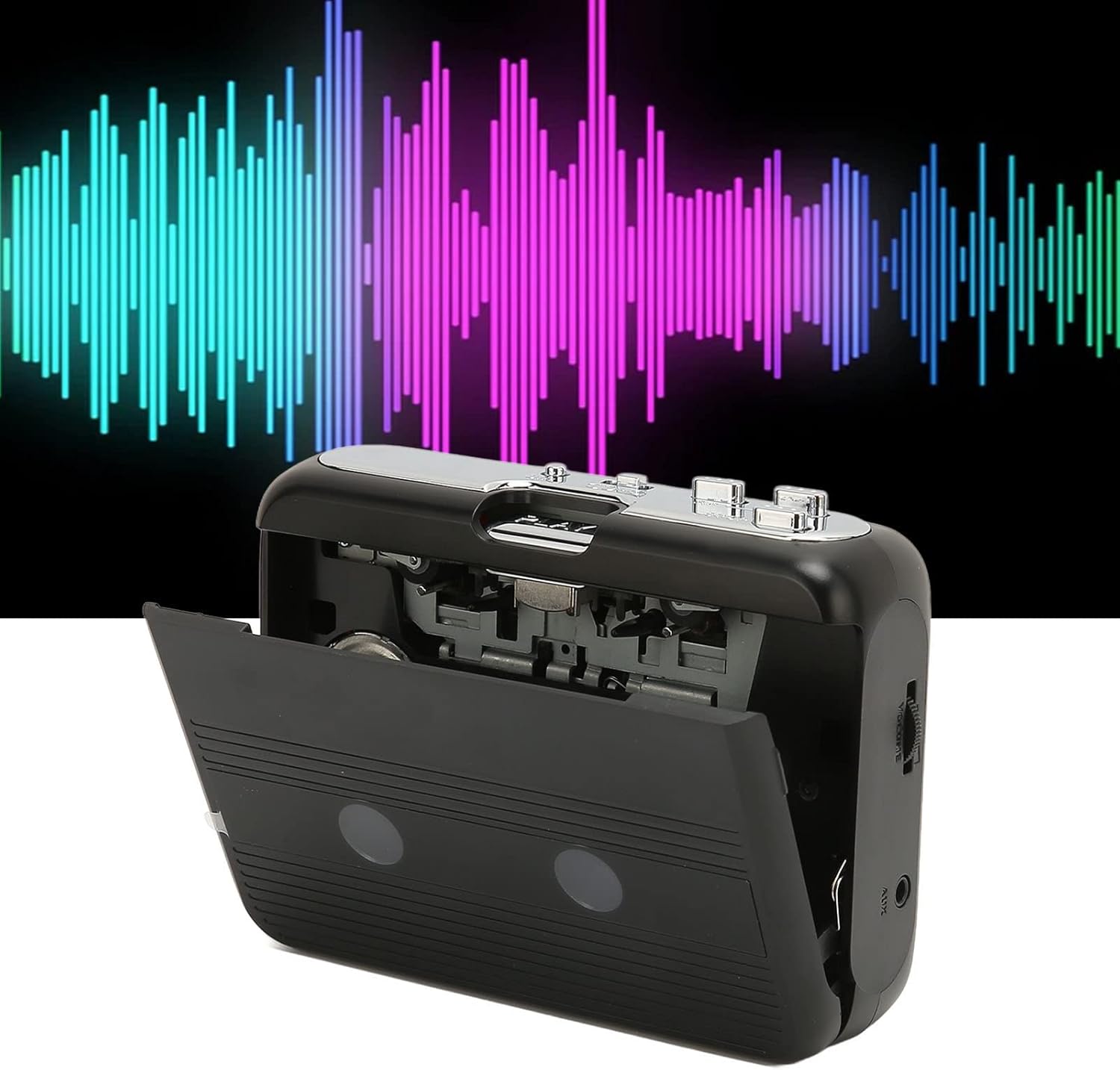
Mua view of the Cuifati Portable Cassette Player with the cassette compartment door open, revealing the tape mechanism.
Mua View (Katia)
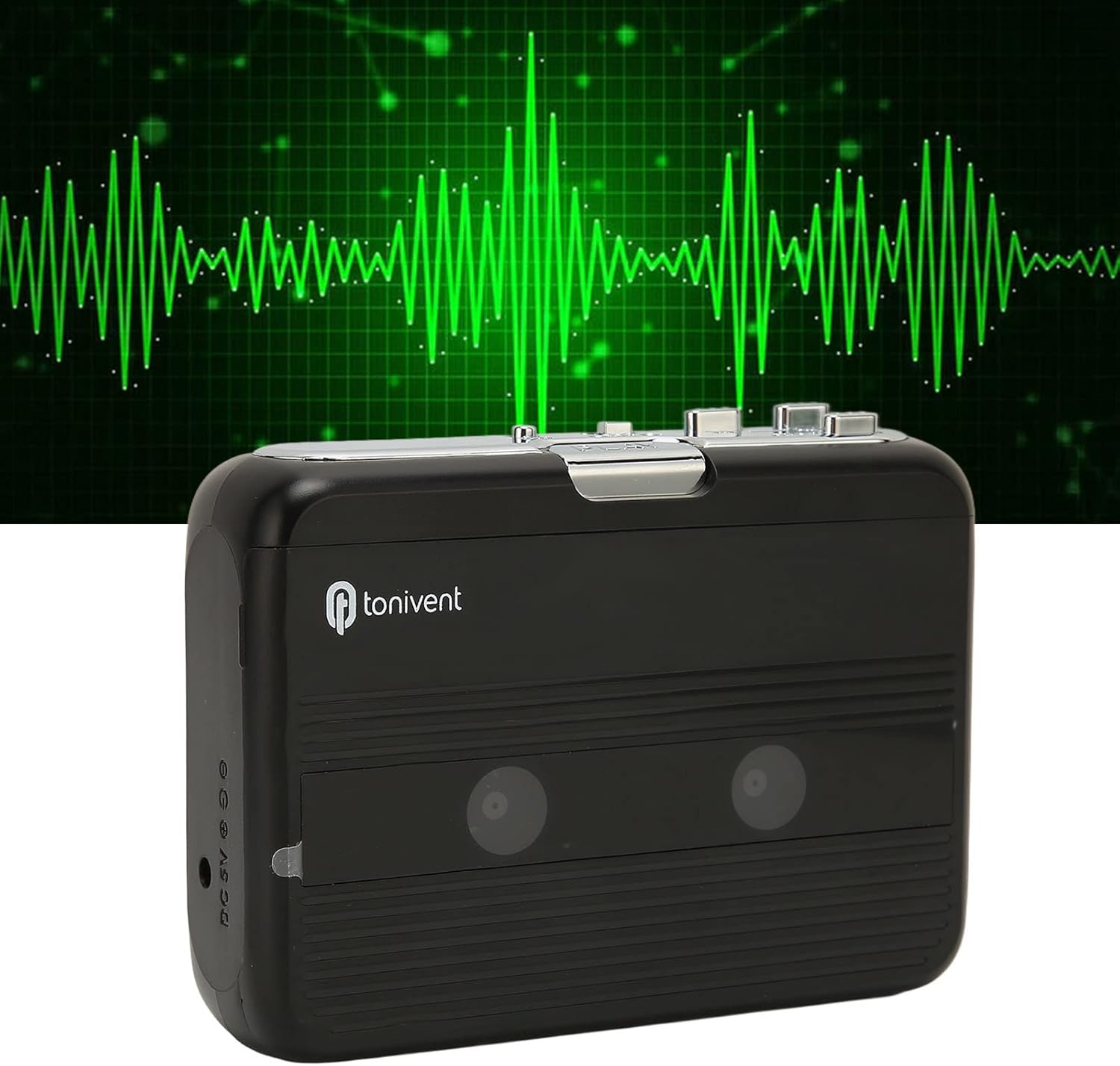
Mua view of the Cuifati Portable Cassette Player with the cassette compartment door closed.
Cassette Mechanism

Kati-ake view of the cassette player's internal mechanism, showing the tape heads and rollers.
Te taha View (Controls and Ports)

Te taha view of the cassette player, highlighting the volume control wheel and the AUX output port.
Mana Matua:
- Pātene Purei: Ka tīmata i te purei rīpene.
- Pato Kati: Halts playback.
- Pātene Whakamua Tere (FF): Ka tere whakamua te rīpene.
- Pātene Whakahoki (REW): Ka hoki tere te rīpene.
- Auto Reverse Button: Changes tape direction during playback.
- Wīra Mana Rōrahi: Whakaritehia te taumata whakaputa ororongo.
- FM/Tape Switch: Selects between FM radio and cassette playback mode.
- Headphone/AUX Output Jack: Ka hono i ngā paneoro, i ngā taputapu oro o waho rānei.
- DC 5V Whakauru: Mo te tuku mana USB.
Tatūnga
Tuku Hiko
The cassette player can be powered by two (2) AA batteries or via a USB power supply.
- Tāuta Pūhiko:
- Whakatuwheratia te taupoki o te wāhanga pākahiko kei muri o te taputapu.
- Whakauruhia kia rua ngā pākahiko AA, kia tika ai te polarity (+/-) e ai ki te tohu i roto i te wāhanga.
- Katia kia mau te uhi o te wahanga pākahiko.
- USB Power Connection:
- Connect the small end of the included USB power cord to the DC 5V input port on the cassette player.
- Connect the standard USB end to a USB power adapter (not included) or a computer's USB port.
Inserting a Cassette Tape
- Gently open the cassette compartment door.
- Insert a cassette tape with the exposed tape facing upwards and the side you wish to play facing the front.
- Close the cassette compartment door until it clicks securely.
Nga Tohutohu Whakahaere
Whakatangi Ripeneta
- Me whakarite kia whakauruhia he riipene rīpene.
- Set the FM/Tape switch to the "Tape" position.
- Pehia te Te purei pātene ki te tīmata te purei anō.
- Whakaritea te Wīra Mana Rōrahi ki te taumata whakarongo e hiahia ana koe.
- Hei whakamutu i te purei ano, paatohia te Kati pātene.
- Kia tere whakamua, pehia te FF pātene. Hei huri, pehia te REW patene Press Kati ki te wetewete.
Auto Reverse Function
The player features an auto-reverse function, allowing the tape to play in both directions without needing to manually flip the cassette.
- I te purei, pehia te Whakamuri Aunoa button to switch the tape direction. The player will automatically reverse and continue playing the other side of the tape.
Ma te whakamahi i te reo irirangi FM
- Set the FM/Tape switch to the "FM" position.
- Use the tuning dial (if present, otherwise the FF/REW buttons might serve as tuning) to scan for FM radio stations.
- Whakaritea te Wīra Mana Rōrahi ki te taumata whakarongo e hiahia ana koe.
Using the Built-in Speaker
The device includes a built-in speaker for direct audio output. No special action is required; audio will play through the speaker unless headphones are connected.
Connecting Headphones or External Audio Devices
For private listening or connecting to external speakers, use the 3.5mm headphone/AUX output jack.
- Plug the included headphones or your own 3.5mm audio cable into the Headphone/AUX Output Jack.
- When headphones are connected, audio will automatically switch from the built-in speaker to the headphones.

A person listening to music with headphones, illustrating the headphone usage.
Te tiaki
Proper care ensures the longevity and optimal performance of your cassette player.
- Te horoi: Whakamahia he kakahu ngohengohe, maroke hei horoi i waho o te taputapu. Kaua e whakamahi i nga kai horoi wai, i nga taonga abrasive ranei.
- Nga Upoko Ripene: Periodically clean the tape heads with a specialized cassette head cleaner to maintain sound quality.
- Rokiroki: When not in use for extended periods, remove the batteries to prevent leakage. Store the device in a cool, dry place away from direct sunlight and extreme temperatures.
- Aukati i te puehu: Keep the cassette compartment closed when not in use to prevent dust accumulation.
Raparongoā
If you encounter issues with your cassette player, refer to the following common problems and solutions:
| Raruraru | Take pea | Rongoā |
|---|---|---|
| Karekau he kaha | Dead batteries; USB cable not connected; faulty power source. | Replace batteries; ensure USB cable is securely connected to a working power source. |
| Kāore he oro mai i te kaikorero/ngā pane whakarongo | Volume too low; headphones not fully plugged in; FM/Tape switch in wrong position; dirty tape heads. | Increase volume; ensure headphones are fully inserted; set switch to correct mode (Tape/FM); clean tape heads. |
| Poor sound quality (cassette) | Dirty tape heads; worn-out tape; incorrect tape insertion. | Clean tape heads; try a different tape; re-insert tape correctly. |
| Irirangi FM pateko/rawakore te manaaki | Tohu ngoikore; pokanoa. | Relocate the player to an area with better reception; try adjusting the player's orientation. |
| Tape not playing/moving | Tape jammed; mechanism issue; tape not inserted correctly. | Check for tape jams; ensure tape is inserted correctly; if issue persists, contact support. |
Whakatakotoranga
| Āhuahira | Taipitopito |
|---|---|
| Waitohu | Cuifati |
| Tau tauira | Cuifatibi73wk0z4p |
| ASIN | B0CDD42V9J |
| Tuku Hiko | 2 x AA Batteries or USB DC 5V |
| Nga Mahi | Cassette Playback, Auto Reverse, FM Radio, Built-in Speaker, Headphone Output |
| Putanga Ororongo | 3.5mm Headphone/AUX Jack |
| Taumaha Tūemi | 10.3 hekere |
Nga Korero Haumaru Nui
- Kaua e tukuna te taputapu ki te wai, te makuku, te wera nui ranei.
- A ape i te tuku, te tuku ranei i te taputapu ki nga paanga kaha.
- Kaua e ngana ki te wetewete, ki te whakatika ranei i te taputapu. Tukuna atu nga ratonga katoa ki nga kaimahi whai tohu.
- Makahia nga pākahiko kia rite ki nga ture o te rohe.
- Ka pā kino pea te rongo ki te whakarongo roa ki te nui o te oro. Whakatikatikahia te oro ki te taumata haumaru.
Pūtāhui me te Tautoko
Mō ngā mōhiohio pūtāhui, tautoko hangarau rānei, tirohia ngā tuhinga i whakaratohia i te wā o te hoko, whakapā atu rānei ki tō kaihokohoko. Puritia tō rīhiti hoko hei taunakitanga hoko.