
Kupu Whakataki
This manual provides detailed instructions for the operation and maintenance of your Gosasa Minimalist Square Digital Watch, Model 2137. Please read this manual thoroughly to ensure proper use and to maximize the lifespan of your watch. This digital watch features time display, alarm, stopwatch, countdown timer, dual time, and EL backlight functions, all within a 5ATM water-resistant design.

Nga Mahi Patene
Your watch has four buttons, typically located on the sides of the watch case. Their functions are as follows:
- MODE (Bottom Left): Used to cycle through different modes: Time, Alarm, Stopwatch, Countdown, and Dual Time.
- LIGHT (Top Left): Activates the EL backlight for visibility in low-light conditions.
- START/STOP (Top Right): Used to start and stop the stopwatch, and to adjust values during setting procedures.
- RESET (Bottom Right): Used to reset the stopwatch, confirm settings, and cycle through options in various modes.

Tatūnga me te Tautuhinga Wā
Tautuhi Wā me te Rā
- Mai i te Aratau Pupuri Wā, pēhi i te MODE button repeatedly until the seconds begin to flash, indicating setting mode.
- Pehia te WHAKATURU pātene hei huri i ngā tautuhinga: hēkona, hāora, meneti, tau, marama, rā.
- Whakamahia te TITIAKI/TATA pātene hei whakarite i te uara e kanapa ana. Puritia te pātene "Pāwhiritia" hei whakatika i te uara e kanapa ana. TITIAKI/TATA to change values quickly.
- Kia tika nga tautuhinga katoa, pehia te MODE pātene ki te puta i te aratau tautuhinga.
Kōwhiringa Hōputu 12/24 Hāora
I roto i te Aratau Timekeeping, pehia te TITIAKI/TATA patene hei takahuri i waenga i nga whakatakotoranga whakaatu 12-haora me te 24-haora.
Nga Tohutohu Whakahaere
Aratau Whakaoho
- Pehia te MODE button until you reach the Alarm Mode (indicated by an alarm icon or 'AL').
- Pehia te WHAKATURU button to select the hour or minute to set.
- Whakamahia te TITIAKI/TATA pātene hei whakatika i te uara kanapa.
- Perehi MODE ki te puta.
- To activate/deactivate the alarm or hourly chime, press TITIAKI/TATA in Alarm Mode to toggle the respective icons.
- To activate the snooze function, press any button when the alarm sounds. The alarm will sound again after approximately 5 minutes.
Aratau Tapukati
- Pehia te MODE button until you reach the Stopwatch Mode (indicated by 'ST' or a stopwatch icon).
- Perehi TITIAKI/TATA ki te tiimata i te karaka karaka.
- Perehi TITIAKI/TATA ano ki te whakamutu i te mataaratanga.
- Perehi WHAKATURU hei ūkui i te uati mutu ki te kore.
- For split timing, press WHAKATURU while the stopwatch is running to display the split time. Press WHAKATURU hoki anō ki te uati mutu e oma ana.
Aratau Matawā Tatau
- Pehia te MODE button until you reach the Countdown Timer Mode (indicated by 'TR' or a timer icon).
- Hei tautuhi i te wa tatau, pehia me te pupuri WHAKATURU until the hour or minute flashes.
- Whakamahi WHAKATURU to select the hour or minute, and TITIAKI/TATA ki te whakatika i te uara.
- Perehi MODE hei whakaū i te tautuhinga.
- Perehi TITIAKI/TATA to start or pause the countdown.
- Perehi WHAKATURU hei tautuhi anō i te tatau whakamuri ki tōna wā tuatahi i whakatakotoria.
Aratau Taima Takirua
Ma tenei mahi e ahei ki a koe view a second time zone. Press the MODE button until you reach the Dual Time Mode (indicated by 'DT'). To set the dual time, press and hold WHAKATURU until the hour or minute flashes, then use TITIAKI/TATA ki te whakatika me te WHAKATURU ki te whakau.
EL Papamuri
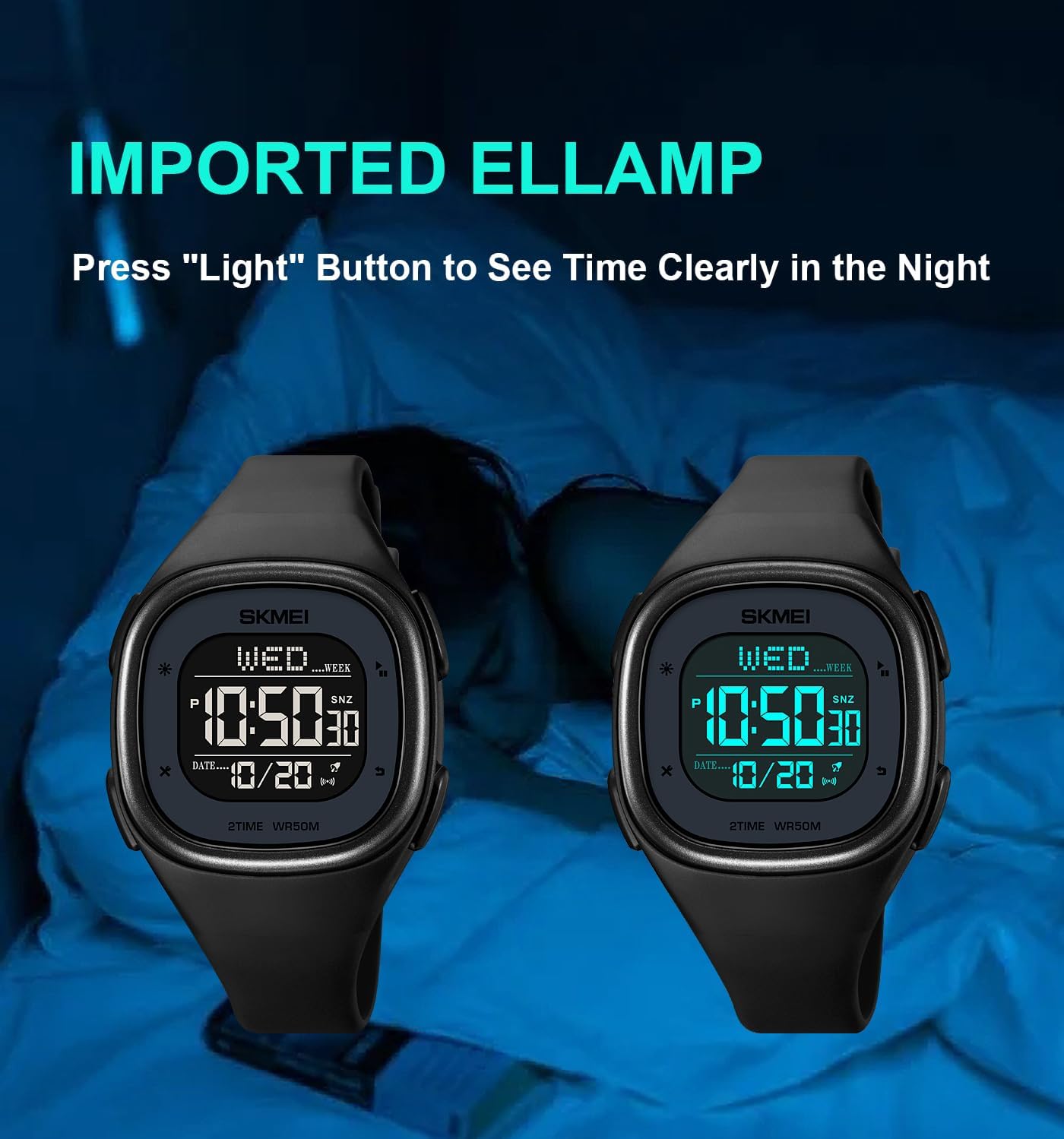
Pehia te KAMARAMA button to illuminate the display for a few seconds, allowing you to read the time in dark environments.
Ātete wai
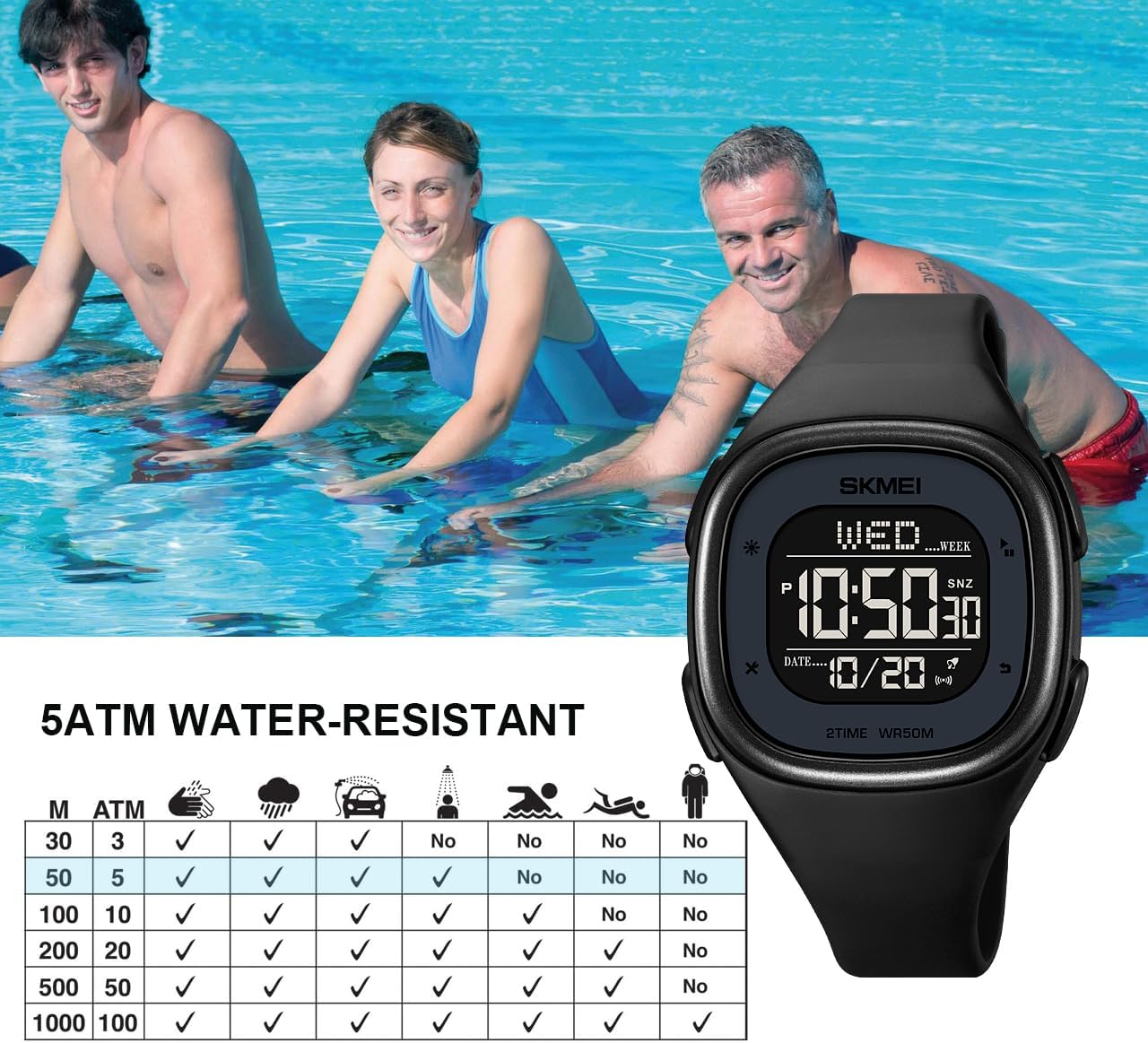
This watch is rated for 5ATM (50 meters) water resistance. This means it is suitable for daily use, swimming in shallow water, and cold showering. It is not suitable for diving, snorkeling, or prolonged underwater activities. Avoid exposing the watch to hot water or steam, as this can compromise the seals. Kaua e pehi i nga paatene i te wa e rukuhia ana te mataaratanga ki te wai.
Te tiaki
- Te horoi: Wipe the watch regularly with a soft, dry cloth. For stubborn dirt, use a slightly damp te kakahu me te hopi ngawari, katahi ka maroke rawa.
- Aukati i nga matū: Do not expose the watch to solvents, detergents, perfumes, or cosmetic sprays, as these can damage the case, strap, or seals.
- Te Pawera Nui: Avoid exposing the watch to extreme temperatures, both hot and cold, as this can affect battery life and watch accuracy.
- Whakakapinga Pūhiko: The watch uses a standard button cell battery. When the display dims or functions become erratic, the battery may need replacement. It is recommended to have the battery replaced by a qualified watch technician to ensure water resistance is maintained.
- Rokiroki: When not in use for extended periods, store the watch in a cool, dry place away from direct sunlight.
Raparongoā
| Raruraru | Take pea | Rongoā |
|---|---|---|
| He putea, he atarua ranei te whakaaturanga. | He iti te pākahiko. | Whakakapihia te pākahiko. |
| Kei te he te wa. | Ko te wa kaore i te tika te tautuhi, te pehi noa ranei i te paatene. | Refer to the 'Setting Time and Date' section to reset the time. |
| Kare e aro mai nga paatene. | Ko te mataaratanga kei te aratau maukati, kei te kino ranei o roto. | Try pressing all buttons to see if any respond. If not, a battery reset (removal and reinsertion) might be necessary by a technician. |
| Te tohe i roto i te mataaratanga. | Water resistance compromised due to temperature changes or damage. | Stop using the watch immediately and have it inspected by a professional. Avoid extreme temperature changes. |
Whakatakotoranga
- Tau tauira: 2137
- Momo Whakaatu: Mamati
- Rauemi Take: Retini
- Momo Rauemi Band: Silicone (PU)
- Momo awhi: Porou
- Diamita Waea: 40mm / 1.57in
- Te Matotoru Take: 12mm / 0.47in
- Roa Paihere: 245mm / 9.6in
- Whanui Band: 18mm
- Matakitaki Taumaha: 41.9g / 1.5oz
- Te Hohonu Atete Wai: 5ATM (50 meters / 164 feet)
- Nga Mahi: Time (Hour, Minute, Second, Year, Month, Week, Day), Alarm, Hourly Chime, Snooze, 12/24 Hour System, Automatic Calendar, 1/100 Second Stopwatch, Split Timing, Dual Time Display, Countdown (Max 24 hours), EL Backlight.

Pūtāhui me te Tautoko
Your Gosasa Minimalist Square Digital Watch is covered by a 12-month guarantee from the date of purchase. This warranty covers manufacturing defects under normal use. It does not cover damage caused by misuse, accidents, unauthorized repairs, or normal wear and tear.
For any questions, concerns, or warranty claims, please contact Gosasa customer support. We are committed to providing a satisfactory solution within 24 hours.
Tena koa pupurihia to tohu mo te hoko mo te whakamana whakamana.