
ZXQ Q2s
ZXQ Neckband Bluetooth Headphones User Manual
Model: Q2s | Brand: ZXQ
Ka mutu te huaview
The ZXQ Neckband Bluetooth Headphones (Model Q2s) are designed for comfort and high-quality audio, featuring a neckband design, magnetic earbuds, and a long-lasting battery. They are suitable for various activities, including workouts, daily commutes, and office use.
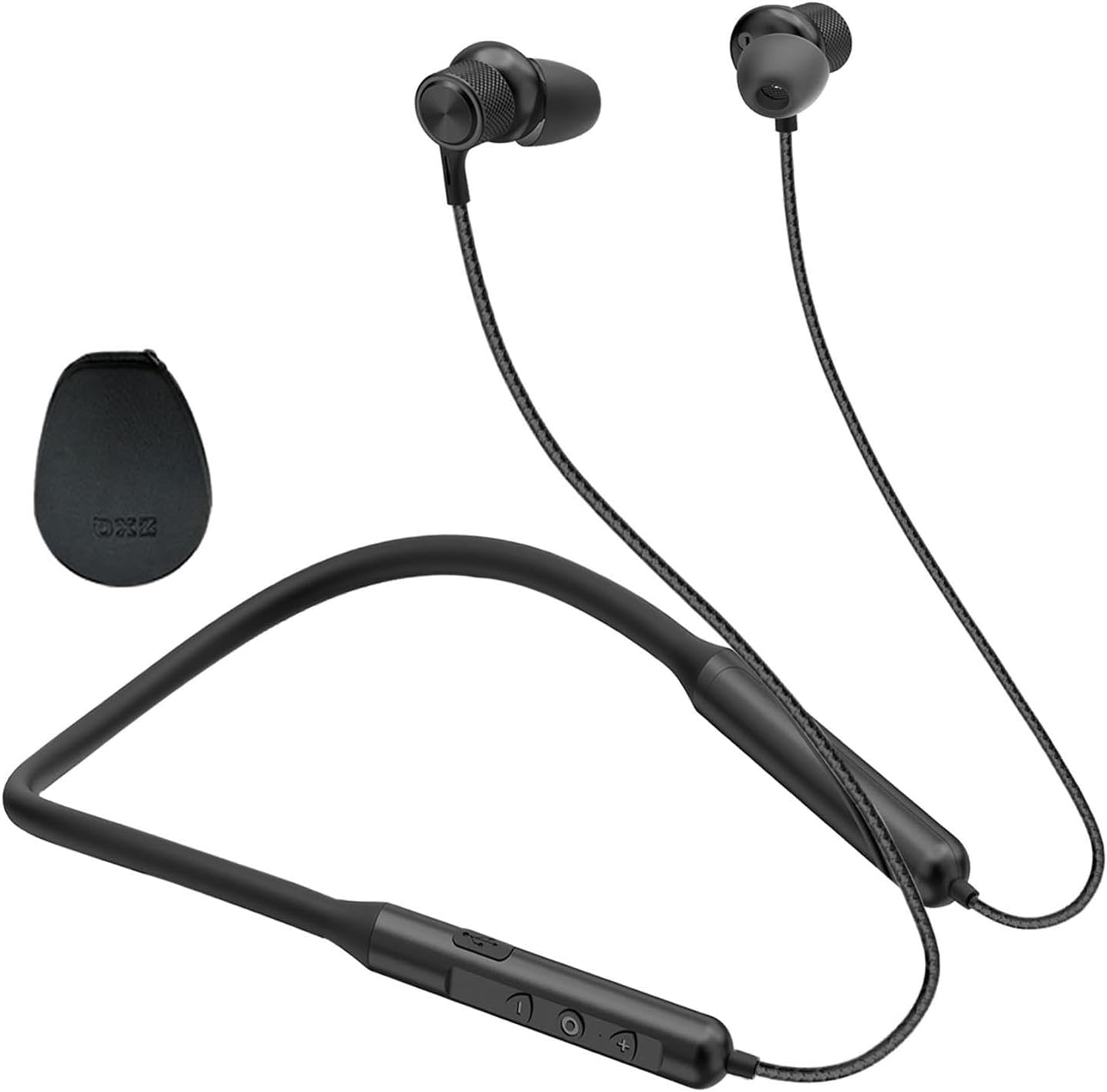
Whakaatu 1: Neke Atuview of the ZXQ Neckband Bluetooth Headphones, showcasing the neckband, earbuds, and in-line controls.
Ihirangi mokete
I te whakatuwheratanga o te kete, me mohio kei te noho nga waahanga katoa:
- ZXQ Neckband Bluetooth Headphones (Model Q2s)
- USB-C Uira Whakatau
- Multiple sizes of ear tips for optimal fit
- Portable EVA Travel Case
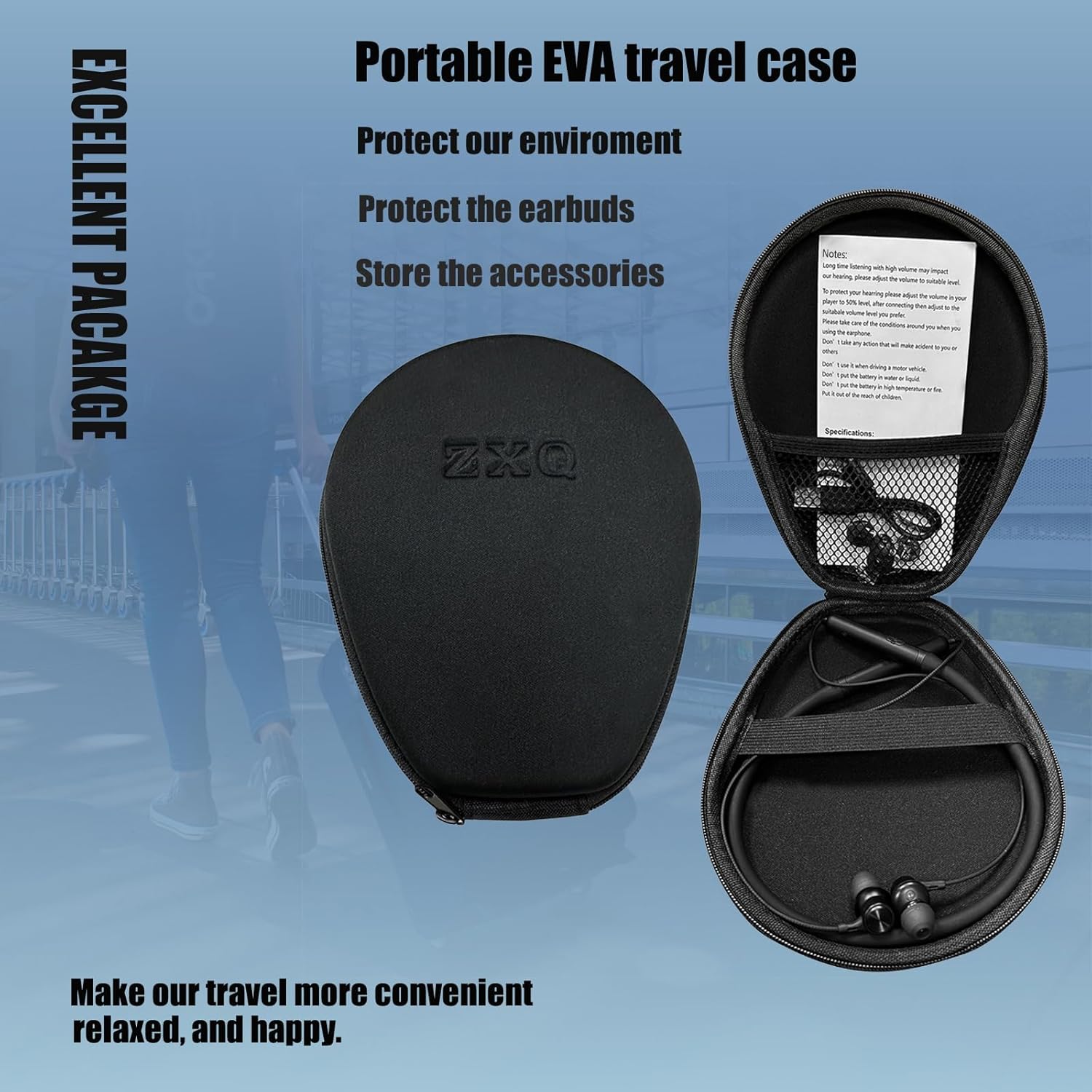
Figure 2: The ZXQ headphones neatly stored within their portable EVA travel case, along with accessories.
Aratohu Tatūnga
1. Te Whakataki i nga Paneoro
Before first use, fully charge your headphones. The ZXQ Q2s features a USB-C charging port for convenience.
- Connect the provided USB-C charging cable to the charging port on the in-line control unit.
- Connect the other end of the cable to a compatible USB power source (e.g., computer USB port, wall adapter).
- A full charge provides up to 15 hours of talk or music playtime.
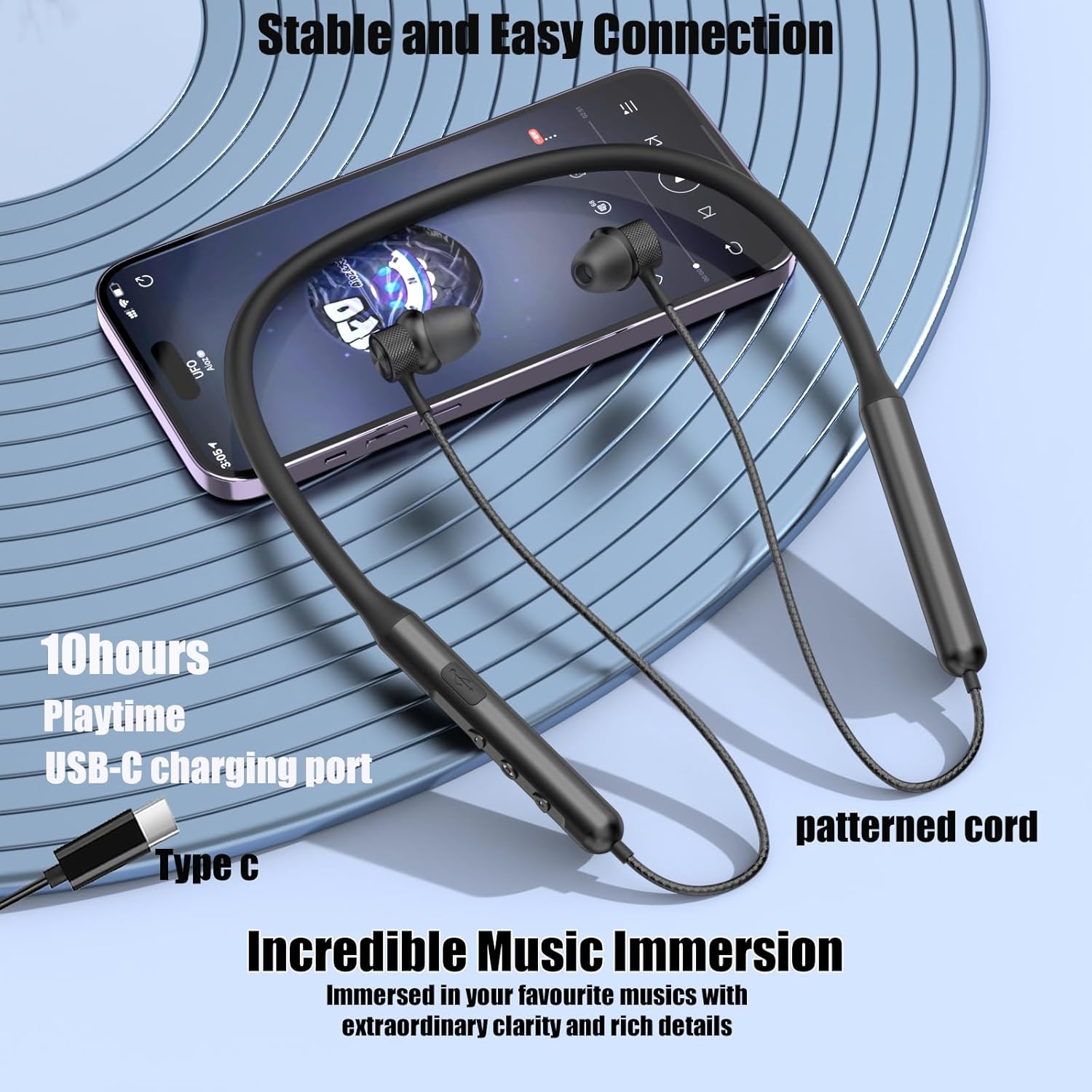
Figure 3: The USB-C charging port and in-line controls on the ZXQ Neckband Bluetooth Headphones.
2. Takirua Nihokikorangi
The headphones utilize Bluetooth 5.2 for a stable and fast connection.
- Me mohio kei te utu nga taringa me te whakaweto.
- Press and hold the multi-function button (usually the power button) until the indicator light flashes blue and red, indicating pairing mode.
- On your device (smartphone, tablet, laptop), enable Bluetooth and search for "ZXQ Q2s" or similar in the list of available devices.
- Select the headphones to connect. Once connected, the indicator light will typically turn solid blue or flash blue slowly.
3. Te Whakatutuki i te Taunga Whakamarie
The ZXQ Q2s headphones are designed for comfortable and secure wear.
- Select the appropriate ear tip size from the included options. A good seal is crucial for optimal sound quality and bass response.
- The earbuds are angled for a secure fit within the ear canal, preventing them from falling out during activity.
- The neckband is made of soft, flexible silicone coated with skin-friendly oil for comfort and durability.


Figure 4: The ergonomic and angled design of the earbuds ensures a secure and comfortable fit for extended wear.
Nga Tohutohu Whakahaere
1. In-Line Controls
The in-line control unit allows for easy management of music playback and calls.
| Patene/Mahi | Mahi |
|---|---|
| Pātene Hiko (Pēhi Roa) | Whakakā/Whakaweto, Tomo ki te Aratau Honohono |
| Pātene Mana (Pēhi Poto) | Purei/Tatari Waiata, Whakautu/Whakamutua te Waea |
| Rōrahi + (Pēhi Poto) | Whakanuia te Rōrahi |
| Rōrahi + (Pēhi Roa) | Riro Panuku |
| Rōrahi - (Pēhi Poto) | Whakaheke Rōrahi |
| Rōrahi - (Pēhi Roa) | Tuhinga o mua |
2. Nga Roro Whakatangitangi
The earbuds feature a magnetic design, allowing them to securely attach to each other when not in use. This prevents tangling and helps keep the headphones safely around your neck.

Figure 5: The magnetic feature of the earbuds keeps them secure and tangle-free when not in your ears.
3. Te Whakaari Ororongo
The ZXQ Q2s headphones are equipped with 10mm dynamic drivers and an advanced Bluetooth 5.2 chipset, delivering premium sound with rich bass and clear vocals.
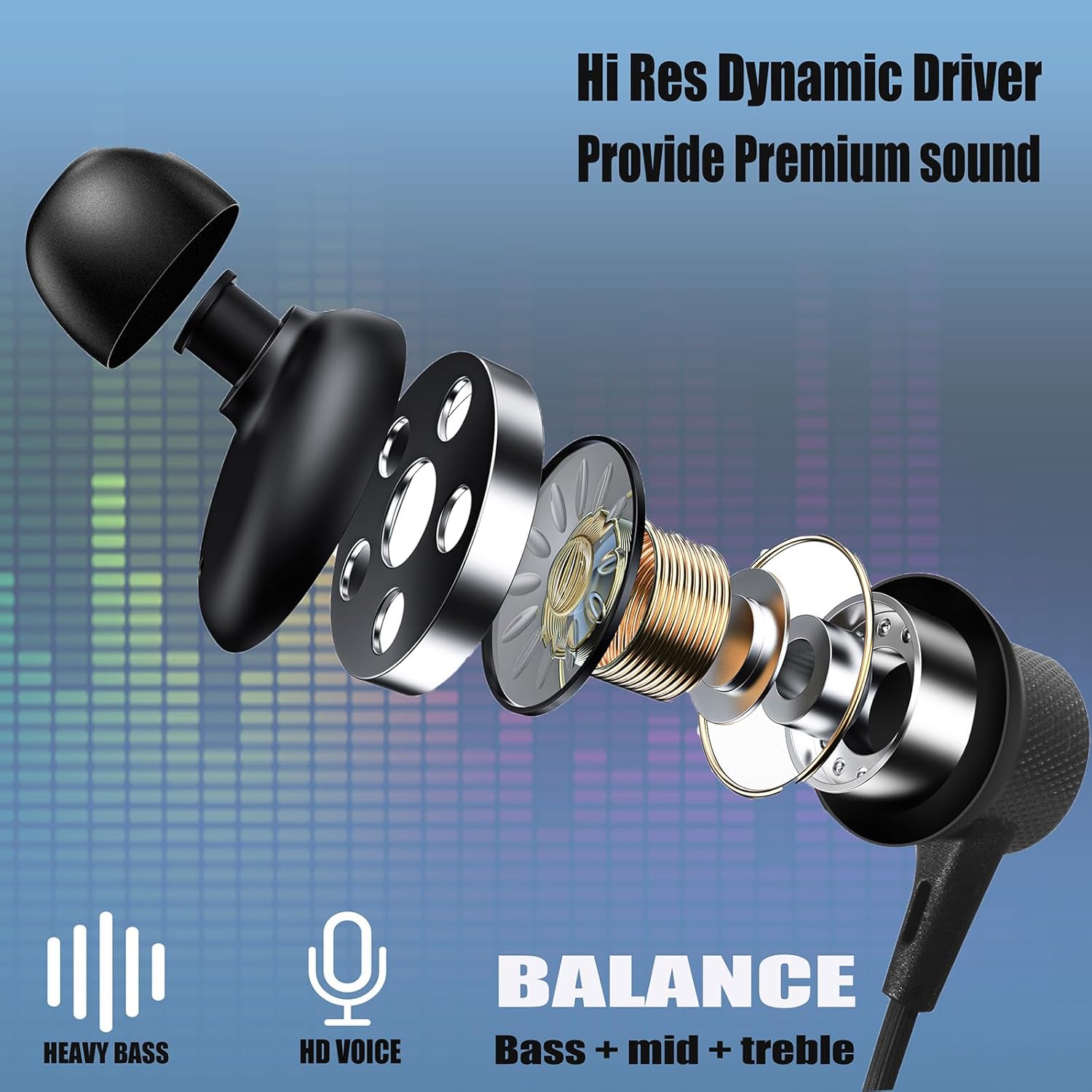
Whakaahua 6: Roto view of the earbud, illustrating the Hi-Res Dynamic Driver responsible for premium sound quality, including heavy bass and balanced audio.
4. Nga Tauari Whakamahi
These headphones are versatile and suitable for various daily activities:
- Hākinakina: Waterproof and sweatproof design makes them ideal for workouts and outdoor activities.
- Haerenga: Long battery life and portable case are perfect for long trips.
- Office/Home: Clear call quality and immersive sound for work or relaxation.

Figure 7: The ZXQ headphones are suitable for diverse environments, from active sports to quiet office work.
Ataata 1: Kua mutu te rangatiraview of the ZXQ Q2s Neckband Bluetooth Headphones, demonstrating key features and usage.
Te tiaki
1. Te horoi me te tiaki
To ensure the longevity of your headphones:
- The headphones are IPX5 waterproof and sweatproof, making them resistant to splashes and sweat. However, avoid submerging them in water.
- Ūkuia te tahei kaki me te purongo ki te ngohengohe, damp cloth after use, especially after intense workouts, to remove sweat and dirt.
- The silicone neckband is coated with skin-friendly touch oil, which also helps prevent weathering and extends its life.
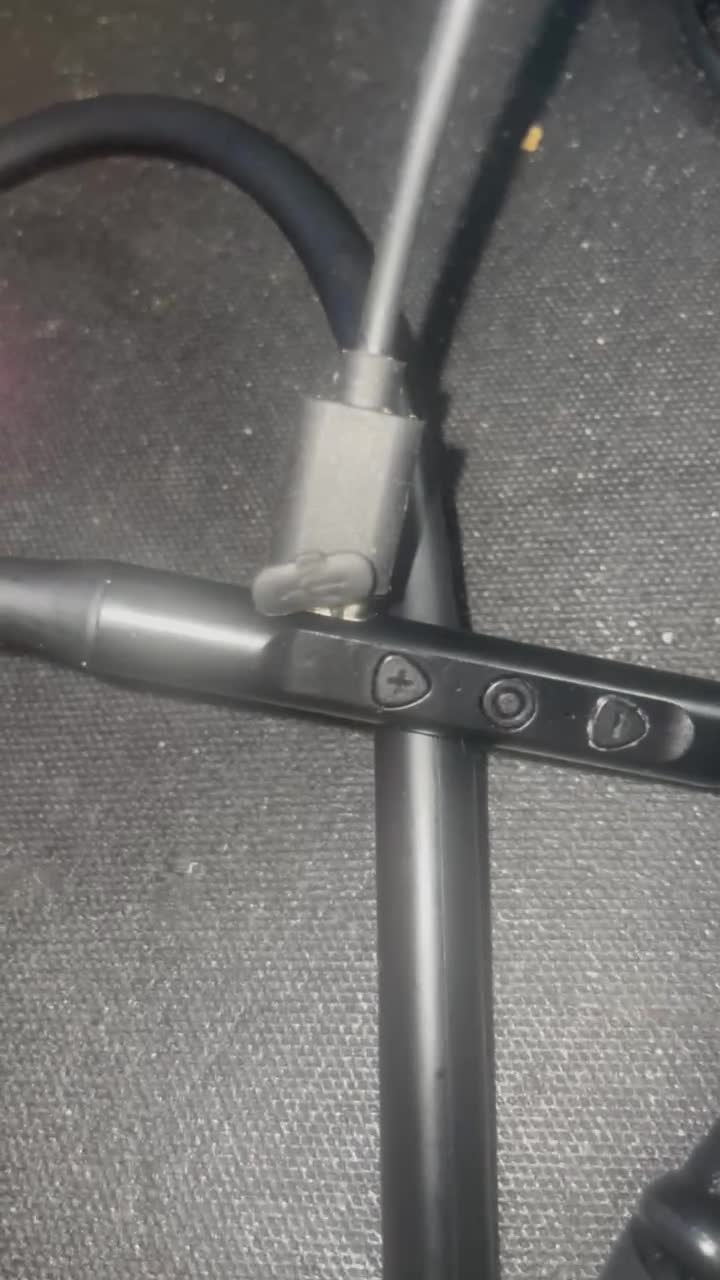
Figure 8: The IPX5 waterproof rating ensures the headphones can withstand sweat and light splashes.
2. Rokiroki
When not in use, store your headphones in the provided portable EVA travel case to protect them from dust, scratches, and tangling.
Raparongoā
If you encounter issues with your ZXQ Neckband Bluetooth Headphones, refer to the following common solutions:
| Raruraru | Te Take Taea / Rongoa |
|---|---|
| Kaore e taea te hiko | Battery is low. Charge the headphones fully. |
| Kaore e taea te hono ki te taputapu |
|
| Kaore he tangi, he iti ranei te rahinga |
|
| Hononga mokowhiti |
|
Whakatakotoranga
- Ingoa Tauira: Q2s
- Hangarau Hononga: Ahokore (Nihokikorangi 5.2)
- Momo Atekōkiri Ororongo: 10mm Atekōkiri Hihiko
- Ora Pūhiko: Tae atu ki te 15 haora te wa takaro
- Tauranga Whakatau: USB-C (Momo-C)
- Taumata Atete Wai: IPX5 parewai
- Momo Mana: In-line Media Control
- Whakatakoto Taringa: I te Taringa
- Rauemi: Aluminum (earbuds), Silicone (neckband)
- Taumaha Tūemi: Tata ki te 0.002 hekere (0.05 karamu)
- Rahi Hua: 7.3 x 5.8 x 1.2 inihi
- Ngā Pūrere Hototahi: iPhone/iPad/Android phones/TV/Laptop/Computer
Pūtāhui me te Tautoko
For warranty information, technical support, or any inquiries regarding your ZXQ Neckband Bluetooth Headphones, please contact the manufacturer directly through their official webte waahi, te kaihokohoko ranei i hokona ai te hua. Puritia to riirii hoko hei tohu mo te hoko mo nga kereme whakamana.
Ask a question about this manual
Ask about setup, troubleshooting, compatibility, parts, safety, or missing instructions. Manuals+ will review the question and use this page’s manual context to help answer it.