
Kupu Whakataki
Thank you for choosing the Vivitar Singimals Kids Karaoke Speaker. This manual provides essential information for the safe and effective use of your new karaoke speaker. Please read it thoroughly before operation and retain it for future reference.
He aha kei roto i te Pouaka:
- Singimals Kids Karaoke Speaker (Asher The Fox)
- Hopuoro waea
- Uera Whakatau
- Pukapuka Kaiwhakamahi
Ka mutu te huaview
The Vivitar Singimals Kids Karaoke Speaker is designed for interactive fun, featuring a 5W speaker, Bluetooth v5.1 connectivity, and multicolor LED lighting. It offers up to 12 hours of playtime on a single charge.
Āhuatanga matua:
- 5W Speaker: Delivers clear and crisp audio for an engaging karaoke experience.
- Nihokikorangi v5.1: Ensures stable and efficient wireless connection to compatible devices.
- 12-Haora Taaro: Enjoy extended entertainment with the built-in rechargeable battery.
- Rarama LED tae maha: Dynamic lights that pulse and dance to the music, enhancing the performance atmosphere.
- Hoahoa Kawe: Compact and lightweight for easy transport and use anywhere.
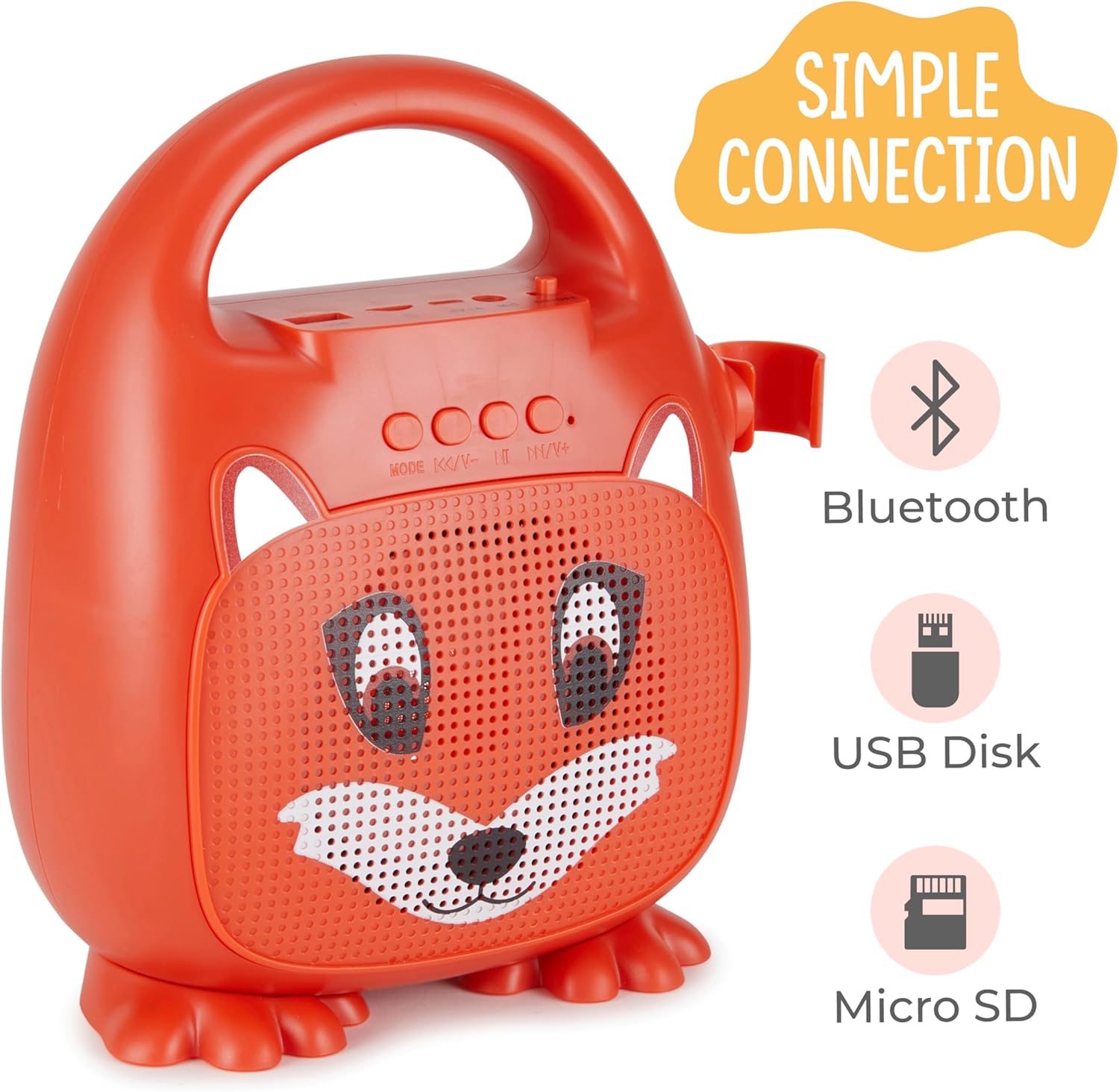
Whakaahua 1: Mua view of the Singimals Kids Karaoke Speaker (Asher The Fox).
Tatūnga
1. Te Whakataki i te Kaikorero:
Before first use, fully charge the speaker. Connect the provided charging cable to the speaker's charging port (usually labeled "5V 1A" or similar) and the other end to a USB power adapter (not included) or a computer's USB port. The charging indicator light will show the charging status.
2. Te hono i te hopuoro:
Insert the microphone's plug into the MIC input port on the speaker. Ensure the microphone's ON/OFF switch is in the 'ON' position when in use.

Figure 2: Wired Microphone with ON/OFF switch.
3. Whakawera/Weto:
Locate the ON/OFF switch on the speaker. Slide it to the 'ON' position to power on the device. Slide it to 'OFF' to power down.
4. Takirua Nihokikorangi:
- Power on the karaoke speaker. It will automatically enter Bluetooth pairing mode, indicated by a flashing LED light.
- I tō waea atamai, i tētahi atu pūrere rānei e whakahohea ana e te Nihokikorangi, haere ki ngā tautuhinga Nihokikorangi.
- Rapua available devices and select "Singimals" (or similar name) from the list.
- Once connected, the LED indicator on the speaker will stop flashing and remain solid, and you may hear an audible confirmation.
5. USB Disk and Micro SD Card Playback:
Insert a USB flash drive or a Micro SD card (with pre-loaded audio files) into the respective ports on the speaker. The speaker will automatically detect the media and begin playback. Use the 'MODE' button to switch between input sources (Bluetooth, USB, Micro SD).

Figure 3: Control panel and input ports.
Nga Tohutohu Whakahaere
Patene Mana:
| Pātene | Mahi |
|---|---|
| MODE | Switches between input modes (Bluetooth, USB, Micro SD). |
| Tuhinga o mua / Volume Down | Pēhia poto mō te ara o mua. Pēhia roa hei whakaiti i te oro. |
| Play / Pause | Ka purei, ka whakamutu rānei i te ara oro o nāianei. |
| Panuku / Volume Runga Panuku | Pēhia poto mō te waiata e whai ake nei. Pēhia roa hei whakanui i te oro. |
Rama LED:
The speaker features multicolor LED lights that illuminate the speaker grille. These lights automatically pulse and change colors with the music. There is no separate control for the LED lighting; it operates automatically when the speaker is on.
Te tiaki
- Te horoi: Wipe the speaker and microphone with a soft, dry cloth. Do not use abrasive cleaners or solvents.
- Rokiroki: Whakaorangia te taputapu ki te waahi makariri, maroke atu i te ra tika me te wera nui.
- Tiaki Pūhiko: To prolong battery life, charge the speaker regularly, even if not in frequent use. Avoid fully discharging the battery for extended periods.
- Puranga wai: This device is not waterproof. Keep it away from water and moisture.
Raparongoā
| Raruraru | Rongoā |
|---|---|
| Kare te kaikorero e ka ana. | Ensure the ON/OFF switch is in the 'ON' position. Charge the speaker if the battery is depleted. |
| Karekau he oro mai i te hopuoro. | Check if the microphone is securely plugged into the MIC port. Ensure the microphone's ON/OFF switch is in the 'ON' position. |
| Kaore e taea te hono ma te Nihokikorangi. | Ensure the speaker is in Bluetooth mode (flashing LED). Turn off and on Bluetooth on your device. Move your device closer to the speaker. |
| He iti te kounga tangi. | Ensure the audio source is of good quality. Adjust the volume on both the speaker and the connected device. Check for obstructions around the speaker grille. |
Whakatakotoranga
| Āhuahira | Taipitopito |
|---|---|
| Waitohu | Vivitar |
| Tau tauira | SNG200-FOX |
| Hangarau Hononga | Nihokikorangi |
| Putanga Nihokikorangi | v5.1 |
| Wat Putangatage | 5 Watts |
| Puna Mana | Pūhiko Powered |
| Rahi Tūemi (L x W x H) | 4.72 x 8.7 x 9.25 inihi |
| Taumaha Tūemi | 0.94 Kirokaramu |
| Rauemi | Kirihou |
| Whakauru Ororongo | Microphone, USB, Micro SD |
Nga korero haumaru
- Kaua e tukuna te taputapu ki te wera nui, te ra tika, te makuku nui ranei.
- Tiakina te taputapu mai i te wai me etahi atu wai.
- Kaua e ngana ki te wetewete, ki te whakarereke ranei i te taputapu. Ma tenei ka whakakore i te raihana, ka raru pea.
- Whakamahia anake te taura utu e whakaratohia ana.
- Supervise young children during use to ensure safe operation.
- Kaua e whakarongo roa ki ngā oro teitei hei ārai i te kino o te whakarongo.
Pūtāhui me te Tautoko
For warranty information and customer support, please refer to the warranty card included with your product or visit the official Vivitar webpae. Puritia to riiki hoko hei tohu mo te hoko.
Kaihanga: Sakar International, Inc.