
1. Kupu Whakataki
This manual provides detailed instructions for the setup, operation, and maintenance of your MAXDONE WiFi Bluetooth Trail Camera (Model PH820W). This advanced camera is designed for outdoor wildlife monitoring, hunting, and home/garden security, featuring high-resolution imaging, motion-activated recording, and convenient app control.
Ko nga ahuatanga matua ko:
- 32 MP Photo Resolution and 1440p Video Resolution
- WiFi and Bluetooth Connectivity with 'TrailCam GO' App Control
- 0.2s Ultra-Fast Trigger Speed
- 940nm No-Glow Infrared Night Vision (up to 20 meters)
- IP66 Waterproof Rating for All-Weather Use
- Wide 100° Detection Angle
2. Tatūnga
2.1 Ihirangi mokete
I mua i te tiimata, me whakarite nga waahanga katoa:
- MAXDONE PH820W Trail Camera
- Whakamaunga Here
- Tauira USB
- Pukapuka Kaiwhakamahi
- 32GB SD Card (may vary by package)
2.2 Tāuta Pūhiko
The camera requires 4 or 8 AA batteries (not included). For optimal performance and extended battery life, it is recommended to use 8 high-quality alkaline or rechargeable AA batteries.
- Open the camera's latch and swing open the front cover.
- Kimihia te wāhi pākahiko i raro i te kāmera.
- Insert the AA batteries according to the polarity indicators (+/-) inside the compartment.
- Katia kia mau te uhi o te wahanga pākahiko.
2.3 SD Card Tāutatanga
The camera supports a Micro SD card up to 256GB. A 32GB SD card is often included.
- With the camera open, locate the SD card slot on the side.
- Insert the Micro SD card with the metal contacts facing down until it clicks into place.
- To remove, push the card in again until it clicks, then release.

Image: The MAXDONE PH820W Trail Camera, demonstrating its compact design, the included 32GB SD card, and a smartphone displaying the companion app for remote control and viewing.
2.4 Whakauru i te Kamera
The camera can be mounted using the provided strap or a standard tripod thread.
- Whakamaunga here: Thread the strap through the slots on the back of the camera and secure it around a tree or pole. Adjust the strap to ensure the camera is stable and pointed towards the desired detection area.
- Whakapiki Takitoru: Use the 1/4-inch tripod thread located at the bottom of the camera to attach it to a tripod or other compatible mounting accessory.
2.5 Taupānga Tāuta me te Hononga
The 'TrailCam GO' app allows for remote control and media management.
- Download the 'TrailCam GO' app from your smartphone's app store (iOS or Android).
- Whakahohehia te Nihokikorangi me te Wi-Fi i runga i to waea atamai.
- Whakakāhia te kāmera.
- Open the 'TrailCam GO' app and follow the on-screen instructions to connect to your camera via Bluetooth, then switch to Wi-Fi for faster data transfer.
- Note: The Wi-Fi connection range is approximately 14 meters (45 feet) and can be affected by obstructions.

Image: The MAXDONE Trail Camera securely mounted on a tree, illustrating its WiFi and Bluetooth connectivity for remote control and live viewing via a smartphone app.
3. Te Whakahaere i te Kaamera
3.1 Kei te Hiko / Weto
To power on the camera, slide the mode switch to the 'ON' position. To power off, slide it to 'OFF'.
3.2 Kōwhiringa Aratau
The camera offers three capture modes, configurable via the app:
- Aratau Whakaahua: Ka hopu whakaahua ina kitea he nekehanga.
- Aratau Ataata: Ka hopu i ngā ataata ina kitea he nekehanga.
- Aratau Whakaahua + Ataata: Captures a still image followed by a video clip when motion is detected.
3.3 Adjusting Settings via App
The 'TrailCam GO' app allows you to customize various camera settings:
- Taumira Whakaahua: Select from various resolutions up to 32 MP for detailed images.
- Taumira Ataata: Choose resolutions up to 1440p for clear and smooth video.
- Tere Keu: Set the ultra-fast 0.2s trigger speed to capture quick movements.
- PIR mataata: Adjust the Passive Infrared (PIR) sensor sensitivity to control motion detection range and reduce false triggers.
- Rohe Rapunga: Configure the 100° wide-angle detection area.
- Te Waahi: Set intervals for capturing images over time.
- Parenga Kupuhipa: Enable a password to protect camera settings.
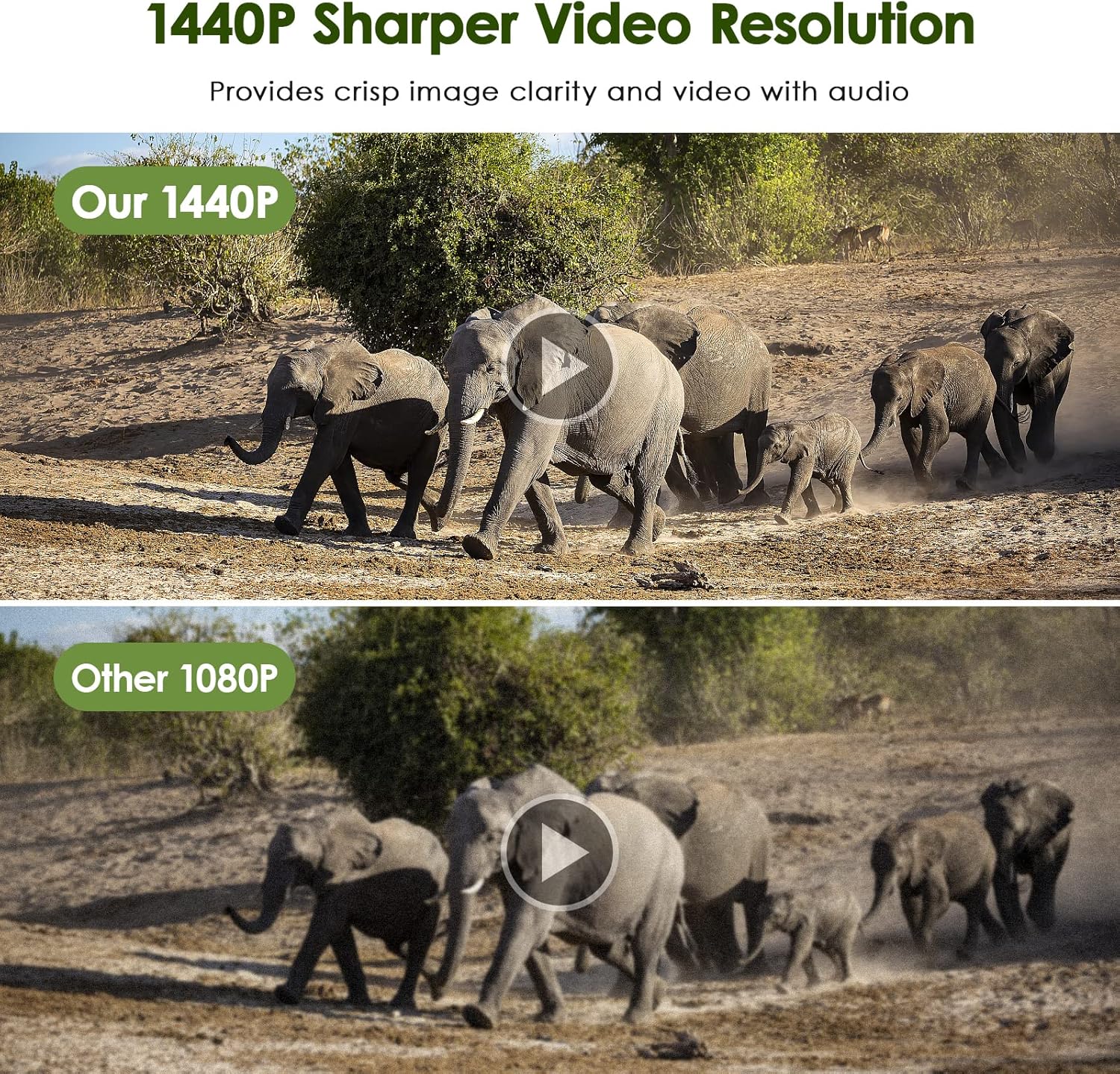
Image: The MAXDONE Trail Camera's rapid 0.2-second trigger speed is demonstrated by its ability to capture fast-moving subjects, such as a cheetah and a gazelle in motion, within its 100-degree wide-angle detection area.
3.4 Nga Mahinga Matakite Po
The camera is equipped with 26 pieces of 940nm infrared LEDs, providing clear black-and-white night vision without disturbing animals. The effective night vision range is up to 20 meters (65 feet).

Image: A visual comparison illustrating the MAXDONE Trail Camera's excellent night shooting capabilities, showing a ram in full color during the day and a clear black-and-white image at night, enabled by its 26-piece 940nm infrared LEDs and 0.2s trigger speed.
3.5 Viewing and Downloading Media
Ka taea e koe view and download captured photos and videos in two ways:
- Via 'TrailCam GO' App: Connect your smartphone to the camera via Wi-Fi using the app. You can browse, view, and download media directly to your phone without physically accessing the camera or SD card.
- Mā te Kāri SD: Remove the SD card from the camera and insert it into a computer or compatible card reader to access the files.

Image: A comparison demonstrating the superior clarity and detail of the MAXDONE Trail Camera's 32MP photo resolution compared to a 20MP camera, showcasing a field with cows.

Image: A comparison illustrating the enhanced sharpness and clarity of the MAXDONE Trail Camera's 1440p video resolution versus 1080p, featuring a herd of elephants.
4. Tiaki
4.1 Te horoi
- Gently wipe the camera lens and PIR sensor window with a soft, lint-free cloth to remove dirt or smudges.
- Horoia te tinana o te kāmera ki te pānuitangaamp kakahu. Kaua e whakamahi i nga matū kino me nga horoi horoi.
4.2 Whakakapinga Pūhiko
Replace batteries when the low battery indicator appears on the camera's screen or in the app. Always replace all batteries at once with new ones of the same type and brand.
4.3 Whakahaere Kaari SD
- Regularly format the SD card using the camera's internal formatting function (accessible via the app) to ensure optimal performance and prevent data corruption.
- Whakahokia te mea nui files from the SD card to a computer or cloud storage before formatting.
4.4 Whakatauranga Ātete Wai
The camera has an IP66 waterproof rating, making it resistant to dust and strong jets of water. While it is designed for outdoor use in various weather conditions, avoid submerging the camera in water.
5. Te Raru
5.1 Kāore te Kāmera e Tahuri Ana
- Me whakarite kia tika te whakaurunga o ngā pākahiko, ā, kia tika hoki te polarity.
- Check battery charge level; replace with fresh batteries if low.
- Verify the mode switch is in the 'ON' position.
5.2 No Recordings Captured
- Check if the SD card is properly inserted and not full. Format the SD card if necessary.
- Adjust PIR sensitivity settings; increase if no motion is detected.
- Ensure the camera is positioned correctly within the detection range (up to 20 meters).
- Verify the camera is in the correct capture mode (Photo, Video, or Photo+Video).
5.3 Poor Image/Video Quality
- Horoia te karāhe kāmera me te matapihi o te pūoko PIR.
- Ensure sufficient lighting during daytime recordings.
- For night vision, ensure no obstructions are blocking the IR LEDs.
- Check resolution settings in the app; set to higher values (32MP photo, 1440p video) for better quality.
5.4 Ngā Take Hononga Taupānga
- Me mohio kei te whakahohea te Nihokikorangi me te Wi-Fi i runga i to waea atamai.
- Make sure the camera is powered on and within the 14-meter Wi-Fi connection range.
- Tīmata anō i te kāmera me tō waea atamai.
- Update the 'TrailCam GO' app to the latest version.
6. Whakatakotoranga
| Āhuahira | Whakatakotoranga |
|---|---|
| Tau tauira | PH820W |
| Whakataunga Whakaahua | Tae atu ki te 32 MP |
| Whakatau Ataata | Up to 1440p (30 fps) |
| Tere Trigger | 0.2 hēkona |
| Koki Rapu | 100 nga nekehanga |
| Awhe Tirohanga Po | Tae atu ki te 20 mita (65 putu) |
| IR LED | 26 pcs 940nm No-Glow Infrared LEDs |
| Whakatauranga parewai | IP66 |
| Hononga | WiFi, Nihokikorangi |
| Pūrere Hototahi | Smartphone (via 'TrailCam GO' app) |
| Rokiroki | Kāri SD moroiti (tae atu ki te 256GB) |
| Puna Mana | 4 or 8 AA Batteries (not included) |
| Ahu (L x W x H) | 18 x 11 x 12 cm |
| Taumaha | 570 karamu |
7. Pūtāhui me te Tautoko
For warranty information and customer support, please refer to the documentation included with your product package or visit the official MAXDONE website. If you encounter any issues not covered in this manual, please contact MAXDONE customer service for assistance.