
Kupu Whakataki
Thank you for choosing the HAMMER SpeedMotion II Elliptical Trainer. This manual provides essential information for the safe and effective use of your new fitness equipment. Please read it thoroughly before assembly and operation, and keep it for future reference.
The SpeedMotion II offers an innovative and comfortable workout experience, combining dynamic movement with individual intensity control. Its natural, ergonomic design supports effective calorie burning and targets various muscle groups through its 3-fold incline adjustment.

The HAMMER SpeedMotion II Elliptical Trainer provides a full-body workout experience in the comfort of your home, featuring 24 programs, 16 resistance levels, an LCD display, and Bluetooth connectivity.
Nga Tohutohu Haumaru
- Me toro atu ki tetahi rata i mua i te tiimata i tetahi kaupapa whakangungu hou.
- Me whakarite kia mau te whakau o ngā pūtu me ngā nati katoa i mua i ia whakamahinga.
- Whakatakotoria te taputapu whakangungu porowhita ki runga i tētahi mata papatahi, pumau.
- Tiakina nga tamariki me nga kararehe mai i nga taputapu i te wa e mahi ana.
- Whakamaua nga hu me nga kakahu hakinakina e tika ana.
- Kati tonu te korikori tinana mena ka ngenge koe, ka ngenge, ka mamae ranei.
- Ko te taumaha mōrahi o tēnei taputapu mō te kaiwhakamahi he 130 kg.
Tatūnga me te Runanga
The HAMMER SpeedMotion II Elliptical Trainer requires assembly. An instruction manual is included with the product to guide you through the process. It is recommended to lay out all parts and verify them against the parts list before beginning assembly.
- Wewete ana: Kia ata tangohia nga waahanga katoa mai i te kete.
- Taki Wae: Me manatoko kei te wātea ngā wāhanga katoa kua whakarārangihia i roto i te aratohu huihuinga, ā, kāore he pakaru.
- Huihuinga turanga: Tāpirihia ngā whakaū o mua me muri ki te anga matua.
- Pedal Arms and Flywheel: Assemble the pedal arms and connect them to the flywheel mechanism.
- Whakakore: Secure the stationary and moving handlebars.
- Whakauru Papatohu: Mount the LCD console and connect all necessary cables.
- Whakatikatika Piko: Ensure the 3-fold incline adjustment mechanism is correctly installed and functional.
- Taki Whakamutunga: Double-check all connections and ensure the elliptical is stable before first use.
Assembly typically takes approximately 45 minutes for one person, following the detailed, illustrated instructions provided.
Nga Tohutohu Whakahaere
Papatohu Neke Atu i teview

The LCD display provides real-time feedback on your workout, controlled by the intuitive Push & Turn button.
The black-backlit LCD display provides clear visibility of your workout data. Use the central Push & Turn Button for intuitive navigation and selection.
- RPM: Hurihuri i ia meneti
- Tere: Te tere o naianei
- Tawhiti: Total distance covered
- Wā Whakangungu: Duration of your workout
- Te Whakamahinga Kaora: Kua tahuna nga calories
- Tere Manawa: Measured via handgrip sensors
- Taumata ātete: Current resistance setting
Papatono Mahi
The SpeedMotion II features 24 pre-set training programs to help you achieve your fitness goals. Navigate through the programs using the Push & Turn Button and select the one that suits your needs.
Whakatikatika ātete
The elliptical trainer uses a manual resistance mechanism. Adjust the resistance level to increase or decrease the intensity of your workout. Higher resistance targets strength, while lower resistance focuses on endurance.
3-Fold Incline Adjustment

Adjust the incline to target different muscle groups: higher incline for glutes and hamstrings, lower incline for quadriceps.
The 3-fold incline adjustment allows you to vary your workout and target different muscle groups. A higher incline emphasizes the glutes and posterior thigh muscles, while a lower incline places more emphasis on the anterior thigh muscles (quadriceps).
Te Aroturuki Reanga Manawa
Integrated handgrip sensors allow for real-time heart rate monitoring. Grip the sensors firmly during your workout to display your heart rate on the LCD console. This helps you stay within your target heart rate zone for optimal training.
Kinomap & Zwift Compatibility
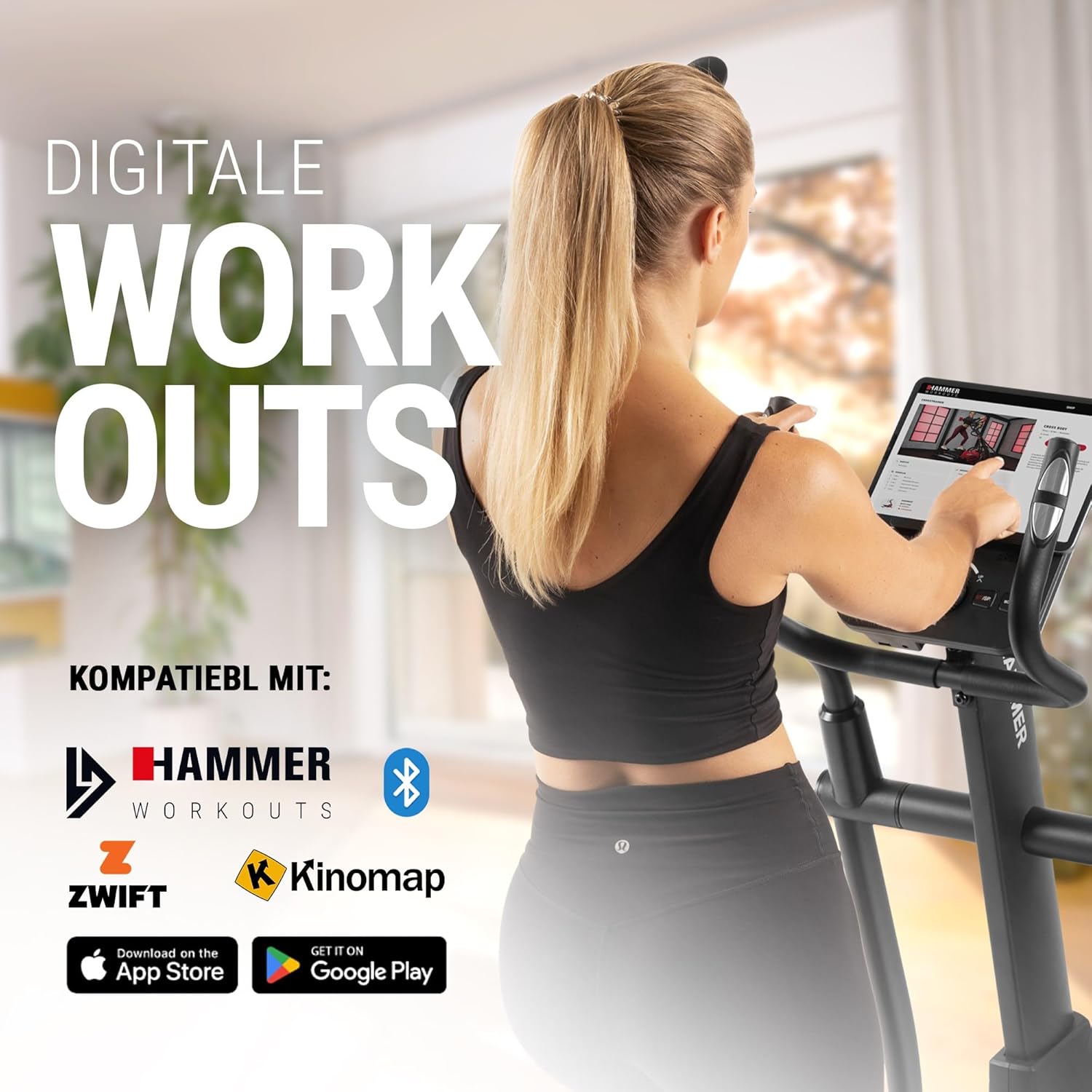
Connect your tablet or smartphone to the elliptical trainer for interactive workouts with Kinomap and Zwift.
The SpeedMotion II is compatible with popular fitness apps like Kinomap and Zwift. Connect your smartphone or tablet via Bluetooth to access virtual training worlds, interactive routes, and track your performance. Download the respective apps from the App Store or Google Play.
Te tiaki
Ko te tiaki i nga wa katoa ka mau te roa me te tino pai o te mahi a to kaiwhakangungu elliptical.
- Te horoi: Horoia ngā taputapu ki te pānuitangaamp he kakahu i muri i ia whakamahinga hei tango i te werawera me te puehu. A ape i te horoi horoi.
- Whakahinuhinu: Periodically check moving parts, especially the rollers and tracks, for smooth operation. Lubricate as recommended in the detailed product manual if necessary.
- Whakapiki: Regularly inspect all bolts, nuts, and connections. Tighten any loose components to prevent noise and ensure stability.
- Rokiroki: Store the elliptical trainer in a dry, temperate environment away from direct sunlight and extreme temperatures.

The SpeedMotion II features a quiet drive system, high-quality rollers for smooth movement, and stability adjustments for a secure workout.
Raparongoā
If you encounter issues with your HAMMER SpeedMotion II, refer to the following common troubleshooting tips:
| Raruraru | Take pea | Rongoā |
|---|---|---|
| Squeaking or rattling noises | Loose bolts or connections; lack of lubrication on moving parts. | Check and tighten all visible bolts and nuts. Lubricate joints and rollers as per the main manual. |
| Whakaatu kaore e mahi | Loose cable connection; depleted batteries (if applicable). | Ensure all console cables are securely connected. Check and replace batteries if the unit is battery-powered (AA batteries required, not included). |
| Uneven movement or instability | Uneven floor surface; loose frame components. | Adjust the leveling feet on the stabilizers. Check and tighten all frame connections. |
| Kare e huri te parenga | Issue with the resistance mechanism. | Refer to the detailed manual for specific resistance mechanism troubleshooting or contact customer support. |
If the problem persists after attempting these solutions, please contact HAMMER customer support.
Whakatakotoranga
| Āhuahira | Whakatakotoranga |
|---|---|
| Ingoa Tauira | SpeedMotion II |
| Tau tauira | 11000 |
| Ahu (L x W x H) | 160 x 60 x 177 cm |
| Taumaha Tūemi | 61.9 kg |
| Taumaha Kaiwhakamahi Morahi | 130 kg |
| Te Taumaha o te Wira Rere | 18 kg (implied from product title, not explicitly in specs table but in product title) |
| Te Taha Rawa | 50 cm |
| Tawhiti o te Pahikara | 14 cm (from feature bullets) |
| Whakatikatika Whakapiki | 3-fold manual adjustment |
| Tikanga Atete | ā-ringa |
| Papatono | 24 (from product title and feature bullets) |
| Momo Whakaatu | Black-backlit LCD, 17.78 cm (7 inches) |
| Hononga | Bluetooth, Kinomap & Zwift compatible |
| Momo Rawa | Te whakarewa |
| Puna Mana | Me hiahia pākahiko AA (kaore i whakauruhia) |
Pūtāhui me te Tautoko
Nga korero Whakaputanga
Specific warranty details for the HAMMER SpeedMotion II Elliptical Trainer are typically provided with your purchase documentation. Please refer to the warranty card or the official HAMMER website for comprehensive information regarding coverage and terms.
Tautoko Kiritaki
For technical assistance, spare parts, or any questions regarding your HAMMER SpeedMotion II, please contact HAMMER SPORT customer service. Contact details can usually be found on the official HAMMER webpae, i roto ranei i to tuhinga hua.
Ina whakapā atu koe ki te tautoko, me tono mai to nama tauira (11000) me te tohu mo te hoko.