
1. Kupu Whakataki
Mauruuru koe mo te hokoasing the JVC XS-N3123PB Party Bluetooth Speaker. This speaker is designed to deliver powerful audio with an 8-inch woofer, 40W RMS output, and a built-in RGB light show. It features a rechargeable battery for portability and multiple connectivity options. This manual provides essential information for safe and optimal use of your speaker.

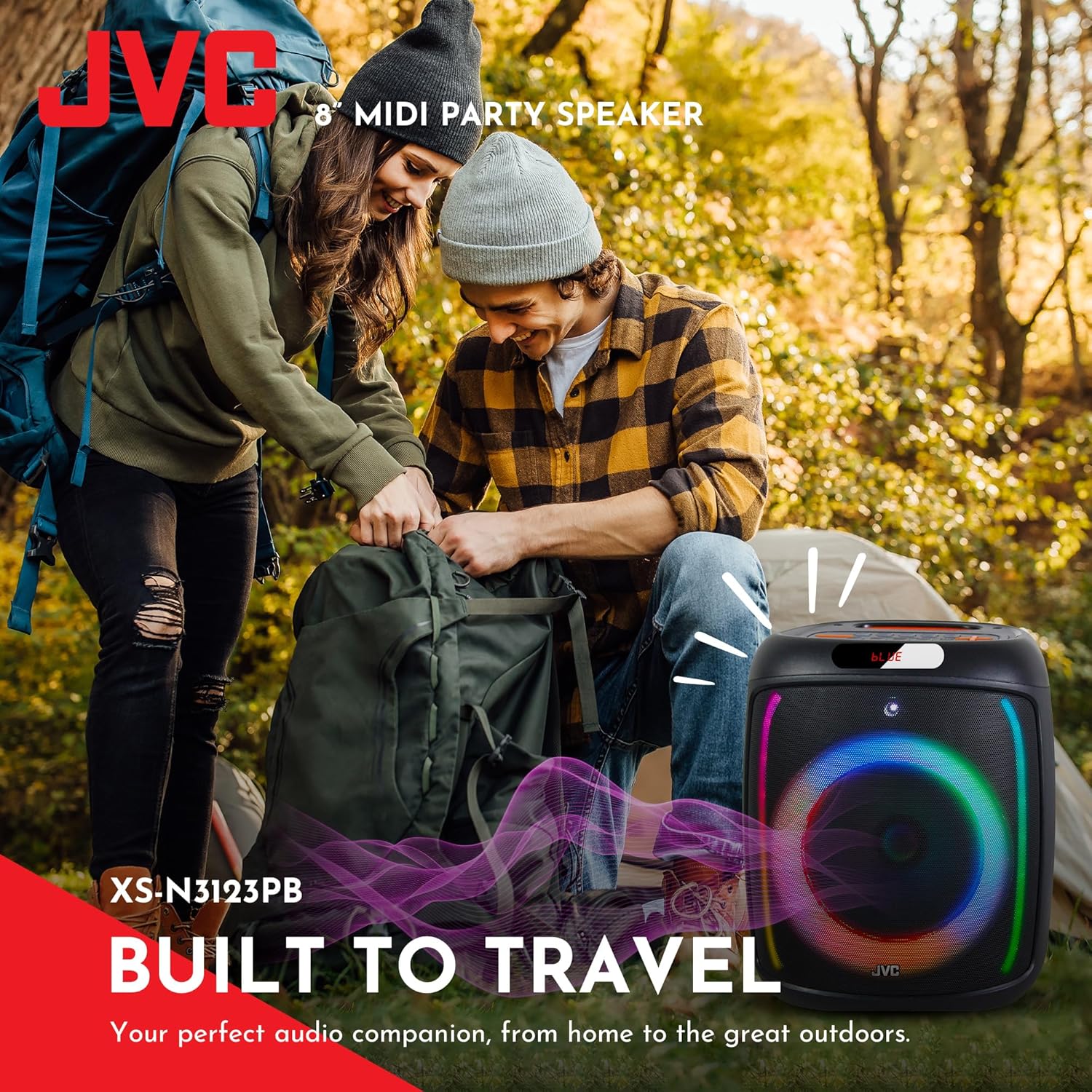
Mua view of the JVC XS-N3123PB Party Bluetooth Speaker, showcasing its design and active RGB lighting.
2. Nga korero haumaru
Tena panuihia nga tohutohu haumaru katoa i mua i te whakamahi i tenei hua. Puritia tenei pukapuka hei tohutoro a meake nei.
- Kaua e tukuna te kaikorero ki te tino mahana, te makuku, te ra tika ranei.
- A ape i te tuku, te tuku ranei i te kaikorero ki nga paanga kaha.
- Kaua e wetewete, e whakatika, e whakarerekē rānei i te waeine māu ake. Tukuna ngā mahi tiaki katoa ki ngā kaimahi whai tohu.
- Puritia te kaikorero i te wai, i etahi atu wai ranei hei aukati i te ru hiko.
- Whakamahia anake te taura utu kua whakaratohia, kua tūtohutia rānei e te kaihanga.
- Ensure proper ventilation around the speaker during use and charging.
- Do not operate the speaker at excessively high volumes for prolonged periods to avoid hearing damage.
3. Ihirangi mokete
Manatokona kei roto katoa nga mea kei roto i te kete:
- JVC XS-N3123PB Party Bluetooth Speaker
- Charging Cable (AC adapter not included)
- Pukapuka Kaiwhakamahi
4. Hua Neke Atuview
Kia mohio koe ki nga waahanga me nga mana whakahaere a te kaikorero.
Paepae Mua

The front of the speaker features the main 8-inch woofer with integrated RGB lighting and a display panel at the top.
Paewhiri Mana Runga

The top panel includes buttons for LED control, EQ, Record, TWS pairing, Menu, Mode/Next, Play/Pause, Scan, and Volume controls.
Paewhiri Whakamuri me nga Tauranga
The rear panel provides ports for USB, SD card, AUX input, and microphone input.
5. Tatūnga
5.1 Te Whakataki i te Kaikorero
Before first use, fully charge the speaker. Connect the charging cable to the speaker's charging port and to a suitable power source (e.g., USB wall adapter, computer USB port). The charging indicator will illuminate. Once fully charged, the indicator may change color or turn off. A full charge provides up to 6 hours of playback.
The speaker features a 4000mAh rechargeable battery for extended use.
5.2 Kei te Hiko / Weto
Patohia me te pupuri i te paatene Hiko (U) on the top control panel for a few seconds to turn the speaker on or off.
6. Nga Tohutohu Whakahaere
6.1 Takirua Nihokikorangi
- Turn on the speaker. It will automatically enter Bluetooth pairing mode, indicated by a flashing 'BLUE' on the display and an audible prompt.
- Whakahohehia te Nihokikorangi i runga i to taputapu pūkoro (waea atamai, papa, aha atu).
- Rapua available Bluetooth devices and select "JVC XS-N3123PB" from the list.
- Once paired, the speaker will emit an audible confirmation, and 'BLUE' on the display will stop flashing.
- Ka taea e koe te purei ororongo mai i to taputapu ma te kaikorero.
6.2 USB and SD Card Playback
Insert a USB flash drive or an SD card (with MP3 audio files) into the respective port on the rear panel. The speaker will automatically switch to USB/SD mode and begin playing music. Use the control buttons on the top panel to navigate tracks (Previous/Next) and control playback (Play/Pause).
6.3 FM Radio
- Pehia te MODE pātene hei huri ki te aratau Reo Irirangi FM.
- Pehia te KAUPAPA pātene ki te matawai aunoa me te tiaki i nga teihana FM e waatea ana.
- Use the Previous/Next buttons to switch between saved stations.
6.4 AUX Whakauru
Connect an external audio device (e.g., MP3 player, laptop) to the AUX IN port on the rear panel using a 3.5mm audio cable. The speaker will automatically switch to AUX mode. Control playback from your connected device.

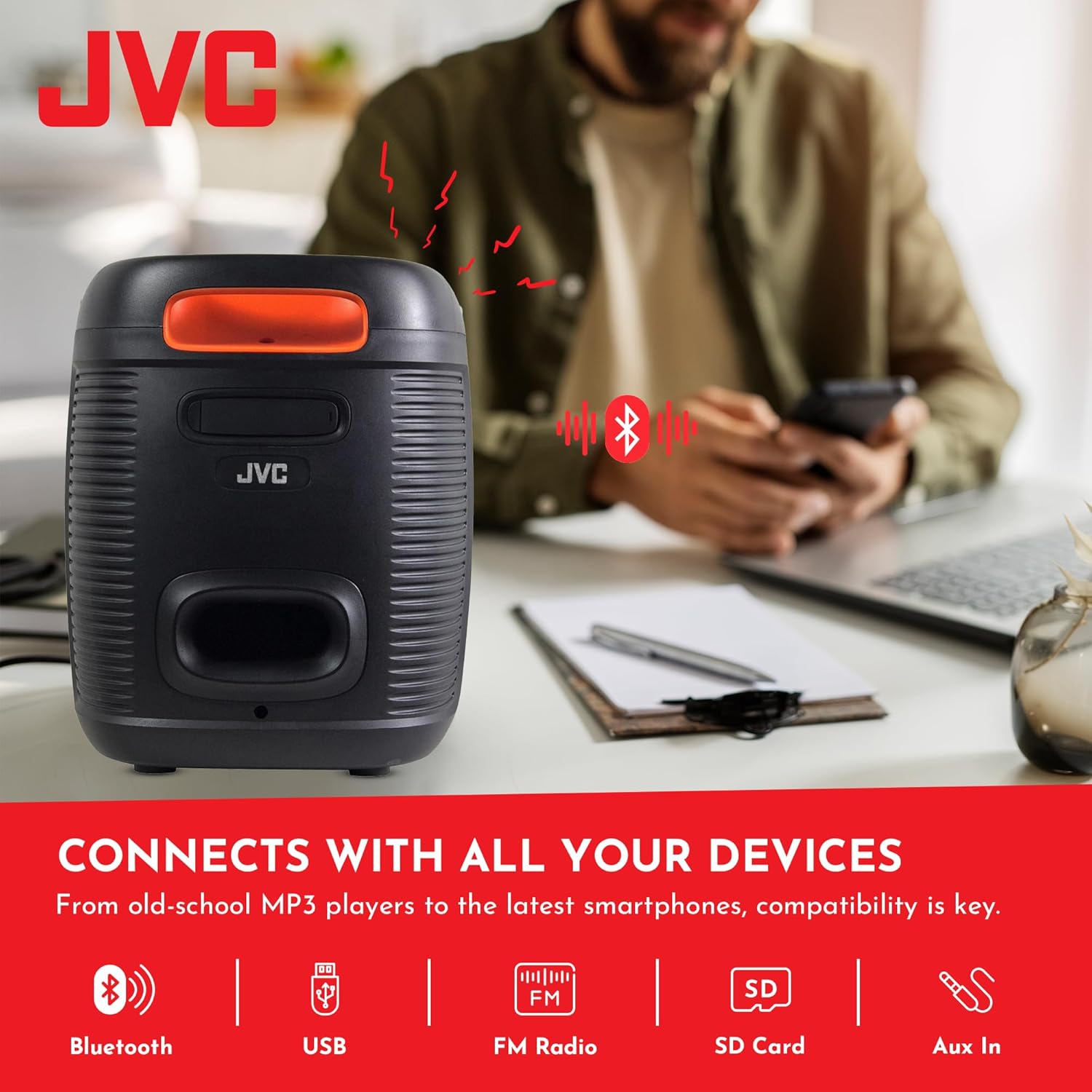
The speaker offers versatile connectivity including Bluetooth, USB, FM Radio, SD Card, and Aux In.
6.5 Microphone and Karaoke Function
Connect a microphone to the MIC IN port on the rear panel. You can use the microphone for announcements or karaoke. The speaker supports recording functionality (REC button) when a USB drive or SD card is inserted.

The speaker includes built-in karaoke and recording capabilities.
6.6 RGB Light Show
The speaker features an integrated RGB light show that pulses with the music. Press the LED button on the top control panel to cycle through different light modes or turn the lights off.
6.7 Taumahinga Tirokoro Ahokore Tuturu (TWS).
If you have two JVC XS-N3123PB speakers, you can pair them together for a True Wireless Stereo experience. Refer to the TWS pairing instructions in the full manual for detailed steps.
7. Tiaki
7.1 Te horoi
Wipe the speaker with a soft, dry cloth. Do not use abrasive cleaners, waxes, or solvents. Ensure no liquids enter the speaker openings.
7.2 Rokiroki
When not in use for extended periods, store the speaker in a cool, dry place, away from direct sunlight and extreme temperatures. It is recommended to charge the battery periodically to maintain its lifespan.
8. Te Raru
Mena ka pāngia koe e ngā raruraru me tō kaikorero, tirohia ngā raruraru me ngā otinga e whai ake nei:
| Raruraru | Take pea | Rongoā |
|---|---|---|
| Karekau te kaikorero e kaha ana | Kua pau te pati | Me utu katoa te kaikōrero. |
| Karekau he tangi | Volume is too low or muted; Incorrect input mode; Device not connected properly | Increase volume; Select correct input mode (Bluetooth, USB, AUX); Reconnect device. |
| Ka rahua te takirua Nihokikorangi | Speaker not in pairing mode; Device Bluetooth off; Speaker too far from device | Ensure speaker is in pairing mode; Turn on device Bluetooth; Move speaker closer to device (within 10 meters). |
| Kāore i te pai te whiwhinga reo irirangi FM | Tohu ngoikore; Whakararuraru | Relocate the speaker; Extend the antenna if available (not explicitly mentioned for this model, but general advice). |
9. Whakatakotoranga
| Āhuahira | Whakatakotoranga |
|---|---|
| Tau tauira | AP-G278 |
| Waitohu | JVC |
| Kaikorero Te Mana Putanga Morahi | 40 Wati RMS |
| Hangarau Hononga | Nihokikorangi |
| Aratau Putanga Ororongo | Mono (Stereo encoding for audio) |
| Whakauru Voltage | 9 Volts |
| Momo Whakaeke | Maunga Ripanga |
| Rauemi | Kirihou |
| Momo Kaikorero | Waho |
| Tae | Pango |
| Rahi Kaioro | 8 Inihi |
| Rahi Tūemi (D x W x H) | 28D x 28.5W x 33.5H henimita |
| Te maha o nga pākahiko | 2 pākahiko Lithium Ion (kei roto) |
| Tatau Waeine | 1 Tatau |

Te taha view o te kaikorero, e whakaatu ana i tōna hoahoa kiato me te kawe.
10. Pūtāhui me te Tautoko
10.1 Nga Korero Whakaputanga
This JVC XS-N3123PB Party Bluetooth Speaker comes with a 1 Tau Rarangi mai i te rā i hokona ai. Ka hipokina e tēnei pūtāhui ngā hapa hanga. Kāore e hipokina ngā kino i puta mai i te whakamahinga hē, ngā aituā, ngā whakarerekētanga kāore i whakaaetia, te kakahu me te haehae noa rānei. Puritia tō taunakitanga hoko mō ngā kereme pūtāhui.
10.2 Tautoko Kiritaki
For technical assistance, warranty claims, or further inquiries, please contact JVC customer support through their official website or the retailer where the product was purchased. Provide your model number (XS-N3123PB) and proof of purchase when contacting support.