
Kupu Whakataki
Mauruuru koe mo te hokoasing the MUSE M-19 GL Alarm Clock Radio. This manual provides essential information for the safe and efficient operation of your device. Please read it thoroughly before use and retain it for future reference.
Nga Tohutohu Haumaru
- Kaua e tukuna te waahanga ki te ua, ki te makuku ranei hei aukati i te ahi me te ru hiko.
- Me whakarite kia tika te hau; kaua e aukati i nga whakatuwheratanga hau.
- Whakanohoia te waeine ki runga i te mata papatahi.
- A ape i te whakanoho i te waeine ki te taha o nga puna wera penei i nga radiators, rehita wera, umu, me etahi atu taputapu (tae atu ki ampkaiwhakaora) e whakaputa ana i te wera.
- Me whakamahi noa i nga taapiri / taputapu kua tohua e te kaiwhakanao.
- Wewetehia tenei taputapu i te wa e uira ana te tupuhi, i te kore ranei e whakamahia mo te wa roa.
- Tukuna nga ratonga katoa ki nga kaimahi ratonga whai tohu.
- Dispose of batteries responsibly. Do not expose batteries to excessive heat.
Ihirangi mokete
- MUSE M-19 GL Alarm Clock Radio
- Pouaka AC
- Pukapuka Kaiwhakamahi
Ka mutu te huaview
The MUSE M-19 GL is a compact alarm clock radio featuring a clear 1.8-inch LCD display. It includes an FM tuner and multiple alarm functions, designed for bedside use.
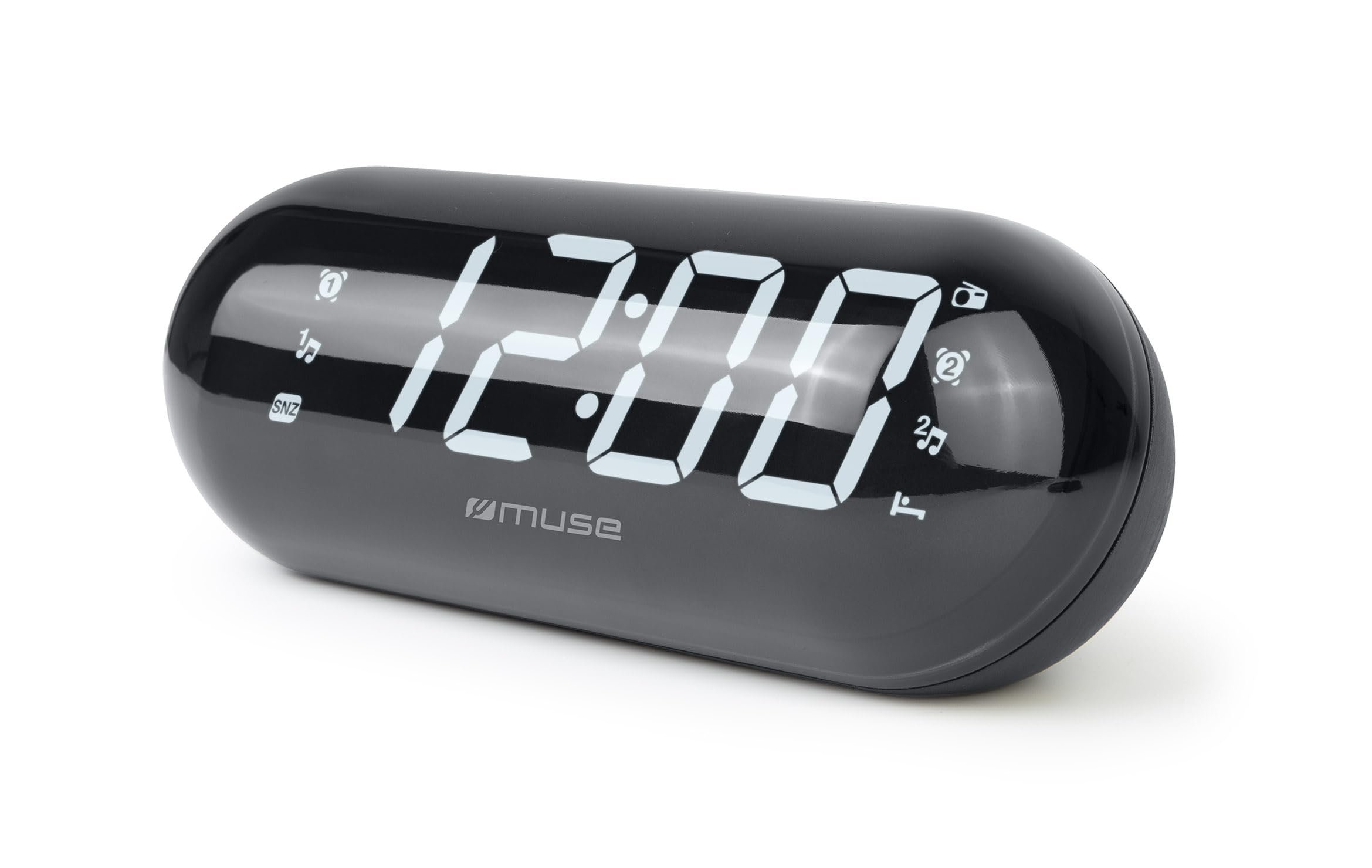
Image: The MUSE M-19 GL Alarm Clock Radio with its digital display showing '12:00', positioned on a wooden bedside table next to a bed.
Familiarize yourself with the buttons and display indicators for optimal use. Specific button functions will be detailed in the 'Operating' section.
Tatūnga
1. Whakakaha i te Pūrere
- Mana AC: Connect the provided AC power adapter to the DC IN jack on the back of the unit, then plug the adapter into a standard wall outlet. The display will light up.
- Pūrua Pūhiko: For time and alarm settings retention during a power outage, insert 2 x AAA batteries (not included) into the battery compartment on the bottom of the unit. Ensure correct polarity (+/-).
2. Te Whakatakoto i Te Wa
- Patohia me te pupuri i te PANUITANGA TIME button (location may vary, refer to device diagram if available) until the hour digits flash.
- Whakamahia te HOUR a MINI nga paatene hei whakatika i te waa.
- Perehi PANUITANGA TIME ano ki te whakaū me te puta i te aratau tautuhinga wa.
Te whakahaere
1. Radio Operation (FM Tuner)
- Whakakā/Weto: Pehia te RADIO ON/OFF pātene hei whakakā, whakaweto rānei i te reo irirangi.
- Tune Frequency: Whakamahia te TUNE + or WHAKARONGO - buttons to manually adjust the FM frequency. Press and hold for automatic scanning to the next available station.
- Tautuhi Tatūkē: Hei tiaki i tētahi teihana, whakaōrite ki te auau e hiahiatia ana, kātahi ka pēhi me te pupuri i te pātene TAITAIHI pātene kia mura te tau kua whakaritea. Whakamahia TUNE + or WHAKARONGO - hei tīpako i tētahi tau kua whakaritea (1-20), kātahi ka pēhi TAITAIHI ano ki te whakau.
- Mahara Tatūkē: Patohia poto te TAITAIHI pātene ki te huri i roto i nga teihana kua tiakina.
2. Nga Mahi Whakaoho
The M-19 GL features dual alarms (Alarm 1 and Alarm 2).
- Tautuhi Whakaoho:
- Patohia me te pupuri i te PANUI 1 or PANUI 2 patene tae noa ki nga mati o te haora.
- Whakamahia te HOUR a MINI nga paatene hei whakarite i te wa whakaoho e hiahiatia ana.
- Pehia te PANUI 1 or PANUI 2 button again to select the alarm source (Buzzer or Radio). An indicator will appear on the display.
- Pehia te PANUI 1 or PANUI 2 button one more time to confirm and activate the alarm.
- Mahinga Tohu: Ka tangi ana te whakaoho, paatohia te Whakatā button to temporarily silence it for approximately 9 minutes.
- Kati te Whakaoho: Hei whakaweto i te whakaoho mo te ra, pehia te PANUWHIRI ON / WAWHI button. The alarm icon will disappear from the display.
- Disable Alarm Permanently: Pehia te PANUWHIRI ON / WAWHI button repeatedly until the alarm icon for the respective alarm (1 or 2) is no longer displayed.
Te tiaki
Te horoi
Horoia te waeine ki te kakahu ngohengohe, maroke. Kaua e whakamahi i nga kai horoi, i nga whakarewa ranei, na te mea ka pakaru te mutunga.
Whakakapinga Pūhiko
If the time display is blank or incorrect after a power outage, the backup batteries may need replacement. Open the battery compartment on the bottom of the unit, remove the old AAA batteries, and insert new ones, observing correct polarity.
Raparongoā
| Raruraru | Take pea | Rongoā |
|---|---|---|
| Karekau he hiko/Whakaatu ka weto | AC adapter not connected or power outage. | Ensure AC adapter is securely plugged in. Check power outlet. Replace backup batteries if needed. |
| He ngoikore te reo irirangi | Ko te tohu ngoikore, te antenna ranei kaore i roa. | Extend the FM wire antenna fully. Reposition the unit for better reception. |
| Kare e tangi te whakaoho | Kāore i whakatakotoria te whakaoho, he iti rawa rānei te oro. | Verify alarm time and activation (alarm icon on display). Increase radio volume if alarm source is radio. |
| Kei te he te wa | Time not set or backup batteries are depleted. | Reset the time. Replace backup batteries. |
Whakatakotoranga
- Tauira: M19GL
- Whakaatu: 1.8-inch LCD, Digital
- Whakaata Irirangi: FM with 20 Presets
- Puna Hiko: AC (main), 2 x AAA batteries (backup, not included)
- Ahu (L x W x H): 15 x 3.81 x 10 cm (5.9 x 1.5 x 3.9 inihi)
- Taumaha: 300 karamu (0.66 lbs)
- Rauemi: Plastic (structure), LCD (display)
- Tae: Pango
- Nga waahanga motuhake: Alarm, Snooze, Integrated Speaker
Pūtāhui me te Tautoko
This MUSE M-19 GL Alarm Clock Radio comes with a e rua tau te whakamana mō ngā hapa hanga mai i te rā i hokona ai. Puritia tō taunakitanga hoko mō ngā kereme whakamana.
For technical support or warranty inquiries, please refer to the contact information provided with your purchase documentation or visit the official Muse webpae.