
1. Kupu Whakataki
The PNI PMR R70 PRO is a portable PMR446 radio designed for reliable communication. This device operates on the 446 MHz frequency band, offering 16 channels and 99 PC programmable channels. It features 50 CTCSS tones and 166 DCS tones for enhanced privacy and interference reduction. With an IP67 rating, the radio is protected against dust and water immersion, making it suitable for various environments. No license is required for operation in most European Union countries.
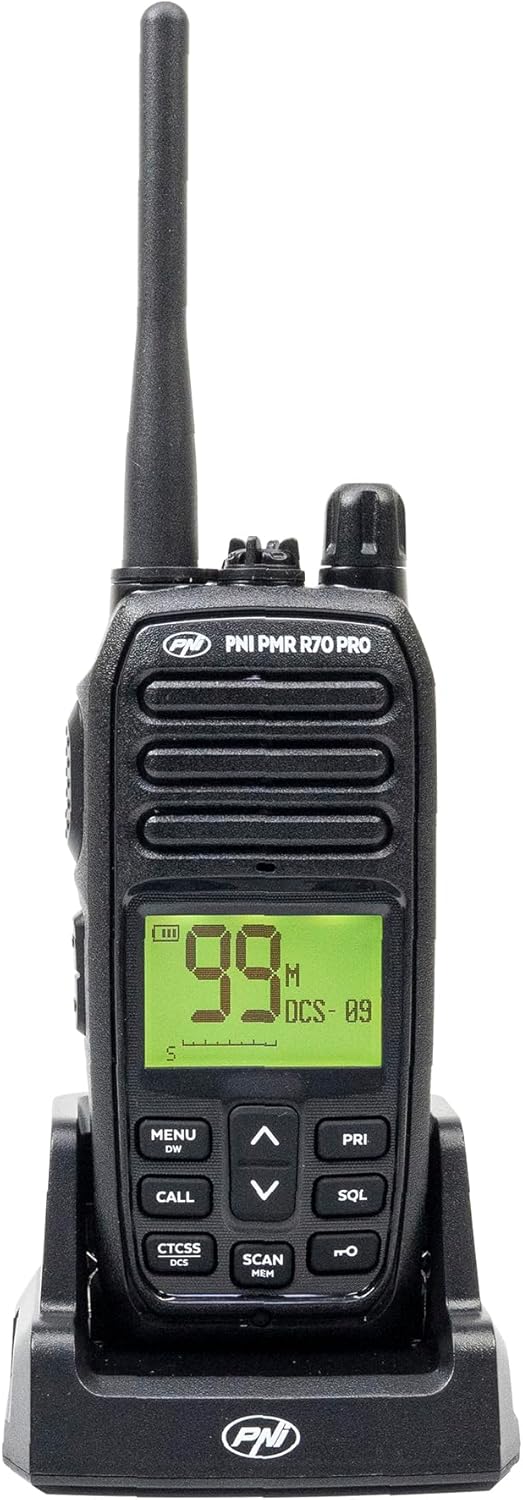
Whakaahua 1.1: Mua view of the PNI PMR R70 PRO portable radio, showing the display and control buttons.
2. Ihirangi mokete
Manatokohia ko nga mea katoa kei raro nei kei roto i to kete:
- PNI PMR R70 PRO Radio Unit
- Antenna
- 1800 mAh Pūhiko
- He Waehanga Papamahi
- Topenga whitiki
- Aratohu Kaiwhakamahi
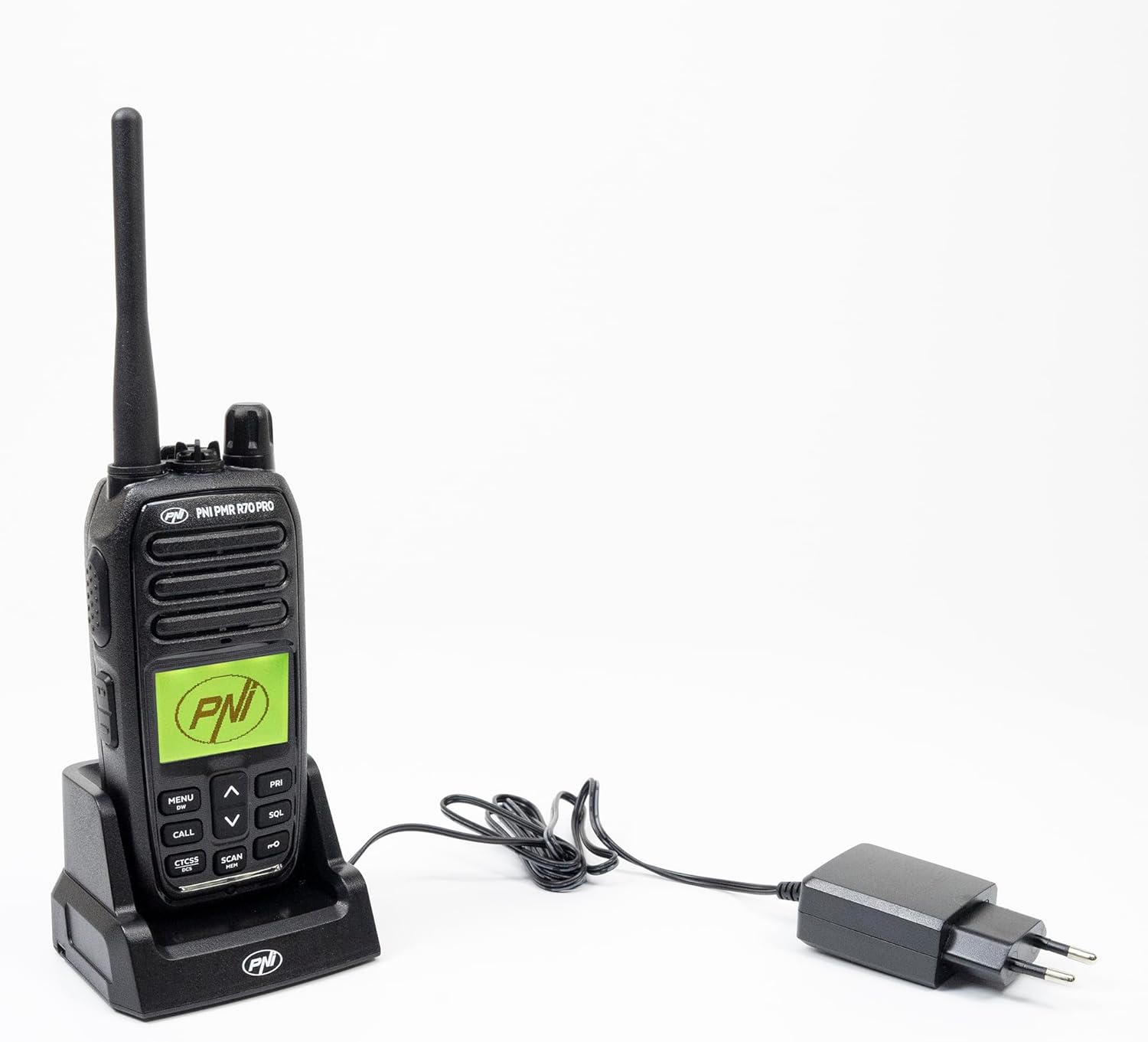
Image 2.1: All components included in the PNI PMR R70 PRO package: radio, antenna, battery, desktop charger, and belt clip.
3. Tatūnga
3.1 Tāuta Pūhiko
- Me mohio kua weto te reo irirangi.
- Kimihia te uhi o te wahanga pākahiko kei muri o te reo irirangi.
- Unscrew the retaining screw and carefully remove the cover.
- Insert the 1800 mAh battery into the compartment, ensuring the contacts align correctly.
- Whakakapia te uhi o te wahanga pākahiko ka mau ki te huri.

Whakaahua 3.1: Whakamuri view of the PNI PMR R70 PRO radio with the battery compartment open, showing the battery and its connection.
3.2 Te Whakataki i te Pūhiko
- Connect the desktop charger to a power outlet.
- Place the radio unit into the charging cradle. Ensure the charging contacts on the radio align with those on the charger.
- The charging indicator light on the charger will illuminate, typically red for charging and green for fully charged.
- A full charge typically takes several hours. Do not overcharge the battery.
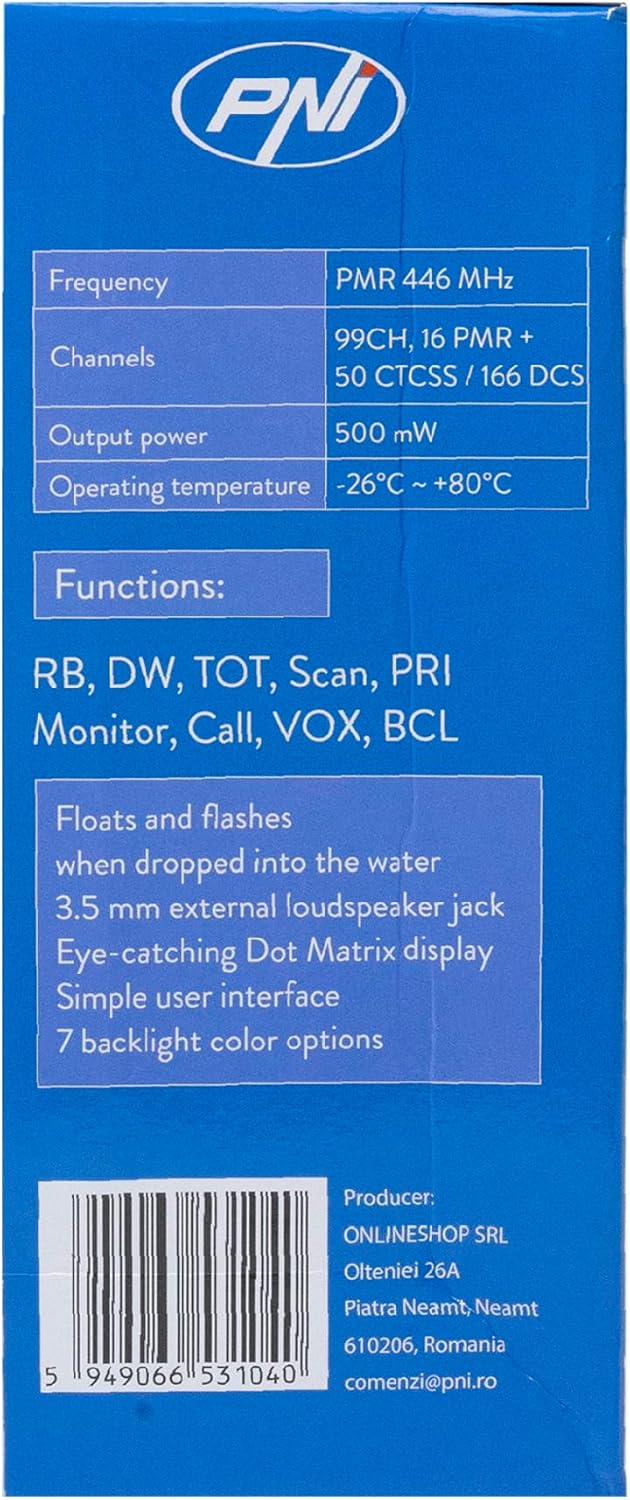
Image 3.2: The PNI PMR R70 PRO radio placed in its desktop charging cradle, connected to a power adapter.
4. Nga Tohutohu Whakahaere
4.1 Hiko / Whakaweto
To power on the radio, rotate the power/volume knob clockwise until you hear a click. To power off, rotate the knob counter-clockwise until it clicks.
4.2 Whakaritenga Rōrahi
Rotate the power/volume knob clockwise to increase the volume and counter-clockwise to decrease it.
4.3 Kōwhiringa Hongere
Whakamahia te UP (^) me raro (v) arrow buttons on the front panel to select one of the 16 available channels. The selected channel number will be displayed on the screen.
4.4 Te Tuku me te Whiwhi
- Hei Tuku: Press and hold the Push-To-Talk (PTT) button located on the side of the radio. Speak clearly into the microphone. Release the PTT button to stop transmitting.
- Hei Whiwhi: Me whakarite kia kaua e pehia te paatene PTT. Ka whiwhi tohu te reo irirangi i runga i te hongere kua tohua.
4.5 Nga waahanga motuhake
- CTCSS/DCS Tones: The radio supports 50 CTCSS (Continuous Tone-Coded Squelch System) and 166 DCS (Digitally Coded Squelch) tones. These tones help filter out unwanted conversations on the same channel. Refer to the full user guide for programming instructions.
- Mahi Matawai: Activate the scan function to monitor all active channels. The radio will stop on an active channel until the transmission ends.
- Mataaratanga Takirua (DW): This feature allows the radio to monitor two channels simultaneously.
- Roger Beep: An audible tone emitted when the PTT button is released, signaling the end of your transmission.
- Maukatakiriiri: Ka aukati i nga huringa ohorere ki nga tautuhinga.
- PC Programmable Channels: The radio supports 99 PC programmable channels. This requires a specific programming cable (PNI - PSR70) and software.

Image 4.1: The PNI PMR R70 PRO radio connected to a laptop via a programming cable for channel and feature customization.
5. Tiaki
5.1 Te horoi
Horoia te reo irirangi ki te ngohengohe, damp kakahu. Kaua e whakamahi i nga matū kino, i nga horoi horoi ranei. Me whakarite kua maroke te reo irirangi i mua i te whakamahi, te utu ranei.
5.2 Ātete Wai (IP67)
The PNI PMR R70 PRO is rated IP67, meaning it is fully protected against dust ingress and can withstand immersion in water up to 1 meter for 30 minutes. While robust, avoid unnecessary exposure to water and ensure all covers (e.g., battery cover, accessory port cover) are securely closed before exposing the radio to water.

Image 5.1: The PNI PMR R70 PRO radio with water droplets, illustrating its IP67 water resistance feature.
6. Te Raru
If you encounter issues with your PNI PMR R70 PRO radio, consider the following common troubleshooting steps:
- Kore Mana: Ensure the battery is correctly installed and fully charged. Check the power/volume knob is turned on.
- Kaore e taea te tuku, te whiwhi ranei: Verify that you are on the correct channel. Check if the PTT button is functioning. Ensure the antenna is securely attached.
- Kounga Ororongo Kino: Adjust the volume. Ensure the microphone and speaker are not obstructed. Move to an area with fewer obstructions for better signal.
- Awhe Poto: Obstacles like buildings and terrain can significantly reduce range. Operate in open areas for maximum range. Ensure the battery is fully charged.
- Papapātuhi Kāore e Urupare: Check if the keypad lock feature is activated. Deactivate it if necessary.
For persistent issues, consult the comprehensive user guide or contact customer support.
7. Whakatakotoranga
| Āhuahira | Whakatakotoranga |
|---|---|
| Waitohu | PNI |
| Tau tauira | PNI-R70-PRO |
| Awhe Auautanga | 446.00625 ~ 446.19375 MHz |
| Te maha o nga hongere | 16 (PMR), 99 PC Programmable |
| Te Mana Putanga | 0.5 W |
| CTCSS Tones | 50 |
| DCS Tones | 166 |
| Whakatauranga Tiaki o te Ao | IP67 (Dustproof, Submersible up to 1m for 30 min) |
| Pūhiko | 1800 mAh (included) |
| Toharite Pūhiko Ora | 18 haora |
| Voltage | 7.4 Volts (DC) |
| Awhe Morahi | Up to 10 Kilometers (open space) |
| Te Waahi Mahi | -26°C ~ +80°C |
| Rahi Hua (D x W x H) | 6P x 13l x 4H henimita |
| Taumaha Tūemi | 225 Karamu |
| Nga waahanga motuhake | Digital Display, Rechargeable, Roger Beep, Submersible, Keypad Lock |
8. Pūtāhui me te Tautoko
8.1 Nga Korero Whakaputanga
The PNI PMR R70 PRO radio comes with a 2-tau pūtāhui mai i te ra o te hokonga. Ka kapi tenei whakamana i nga hapa hangahanga i raro i te whakamahinga noa. Tena koa pupurihia to tohu mo te hoko mo nga kereme whakamana.
8.2 Tautoko Kiritaki
For technical assistance, troubleshooting, or warranty service, please contact your retailer or the manufacturer's customer support. Refer to the contact information provided in your purchase documentation.