
1. Kupu Whakataki
Mauruuru koe mo te hokoasing the VTech XS1050 Cordless Phone. This manual provides essential information for setting up, operating, and maintaining your new phone. Please read it thoroughly to ensure proper use and to take full advantage o ona ahuatanga.

Figure 1: VTech XS1050 Cordless Phone and Base Unit
This image shows the VTech XS1050 cordless phone handset resting in its white base unit. The handset features a digital display and a numeric keypad. The base unit also has controls for the answering machine.
2. Tatūnga
2.1 Ihirangi mokete
I mua i to tiimata, me whakarite kei te noho nga mea katoa:
- VTech XS1050 Handset
- VTech XS1050 Base Unit
- Pūurutau Mana mō te Wāhanga Tūāpapa
- Waea Waea Waea
- 2 x Product-Specific Batteries (included)
- Pukapuka Kaiwhakamahi (tenei tuhinga)
2.2 Tāuta Pūhiko
- Whakatuwheratia te uhi o te wahanga pākahiko kei muri o te ringaringa.
- Insert the two supplied batteries, observing the correct polarity (+ and -).
- Katia kia mau te uhi o te wahanga pākahiko.
2.3 Te Hononga i te Waeine Turanga
- Connect the power adapter to the base unit and plug it into a wall outlet.
- Honoa tetahi pito o te taura waea ki te waeine turanga me tetahi pito ki to peera waea waea.
2.4 Utu Tuatahi
Place the handset on the base unit. The battery indicator on the handset display will show charging. Allow the handset to charge for at least 16 hours before initial use to ensure optimal battery performance.
3. Nga Tohutohu Whakahaere
3.1 Te Waea me te Whiwhi Waea
- Te Waea: Pick up the handset, dial the number, and press the Karanga pātene.
- Whiwhi Waea: Ka tangi te waea, pehia te Karanga pātene.
- Whakamutua te Waea: Pehia te Whakamutua te Waea patene, whakahokia ranei te ringaringa ki runga i te waahanga turanga.
3.2 Using the Answering Machine
The VTech XS1050 features a digital answering machine with up to 30 minutes of recording time.
- Purei Karere: Pehia te Te purei pātene i runga i te waeine turanga.
- Te tuhi mihi: Refer to the detailed instructions in the full manual for custom greeting setup.
3.3 Waea Pūoro Kore-Ringa
Hei whakahohe i te waea kore-ringa i te wā e waea ana, pēhi i te Waeaorooro button on the handset. Press it again to switch back to handset mode.

Figure 2: Hands-Free Speakerphone Function
This image shows a person in a kitchen setting, using the VTech XS1050 handset on speakerphone mode while performing other tasks, indicating the convenience of the hands-free function.
3.4 Whakaritenga Rōrahi
I te wa e waea ana, whakamahia te Rōrahi Whakarunga a Rōrahi Whakararo buttons on the side of the handset to adjust the earpiece volume. The base unit also has volume controls for the speakerphone and answering machine playback.
3.5 Phonebook and Speed Dial
- Pukapuka Waea: Store up to 100 names and numbers. Access and manage entries via the handset menu.
- Waea Tere: Assign frequently called numbers to 8 dedicated speed dial keys for quick access.
3.6 Caller ID and Call History
The phone displays caller information (if available from your service provider) and stores a history of the last 20 incoming calls.

Figure 3: Caller ID and Call History Display
This image illustrates the handset's display showing multiple entries in the call history, including caller names and numbers, demonstrating the caller ID and call waiting features.
3.7 Conference Function
The intercom/hands-free function allows multiple users to participate in a conversation simultaneously, facilitating three-way conference calls.

Figure 4: Three-Way Conference Call
This image depicts three individuals engaged in separate phone conversations, symbolizing the three-way conference call capability of the VTech XS1050.
3.8 Alarm and Mute Function
The handset includes an alarm function for reminders and a mute function to temporarily silence your microphone during a call.

Figure 5: Alarm and Mute Function Icons
This image shows the VTech XS1050 handset on a table, with graphic overlays of an alarm clock and a muted speaker icon, illustrating the alarm and mute functionalities.
4. Nga waahanga matua
4.1 rōrahi Ampkaikawe
The VTech XS1050 features an integrated volume amplifier that boosts incoming sound and voice for enhanced clarity and volume. This feature is particularly beneficial for users with hearing impairments or those who prefer a louder audio experience.

Figure 6: Volume Amplifier in Action
This image visually represents the volume amplification feature, showing sound waves emanating from the handset and an ear icon with a plus sign, indicating increased audio output for clearer conversations.
4.2 Digital Answering Machine
Record and store incoming calls when you are unavailable. The digital answering machine offers a maximum storage duration of 30 minutes, ensuring you don't miss important messages.
4.3 Backlit Screen and Keypad
The handset features a backlit screen and keypad, providing improved visibility in low-light conditions and enhancing ease of use.

Figure 7: Backlit Screen and Keypad
This image highlights the illuminated display and keys of the VTech XS1050 handset, demonstrating its backlit feature for better visibility in dim environments.
4.4 Roa te Ora o te Puhiko
Enjoy extended conversations with up to 18 hours of talk time on a single charge, ensuring your phone is ready when you need it.

Figure 8: Up to 18 Hours Battery Life
This image features a woman talking on the VTech XS1050 handset, with a graphic overlay indicating '18 hours' talk time, emphasizing the product's long battery endurance.
4.5 Adjustable Ringtone Volume and Melodies
Customize your phone experience by adjusting the ringtone volume and choosing from various melodies to suit your preference.

Figure 9: Adjustable Ringtone Settings
This image shows the VTech XS1050 handset with graphic icons representing a bell (ringtone) and musical notes, indicating the ability to adjust ringtone volume and select melodies.
4.6 Multilingual Help Messages
The phone supports multilingual help messages, providing assistance in various languages for user convenience.
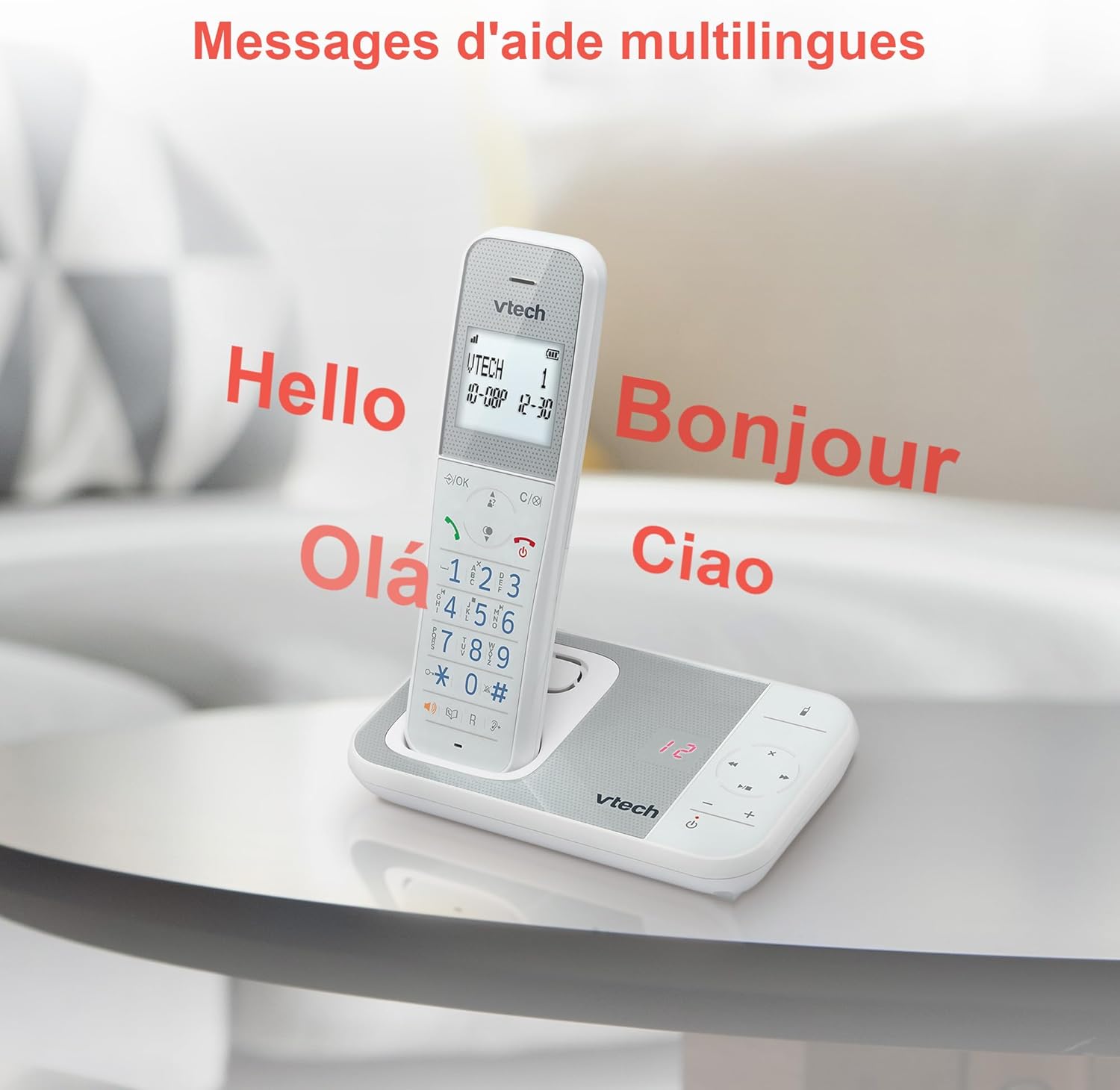
Figure 10: Multilingual Help Messages
This image displays the VTech XS1050 handset with various greetings like 'Hello', 'Bonjour', 'Olá', and 'Ciao' floating around it, illustrating the multilingual support feature.
5. Tiaki
5.1 Te horoi
Horoia te waea me te wae turanga ki te ngohengohe, damp kakahu. Kaua e whakamahia he kaihoroi whakakoi, he wai whakarewa rānei. Kia kore he wai e uru ki ngā pūaha o te waea.
5.2 Tiaki Pūhiko
- Always use the supplied batteries.
- Ki te kore te waea e whakamahia mo te wa roa, tangohia nga pākahiko kia kore ai e pakaru.
- Makahia nga pākahiko tawhito kia rite ki nga ture o te rohe.
6. Te Raru
If you experience issues with your VTech XS1050, please refer to the following common problems and solutions:
| Raruraru | Take pea | Rongoā |
|---|---|---|
| Karekau he oro waea | Telephone line cord is not connected properly. | Ensure the telephone line cord is securely plugged into the base unit and the wall jack. |
| Karekau te waea i te hiko | Batteries are not charged or incorrectly installed. | Check battery polarity and ensure the handset is properly seated on the base unit for charging. Verify power adapter connection. |
| He kino te kounga oro | Te pokanoa mai i etahi atu taputapu hiko. | Move the base unit or handset away from other electronic devices such as TVs, computers, or microwaves. |
| Kāore te mīhini whakautu e tuhi | Memory full or answering machine is off. | Delete old messages to free up space. Ensure the answering machine function is activated. |
7. Whakatakotoranga
| Āhuahira | Taipitopito |
|---|---|
| Waitohu | VTech |
| Tauira | XS1050 |
| Tae | Mā |
| Momo Waea | Kore aho (DECT) |
| Te maha o nga pākahiko | 2 (Hua Motuhake - Kei roto) |
| Rauemi | Kirihou |
| Puna Mana | Pūhiko Powered |
| Momo Waea | Papatuhi Kotahi |
| Rahi Tūemi (L x W x H) | 18.5 x 15.1 x 6.6 henimita |
| Momo Pūnaha Whakautu | Mamati |
| Taumaha Tūemi | 400 Karamu |
| Answering Machine Capacity | Tae atu ki te 30 meneti |
| Te Puka Waea Te kaha | 100 ingoa me nga nama |
| Waea History | 20 nga whakaurunga |
| Te Wa Korero | Tae atu ki te 18 haora |
8. Raihana me te Tautoko
8.1 Nga Korero Whakaputanga
Mō ētahi atu kōrero taipitopito mō te pūtāhui, tirohia te kāri pūtāhui kei roto i tō hua, tirohia rānei te paetukutuku mana o VTech. webpae. Puritia to riiki hoko hei tohu mo te hoko.
8.2 Tautoko Kiritaki
If you require further assistance or have questions not covered in this manual, please contact VTech customer support. Contact details can typically be found on the VTech webte waahi kei roto ranei i te kohinga hua.