
Kupu Whakataki
This manual provides detailed instructions for the installation, operation, and maintenance of your Jectse Automatic Solar Chicken Coop Door. Designed for convenience and poultry protection, this door features an LED display, timer function, light sensor, and remote control capabilities. It is suitable for various poultry, including chickens and ducks.
Nga waahanga hua
- HD LED Display Screen: Clear display for easy time setting and monitoring of door status.
- Taumahi Matawā: Manually set specific opening and closing times based on seasonal changes or poultry routines.
- 3-in-1 Automatic Operation: Combines light detection, timer, and remote control for versatile use.
- Solar and USB Power: Flexible power options with a solar panel and USB-C charging port.
- Poultry Protection: Robust plastic construction designed to secure your poultry from predators.
- Mana Mamao: Operate the door from up to 16 meters away.
Ihirangi mokete
Kia tino mōhio kei te wātea ngā wāhanga katoa i mua i te tāutanga:
- Automatic Chicken Coop Door Unit
- Paewhiri Solar
- Mana Mamao
- Tauira USB
- Mounting Screws and Tools (Screwdriver)

Whakaahua 1: Package contents showing the automatic coop door, solar panel, remote, USB cable, and installation tools.
Tatūnga me te Tāuta
- Kōwhiri Tauwāhi: Select a suitable location on your chicken coop for horizontal door operation. Ensure the area is clear for the door to slide open and close freely.
- Tāutahia te Wāhanga Tatau: Securely attach the main door unit to the coop using the provided screws. Ensure it is level and the opening mechanism is unobstructed.
- Tāuta Paewhiri Solar: Mount the solar panel in a location that receives maximum direct sunlight throughout the day. Connect the solar panel to the main door unit using the provided cable.
- Hinga-Whakaoho tuatahi: The unit can be powered via the solar panel or by connecting the USB cable to the Type-C port on the main unit. Ensure the unit has sufficient power before programming.

Whakaahua 2: Example installation of the automatic coop door on a chicken coop.
Nga Tohutohu Whakahaere
LED Display and Button Functions
The high-definition LED display allows for clear viewing and easy programming. Use the buttons to navigate and set parameters.
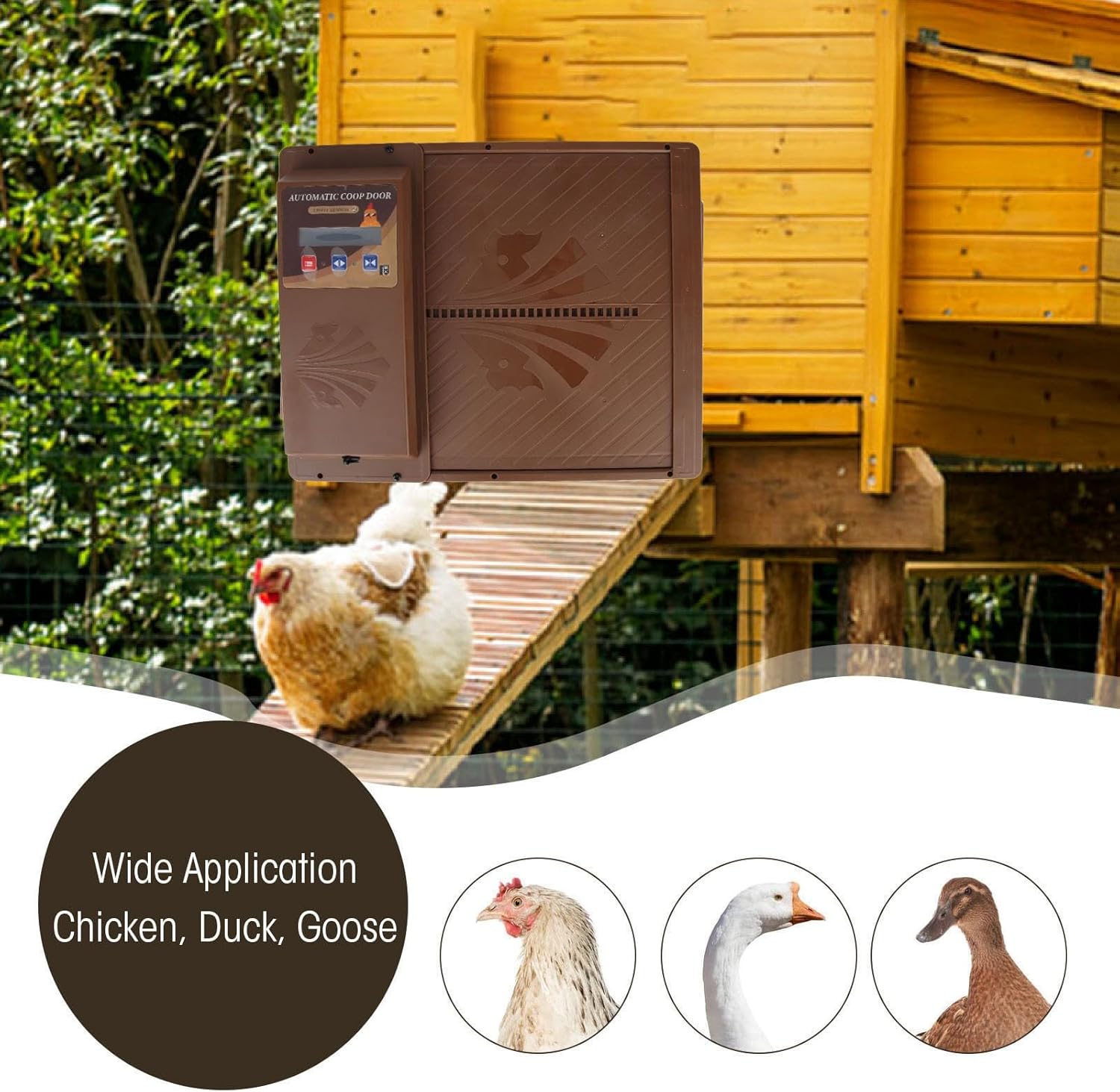
Whakaahua 3: Taipitopito view of the LED display and control panel.
Te whakarite i te Aratau Matama
The timer mode allows you to manually set specific opening and closing times for the door. This is useful for adapting to different seasons or specific routines for your poultry.
- Pehia te Tahua/Tautuhi button (usually indicated by three horizontal lines or a gear icon) to enter the settings menu.
- Whakamahia te Up a Ki raro arrow buttons to navigate to the "Timer Setting" option.
- Pehia te Whakaū button (often a checkmark or play icon) to select.
- Set the desired opening time (e.g., "Open in the morning") and closing time (e.g., "Close at night") using the arrow buttons. Confirm each setting.
- Exit the menu to save your settings. The door will now operate according to your programmed schedule.

Whakaahua 4: Visual representation of setting open and close times.
Aratau Sensor Maama
The light sensor automatically detects dawn and dusk to open and close the door. This mode provides hands-free operation.
- Access the settings menu as described above.
- Navigate to the "Light Sensor Mode" option.
- Select this mode. The door will now open automatically at dawn and close at dusk based on ambient light levels.
Mahi Mana Mamao
The included remote control allows you to open or close the door manually from a distance of up to 16 meters.

Whakaahua 5: The automatic coop door and its remote control.
- Pehia te ON button on the remote to open the door.
- Pehia te WATE button on the remote to close the door.
- Ensure there are no significant obstacles between the remote and the door unit for optimal range.
Whakahaere Hiko
The Jectse Automatic Solar Chicken Coop Door offers flexible power options:
- Hiko Ra: The integrated solar panel charges the internal battery during daylight hours. The solar panel features a power display to indicate charge level.
- USB-C te utu: In periods of low sunlight or for quick charging, connect the provided USB cable to the Type-C port on the main unit and a suitable USB power adapter (not included).
- Direct USB Power: The unit can also be powered directly via the USB-C cable, bypassing the solar panel if preferred.
Regularly check the power display on the solar panel to ensure adequate charge for continuous operation.
Te tiaki
- Te horoi: Periodically clean the door and the LED display with a soft, damp kakahu. A ape i nga kai horoi abrasive.
- Paewhiri Solar: Keep the solar panel clean and free from dirt, dust, or debris to ensure efficient charging.
- Taki Arai: Regularly inspect the door's track and opening area for any obstructions that might hinder its movement.
- Mauroa Rawa: The door is made of durable plastic, designed to be rust-free and long-lasting.
Raparongoā
| Raruraru | Take pea | Rongoā |
|---|---|---|
| Door does not open/close at set time. | Incorrect timer settings; low battery; light sensor interference. | Verify timer settings on the LED display. Ensure the unit is adequately charged (check solar panel display or use USB). If using light sensor mode, ensure the sensor is not obstructed or exposed to artificial light sources at night. |
| Door does not respond to remote control. | Remote battery low; remote out of range; signal obstruction. | Replace remote control batteries. Move closer to the door unit (within 16m). Ensure no large objects are blocking the signal path. |
| Door movement is sluggish or stuck. | Obstruction in the door track; dirt buildup; low power. | Inspect the door track and clear any debris. Clean the door mechanism. Ensure the unit is fully charged. |
| Karekau te panui solar e utu ana. | He iti te ra o te ra; papa paru; hononga hē. | Relocate the solar panel to an area with more direct sunlight. Clean the solar panel surface. Check all cable connections. |
Whakatakotoranga
| Tau tauira | Jectsemeoqki98a4-12 |
| Waitohu | Jectse |
| Ahu (L x W x H) | 37 x 32 x 7 cm |
| Taumaha | 1.42 Kirokaramu |
| Rauemi | Kirihou |
| Tae | Paraone |
| Puna Mana | Solar, USB-C |
| Awhe Mana Mamao | Tae atu ki te 16 mita |
| Ngā momo i tūtohutia | All sizes of chickens and ducks |
Pūtāhui me te Tautoko
For warranty information, technical support, or any inquiries regarding your Jectse Automatic Solar Chicken Coop Door, please refer to the manufacturer's official webpaetukutuku, whakapā atu ranei ki ta raatau tari ratonga kaihoko. Puritia to rihiti hoko mo nga kereme whakamana.
Kaihanga: Jectse
ASIN: B0CWN13JMW