
Kupu Whakataki
Thank you for choosing the VTech ES2051 Digital Cordless Phone. This manual provides comprehensive instructions for setting up, operating, and maintaining your new phone system. The ES2051 is designed for ease of use, featuring a digital answering machine, call blocking capabilities, volume amplification, and an antibacterial plastic construction for enhanced hygiene.
Please read this manual thoroughly before using your phone to ensure proper operation and to take full advantage o ona ahuatanga.
Nga korero haumaru
Me whai tonu i nga tikanga tiaki haumaru ina whakamahi i tenei hua hei whakaiti i te tupono o te ahi, te wiri hiko, me te whara o te tangata.
- Kaua e whakamahia tenei hua ki te taha o te wai, ka waawaawa ranei koe.
- Avoid using the phone during a thunderstorm. There may be a remote risk of electric shock from lightning.
- Kaua e whakamahia tenei hua ki te ripoata mo te turuturu hau i te takiwa o te turuturu.
- Use only the power adapter and batteries provided with this product.
- Do not dispose of batteries in a fire. They may explode. Check with local codes for special disposal instructions.
- Wewetehia tenei hua mai i te putanga o te pakitara i mua i te horoi. Kaua e whakamahi i te wai, i te horoi aerosol ranei. Whakamahia te panuiamp kakahu mo te horoi.
Ihirangi mokete
Me mohio kei roto katoa nga mea kei roto i to kete:
- Main Base Unit with Digital Answering Machine
- Cordless Handset(s) (typically two for this model)
- Handset Charger(s) (for additional handsets)
- Pūurutau Mana
- Waea Waea Waea
- NiMH AAA Rechargeable Batteries (4 included)
- Pukapuka Kaiwhakamahi (tenei tuhinga)
Tatūnga
1. Te hono i te Waeine turanga
- Plug the small end of the power adapter into the power jack on the back of the base unit.
- Monohia te pito nui o te urutau hiko ki tētahi putanga pakitara kāore e whakahaerehia ana e te pana pakitara.
- Plug one end of the telephone line cord into the telephone jack on the back of the base unit.
- Monohia tetahi pito o te taura waea ki roto i te hononga waea i te pakitara.
2. Installing and Charging Batteries
- Whakatuwheratia te uhi o te wahanga pākahiko kei muri o te ringaringa.
- Insert the supplied NiMH AAA batteries, observing the correct polarity (+ and -).
- Katia te uhi o te wahanga pākahiko.
- Place the handset in the base unit or charger to charge. The handset will beep, indicating it is charging.
- Allow the handset to charge for at least 16 hours before initial use. For optimal battery performance, keep the handset in the charger when not in use.

Image: The VTech ES2051 Digital Cordless Phone system, showing the main base with one handset and a charging cradle for the second handset, ready for setup.
Nga Tohutohu Whakahaere
Te Waea me te Whiwhi Waea
- Hei Waea: Perehi KORERO / MAHI or KORERO, ka waeahia te nama waea.
- Hei Whakautu Waea: Perehi KORERO / MAHI or KORERO ka tangi te waea.
- Hei Whakamutu Waea: Perehi MATE/MAMA or place the handset back in the base/charger.
Miihini Whakautu Mamati
The integrated digital answering machine can record up to 30 minutes of messages. It automatically answers calls when you are unavailable.
- Purei Karere: Perehi TAKARO/TATA i runga i te waeine turanga.
- Muku Karere: Perehi MUMU i te wa o te purei karere.
- Te tuhi i tētahi pānuitanga: Follow the instructions in the full manual for custom outgoing message recording.

Image: A woman interacting with the VTech ES2051 phone, highlighting the digital message counter on the base unit, which indicates the number of new messages.
Kaipure Waea
The selective call blocking feature allows you to block up to 100 unwanted numbers, preventing them from ringing your phone.
- Hei Ārai i tētahi Tau: During a call or from the Caller ID log, press the KAUPAPA PORI button (often represented by a specific icon) and follow the on-screen prompts to add the number to the blacklist.
- Managing Blocked Numbers: Access the call block list through the handset menu to review or remove blocked numbers.

Image: A visual representation of the call blocker feature, showing a family in a kitchen setting with an icon indicating unwanted calls are being blocked.
Rōrahi Ampkaikawe
Te rōrahi amplification feature enhances incoming sounds and voices, improving clarity and volume in the handset earpiece. This is particularly useful for users with hearing impairments or those who prefer a louder audio experience.
- Activating/Adjusting: During a call, press the dedicated TE WHAKAMAHI ROTO button (often indicated by a speaker icon with a plus sign) or use the volume up/down keys to increase the earpiece volume.
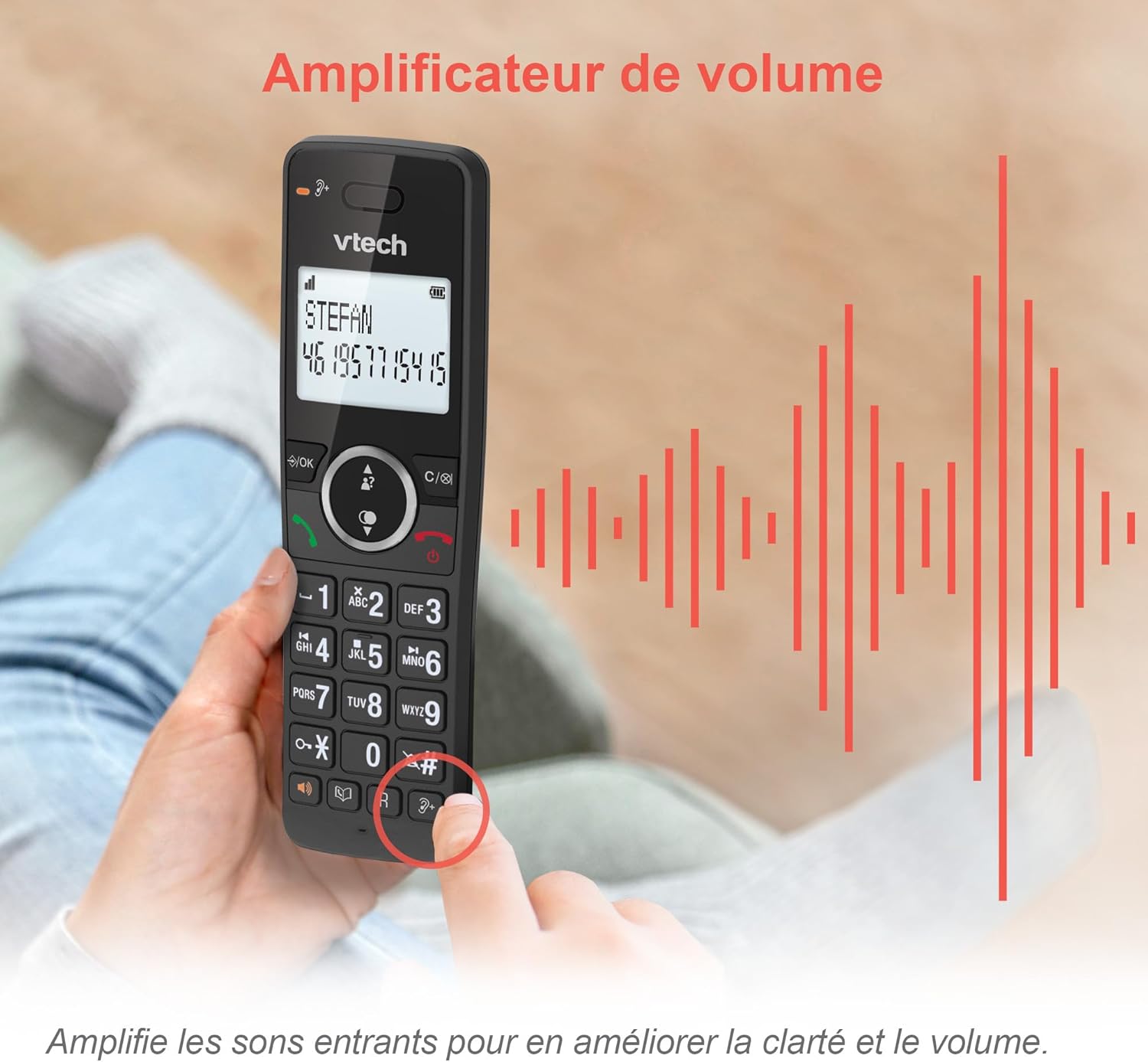
Image: A hand holding the VTech ES2051 handset, with graphic sound waves emanating from the earpiece, illustrating the volume amplification feature.
Conference Function
The conference function allows multiple users to participate in a single conversation. You can set up a three-way conference call with two internal callers (handsets) and one external caller.
- Initiating a Conference Call: Refer to the detailed instructions in the full manual for specific steps on how to add a third party to an ongoing call.

Image: Three people engaged in a conversation, visually representing the three-way conference call capability of the VTech ES2051 phone system.
Mahi Intercom
The intercom feature allows you to communicate between handsets within your home without using the landline. This is useful for calling family members in different rooms.
- Whakamahi Waeawhiti: Pehia te PANUI button (if available) or access the intercom function through the handset menu, then select the desired handset to call.
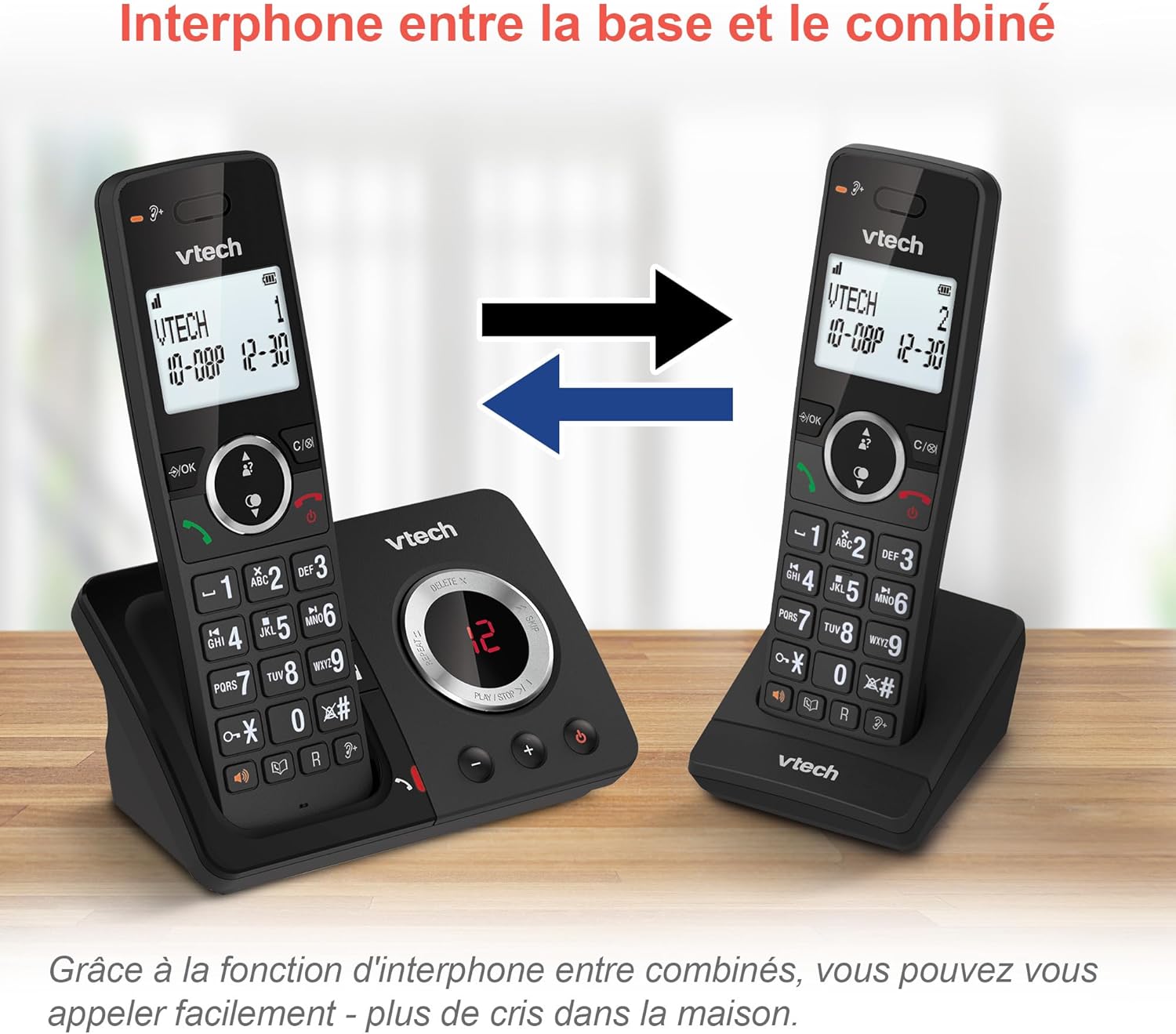
Image: A diagram showing two VTech ES2051 handsets with arrows indicating communication between them, illustrating the intercom feature.
Phonebook and Call Features
The phone includes a 100-name and number phonebook, 8 speed dial keys, and a backlit screen and keypad for easy visibility.
- Te Rokiroki i ngā Hoapā: Navigate to the phonebook menu to add, edit, or delete contacts.
- Waea Tere: Assign frequently called numbers to the 8 speed dial keys for quick access.
- Rārangi Tautuhi Kaiwaea: Review the last 20 incoming calls with Caller ID information.
- Tuarua: Access the list of the last 10 dialed numbers for quick redialing.

Image: A collage of images showcasing various VTech ES2051 phone features, including the 100-entry phonebook, call display, redial function, and an 18-hour talk time battery life indicator.
Aratau ECO
The ECO mode automatically adjusts and minimizes the radio frequency power based on the distance between the handset and the base unit. This feature helps conserve energy and reduce power consumption.
Te tiaki
Te horoi i te Waea
The VTech ES2051 is made with antibacterial plastic and features a seamless, easy-to-clean design. To clean your phone:
- Unplug the base unit from the wall outlet and telephone line.
- Horoia ngā mata o te waea ki te wai ngohengohe,amp kakahu. Kaua e whakamahi i te wai, i te horoi aerosol ranei.
- Ensure the phone is completely dry before plugging it back in.
Tiaki Pūhiko
- Use only the supplied rechargeable NiMH AAA batteries.
- Kaua e tukuna nga pākahiko ki te ahi.
- Ki te kore te waea e whakamahia mo te wa roa, tangohia nga pākahiko kia kore ai e pakaru.
Raparongoā
If you experience any issues with your VTech ES2051 phone, try the following troubleshooting steps:
| Raruraru | Rongoā |
|---|---|
| Karekau he oro waea | Ensure the telephone line cord is securely plugged into both the base unit and the wall jack. Check if other phones on the same line are working. |
| Kaore e taea te waea, te whiwhi waea ranei | Check the power connection to the base unit. Ensure the handset batteries are charged. If using a DSL service, you may need a DSL filter. |
| Handset displays "Out of Range" or "No Power at Base" | Move the handset closer to the base unit. Ensure the base unit's power adapter is securely plugged in. |
| Kāore te mīhini whakautu karere e tuhi karere ana | Check if the answering machine is turned ON. Ensure there is enough recording time available (max 30 minutes). |
| Kounga oro ngoikore, pūmau rānei | Nekehia te ringaringa kia tata atu ki te waeine turanga. A ape i te whakanoho i te waeine turanga ki te taha o etahi atu taputapu hiko (hei tauira, ngaruiti, nga pouara Wi-Fi) ka raru pea. |
If the problem persists after trying these steps, please refer to the VTech support webpae, whakapā atu ranei ki te ratonga kiritaki mo etahi atu awhina.
Whakatakotoranga
| Āhuahira | Taipitopito |
|---|---|
| Waitohu | VTech |
| Tau tauira | ES2051 |
| Tae | pango |
| Momo Waea | Ahokore |
| Momo Pūnaha Whakautu | Mamati |
| Te Waa Tuhi Miihini Whakautu | Tae atu ki te 30 meneti |
| Pūrere Hototahi | Landlines, Answering Machine |
| Pūhiko | 4 AAA - included |
| Hanganga Pūhiko | NiMH |
| Puna Mana | Pūhiko Powered |
| Rauemi | Plastic (Antibacterial) |
| Momo Waea | Papapātuhi Māmā |
| Rahi Tūemi (L x W x H) | 18.3 x 13.5 x 11 henimita |
| Whenua Taketake | Haina |
Pūtāhui me te Tautoko
VTech products are manufactured to high-quality standards. For information regarding warranty coverage, please refer to the warranty card included with your product or visit the official VTech webpae mo to rohe.
For technical support, frequently asked questions, or to download the full user manual, please visit the VTech support section online or contact their customer service helpline. Contact details can typically be found on the VTech webte waahi kei runga ranei i te kohinga hua.