
ARPHA H200-knob
ARPHA H200 Round Dummy Door Knob Instruction Manual
Model: H200-knob
Kupu Whakataki
This manual provides detailed instructions for the installation, operation, and maintenance of your ARPHA H200 Round Dummy Door Knob. This non-locking door knob is designed for interior doors where a latching mechanism is not required, such as closets, pantries, and cupboards. Please read these instructions carefully before installation and retain them for future reference.
Nga korero haumaru
- Me mau tonu ngā taputapu haumaru e tika ana, pērā i ngā karapu me ngā tiaki kanohi, i te wā e tāuta ana.
- Purihia nga waahanga iti mai i nga tamariki kia kore ai e kowaowao.
- Ensure the door is stable and properly aligned before installing the knob.
- Do not use abrasive cleaners or harsh chemicals on the door knob finish.
Ihirangi mokete
Tena koa tirohia kei te noho nga waahanga katoa i mua i te tiimata o te whakaurunga:
- Riki (x1)
- Knob Release Tool (x1)
- Screws for the Latch Plate (x2)
- Screws for the Strike Plate (x2)
- Interior Knob (x1)
- Exterior Knob (x1)
- Plastic Latch Cover (x1)
- Pereti Patua (x1)
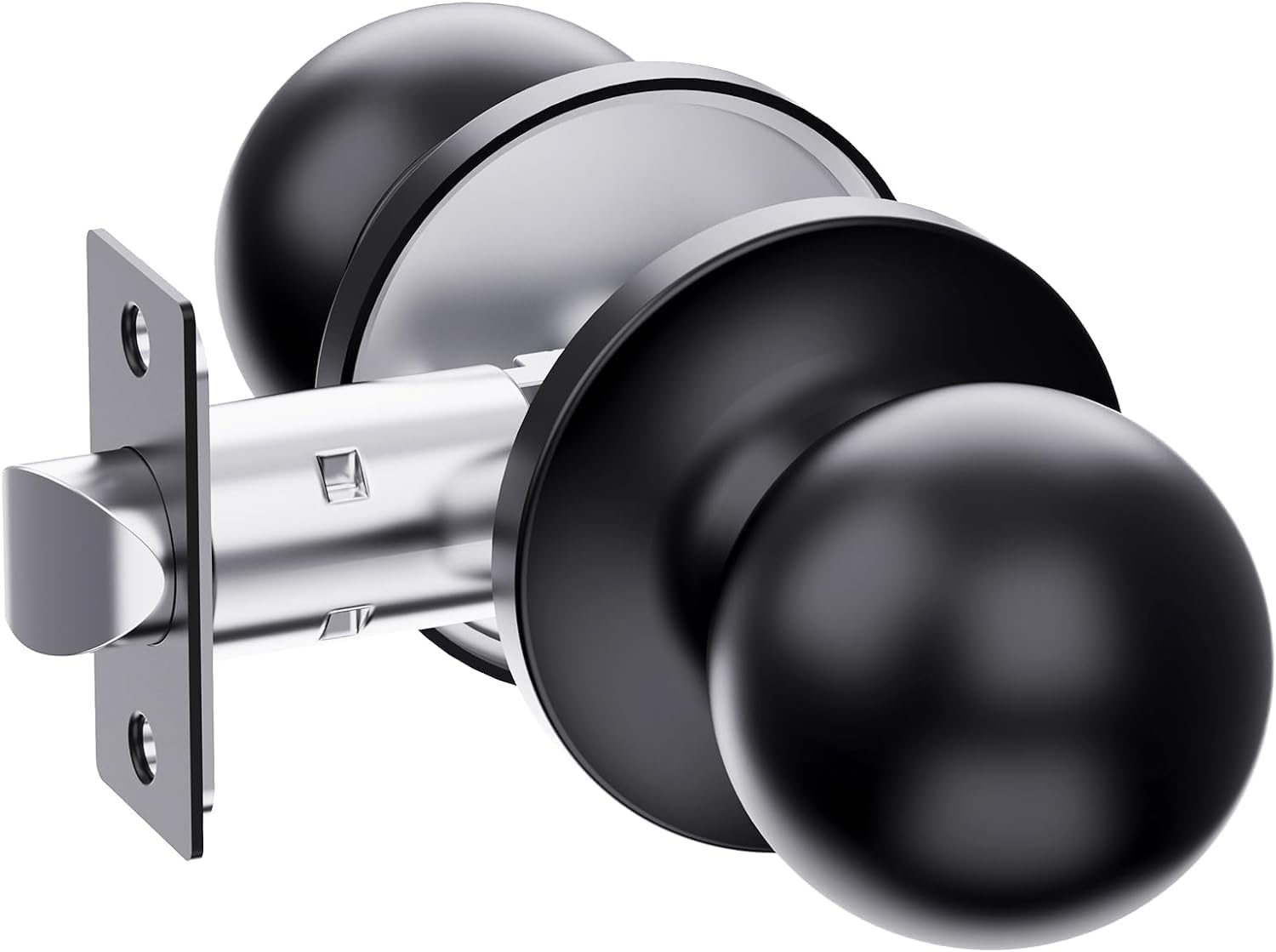
Image: All components of the ARPHA H200 Round Dummy Door Knob, including the latch, knobs, screws, and tools.
Ka mutu te huaview
The ARPHA H200 is a dummy door knob, meaning it does not have a locking mechanism and is primarily used for aesthetic purposes or to provide a pull handle for doors that do not require latching, such as closet or pantry doors. It features a classic round design with an ergonomic grip for comfortable use.
- Dummy Functionality: Ideal for doors that only require opening and closing without a latch or lock. The knob can be turned on both sides.
- Hoahoa Ergonomic: The classic non-handed design ensures a comfortable grip, reducing hand fatigue, especially for frequently used doors.
- Rauemi Roa: Constructed from zinc alloy, ensuring outstanding durability and a long-lasting matte black finish.

Image: The ARPHA H200 Round Dummy Door Knob installed on an interior door, blending seamlessly with a modern living room decor.
Aratohu Tāuta
Follow these steps for proper installation of your ARPHA H200 Round Dummy Door Knob. A screwdriver is the only tool required.
Akoranga Ataata:
Video: Official ARPHA H200 Door Knob Installation Video Tutorial. This video demonstrates the step-by-step process of installing the door knob, including adjusting the latch and assembling the knob components.
Nga tohutohu taahiraa-i-te-taahiraa:
- Prepare the Latch: The latch is suitable for backset scale ranges of 2-3/8 inches (60mm) and 2-3/4 inches (70mm). Adjust the latch to the correct backset for your door by rotating the mechanism as shown in the video.
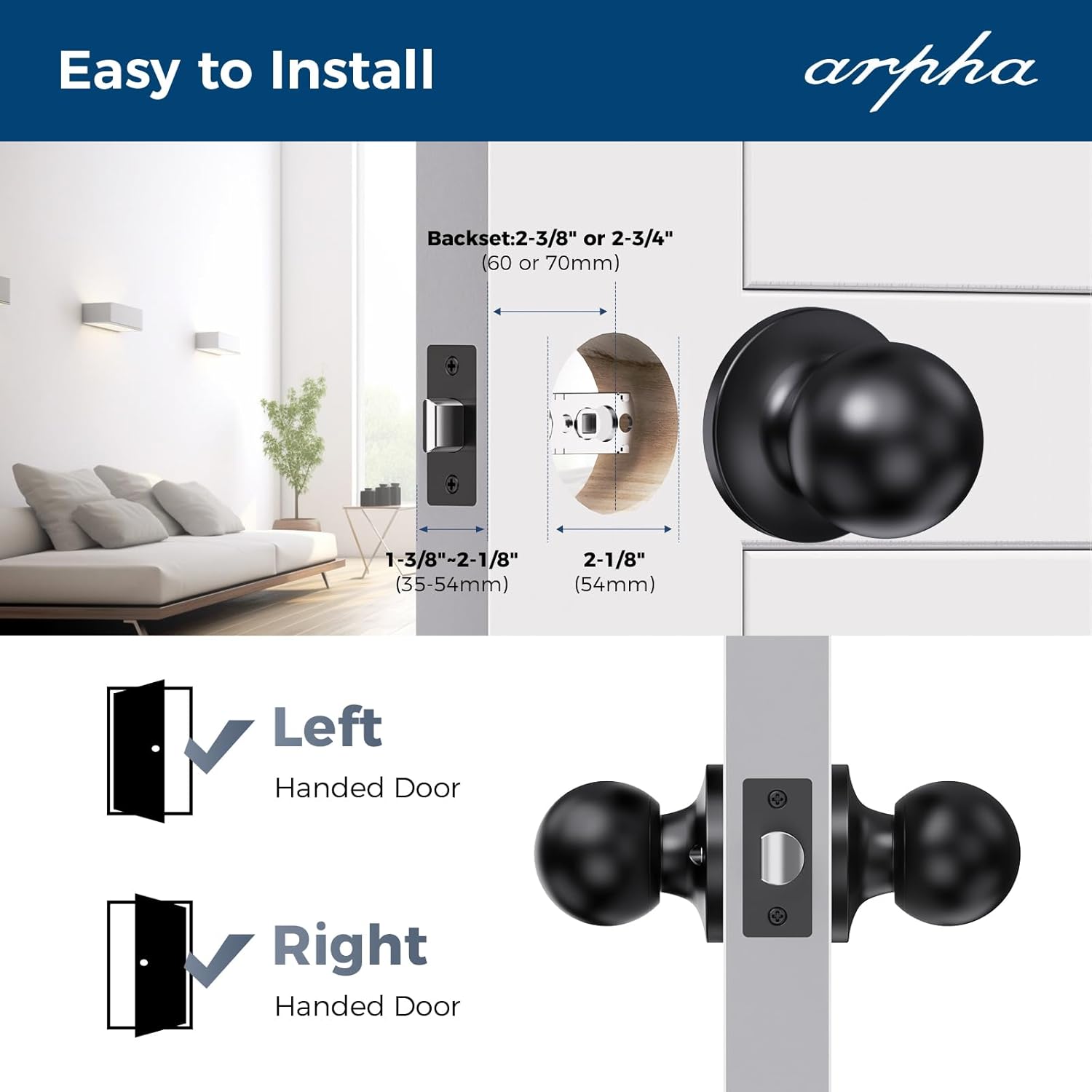
Image: Diagram illustrating the adjustable backset of the latch (60mm or 70mm) and compatibility with both left and right-handed doors.
- Tāutahia te raka: Insert the adjusted latch into the door edge hole. Ensure it is correctly oriented. Use a screwdriver to tighten the two screws that secure the latch plate to the door.

Image: A hand using a screwdriver to secure the latch into the door frame, demonstrating the ease of installation.
- Disassemble Interior Knob (if necessary): Before installing the interior knob, you may need to disassemble the rear lock ball. Get the interior knob and rotate it. Align the internal protruding part and use the knob release tool to depress the knob retainer and pull the knob out of the spindle.
- Connect Knobs: Match the exterior knob to the keyhole and pass it through the lock latch. Then, connect the interior knob and exterior knob together. Ensure the alignment points are matched for proper assembly.
- Whakaūtia ngā Puku: Connect the rear lock and front lock together. Use a screwdriver to tighten the screws that hold the interior and exterior knobs together through the door.
- Huihuinga Whakamutunga: Finally, buckle the rear ball lock against the rear lock body. Be sure to buckle and install according to the corresponding position.
Mahi
The ARPHA H200 dummy door knob is designed for simple push/pull operation. The knob can be turned on both sides, but it does not engage a latch or lock mechanism. It is ideal for doors that only require a pull to open and push to close, such as closet doors or pantry doors.

Image: The ARPHA H200 Round Dummy Door Knob installed on a bedroom door, showcasing its simple and functional design for interior use.
Te tiaki
To maintain the finish and functionality of your ARPHA H200 door knob:
- Horoia i ia wā ki te wai ngohengohe,amp kakahu.
- Avoid using abrasive cleaners, solvents, or harsh chemicals, as these can damage the matte black finish.
- Periodically check that all screws are tight to ensure secure operation.
Raparongoā
| Raruraru | Take pea | Rongoā |
|---|---|---|
| He āhua wetekina, he wiri rānei te poro. | Karekau e piri nga tira whakapuru. | Tighten the mounting screws that connect the interior and exterior knobs. |
| Knob does not turn smoothly. | Misalignment during installation or obstruction. | Recheck installation steps, ensuring the spindle passes freely through the latch mechanism. Remove any obstructions. |
Whakatakotoranga
| Āhuahira | Taipitopito |
|---|---|
| Waitohu | ĀRAPA |
| Tau tauira | H200-knob |
| Rauemi | Kohanga Konutea |
| Hunga Hua | 3"L x 2"W |
| Momo Maukati | Dummy Knob (Non-locking) |
| Takotoranga-ringa | Ambidextrous (Left and Right Doors Compatible) |
| Nga Waahanga kei roto | Latch & Strike |
| Taumaha Tūemi | 1.06 pauna |
Pūtāhui me te Tautoko
ARPHA stands behind the quality of its products. Your ARPHA H200 Round Dummy Door Knob comes with:
- A 30-day money-back guarantee.
- An 18-month warranty.
- Tautoko hangarau ora.
For any questions, concerns, or technical assistance, please contact our dedicated support team via email. Our team is available 24/7 to assist you.
For more information or to contact support, please visit the official ARPHA store or refer to your purchase documentation.
Thank you for choosing ARPHA.
Ask a question about this manual
Ask about setup, troubleshooting, compatibility, parts, safety, or missing instructions. Manuals+ will review the question and use this page’s manual context to help answer it.