
Kupu Whakataki
The Geeni Smart Water Alarm Leak Detector with Siren is designed to provide early warning of water leaks in your home. This device helps prevent potential water damage by detecting leaks and alerting you through its built-in siren and mobile application. It integrates with your home Wi-Fi network for remote monitoring and smart home automation.
Nga waahanga matua
- Instant Leak Detection: Rapidly identifies the presence of water.
- Matohi Wā-tūturu: Sends immediate notifications to your smartphone.
- Built-in 80dB Alarm: Emits a loud siren to alert occupants.
- Monitor from Anywhere: Access device status and alerts remotely via the Geeni app.
- Whakauru Whare Ataata: Compatible with other Geeni smart home products for automated responses.
- Matohi Pūhiko Iti: Notifies you when batteries need replacement.
- Tatūnga ngawari: I hangaia mō te tāutanga tere me te māmā.
- 24/7 Peace of Mind: Continuous monitoring for enhanced home safety.
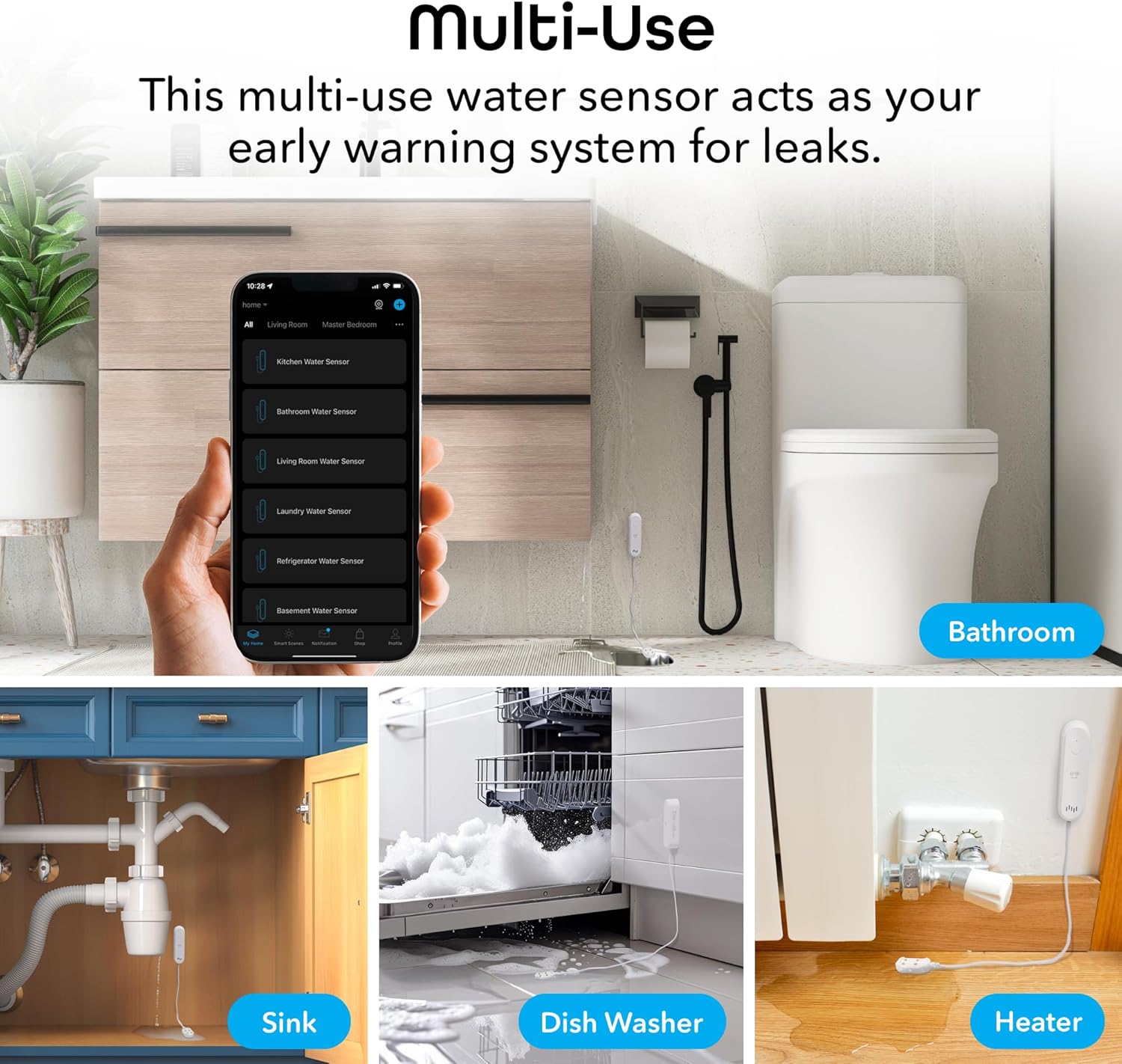
Figure 1: Key features of the Geeni Smart Water Alarm Leak Detector.
Ihirangi mokete
Manatokona kei roto katoa nga mea kei roto i te kete:
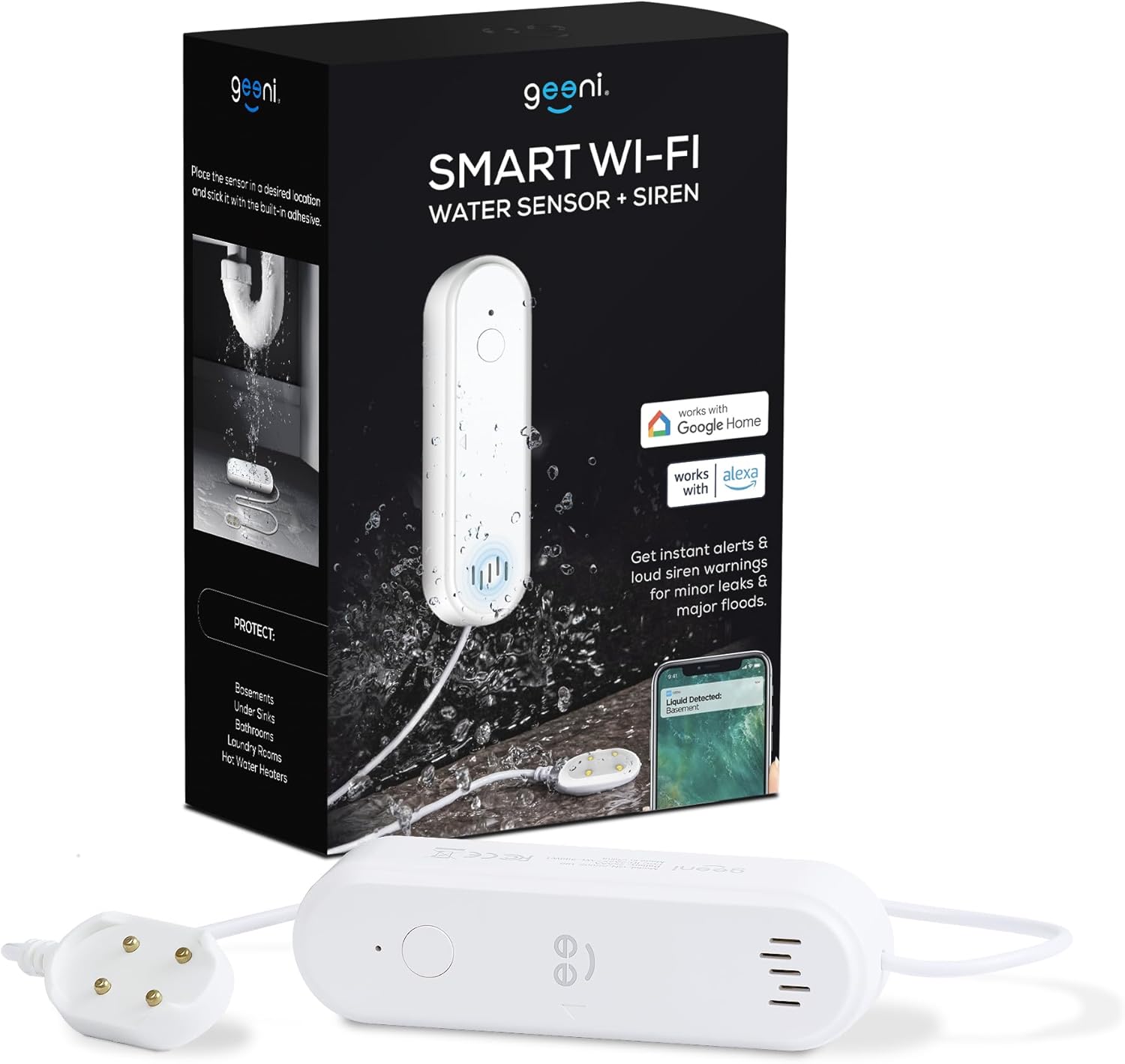
- 1x Geeni Smart Water Sensor
- 1x Siren Mounting Adhesive
- 1x Manual Kaiwhakamahi
- 2x AAA Pūhiko
Pikitia 2: Ngā mea kei roto i te kete hua.
Ka mutu te huaview
Familiarize yourself with the components of your Geeni Smart Water Alarm Leak Detector:
- Rama LED: Indicates device status (e.g., pairing mode, leak detected).
- Tautuhi Kī: Whakamahia mō te hono me te tautuhi anō i te pūrere.
- Kaikōrero: Emits the 80dB siren alarm.
- Pūoko Tirotiro: The part that detects water. Must be placed flat on the surface where leaks may occur.
- Wāhanga Pūhiko: Holds 2x AAA batteries.
- Roa taura: The sensor probe is connected to the main unit by a 3.28 ft (1 m) cable.

Whakaahua 3: Mua me muri view of the device with labeled components and dimensions.
Tatūnga
1. Whakauruhia nga Patahiko
- Open the battery compartment on the back of the main unit.
- Whakauruhia nga pākahiko 2x AAA, kia tika te polarity.
- Katia kia mau te wahanga pākahiko.
2. Download and Install the Geeni App
- Rapua "Geeni" i te Apple App Store, i te Google Play Store rānei.
- Tikiake me te tāuta i te taupānga.
- Rēhita mō tētahi pūkete hōu, takiuru mai rānei mēnā kei a koe tētahi.
3. Pair the Device with Wi-Fi
- Me mohio kei te hono to waea atamai ki te whatunga Wi-Fi 2.4 GHz. Kaore te taputapu e tautoko i nga whatunga 5 GHz.
- Whakatuwheratia te taupānga Geeni ka pāwhiri i te ata "+" hei tāpiri i tētahi pūrere hou.
- Follow the on-screen instructions in the app to put the water sensor into pairing mode and connect it to your Wi-Fi network. The LED light on the device will indicate its pairing status.
4. Whakanohonga Pūrere
Strategically place the water sensor in areas prone to leaks:
- Raro totohu (kukuta, kaukau)
- In basements
- Tata ki nga whakamahana wai
- In laundry rooms
- Behind dishwashers or refrigerators
Use the provided mounting adhesive to secure the main unit. Ensure the sensor probe lies flat on the surface where water might accumulate first.

Whakaahua 4: Examples of multi-use placement for the water sensor.
Mahi
Leak Detection and Alerts
Once installed and connected, the Geeni Smart Water Alarm continuously monitors for water. When the sensor probe detects water:
- The device will emit a loud 80-decibel siren.
- You will receive an immediate notification on your smartphone via the Geeni app.
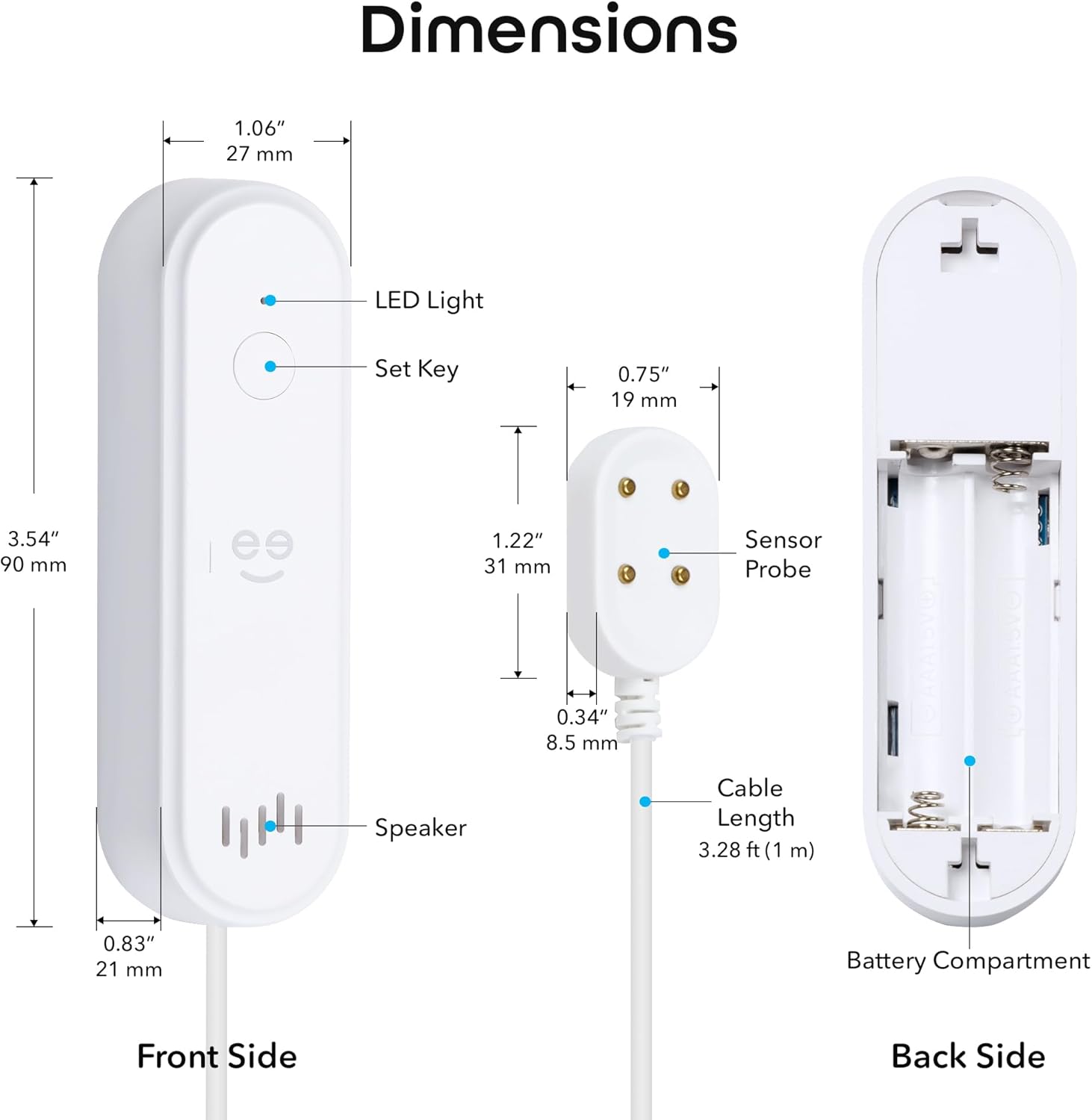
Figure 5: Real-time leak detection and app notification.
Te whakatikatika i nga Tautuhinga Whakaoho
You can customize the alarm settings through the Geeni app:
- Rōrahi Hire: Adjust the volume from mute (0dB) up to 80dB.
- Roa Whakaoho: Set the duration of the siren from 30 seconds to 180 seconds.

Figure 6: Alarm volume and duration adjustment options.
Te tiaki
Whakakapinga Pūhiko
The device is powered by 2x AAA batteries with an expected lifespan of 3-4 months. The Geeni app will send a low battery alert when replacement is needed.
- When a low battery alert is received, open the battery compartment.
- Remove the old batteries and insert two new AAA batteries, observing correct polarity.
- Katia te wahanga pākahiko.
Te Whakamatau i te Pūrere
It is recommended to periodically test the water sensor to ensure it is functioning correctly:
- Place a small amount of water (e.g., a few drops) onto the sensor probe.
- Verify that the siren sounds and you receive a notification on your smartphone.
- Dry the sensor probe thoroughly after testing.
Raparongoā
- Kāore te pūrere e hono ana ki te Wi-Fi:
Ensure your Wi-Fi network is 2.4 GHz. The device does not support 5 GHz. Try moving the device closer to your Wi-Fi router. If issues persist, try deleting the device from the Geeni app and re-pairing it following the setup instructions. - No app notifications:
Check your smartphone's notification settings for the Geeni app to ensure notifications are enabled. Also, verify that the device is properly connected to Wi-Fi and has sufficient battery power. - Siren not sounding or too quiet:
Check the battery level. Ensure the siren volume is not set to mute in the Geeni app settings. - Sensor not detecting water:
Ensure the sensor probe is lying flat and making good contact with the surface where water might collect. Clean the sensor contacts if they appear dirty. - Device appears offline in app:
Check your Wi-Fi connection. If the Wi-Fi network is down or unstable, the device may appear offline. Replace batteries if they are low.
For further assistance, refer to the support section within the Geeni app or visit tautoko.mygeeni.com.
Whakatakotoranga
| Waitohu | Geeni |
| Tauira | B0D47W56TY |
| Puna Mana | Whakahikohia te Pūhiko (2x AAA) |
| Ora Pūhiko | Approximately 3-4 months |
| Pūrere Hototahi | Android, iOS (Smartphone, Tablet) |
| Ahu Hua (Waeine Matua) | 3.54"R x 1.97"W x 5.12"H (90mm R x 50mm W x 130mm T) |
| Tikanga Mana | Geeni App |
| Haruru Rongo | 80 Decibels |
| Momo Whakaeke | Adhesive (for main unit), Sensor probe placed on surface |
| Hangarau Hoko | Whakapā Pūoko |
| Cable Length (Sensor) | 3.28 ft (1 m) |
| Hononga Wi-Fi | 2.4 GHz anake |
| Whakatauranga IP | IP44 |
Pūtāhui me te Tautoko
Nga korero Whakaputanga
This Geeni product comes with a 1-tau iti pūtāhui mai i te ra o te hokonga. Tena koa pupurihia to tohu mo te hoko mo nga kereme whakamana. Ka kapi te raihana i nga hapa o nga rawa me nga mahi i raro i te whakamahinga noa.
Tautoko Kiritaki
If you encounter any issues or have questions regarding your Geeni Smart Water Alarm Leak Detector, please contact Geeni customer support:
- Tautoko Aipurangi: Haerenga tautoko.mygeeni.com
- Tautoko i roto i te Taupānga: Access support directly through the Geeni mobile application.