
1. Hua Neke Atuview
The MIUCDA Smart Wi-Fi Garage Door Opener is a control module designed to integrate your existing garage door motorization with smart home systems. It enables remote control via a mobile application and voice commands through compatible smart assistants.
Āhuatanga matua:
- Remote App Control: Manage your garage door from anywhere using the Tuya/Smart Life application.
- Mana Reo: Hototahi ki a Amazon Alexa me Google Home mo te mahi kore-ringa.
- Aroturuki Tūnga: Check the open/closed status of your garage door in real-time via the app.
- Whakahōtaka: Set custom schedules for opening and closing your garage door.
- Kaore he hub e hiahiatia ana: Ka hono tika ki to whatunga Wi-Fi kaainga.

Image 1.1: The MIUCDA Smart Garage Door Opener module, magnetic sensor, and a smartphone displaying the control app interface.

Image 1.2: Visual representation of the smart garage door opener's compatibility with various smart home platforms including Smart Life, Tuya, Amazon Alexa, and Google Home.
2. Nga korero haumaru
Tena panuihia nga tohutohu haumaru katoa i mua i te whakauru me te whakamahi. Ki te kore e whai i enei tohutohu ka puta pea te ru hiko, te ahi, me etahi atu whara.
- Ensure power is disconnected before performing any wiring or installation.
- Me mahi te whakaurunga e tetahi tohunga hiko ki te kore koe e tino mohio mo nga waea hiko.
- Tiakina te taputapu mai i te wai me nga taiao makuku nui.
- Do not attempt to repair or modify the device yourself. Contact support for assistance.
- This device is designed for use with garage door openers that have a low-voltage control input. Verify compatibility with your existing system.
3. Tatūnga me te Tāuta
Follow these steps to install and configure your MIUCDA Smart Wi-Fi Garage Door Opener.
3.1 Ihirangi mokete
- MIUCDA Smart Wi-Fi Garage Door Opener Module
- Magnetic Sensor (for door status detection)
- Tauira Hononga
- Pukapuka Kaiwhakamahi (tenei tuhinga)
3.2 Wiring Hoahoa
The module can be mounted in a switch box or on a DIN rail. Ensure correct wiring as shown in the diagram below.

Image 3.1: Detailed wiring diagram illustrating how to connect the smart module to your garage door opener's drive head and wall button. It shows connections for signal cables (S1, S2), AC input (L, N), and sensor cables (S3, S4).
- Weto Whakakore: Disconnect power to your garage door opener at the circuit breaker.
- Tāutahia te Module: Choose a suitable location near your garage door opener. The module can be installed inside a switch box or mounted on a DIN rail.
- Hono Hono: Connect the AC power supply (L and N terminals) to the module. Input Voltage: AC100-240V, 50/60Hz.
- Connect Signal Cables: Connect the signal cables (S1, S2) from the module to the low-voltage control terminals of your garage door opener. These are typically the same terminals used by your wall-mounted push button.
- Install Magnetic Sensor: Attach the magnetic sensor to your garage door. One part of the sensor should be mounted on the door frame, and the other part on the moving door itself, ensuring they align and are within 1-2 cm when the door is closed.
- Connect Sensor Cables: Connect the sensor cables (S3, S4) from the magnetic sensor to the corresponding terminals on the module.
- Whakaora i te Mana: Once all connections are secure, restore power to your garage door opener.
3.3 Paarua Taupānga
- Tikiake App: Tikiake i te taupānga "Tuya Smart" "Smart Life" rānei mai i te toa taupānga o tō waea atamai.
- Rēhita/Takiuru: Waihangahia he kaute, takiuru ranei ki te taupānga.
- Tāpiri Pūrere: In the app, tap '+' to add a new device. Select 'Garage Door Opener' or 'Electrician' -> 'Garage Door Switch'.
- Whakauruhia nga Taipitopito Wi-Fi: Follow the in-app instructions to connect the device to your 2.4GHz Wi-Fi network. Ensure your phone is connected to the same 2.4GHz network during pairing.
- Whakaū Tauhoa: The app will confirm when the device is successfully added. You can then rename the device for easy identification.
4. Nga Tohutohu Whakahaere
Control your garage door using the mobile app or voice commands.
4.1 Te Whakamahi i te Taupānga Pūkoro
Open the Tuya Smart or Smart Life app and select your garage door opener device.
- Tuwhera/Katia: Tap the main button on the device interface to open or close your garage door.
- Taki Tūnga: The app displays the current status (Open/Closed) of your garage door based on the magnetic sensor.
- Hītori: View a log of all open and close operations.
- Hōtaka: Set up automated schedules for your garage door.

Image 4.1: A user operating their garage door remotely via the Smart Life application on a smartphone, shown from inside a car.

Image 4.2: A smartphone screen showing the historical record of garage door open and close events within the control app.
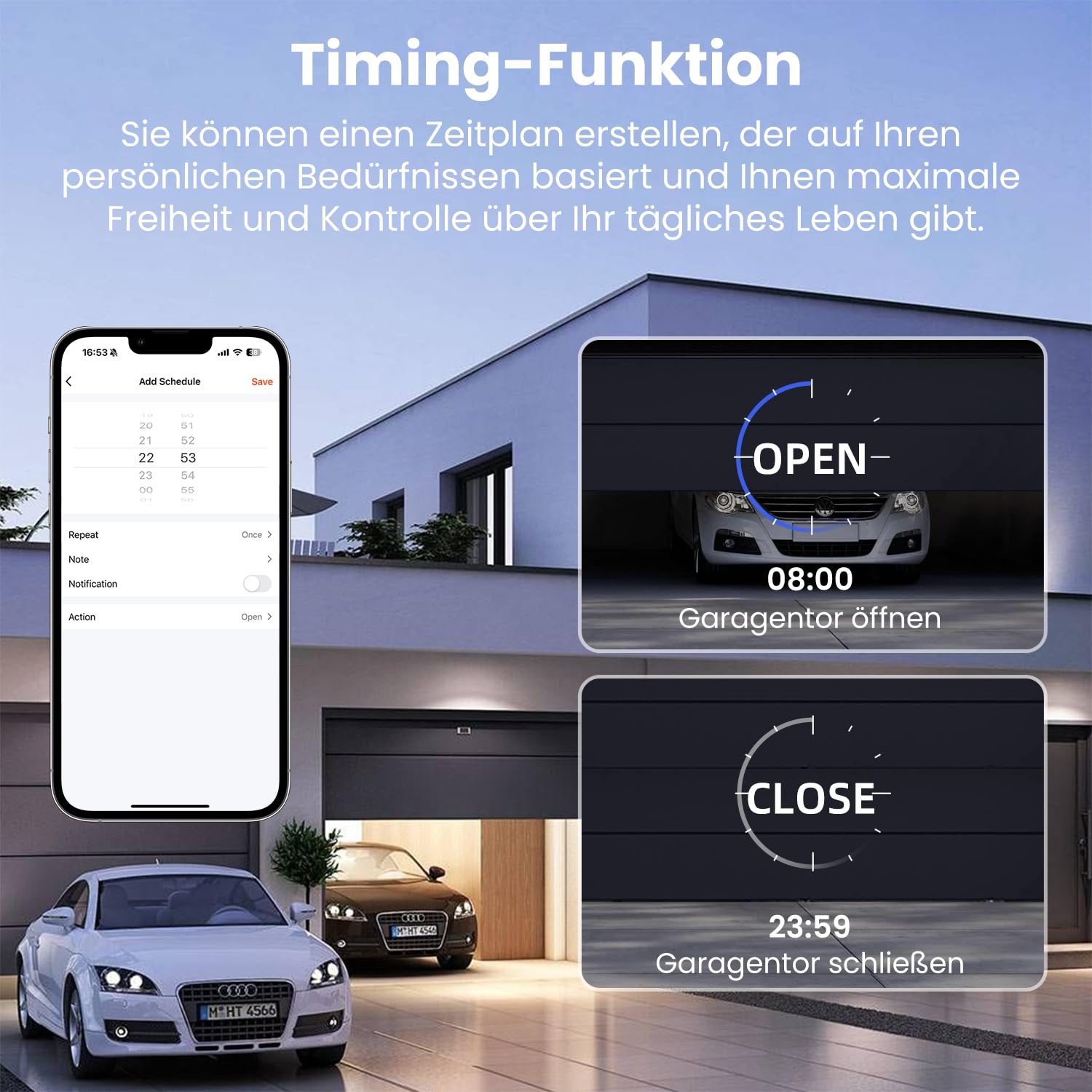
Image 4.3: The scheduling feature within the app, allowing users to set specific times for the garage door to open (e.g., 08:00) and close (e.g., 23:59).
4.2 Mana Reo
Integrate your device with Amazon Alexa or Google Home for voice commands.
- Hononga Pūkete: In the Alexa or Google Home app, enable the "Tuya Smart" or "Smart Life" skill/service and link your account.
- Tirohia nga Pūrere: Ask Alexa or Google to discover new devices.
- Tono Reo: Whakamahia ngā whakahau pēnei i:
"Alexa, whakatuwheratia te tatau karati."
"Hey Google, close the garage."
"Alexa, is the garage door open?"

Image 4.4: A person interacting with an Amazon Alexa device to control their garage door using voice commands.
5. Tiaki
Regular maintenance ensures optimal performance and longevity of your smart garage door opener.
- Te ma: Keep the module and magnetic sensor clean and free from dust and debris. Use a soft, dry cloth for cleaning.
- Sensor Alignment: Periodically check the alignment of the magnetic sensor. Ensure the two parts are still within the recommended distance (1-2 cm) when the door is closed.
- Whakahōu Firmware: Check the Tuya/Smart Life app for any available firmware updates for your device. Install updates to ensure the latest features and security patches.
- Hononga Wi-Fi: Ensure your Wi-Fi network is stable and the device has a strong signal. Poor Wi-Fi can affect performance.
6. Te Raru
If you encounter issues with your MIUCDA Smart Wi-Fi Garage Door Opener, refer to the following troubleshooting guide.
Nga take me nga otinga noa:
- Pūrere Tuimotu i roto i te Taupānga:
Rongoā: Check your Wi-Fi router and internet connection. Ensure the device is within Wi-Fi range. Try restarting the module by temporarily disconnecting and reconnecting its power. Re-pair the device if necessary. - Garage Door Not Responding to Commands:
Rongoā: Verify the module's power supply. Check the signal cable connections (S1, S2) to your garage door opener. Ensure your garage door opener is functioning correctly with its original wall button. - Incorrect Door Status in App:
Rongoā: Check the magnetic sensor installation and alignment. Ensure the sensor cables (S3, S4) are securely connected to the module. The sensor parts must be close enough when the door is closed. - Mana Reo Kaore i te Mahi:
Rongoā: Ensure your Tuya/Smart Life account is correctly linked to Alexa/Google Home. Check if the device is discovered and named appropriately in the smart assistant app. Verify your smart assistant device has an active internet connection. - Whakahoahoa uaua:
Rongoā: Ensure your phone is connected to a 2.4GHz Wi-Fi network during pairing. Some routers combine 2.4GHz and 5GHz bands; try temporarily disabling the 5GHz band if you experience issues. Reset the module (refer to app instructions for specific reset procedure, usually involves holding a button).
7. Whakatakotoranga
| Āhuahira | Whakatakotoranga |
|---|---|
| Waitohu | MIUCDA |
| Tau tauira | 6cd539ea-f8a9-4e5b-81a1-f917988390a5 |
| Whakauru Voltage | AC100-240V, 50/60Hz |
| Whakatauranga o naianei | 10 A |
| Aratau Mahi | Aunoa |
| Momo Whakapā | Katia te tikanga |
| Momo Tuhono | Matapata Tiu |
| Momo Whakawhiti | Patene Pana |
| Momo iahiko | 1-ara |
| Momo Whakaeke | Maunga Huruhuru |
| Momo Whakaoho | Hinge Lever |
| Ahu mōkihi | 15 x 10.2 x 4.5 cm |
| Taumaha mōkihi | 210 karamu |
| Nga waahanga e waatea ana | Kaore i te waatea nga korero |
8. Nga Korero Whakaputanga
Specific warranty details for the MIUCDA Smart Wi-Fi Garage Door Opener are not provided in the product information. Please refer to the retailer's return policy or contact MIUCDA customer support for warranty inquiries.
Generally, products purchased on Amazon.com.be come with a standard return policy. For this product, the return policy duration is 31 days for refund/replacement.
9. Tautoko me te Whakapā
For technical support, troubleshooting assistance, or further inquiries regarding your MIUCDA Smart Wi-Fi Garage Door Opener, please contact MIUCDA customer service.
Contact information was not explicitly provided in the product details. Please check the product packaging, the MIUCDA brand website, or your purchase confirmation for support contact details.
You may also refer to the help section within the Tuya Smart or Smart Life application for common questions and support resources related to smart home devices.