Kupu Whakataki
Thank you for choosing the Honeywell TPFIT50PWK 50-Pint ENERGY STAR Dehumidifier with Pump. This manual provides essential information for the safe and efficient operation, maintenance, and troubleshooting of your new appliance. Please read all instructions carefully before use and retain this manual for future reference.
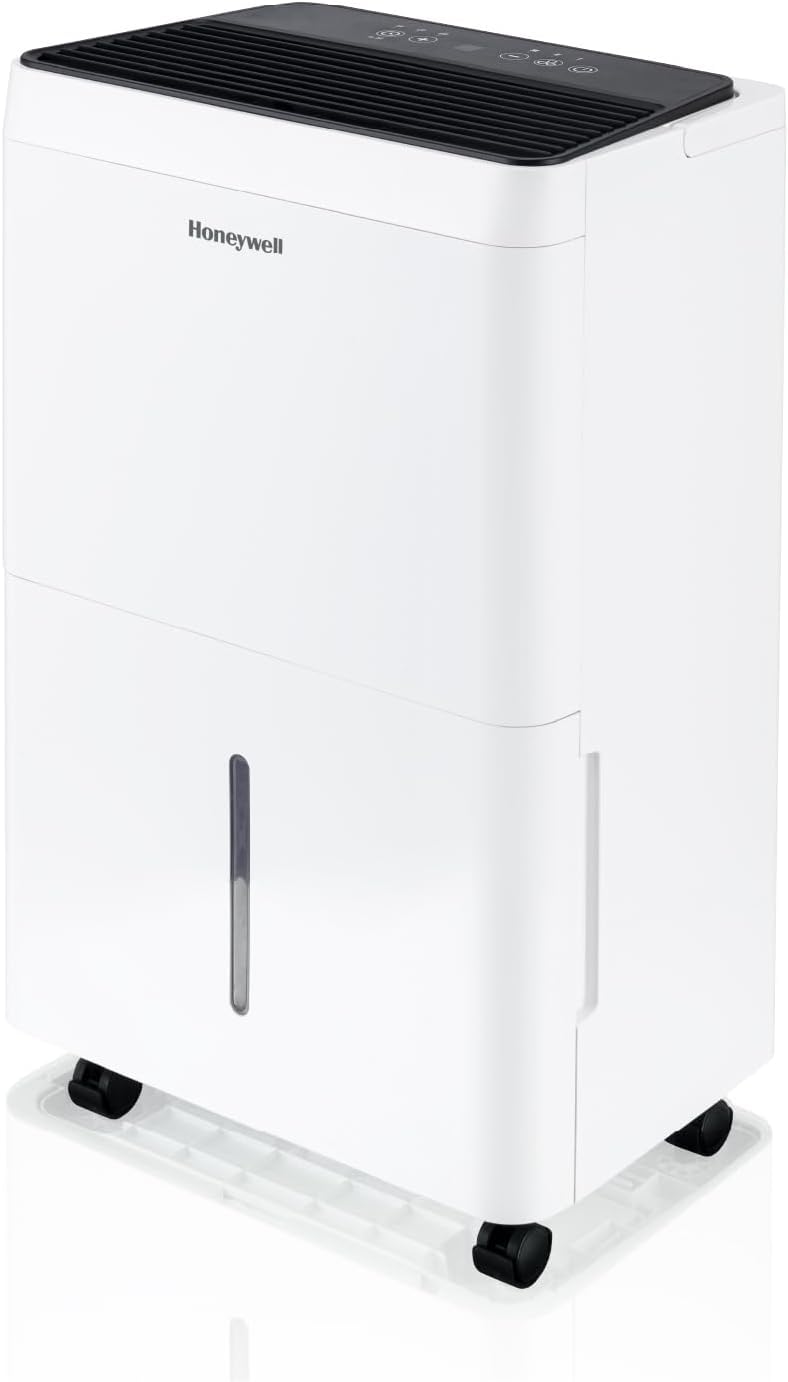
Image: The Honeywell 50-Pint Dehumidifier, a white unit with a black top, positioned in a modern living room. A father and child are seated on the floor nearby, indicating its suitability for residential use.
Nga korero haumaru
Always follow basic safety precautions when using electrical appliances to reduce the risk of fire, electric shock, and injury. This appliance is for indoor residential use only. Do not operate with a damaged cord or plug. Do not use in areas where flammable liquids or gases are stored. Ensure the unit is placed on a level surface.
Ka mutu te huaview
Āhuatanga matua:
- 50-Pint Dehumidification Capacity: Removes up to 50 pints (7.1 liters) of moisture per day.
- ENERGY STAR Kua Tiwhiketetia: Designed for energy-efficient operation.
- Pump Hanga-roto: Allows for continuous vertical drainage up to 15 feet.
- Aratau horoi: Optimized setting for drying clothes indoors.
- Auto-Comfort Mode: Automatically adjusts operation based on room temperature for optimal comfort.
- Mana Mamati: Easy-to-use interface for setting humidity levels and modes.
- Parenga Weawera Nui: Ka whakanui ake i te haumaru i te wa e mahi ana.

Image: The Honeywell Dehumidifier, a white unit, prominently displaying the 'ENERGY STAR Most Efficient 2024' label, indicating its high energy efficiency.
Tatūnga
1. Whakanoho
Place the dehumidifier on a firm, level surface in an area where the humidity is highest. Ensure there is at least 12 inches (30 cm) of air space on all sides of the unit for proper air circulation. Avoid placing it near heat sources or in direct sunlight.
2. Hononga Mana
Plug the power cord into a grounded electrical outlet. The unit is designed to operate on a standard 120V/60Hz electrical supply.
3. Kōwhiringa Whakawai
Your dehumidifier offers multiple drainage options:
- Water Tank (Manual Drain): The unit collects moisture in its internal 7.1-liter water tank. When the tank is full, the unit will automatically shut off and an indicator light will illuminate. Empty the tank by carefully pulling it out and pouring out the collected water.
- Continuous Gravity Drain: For continuous operation without emptying the tank, attach a standard garden hose (not included) to the continuous drain port. Ensure the hose is sloped downwards to a floor drain or suitable receptacle.
- Built-in Pump Drain: Use the included drain tube to connect to the pump drain port. The built-in pump can lift water vertically up to 15 feet, allowing drainage into a sink or out a window. This is ideal for areas without a floor drain.

Image: A close-up of the Honeywell Dehumidifier with a clear drain hose extending from its side, directing collected water into a bathroom sink, demonstrating the pump drainage feature.
Nga Tohutohu Whakahaere
Paewhiri Mana:

Whakaahua: He taipitopito view of the dehumidifier's top-mounted digital control panel, showing various buttons for power, mode selection, fan speed, timer, and humidity settings.
- Pātene Hiko: Whakahurihia te waeine ki te ON, ki te OFF ranei.
- Pātene Tautuhinga Haumākū (+/-): Adjusts the desired humidity level from 30% to 90% Relative Humidity (RH).
- Pātene Tere Kiri: Ka kowhiri i te tere powhiri (Hakaroa, Waenga, Teitei).
- Patene Aratau: Cycles through operating modes: Continuous, Laundry, Auto-Comfort.
- Pātene Matawā: Sets a delay ON/OFF timer (1-24 hours).
- Pātene Puma: Whakahohe, wetewetehia ranei te papu i roto i roto mo te wai rere tonu.
Aratau Mahi:
- Aratau Tonu: The unit will operate continuously regardless of the humidity level until the water tank is full or the unit is turned off.
- Aratau horoi: Designed to help dry damp clothes faster. The unit will run at high fan speed and continuously dehumidify.
- Auto-Comfort Mode: The dehumidifier automatically sets the target humidity level based on the ambient room temperature to maintain optimal comfort.

Image: The Honeywell Dehumidifier positioned beside a clothes drying rack with laundry, illustrating its 'Laundry Mode' feature for efficient indoor drying.
Te tiaki
1. Te horoi i te Tātari Hau
The washable air filter should be cleaned every two weeks or more frequently depending on usage. A dirty filter can reduce efficiency. To clean:
- Whakawetohia te whakamahana ka wetewete mai i te putanga hiko.
- Tangohia te tātari mai i te tuara o te waeine.
- Horoia te tātari ki te wai ma me te hopi horoi ngawari.
- Rinse thoroughly and allow it to air dry completely before reinstalling.
2. Te horoi i te Taaka Wai
Clean the water tank regularly to prevent mold and mildew growth. Use a mild detergent and warm water. Rinse thoroughly and ensure it is dry before placing it back into the unit.
3. Rokiroki
If storing the unit for an extended period, ensure the water tank is empty and clean, and the filter is clean and dry. Wrap the power cord neatly and store the unit in a cool, dry place.

Image: A person's hands demonstrating the removal of the washable air filter from the rear of the dehumidifier for cleaning.

Image: A close-up showing the integrated top handle for easy portability and the convenient power cord storage on the back of the dehumidifier.
Raparongoā
| Raruraru | Take pea | Rongoā |
|---|---|---|
| Dehumidifier does not turn on | No power; Water tank full or incorrectly placed; Temperature too low. | Check power connection; Empty and reinsert water tank correctly; Ensure room temperature is above 41°F (5°C). |
| Kaore he wai i kohia | Humidity level too low; Air filter clogged; Room temperature too low. | Increase desired humidity setting; Clean air filter; Ensure room temperature is above 41°F (5°C). |
| He haruru te waeine | Unit not on a level surface; Air filter clogged; Fan speed too high. | Place on a level surface; Clean air filter; Reduce fan speed. |
| Ngā turuturu wai mai i te waeine | Water tank full or incorrectly placed; Continuous drain hose not properly connected or blocked. | Empty and reinsert water tank correctly; Check continuous drain hose for proper connection and obstructions. |
Whakatakotoranga
- Waitohu: Honeywell
- Ingoa Tauira: TPFIT50PWK
- Te kaha whakamaoritanga: 50 Pints ia Ra
- Wāhi Kapohia Manakohia: Tae atu ki te 4,000 Puawai Tapawha
- Volume Tank: 7.1 rita
- Rahi Hua: 10.6"D x 24.1"W x 15.4"H
- Taumaha Tūemi: 40.5 pauna
- Te maha o nga tere: 3 (Paheke, Waenga, Teitei)
- Āhuahira Motuhake: Built-In Pump
- Rauemi: Kirihou
- Tae: Ma & Pango
- Nga Waahanga Kei roto: Dehumidifier with built-in vertical pump, continuous drain tube, continuous water drain cap, manual, warranty
Pūtāhui me te Tautoko
This Honeywell dehumidifier comes with a e rua tau te whakamana from the date of purchase. Please retain your proof of purchase for warranty claims. For technical support, troubleshooting assistance, or to inquire about warranty service, please refer to the contact information provided in the original packaging or visit the official Honeywell Air Comfort webpae.