
1. Kupu Whakataki
This manual provides detailed instructions for the installation, operation, and maintenance of your eRapta ACT1002 Magnetic Wireless Backup Camera System. Please read this manual thoroughly before using the product to ensure proper function and safety.
2. Ihirangi mokete
Manatokohia ko nga mea katoa kei raro nei kei roto i to kete:
- 10.1" Monitor (x1)
- Magnetic Camera (x2)
- Antenna (x5)
- Kaitiaki Motuka (x1)
- U-shaped Bracket (x1)
- Taura Momo-C (x1)
- Nga Tiu kamera
- Fan-shaped Bracket (x1)

3. Tatūnga me te Tāuta
3.1 Whakaaturanga Kamera
The eRapta ACT1002 cameras feature a strong magnetic base for easy, no-wiring installation on any metal surface. Ensure the camera is fully charged before initial use.
- Ngā Kāmera Utu: Use the included Type-C cable to fully charge both magnetic cameras. The built-in 9600mAh battery provides extended use.
- Whakauruhia nga Antenna: Screw the antennas onto the designated ports on each camera.
- Whakamau Kāmera: Securely attach the cameras to any metal surface on your vehicle (RV, trailer, truck, tractor). The magnetic base ensures a firm hold. For non-magnetic surfaces, use the provided fan-shaped bracket and screws for permanent installation.


3.2 Aroturuki Tāuta
- Āpiti Taiapa: Secure the 10.1-inch monitor to your dashboard or windshield using the U-shaped or fan-shaped bracket.
- Aroturuki Hiko: Plug the monitor's car charger into your vehicle's cigarette lighter socket. The monitor will power on automatically when the vehicle starts.

4. Nga Tohutohu Whakahaere
4.1 Hiko / Whakaweto
The monitor automatically turns on when the vehicle starts and powers off when the vehicle is turned off. Cameras enter sleep mode when the monitor is off to conserve battery.
4.2 Whakahoahoa kamera
The cameras and monitor are pre-paired at the factory. If re-pairing is needed, refer to the system settings menu on the monitor.
4.3 Viewing Aratau
The 10.1-inch monitor supports up to four cameras and offers multiple viewkōwhiringa ing:
- Mata Katoa: Displays a single camera view.
- Mata Ritua: Displays two camera views i te wa kotahi.
- Tapawhā View: Displays four camera views simultaneously (if four cameras are connected).
Use the 'CH' button on the monitor to cycle through available camera channels and viewnga tikanga.
4.4 Āwhina Waka
The 10.1-inch monitor features adjustable parking lines with a 150° wide-angle view. Customize parking line settings (width, height, position) using the buttons above the screen for precise guidance.

4.5 Loop Video Recording
Insert an SD card (not included, max 128GB) into the monitor to activate loop recording. This feature continuously records footage, overwriting the oldest files when the card is full. Recorded videos can be played back directly on the monitor.
5. Nga waahanga kua hipaview
- HD1080P Resolution: Upgraded resolution for vibrant image quality day and night.
- Te tirohanga matakite a te po: Ensures clear visibility in low-light conditions.
- 9600mAh Pūhiko Rechargeable: Extended battery life with automatic sleep mode for power saving. Charges via Type-C.
- Ārai wai IP69K: Durable construction to withstand harsh weather and temperatures from -6°F to 151°F.
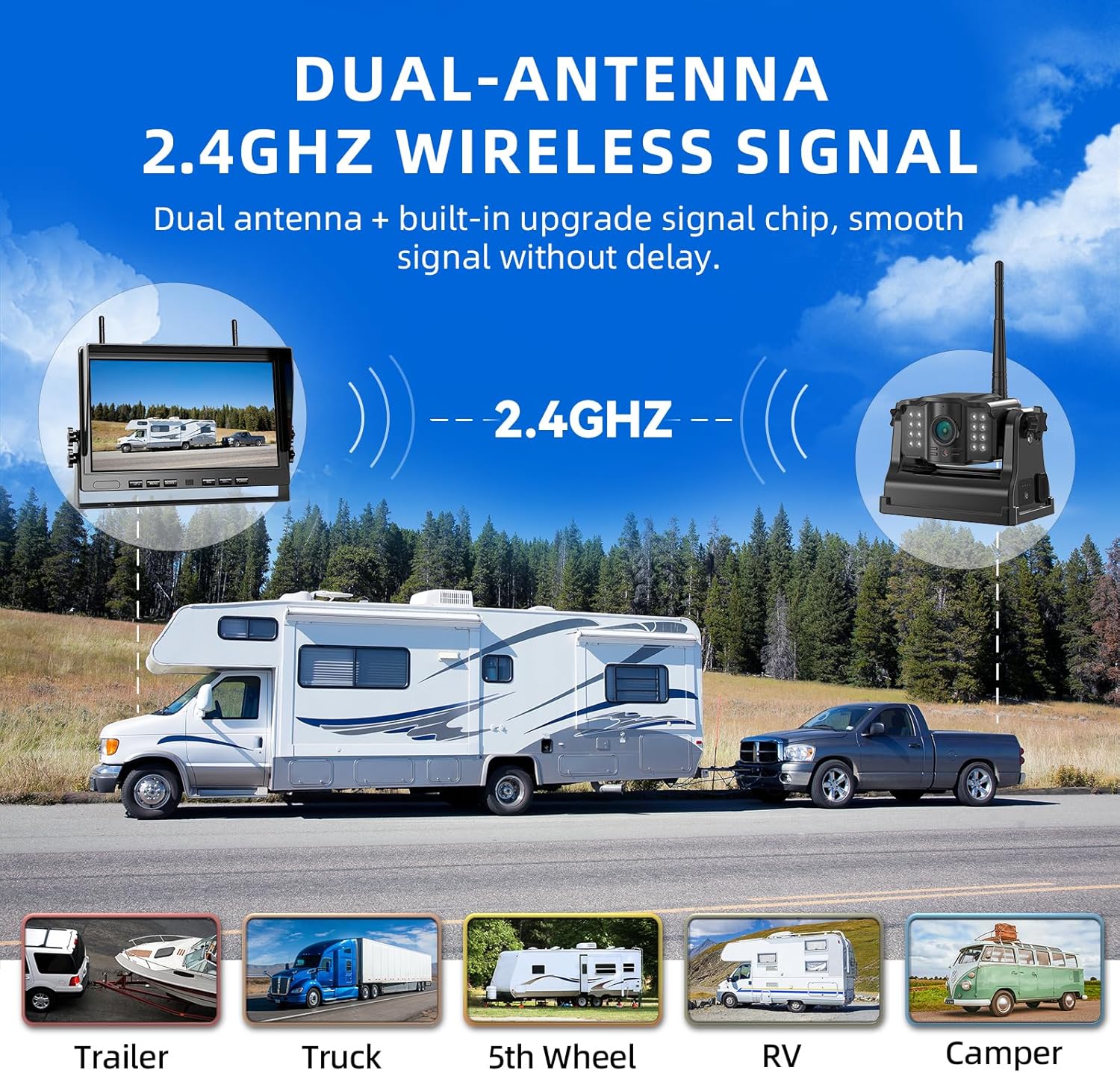
- Dual-Antenna 2.4GHz Wireless Signal: Provides strong and stable signal transmission without delay.

6. Tiaki
- Te horoi: Whakamahia he ngohengohe, damp cloth to clean the camera lenses and monitor screen. Avoid abrasive cleaners.
- Tiaki Pūhiko: For optimal battery life, fully charge the cameras before long periods of inactivity.
- Whakahōu Firmware: Check the eRapta official website periodically for any available firmware updates to ensure optimal performance.
7. Te Raru
| Raruraru | Take pea | Rongoā |
|---|---|---|
| Kore he Tohu i runga i te Aroturuki | Camera not powered on or out of range; interference. | Ensure cameras are charged and powered. Move cameras closer to the monitor. Check for strong signal interference. |
| Kounga Atahanga Kino | Dirty lens; low light (without IR); signal interference. | Clean camera lens. Ensure IR night vision is active in low light. Reduce signal interference. |
| Aroturuki Kaore i te Hia | Car charger not properly connected or vehicle's power outlet is off. | Check car charger connection and vehicle's power. Ensure vehicle ignition is on. |
8. Whakatakotoranga
- Tau tauira: ACT1002
- Rahi Mata: 10.1 Inihi
- Hangarau Whakaatu: LCD
- Hangarau Pūoko Optical: CMOS
- Koki Tuturu o View: 150 Waeine
- Pūhiko: 9600 mAh Lithium Ion (rechargeable)
- Whakatauranga parewai: IP69K
- Te Waahi Mahi: -6°F ki te 151°F
- Aurere Ahokore: 2.4GHz
- Tautoko Kāri SD Mōrahi: 128GB (kāore i roto)
9. Pūtāhui me te Tautoko
eRapta offers a 2-year warranty for the ACT1002 Magnetic Wireless Backup Camera System. For any questions, concerns, or technical assistance, please contact our dedicated 24-hour online customer service.
Your satisfaction is our priority. Please refer to the product packaging or the official eRapta webpae mo nga korero whakapiri.
10. Ataata Hua Whaimana
10" 2 Magnetic Wireless Backup Camera Kit
This video demonstrates the features and functionality of the eRapta 10-inch magnetic wireless backup camera kit, highlighting its ease of use and clear display.