
Kupu Whakataki
This manual provides essential information for the safe and efficient operation of your HEAD HTJ4500 Treadmill. Designed for home use, this electric treadmill offers a maximum speed of 16 km/h, integrated speakers, and compatibility with popular fitness applications like Kinomap and Zwift. It features a clear LED display for monitoring your workout data and 16 pre-set training programs to enhance your fitness journey.
Please read this manual thoroughly before assembly and first use to ensure proper setup, operation, and maintenance, thereby maximizing the lifespan and performance of your treadmill.

Figure 1: The HEAD HTJ4500 Treadmill, showcasing tona hoahoa kiato.
1. Tatūnga me te Runanga
The HEAD HTJ4500 Treadmill requires some assembly. Follow these steps carefully to ensure a stable and safe setup.
1.1 Te Wetewete
- Kia ata tangohia nga waahanga katoa mai i te kete.
- Verify that all parts listed in the 'What's in the Box' section (see Specifications) are present and undamaged.
- Puritia ngā rauemi tākai mō te rokiroki, mō te kawe rānei a meake nei.
1.2 Nga Mahi Huihuinga
- Place the main frame on a flat, stable surface.
- Attach the uprights to the main frame, securing them with the provided hardware.
- Mount the console to the top of the uprights, ensuring all cables are properly connected and not pinched.
- Attach the handlebars and any safety features as per the detailed assembly instructions included in the product box.
- Me whakarite kia mau te kati me nga tutaki katoa i mua i te whakamahi.
1.3 Te Whakanoho me te Kawe
Choose a location with sufficient space around the treadmill for safe operation and access. The treadmill is designed to be easily stored and transported thanks to its folding design and integrated front wheels.

Figure 2: The folding mechanism and front wheels facilitate easy storage and movement.

Figure 3: Treadmill dimensions for space planning.
2. Nga Tohutohu Whakahaere
Familiarize yourself with the control panel and features before beginning your workout.
2.1 Paewhiri Mana me te Whakaaturanga
The treadmill features an LED display that shows key workout metrics such as distance, speed, time, and calories burned. The control panel allows you to start, stop, and adjust the speed.

Figure 4: The control panel with integrated buttons for speed adjustment and program selection.
2.2 Timata i te Mahi Mahi
- Ensure the safety key is properly placed on the console and attached to your clothing.
- Tūhonohia te taura hiko ki te putanga hiko kua mau ki te whenua.
- Press the 'Start' button to begin the treadmill belt movement. The belt will typically start at a low speed and gradually increase.
- Adjust the speed using the '+' and '-' buttons on the console or handlebars. The maximum speed is 16 km/h.
2.3 Kaupapa Whakangungu
The HEAD HTJ4500 Treadmill includes 16 pre-set training programs designed to vary intensity and help achieve different fitness goals. Consult the detailed program guide in your product box for specific program profiles.
2.4 App Connectivity (Kinomap & Zwift)
Enhance your training experience by connecting your treadmill to Kinomap or Zwift applications. These apps offer interactive workouts, virtual routes, and competitive features.
- Download the Kinomap or Zwift app on your smartphone or tablet.
- Me mohio kei te whakahohea te Nihokikorangi ki to taputapu.
- Follow the in-app instructions to pair your device with the HEAD HTJ4500 Treadmill.
- Once connected, the app can control the treadmill's speed and display real-time workout data.
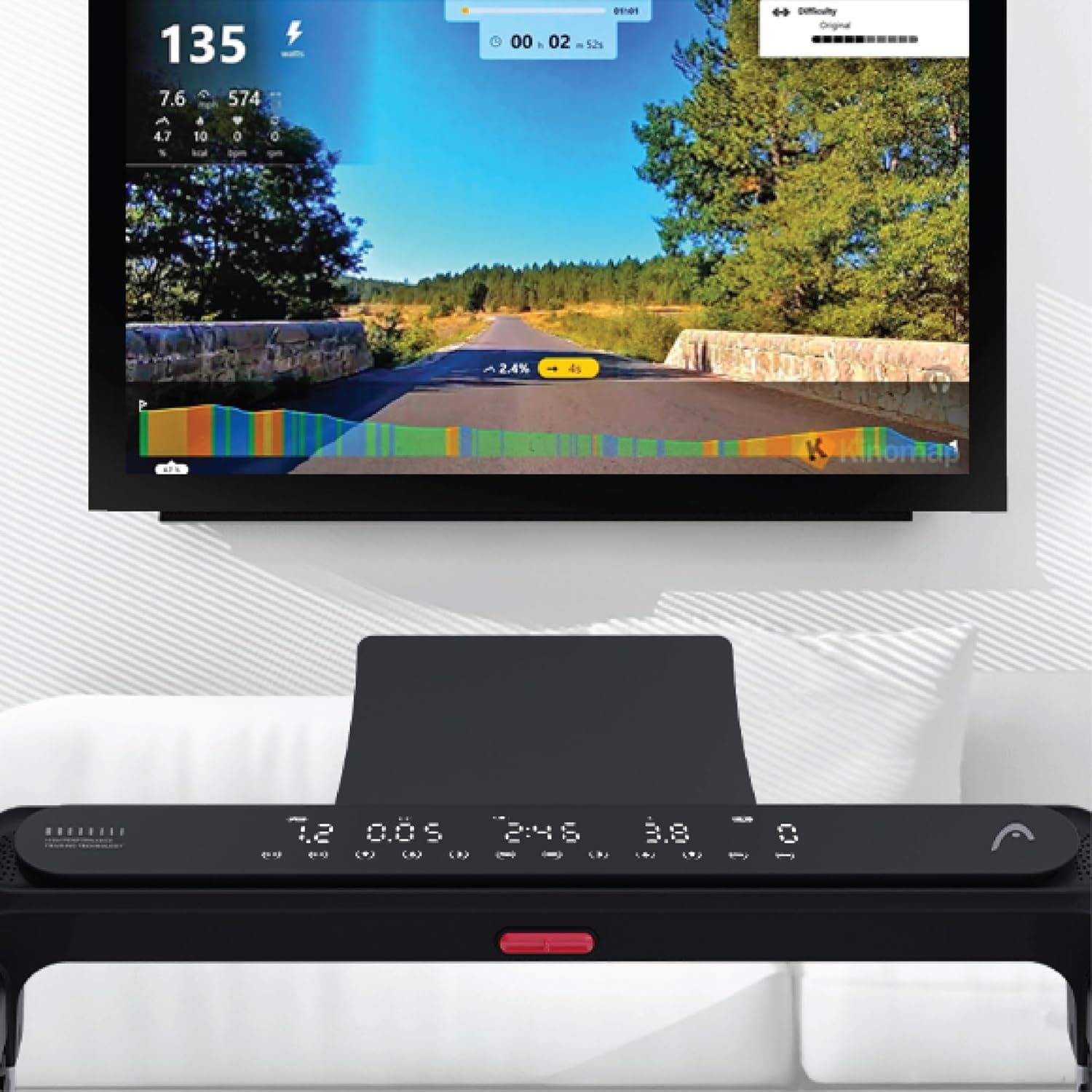
Figure 5: Treadmill display showing connection to Kinomap for interactive training.
2.5 Ngā Kaikōrero Whakauru
The treadmill features integrated speakers for an immersive audio experience. Connect your audio device via Bluetooth or auxiliary cable (if applicable) to enjoy music during your workout.

Figure 6: Detail of the console area, highlighting the integrated speaker.
3. Tiaki
Ko te tiaki i nga wa katoa ka mau te roa me te tino pai o te mahi o to wīra.
3.1 Te horoi
- Wewetehia te mira i mua i te horoi.
- Horoia te papatohu me nga papa o waho me te ngohengohe, damp kakahu. A ape i te kai horoi, te whakarewa ranei.
- Me horoi te mīhini horoi i raro i te mīhini oma i ia wā, i ia wā, hei ārai i te pupū ake o te puehu me te paru.
3.2 Te Whakahinuhinu i te Whitiki
The running belt requires periodic lubrication to reduce friction and extend its lifespan. Refer to your product's specific lubrication instructions and recommended lubricant type. Typically, lubrication is needed every few months depending on usage.
3.3 Te Āhua me te Whakarite o te Whitiki
Check the running belt tension and alignment regularly. A belt that is too loose may slip, while one that is too tight can cause excessive wear on the motor and belt. Adjust the tension bolts at the rear of the treadmill as needed, ensuring the belt remains centered.
4. Te Raru
Ko tenei waahanga e korero ana i nga take noa ka pa ki a koe mo to mira.
4.1 Treadmill Not Starting
- Taki Hiko: Ensure the power cord is securely plugged into a working outlet and the treadmill's power switch is on.
- Kī Haumaru: Verify that the safety key is correctly placed on the console. The treadmill will not operate without it.
- Kaituku Huringa: Check your home's circuit breaker to ensure it hasn't tripped.
4.2 Belt Slipping or Hesitating
- Rikiwa Whitiki: The running belt may be too loose. Adjust the tension bolts at the rear of the treadmill.
- Whakahinuhinu: Insufficient lubrication can cause friction. Apply lubricant as per maintenance instructions.
4.3 Haruru rereke
- Nga Waahanga Wewete: Check for any loose screws or bolts on the frame or console and tighten them.
- Belt Friction: If the noise is a squeaking or rubbing sound, the belt may need lubrication.
- Motor/Deck: If the noise persists or is a grinding sound, discontinue use and contact customer support.
4.4 Kāore te Whakaaturanga e Mahi
- Hononga Hiko: Me mohio kei te kaha te hiko.
- Hononga taura: Check the cable connections between the console and the main frame.
For issues not covered here, please refer to the comprehensive troubleshooting guide in your product's original manual or contact HEAD customer support.
5. Whakatakotoranga
| Āhuahira | Taipitopito |
|---|---|
| Waitohu | UPOKO |
| Tau tauira | 8427542134925 |
| Tae | Pango |
| Ahu (L x W x H) | 150 cm x 77 cm x 118 cm |
| Taumaha Hua | 46 Kirokaramu |
| Tere Morahi | 16 Kiromita ia hāora |
| Momo Whakaatu | LED |
| Puna Mana | Tauera Hiko |
| Huihuinga e hiahiatia ana | Ae |
| Nga Waahanga kei roto | Front wheels, Surround sound speakers, User manual, Warranty |
| Momo Ine | Distance, Speed |
6. Pūtāhui me te Tautoko
Your HEAD HTJ4500 Treadmill comes with a manufacturer's warranty. Please refer to the warranty card included in your product packaging for specific terms, conditions, and duration of coverage.
6.1 Tautoko Kiritaki
For technical assistance, warranty claims, or spare parts, please contact HEAD customer support. Contact information can typically be found on the warranty card or the official HEAD website. When contacting support, please have your product model number (8427542134925) and proof of purchase readily available.
For more information about HEAD products, visit the official HEAD store on Amazon: HEAD Store