
ARPHA AL501-01
ARPHA Smart Door Lock with Video Camera User Manual
Model: AL501-01
1. Kupu Whakataki
The ARPHA AL501 Smart Door Lock with Video Camera is an advanced 6-in-1 security solution designed for modern homes. It integrates a 2K HD camera, doorbell, fingerprint reader, keypad, traditional key access, and Wi-Fi app control into a single device. This manual provides comprehensive instructions for installation, operation, and maintenance to ensure optimal performance and security.
2. He aha kei roto i te Pouaka
Manatokona kei te noho nga waahanga katoa i mua i te tiimata o te whakaurunga:
- ARPHA AL501 Smart Door Lock (Exterior and Interior Assemblies)
- Rechargeable 10,000 mAh Battery Pack
- Doorbell Chime Module
- Tātauira Tāuta
- Mounting Hardware (Screws, Spindle, etc.)
- Pukapuka Kaiwhakamahi (tenei tuhinga)
- Aratohu Timata Tere
- 32GB SD Card (pre-installed or included)
- Traditional Keys (2)
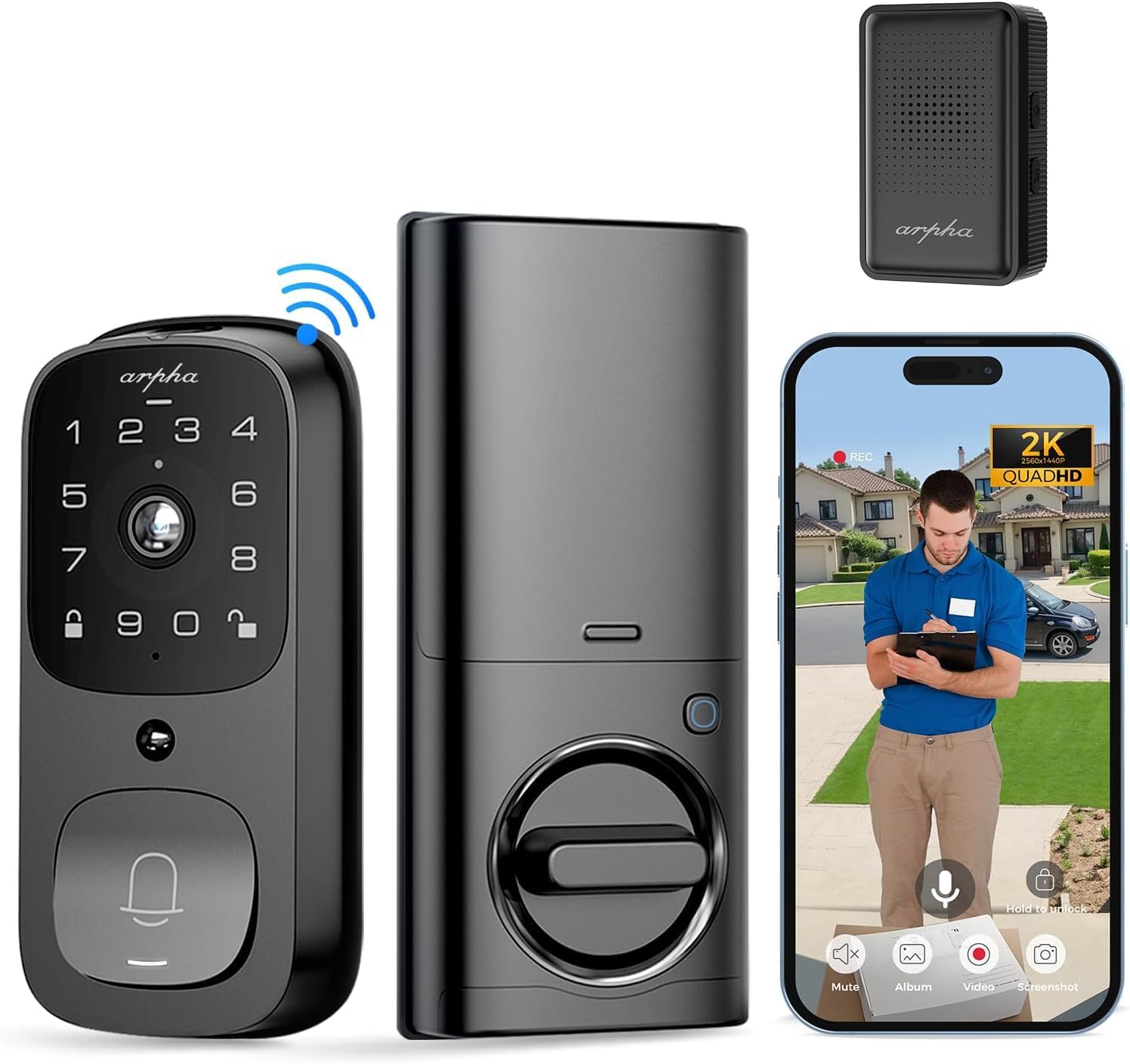
Whakaahua: Ka mutuview of the ARPHA AL501 Smart Door Lock and its accessories.
3. Tatūnga me te Tāuta
3.1 Rarangi Arowhai i mua i te whakaurunga
- Ensure your door thickness is between 1-3/8" to 2-1/8" (35mm - 55mm).
- Verify your door's backset is 2-3/8" (60mm) or 2-3/4" (70mm).
- Confirm the lock is suitable for both left and right-handed door directions.
- A screwdriver is the primary tool required for installation.

Image: Door compatibility and dimensions for installation.
3.2 Nga Waahi Whakataunga
A pee i enei taahiraa mo te whakauru tika:
- Tangohia ngā taputapu o nāianei: Unscrew and remove your current deadbolt and any associated hardware from the door.
- Tāutahia te Pūmau Whakamau: Insert the new latch bolt into the door edge, ensuring the "UP" arrow is pointing upwards. Secure it with screws.
- Tāuta Huihuinga Waho: Place the exterior keypad assembly onto the door, aligning the spindle through the latch bolt. Ensure the cable passes through the door.
- Tāuta Pereti Whakapuru: Secure the interior mounting plate to the door using the provided screws, ensuring it's flush against the door surface.
- Tūhono Taura: Whakauruhia te taura mai i te huihuinga o waho ki te huihuinga o roto.
- Tāuta Huihuinga o roto: Attach the interior assembly to the mounting plate, securing it with screws. Ensure the thumb turn operates smoothly.
- Kōkuhu Pūhiko: Fully charge the 10,000 mAh battery pack before first use. Insert the charged battery into the interior assembly.
- Install Doorbell Chime: Plug the Doorbell Chime module into a USB power port. Press and hold the doorbell icon button on the chime for 10 seconds until you hear a sound to pair it with the lock.
- Mahi Whakamatau: Test the lock's functionality using the keypad, fingerprint sensor, and traditional key.
- Tatūnga Taupānga: Download the "Arpha Plus" app from your device's app store. Follow the in-app instructions to connect your smart lock to your 2.4GHz Wi-Fi network and complete the setup.
4. Nga Tohutohu Whakahaere
4.1 Arpha App Control
The Arpha Plus App provides remote control and monitoring capabilities:
- Wewete Mamao: Unlock your door from anywhere using the app.
- Waehere rangitahi: Generate and share one-time or time-limited access codes for visitors and family.
- Whakamōhiotanga wā-tūturu: Receive alerts for motion detection, doorbell rings, and lock status changes.
- Ora View: Access the 2K HD camera live feed to see who is at your door.
- Ororongo Ara-rua: Kōrero tika ki ngā manuhiri mā te taupānga.

Image: Two-way audio and app control interface.
4.2 Wewete Tapumati
The integrated fingerprint sensor offers quick and secure access:
- Fast Identification: Unlock the door in approximately 0.3 seconds.
- Tika Teitei: Features a 99.9% accuracy rate with AI self-learning for improved recognition over time.
- whakaurunga: Follow the app instructions to enroll multiple fingerprints for authorized users.

Image: Fingerprint unlock feature.
4.3 Keypad Entry
Use the touchscreen keypad for code-based entry:
- Setting Codes: Create and manage user codes through the Arpha Plus app.
- Kupuhipa Anti-Peeping: Enter random digits before or after your actual code to prevent others from guessing your entry code.
- Papapātuhi Whakamuri: The keypad illuminates for easy use in low-light conditions.
4.4 2K Video & Two-Way Audio
The integrated camera and audio features enhance security and communication:
- Ataata 2K HD: Provides clear, high-resolution video footage.
- Arotahi Koki-Whanui 170°: He whanui te tuku view of your front door area, minimizing blind spots.
- Whakanuia te Matakite Po: Ka kite mārama tae atu ki te 33 putu i te tawhiti i ngā āhuatanga pōuri.
- Ororongo Ara-rua: Speak and listen to visitors in real-time via the Arpha Plus app.
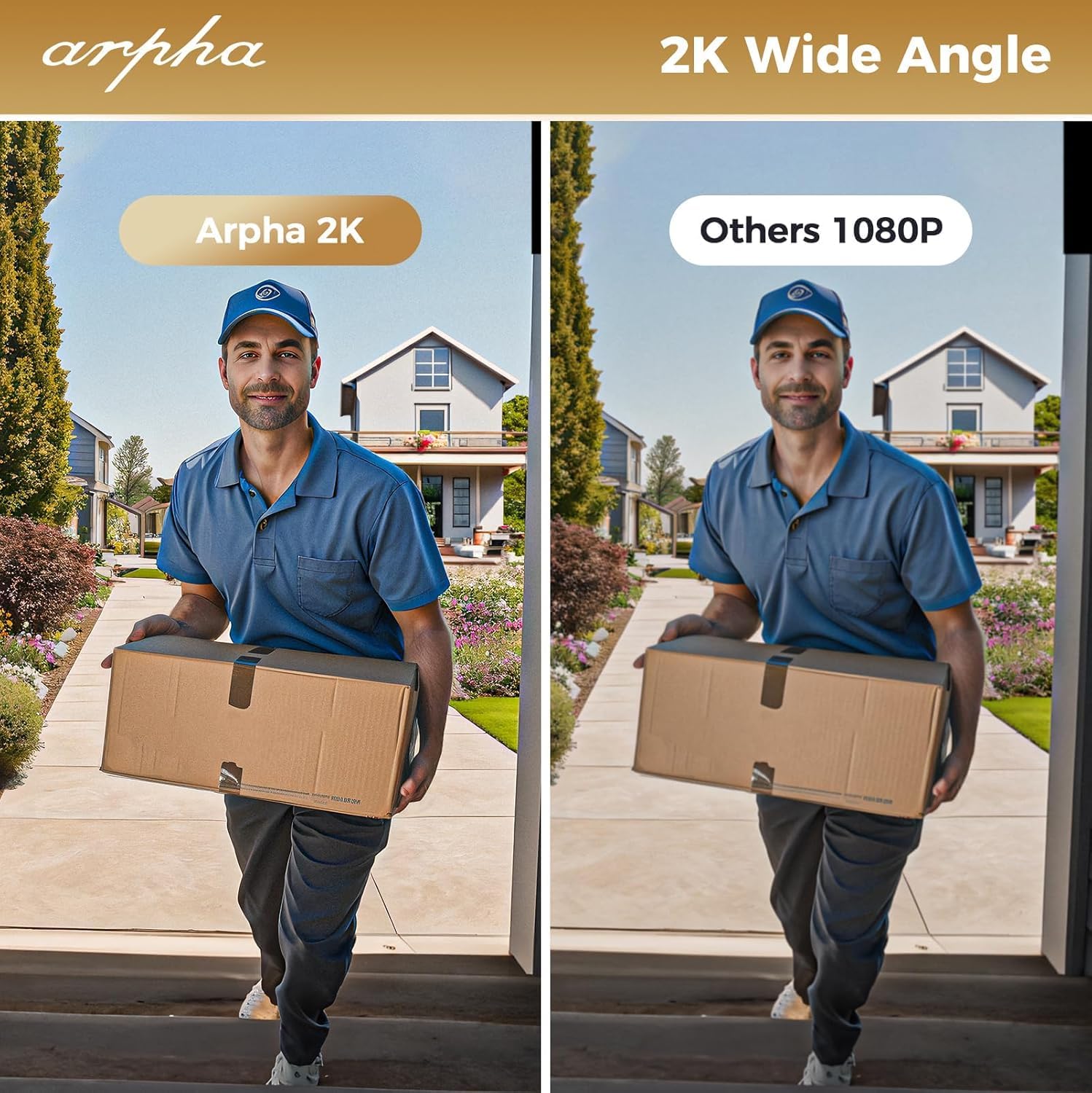
Image: 2K wide-angle camera view whakataurite.
4.5 Te Kitenga Nekehanga PIR
The Passive Infrared (PIR) sensor detects movement and provides alerts:
- Human/Animal Detection: Identifies motion in the front door area.
- Whakamōhiotanga wā-tūturu: Sends instant alerts to your Arpha Plus app when motion is detected.
- Customizable Activity Areas: Define specific zones to monitor, reducing unwanted alerts.
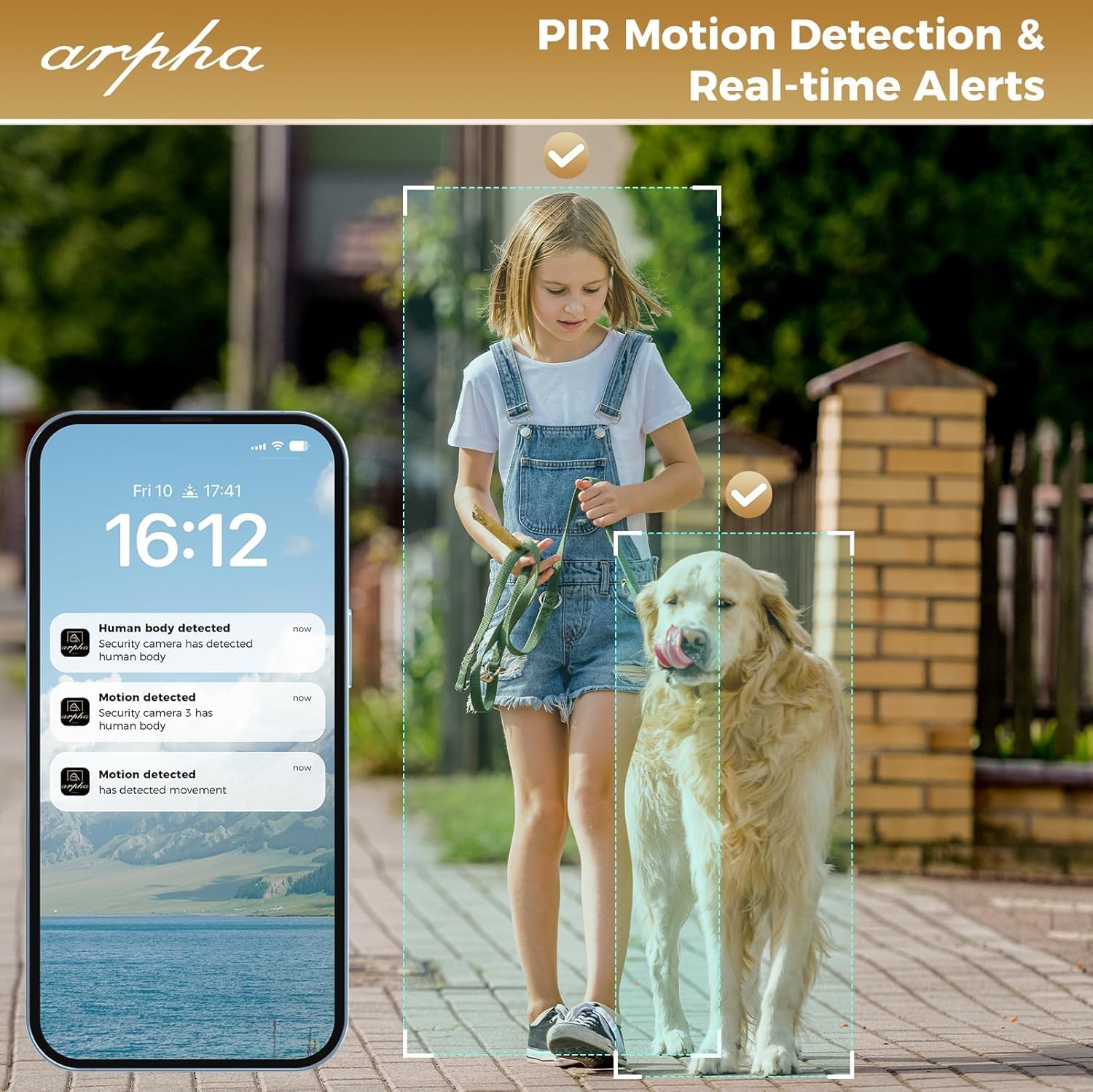
Image: PIR motion detection and real-time alerts.
5. Tiaki
- Ora Pūhiko: The 10,000 mAh battery pack can last up to 270 days with 10 daily uses on a single full charge.
- Kei te utu: Recharge the battery using the provided USB cable when the low battery warning is issued.
- Rokiroki Paetata: The lock supports up to 32GB of local storage for video recordings.
- Te horoi: Regularly clean the camera lens with a soft microfiber cloth to ensure clear video quality. Avoid harsh cleaners.
- parenga huarere: The lock is IP65 weatherproof, designed to withstand rain and various weather conditions.

Image: Long battery life feature.
6. Te Raru
- Maukati Kaore i te Whakautu: Check battery level. If low, recharge the battery. Ensure the battery is properly seated.
- Fingerprint Recognition Issues: Ensure your finger is clean and dry. Re-enroll your fingerprint if issues persist.
- Raruraru Hononga Wi-Fi: The lock only connects to 2.4GHz Wi-Fi networks. Ensure your router is broadcasting on this frequency. Move the router closer if signal is weak.
- Doorbell Chime Not Working: Ensure the chime module is plugged into a USB power port. Re-pair the chime by pressing and holding its doorbell icon button for 10 seconds until it makes a sound.
- App Issues (Android): As of mid-August, the Android app is undergoing an upgrade. If you experience issues, please contact customer service for assistance.
- Kounga Ataata Kino: Clean the camera lens with a soft microfiber cloth. Ensure adequate lighting for optimal night vision performance.
- Matohi Motini Hore: Adjust the sensitivity settings for PIR motion detection in the Arpha Plus app. Consider customizing activity areas to exclude high-traffic zones.
- Lock Not Fitting Door: Double-check your door's thickness and backset against the specifications in Section 3.1.
7. Whakatakotoranga
| Āhuahira | Taipitopito |
|---|---|
| Waitohu | ĀRAPA |
| Ingoa Tauira | AL501 |
| Tauira Tuemi | AL501-01 |
| Momo Maukati | Biometric (Fingerprint), Keypad, Key, App Control |
| Hononga | Wi-Fi (2.4GHz anake) |
| Whakataunga kamera | 2K HD |
| Koki kamera | 170° Koki-Whanui |
| Awhe Tirohanga Po | Tae atu ki te 33 putu |
| Pūhiko Raukaha | 10,000 mAh Lithium Polymer |
| Rokiroki rohe | Kari SD 32GB (kei roto) |
| Te Matutuku | IP65 |
| Hototahi Matotoru Kuaha | 1-3/8" ki te 2-1/8" (35mm - 55mm) |
| Whakahototahi Whakamuri | 2-3/8" (60mm) me te 2-3/4" (70mm) |
| Rauemi | Te whakarewa |
| Rahi Tūemi (L x W x H) | 2.8 x 5.9 x 1.2 inihi |
| Taumaha Tūemi | 2.75 pauna |
8. Raihana me te Tautoko
ARPHA is committed to providing high-quality products and excellent customer service. For any questions, concerns, or support needs regarding your ARPHA Smart Door Lock, please contact our support team.
- Ratonga Ipurangi: 24/7 te tautoko ipurangi e waatea ana.
- Wā Whakautu: Taria he whakautu i roto i ngā haora 2 mō ngā pātai.
- Tautoko Īmēra: For assistance, please email tautoko@arpha.com.

Image: ARPHA Support Team commitment.
Ask a question about this manual
Ask about setup, troubleshooting, compatibility, parts, safety, or missing instructions. Manuals+ will review the question and use this page’s manual context to help answer it.