KLIM K8

KLIM K8 Cassette Player Instruction Manual

Tauira: K8

1. Nga Tohutohu Haumaru Nui

2. Ihirangi mokete

Manatokona kei te noho nga taonga katoa, kei te pai te ahua:

3. Hua Neke Atuview

KLIM K8 Cassette Player with included earbuds and a cassette tape inserted

Whakaahua 3.1: The KLIM K8 Cassette Player, showing the cassette compartment, main controls, and included earbuds.

3.1. Ngā Mana Whakahaere me ngā Tauranga

4. Tatūnga

4.1. Whakakaha i te Pūrere

The KLIM K8 can be powered by two AA batteries or via a USB Type-C cable connected to a compatible AC-DC adapter (not included) or USB power source.

  1. Tāuta Pūhiko:
    • Whakatuwheratia te uhi o te wahanga pākahiko kei muri o te taputapu.
    • Whakauruhia kia rua ngā pākahiko AA, kia tika ai te polarity (+/-) e ai ki te tohu i roto i te wāhanga.
    • Katia kia mau te uhi o te wahanga pākahiko.
    KLIM K8 Cassette Player showing 2x AA batteries and a USB Type-C cable

    Whakaahua 4.1: Powering options for the KLIM K8, including AA batteries and USB Type-C cable.

  2. Hiko o waho:
    • Connect the provided USB Type-C cable to the DC IN port on the device.
    • Honoa te pito kē atu o te taura USB ki tētahi pūtake hiko USB hototahi (hei tauira, te urutau pakitara, te tauranga USB rorohiko).

4.2. Inserting a Cassette Tape

  1. Gently slide open the cassette compartment door.
  2. Insert a standard audio cassette tape with the open edge facing the playback head and the desired side (A or B) facing outwards.
  3. Close the cassette compartment door until it clicks securely.

5. Nga Tohutohu Whakahaere

5.1. Cassette Playback

  1. Me whakarite kia whakauruhia he riipene rīpene.
  2. Set the AM/FM/TAPE selector to "TAPE".
  3. Pehia te TAKARO pātene ki te tīmata te purei anō.
  4. Whakaritea te VOL te mana whakahaere ki te taumata whakarongo e hiahiatia ana e koe.
  5. Kia tere whakamua, pehia te F.FWD pātene. Hei huri, pehia te REW patene Press KATI to resume playback after fast forwarding or rewinding.
  6. Pehia te KATI pātene ki te whakamutu purei anō.

5.2. Cassette Recording

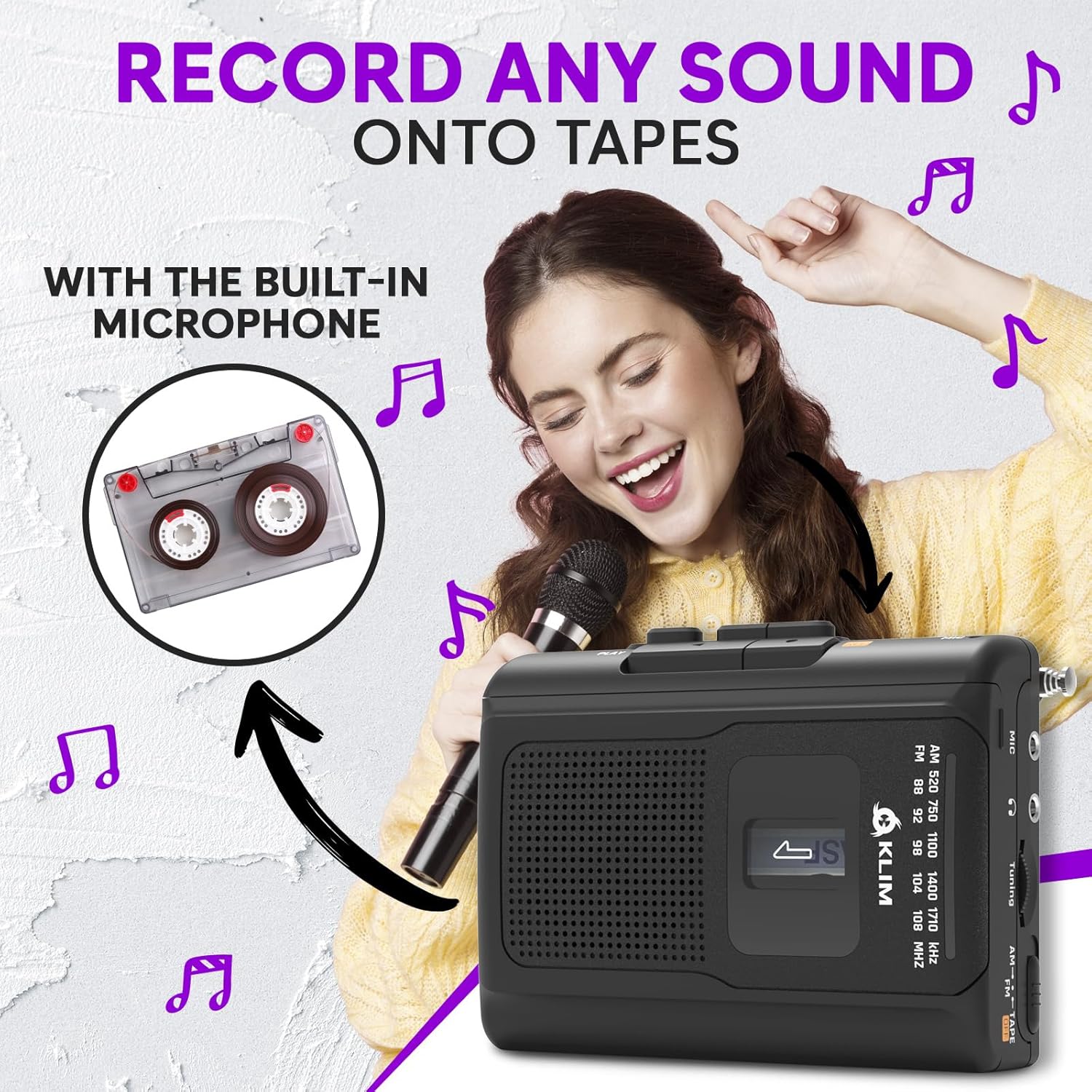
The KLIM K8 allows recording audio directly onto a cassette tape using its built-in microphone.

  1. Insert a blank or recordable cassette tape. Ensure the tape's erase protection tabs are intact if you intend to record over existing content.
  2. Set the AM/FM/TAPE selector to "TAPE".
  3. Pehia te REC pātene i te wā kotahi me te TAKARO button. The tape will start moving, and recording will begin.
  4. Speak clearly into the built-in microphone (MIC).
  5. Pehia te KATI pātene hei whakamutu i te tuhi.
Woman smiling and holding a microphone, with an inset image of a cassette tape, illustrating the recording function of the KLIM K8

Whakaahua 5.1: Recording audio onto a cassette tape using the integrated microphone.

5.3. Te Whakahaere Reo Irirangi AM/FM

  1. Set the AM/FM/TAPE selector to "AM" or "FM".
  2. Whakaroahia te pūihi karuārai kia pai ai te whiwhinga FM. Mō te whiwhinga AM, hurihia te waeine kia pai ai te tohu.
  3. Hurihia te Puka Whakatika hei matawai i ngā teihana reo irirangi.
  4. Whakaritea te VOL te mana whakahaere ki te taumata whakarongo e hiahiatia ana e koe.
KLIM K8 Cassette Player with an extended antenna, showing the AM/FM tuning dial, indicating radio functionality

Whakaahua 5.2: Tuning into AM/FM radio stations with the KLIM K8.

5.4. Te whakamahi i nga Waea

For private listening, connect the included KLIM Fusion earbuds or any standard 3.5mm headphones to the headphone jack on the side of the device. The built-in speaker will automatically mute when headphones are connected.

Person listening to music with headphones connected to the KLIM K8, highlighting the 3.5mm jack port

Whakaahua 5.3: Enjoying audio privately with headphones.

6. Tiaki

7. Te Raru

RaruraruTake peaRongoā
Kāore he hiko / Kāore te pūrere e tahuri.
  • Kua mate nga pākahiko, kua he ranei te whakaurunga.
  • USB power cable is not connected or faulty.
  • Whakakapihia nga pākahiko, tirohia ranei te polarity.
  • Ensure USB cable is securely connected and power source is active.
Poor sound quality from cassette.
  • He paru ngā pane rīpene.
  • Cassette tape is old or damaged.
  • He iti rawa te rōrahi.
  • Clean tape heads and pinch rollers.
  • Try a different cassette tape.
  • Whakanuia te rōrahi.
He pai te powhiri reo irirangi.
  • Kāore te pūihi i whakaroa (FM).
  • Te pokanoa, te tohu ngoikore ranei.
  • Whakaroahia te antenna telescopic.
  • Rotate the device for AM reception.
  • Ngāna kia neke ki tētahi atu wāhi.
Kaore i te mahi te tuhi.
  • REC and PLAY buttons not pressed simultaneously.
  • Cassette tape is write-protected (tabs removed).
  • Ensure both buttons are pressed together.
  • Use a recordable tape or cover the write-protect tabs with adhesive tape.

8. Whakatakotoranga

WaitohuKLIM
TauiraK8
Nga MahiCassette Player, Cassette Recorder, AM/FM Radio
hopuoroHanga-i roto
Tiki Waeoro3.5mm Universal
Puna Mana2x AA Batteries (included) or USB Type-C (DC IN)
TaePango
Ahu (Ahua)4.7" x 3.4" x 1.5" (based on image PT06)
Taumaha (Ahua.)6.8 oz (based on image PT06)
KLIM K8 Cassette Player showing dimensions of 4.7 inches by 3.4 inches by 1.5 inches and a weight of 6.8 ounces

Whakaahua 8.1: Approximate dimensions and weight of the KLIM K8.

9. Pūtāhui me te Tautoko

The KLIM K8 Cassette Player comes with a 5-tau pūtāhui. This warranty covers manufacturing defects and ensures the quality and durability of your device.

For technical support, warranty claims, or any questions regarding your KLIM K8, please contact KLIM Technologies France, the seller, through your purchase platform or visit the official KLIM webpae mo nga korero whakapā.

Tena koa pupurihia to tohu hoko mo nga kaupapa whakamana.

Tuhinga e pa ana - K8

Preview Pukapuka Kaiwhakamahi mō te Pūoro Rīpene KLIM K7
Kei roto i tēnei pukapuka kaiwhakamahi ngā tohutohu whānui mō te KLIM K7 Portable Cassette Player, e kapi ana i te tatūnga, te whakahaere, ngā āhuatanga pēnei i te hopu kāri SD me te tahuritanga MP3, te tiaki, me te rapurongoā.
Preview KLIM Journey CD Player Manual Kaiwhakamahi
He pukapuka whakamahi matawhānui mo te KLIM Journey puoro CD kawe, e hipoki ana i te tatūnga, te mahi, nga ahuatanga, me te rapu raruraru. Akohia me pehea te purei CD me nga kaari TF, te hono i nga taputapu Nihokikorangi, te whakamahi i te kaiwhakawhiti FM, me etahi atu.
Preview KLIM Speaker User Manual: High-Fidelity Portable CD Player with Rechargeable Battery
Comprehensive user manual for the KLIM Speaker, a portable CD player offering high-fidelity sound reproduction. Learn about its features, operation, charging, playback options, and troubleshooting. Includes package contents, technical specifications, and safety guidelines.
Preview Pukapuka Kaiwhakamahi KLIM Discman: Aratohu Kaipāho CD Kawe
He pukapuka whakamahi matawhānui mo te KLIM Discman kaikawe CD kawe, e hipoki ana i te tatūnga, te mahi, nga ahuatanga, me te rapu raruraru. Kei roto ko nga tohutohu haumaru me nga whakaritenga hangarau.
Preview KLIM Nomad Portable CD Player User Manual
Comprehensive user manual for the KLIM Nomad portable CD player, covering safety instructions, product features, specifications, operation, troubleshooting, and more. Includes multilingual support.
Preview KLIM Discover Portable CD Player Manual Kaiwhakamahi
Comprehensive user manual for the KLIM Discover portable CD player, covering setup, playback options, features, FM transmitter, Bluetooth connectivity, and troubleshooting.