
Arikasen A6
Arikasen A6 Bluetooth Headset User Manual
Model: A6 | Wireless On-Ear Earphones
Kupu Whakataki
Welcome to the user manual for your Arikasen A6 Bluetooth On-Ear Headset. This manual provides detailed instructions on how to set up, operate, maintain, and troubleshoot your new wireless earphones. Designed for comfort and superior sound, the A6 headset features Bluetooth 5.0 for stable connections, deep bass, and 3D stereo sound. Please read this manual carefully to ensure optimal performance and longevity of your device.
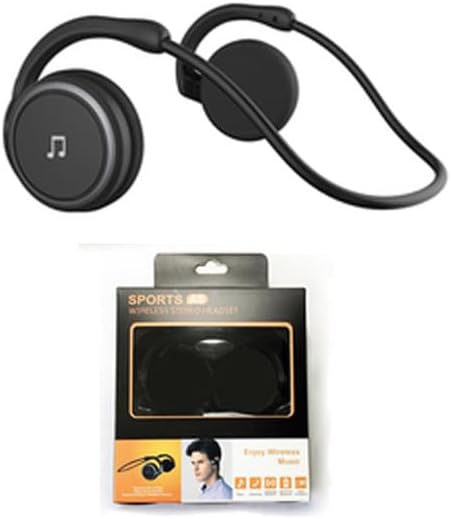
Figure 1: Arikasen A6 Bluetooth Headset. This image displays the overall design of the black on-ear headset, highlighting its lightweight and ergonomic form factor.
Tatūnga me te Whakamahi Tuatahi
1. Te Whakataki i te Paneoro
Before first use, fully charge your Arikasen A6 headset. The headset charges via a cable connection.
- Honoa te taura utu ki te tauranga utu o te pane whakarongo.
- Tūhonohia te pito o te taura ki te puna hiko USB (hei tauira, te tauranga USB rorohiko, te urutau pakitara).
- The indicator light will show charging status (refer to device for specific light behavior).
- A full charge provides approximately 11 hours of music playback time.
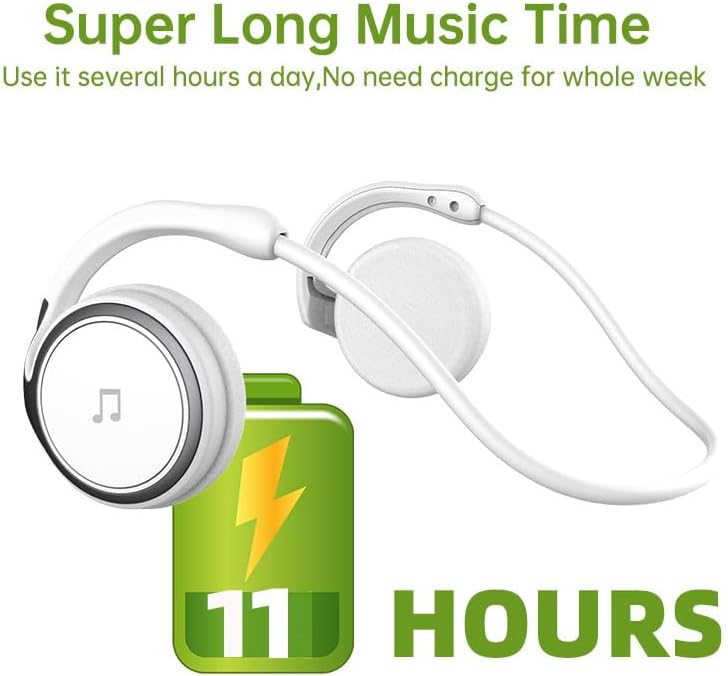
Figure 2: Battery Life Indication. This image illustrates the headset's capability to provide up to 11 hours of continuous music playback on a single charge.
2. Takirua Nihokikorangi
To connect your headset to a device (smartphone, tablet, computer), follow these steps:
- Me whakarite kua utua te pane whakarongo, ā, kua whakawetohia.
- Press and hold the power button on the headset until the indicator light flashes, indicating pairing mode.
- I tō pūrere, haere ki ngā tautuhinga Nihokikorangi ka whakakā i te Nihokikorangi.
- Rapua available devices. The headset should appear as "Arikasen A6" or similar.
- Select "Arikasen A6" to connect. Once connected, the indicator light will change (e.g., solid blue or off).
- Mena ka tonohia he kupuhipa, whakauruhia "0000".

Figure 3: Bluetooth 5.0 Connectivity. This image highlights the headset's Bluetooth 5.0 capabilities, ensuring stable and swift connections for both audio and voice calls.
Nga Tohutohu Whakahaere
Nga Mana Whakahaereview
The Arikasen A6 headset features intuitive controls located on the earcup. Familiarize yourself with these buttons for easy operation.
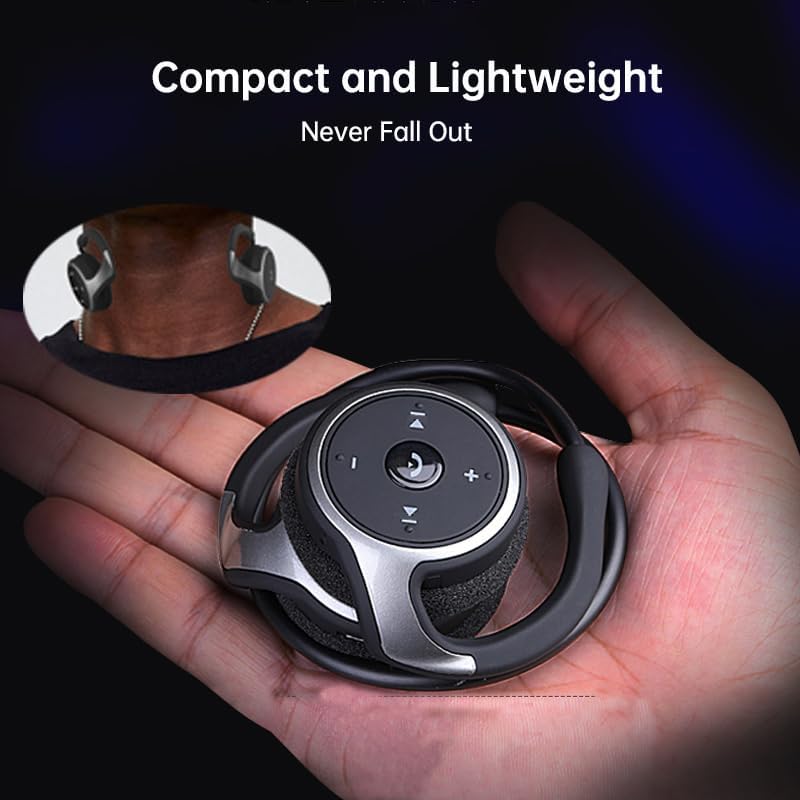
Figure 4: Headset Controls. This image provides a close-up view of the control panel on the headset's earcup, detailing the button layout for music and call management.
- Pātene Mana (Pātene Maha-mahi):
- Pēhia me te pupuri kia Power ON/OFF.
- Pēhia kia kotahi ki te Purei/Tatari waiata.
- Press once to Answer/End calls.
- Press and hold to Reject calls.
- Rōrahi Whakarunga (+): Patohia hei whakanui i te rahinga.
- Rōrahi Raro (-): Patohia ki te whakaheke i te rahinga.
- Next Track (>>|): Patohia ki te peke ki te waiata e whai ake nei.
- Previous Track (|<<): Patohia kia haere ki te waiata o mua.
Te mau i te Paneoro
The Arikasen A6 is designed for ultra-comfort, balancing stress on the ear. Its lightweight and compact design ensures it stays securely in place.
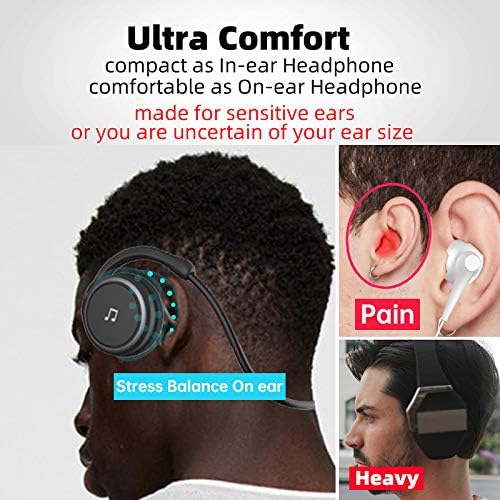
Figure 5: Ultra Comfort Design. This image demonstrates the ergonomic design of the headset, emphasizing its comfortable fit for extended wear, particularly beneficial for sensitive ears.
Te Tiaki me te Tiaki
Proper maintenance ensures the longevity and optimal performance of your Arikasen A6 headset.
- Te horoi: Whakamahia he kakahu ngohengohe, maroke hei muru i te pane whakarongo. Kaua e whakamahi i ngā kaihoroi whakakoi, i ngā whakarewa, i ngā matū kaha rānei.
- Rokiroki: When not in use, store the headset in a cool, dry place, away from direct sunlight and extreme temperatures.
- Aukati i te makuku: Do not expose the headset to water or excessive moisture. It is not waterproof.
- Te hapai me te tiaki: Kaua e tukua te pane whakarongo kia marere, kaua hoki e tukua kia pāngia e te kaha o te pānga.
- Kei te utu: Only use the provided charging cable or a certified equivalent. Do not overcharge the battery.
Raparongoā
If you encounter issues with your Arikasen A6 headset, refer to the following common problems and solutions:
| Raruraru | Take pea | Rongoā |
|---|---|---|
| Kāore te pane whakarongo e tahuri. | He iti te pākahiko. | Me utu katoa te pane. |
| Kaore e taea te hono ki te taputapu. | Kāore te pane whakarongo i te aratau takirua; kua weto te Nihokikorangi i runga i te pūrere; kua tawhiti rawa te pūrere. | Ensure headset is in pairing mode (flashing light). Turn on Bluetooth on your device. Move headset closer to device (within 10 meters). |
| Karekau he oro, he iti te reo. | Volume too low on headset or device; headset not connected properly. | Increase volume on both headset and connected device. Re-pair the headset. |
| Hononga mokowhiti. | Te pokanoa; tawhiti rawa te taputapu; iti pūhiko. | Move away from other wireless devices. Ensure headset is within range. Charge the headset. |
Mena kei te haere tonu te raru, tirohia te waahanga Whakaputanga me te Tautoko mo etahi atu awhina.
Whakatakotoranga
The following are the technical specifications for the Arikasen A6 Bluetooth Headset:
- Tauira: A6
- Waitohu: Generic (Arikasen)
- Hononga: Nihokikorangi 5.0
- Earcups Type: Tapa-tuwhera
- Sound Isolating: Kao
- Mana Putanga: 50mW
- Te maha o nga taraiwa: 2
- Rahi Atekōkiri: 18mm (for superior sound and deeper bass)
- Tikanga Whakatau: Tauera
- Headphone Pads Material: Pahuka ngohengohe
- Momo aukume: Neodymium
- Rauemi: Kirihou
- Tae: Black (without box)
- Approximate Music Playback Time: 11 haora

Figure 6: Driver Technology. This image illustrates the internal components of the earcup, highlighting the 18mm driver responsible for delivering superior sound quality and deep bass.
Pūtāhui me te Tautoko
Your Arikasen A6 headset comes with dedicated customer support.
If you encounter any issues with your product, such as a damaged product or receiving incorrect items, please contact us directly through the Amazon platform. We are committed to providing the best solution to resolve any issues promptly.
For further assistance or inquiries, please reach out to our customer service team via the Amazon messaging system.
Tuhinga e pa ana - A6
 |
arikasen Bluetooth 5.4 Headphones User Manual User manual for arikasen Bluetooth 5.4 Wireless Open Ear Earbuds, featuring 60 hours playtime, dual mic for clear calls, and air conduction technology for sports. |
 |
Arikasen A6J Sport Wireless Earphone User Manual Comprehensive user manual for the Arikasen A6J Sport Wireless Earphone, including setup, pairing, operation, and safety guidelines. |
 |
Arikasen HT03 Open Ear Bluetooth Headset User Manual User manual for the Arikasen HT03 Open Ear Bluetooth Headset, featuring Bluetooth 5.4, noise-cancelling microphone, and operation instructions. |
 |
arikasen MY002 Wireless Bluetooth Earbuds User Manual Comprehensive user manual for the arikasen MY002 wireless Bluetooth earbuds, covering setup, pairing, operation, specifications, and safety information. |
 |
Arikasen BX31 TWS Earbuds User Manual User manual for Arikasen BX31 TWS Bluetooth Earbuds, including connection, operation, troubleshooting, and safety instructions. |
 |
OWS Business Headphone (SL-A6) User Manual User manual for the Arikasen OWS Business Headphone (Model SL-A6). Includes instructions for charging, pairing, call controls, music playback, and warranty feedback. |
Ask a question about this manual
Ask about setup, troubleshooting, compatibility, parts, safety, or missing instructions. Manuals+ will review the question and use this page’s manual context to help answer it.